COBBLESTONE SOFTWARE
Contract Insight — User Guide
View Purchase Order Details from Search
Module: Purchase Orders › Searching Purchase Orders › View Purchase Order Details from Search
Note: Each procedure in this guide begins at the Contract Insight homepage, so any section can be followed on its own. Custom fields are configurable, so the exact field list on a contract category record may vary between environments.
1. Overview
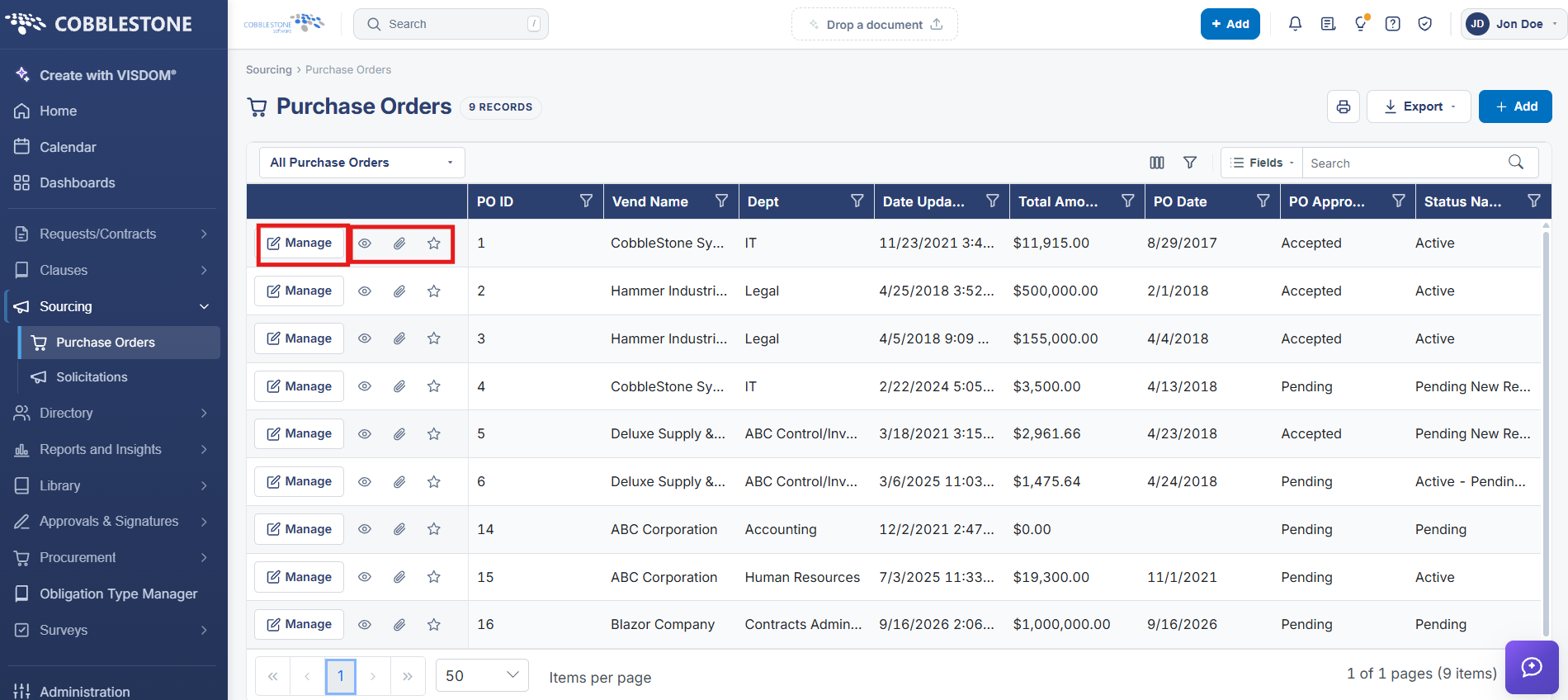
Each row of the Purchase Orders list carries a view (eye) icon that opens a quick look at that PO's details without fully navigating into the record, alongside the Manage action that opens the record for editing and icons for attachments and marking a PO as a favorite.
2. Key Elements
- Eye icon per row previews PO details from the list
- Manage opens the full record
- Paperclip and star icons show attachment presence and favorite status