COBBLESTONE SOFTWARE
Contract Insight — User Guide
View a PO Template
Module: Purchase Orders › Purchase Order Templates › View a PO Template
Note: Each procedure in this guide begins at the Contract Insight homepage, so any section can be followed on its own. Custom fields are configurable, so the exact field list on a contract category record may vary between environments.
1. Overview
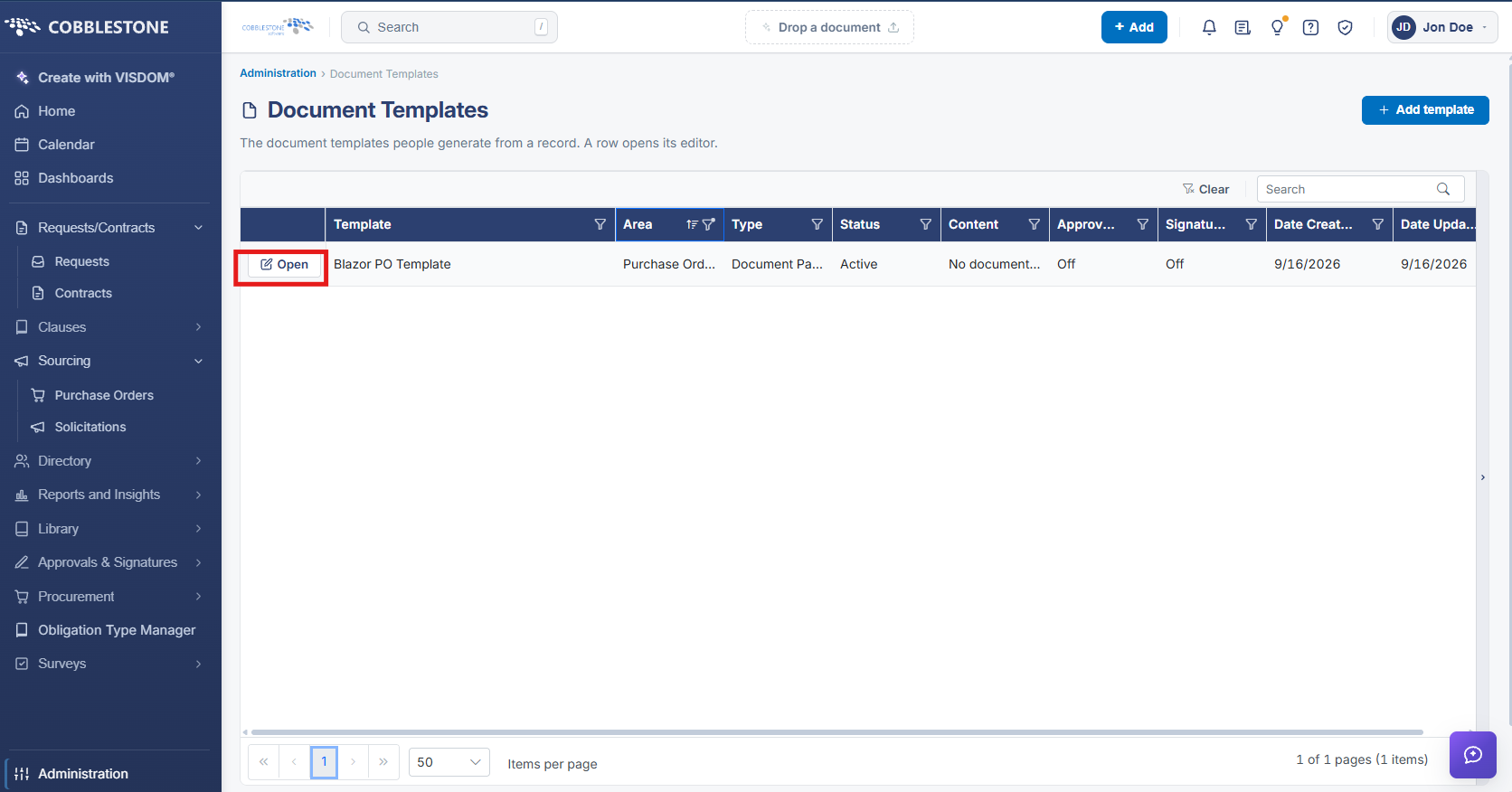
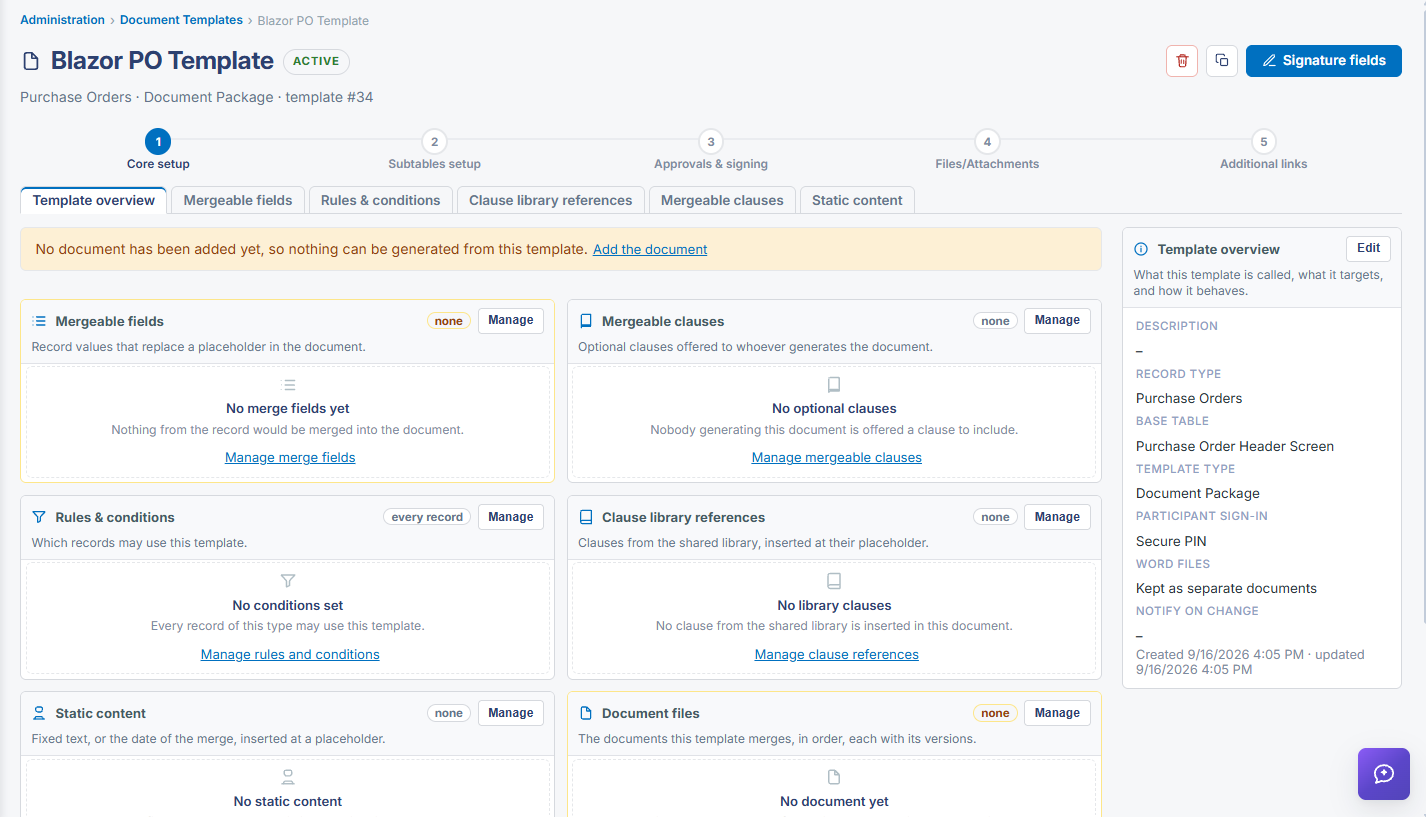
Clicking Open on a Document Templates row opens that template's editor, showing what it currently contains — how many source files make up the template, how many merge fields it uses, and whether an approval or signature process is attached — the same viewing mechanism used for any document template in the system, PO-scoped or otherwise.
2. Key Elements
- Open on a Document Templates row shows that template's file count and field count
- The same row reports whether Approvals or Signatures routing is attached