COBBLESTONE SOFTWARE
Contract Insight — User Guide
Task Alerts on a Solicitation Record
04. End User General Information › E-mail Notifications & Alerts › Task Alerts on a Solicitation Record
Note: Each procedure in this guide begins at the Contract Insight homepage, so any section can be followed on its own. Custom fields are configurable, so the exact field list on a contract category record may vary between environments.
1. Overview
Contract Insight allows users task alerts related to Solicitation Records using the Tasks, E-mails, & Alerts section of the respective Solicitation Details screen. 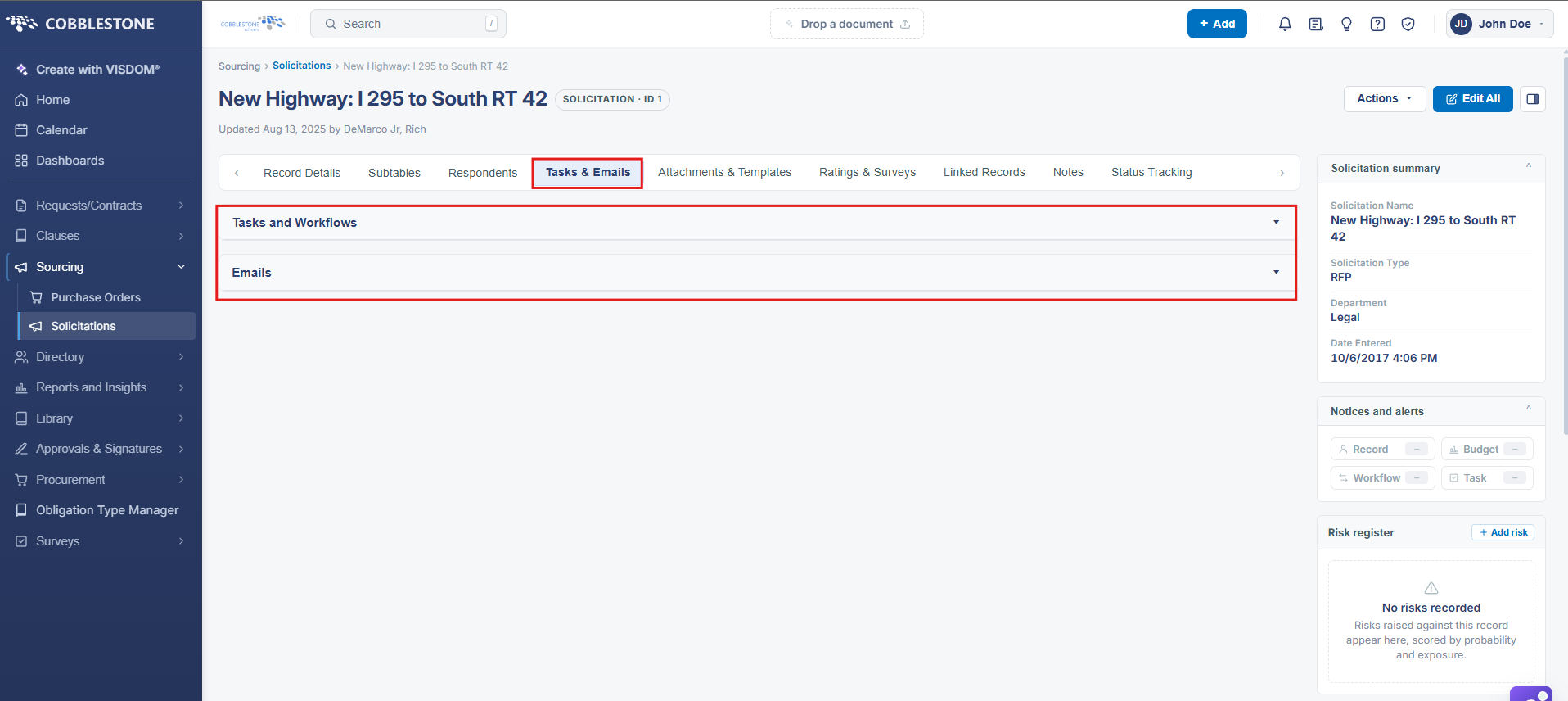
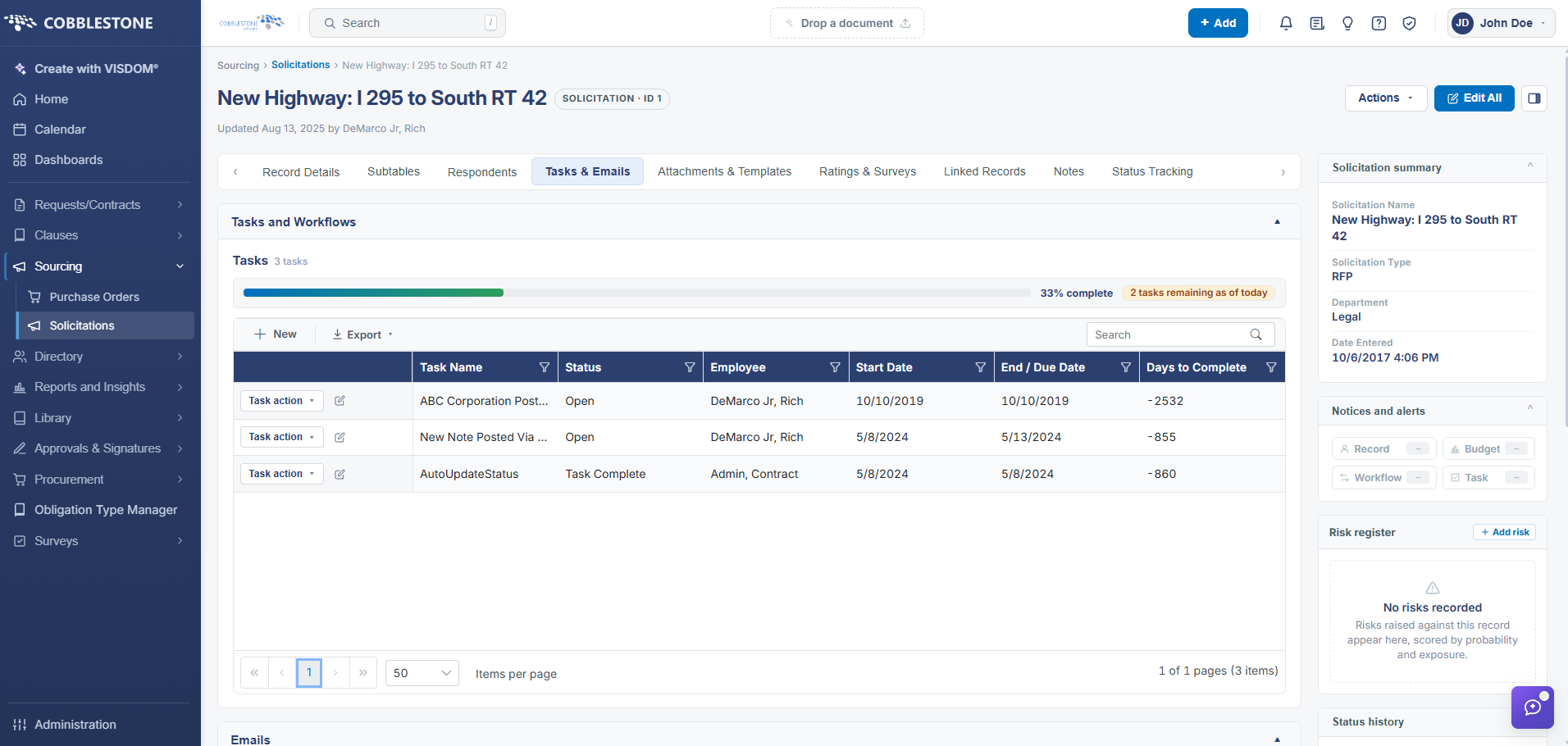
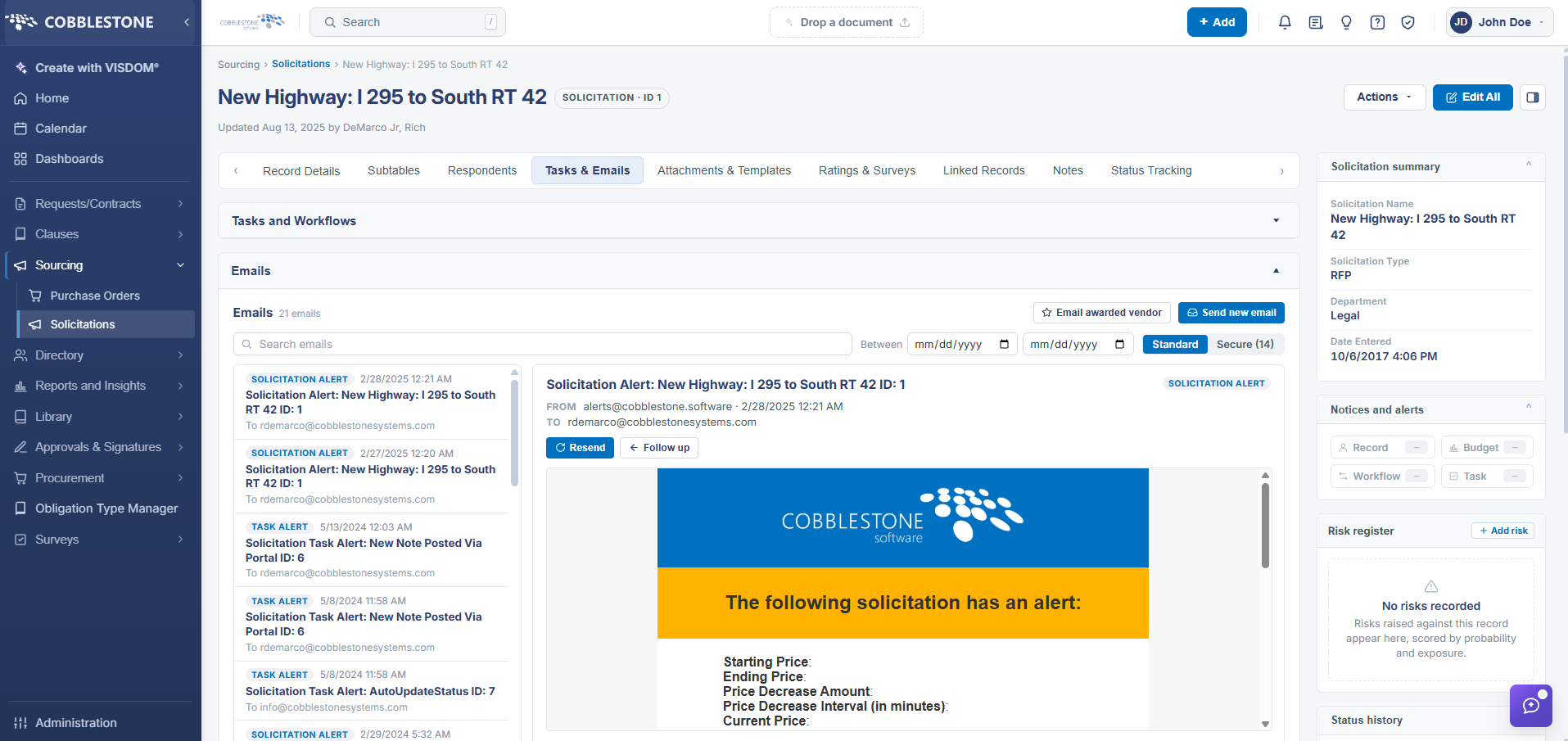
Solicitation Task Alerts are sent out to the Assigned To employee for the task record based on the:
- Task End Date
- When the number of calendar days before the Task End Date are equal to the Notify Days entered in the task record.
Example: If a user enters a task End Date of 5/7/2018 and a Notify Days value of ninety (90), the system will e-mail the Assigned To employee for the task record on 2/6/2018 (5/7/2018 minus 90 days).
The system will also display the alert on the Calendar screen for the Assigned To employee on 5/7/2018 (End Date) and 2/6/2018 (90 days before the End Date).
- A user may add an unlimited number of tasks for a solicitation and assign the task to any employee entered into the Employee List screen.
- Solicitation Tasks may alert more than one employee, escalate if needed, and repeat on an interval.
Note: Pre-defined Workflow may automatically assign tasks to a solicitation record as configured by an Application Administrator. The operations for the e-mail alerts and calendar alerts remain consistent with the instructions above, provided the Task Record has a valid Assigned To employee, Task End Date, and Notify Days assigned.
Note: For the e-mails to be routed successfully please have an Application Administrator verify that:
1. The employee's e-mail address is correct in the Employee Manager screen.
2. The task end date and/or notify days (less than the task end date) is future dated.
3. Your organization’s internal e-mail system is not blocking e-mails from the CobbleStone®systems.com domain (or blocking emails from the internal server).
4. The task e-mailer job is properly configured and scheduled to run at least daily (or better).
2. Key Elements
- Notifications tab > Tasks and Workflows panel: each task carries its own Status, Employee, and Start Date driving when its alert fires
- Notifications tab > Emails panel shows delivered task alert emails (e.g. "Solicitation Task Alert...") with a Resend action
- Administration > Scheduled Jobs > Solicitation Task E-Mails and Solicitation Task Escalations are the jobs that generate these alerts, running every 30 minutes and 1 hour
- Alert emails are sent from alerts@cobblestone.software and logged permanently in the record's Emails panel