COBBLESTONE SOFTWARE
Contract Insight — User Guide
Solicitation Record Alerts
04. End User General Information › E-mail Notifications & Alerts › Solicitation Record Alerts
Note: Each procedure in this guide begins at the Contract Insight homepage, so any section can be followed on its own. Custom fields are configurable, so the exact field list on a contract category record may vary between environments.
1. Navigating to Solicitation Records
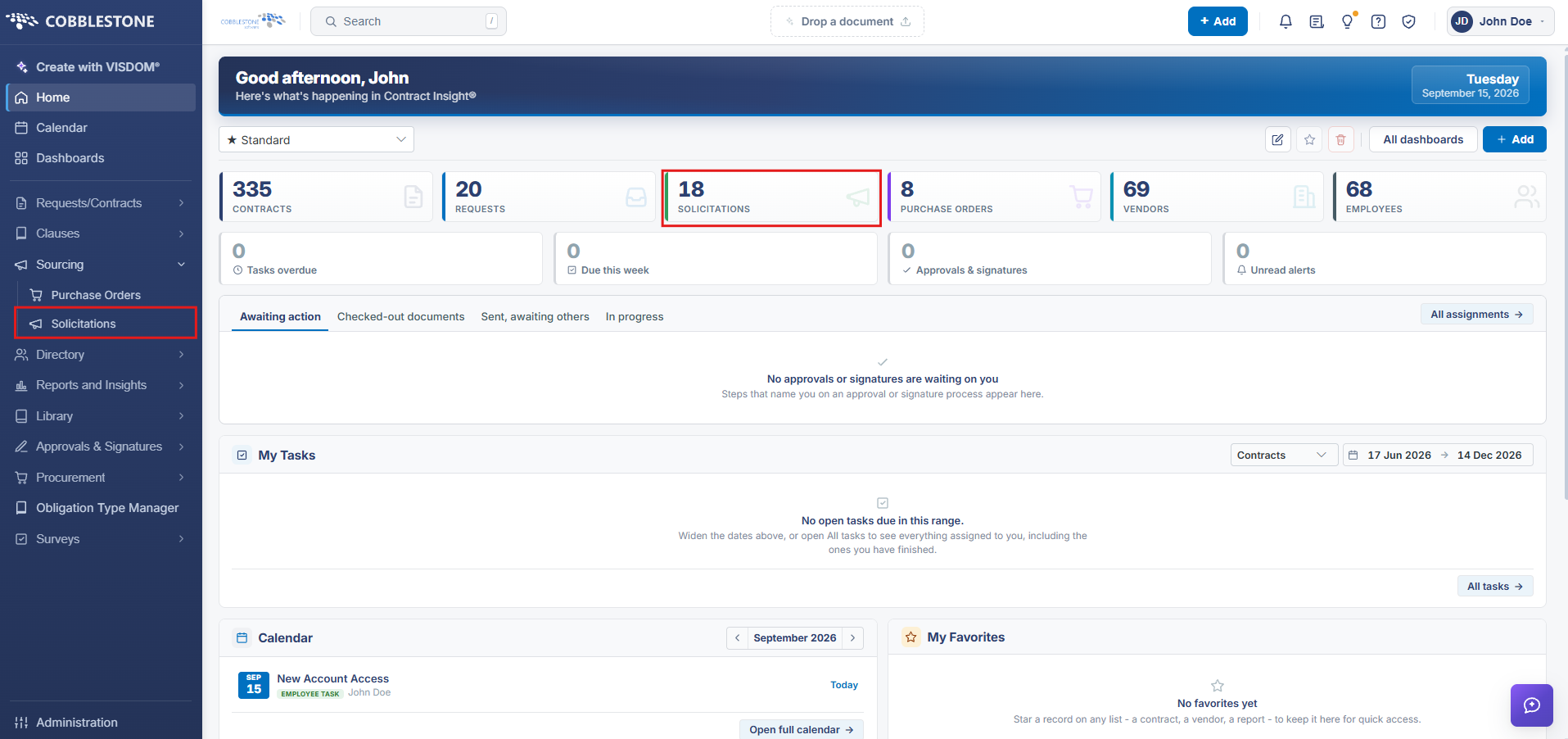
1. Click the Solicitations card in the main dashboard, or find it via the left-hand navigation column under Sourcing.
2. The Solicitations Record List opens.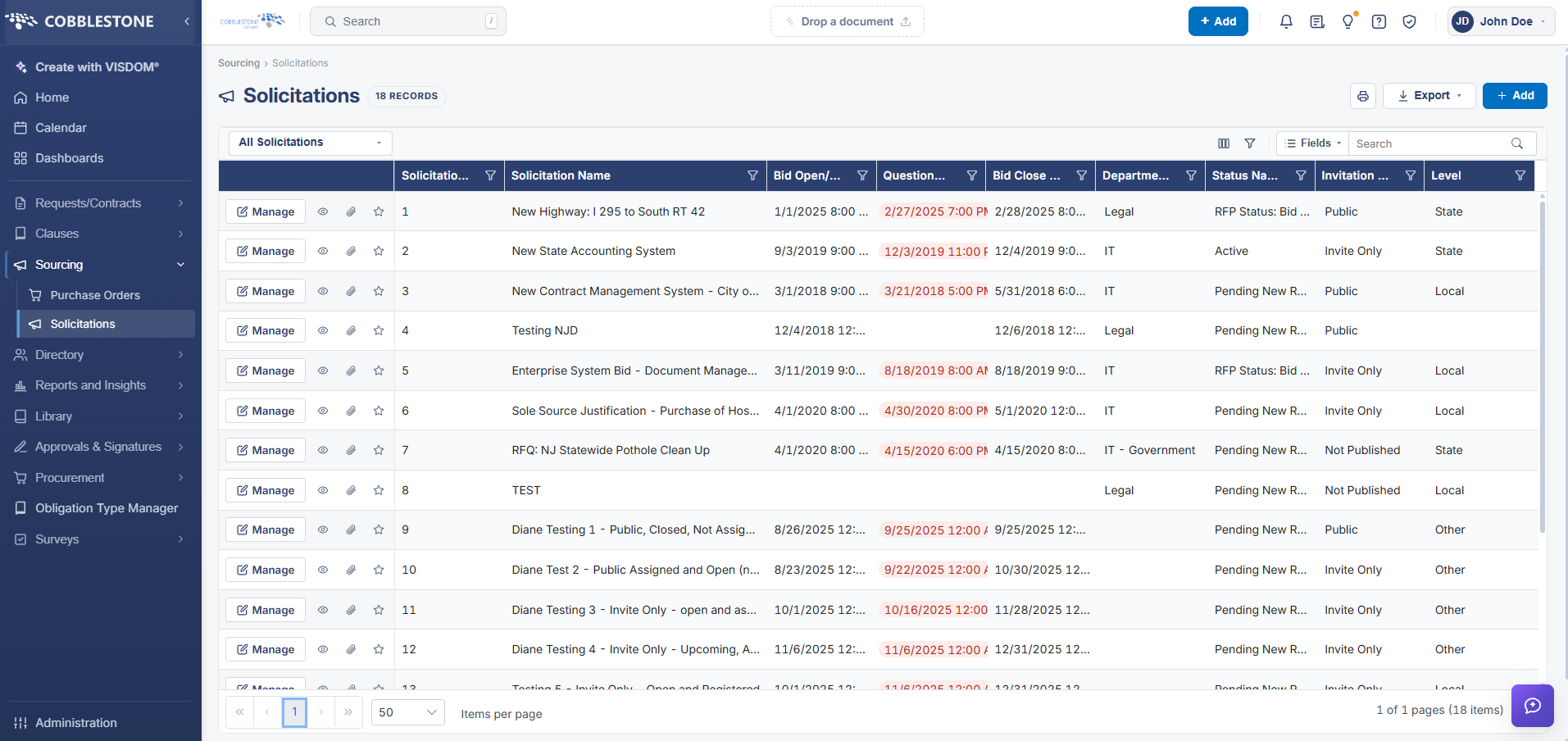
3. Solicitations can be managed via the left-hand column.
- Manage Button (Pencil/Edit Icon) : Lets user edit the solicitation record
- Preview Button (Eye Icon): Lets user preview the solicitation record
- Attachments Button (Paper Clip Icon): Lets user attach a file to the solicitation record
- Favorite Button (Star Icon): Lets user add the solicitation record to favorites
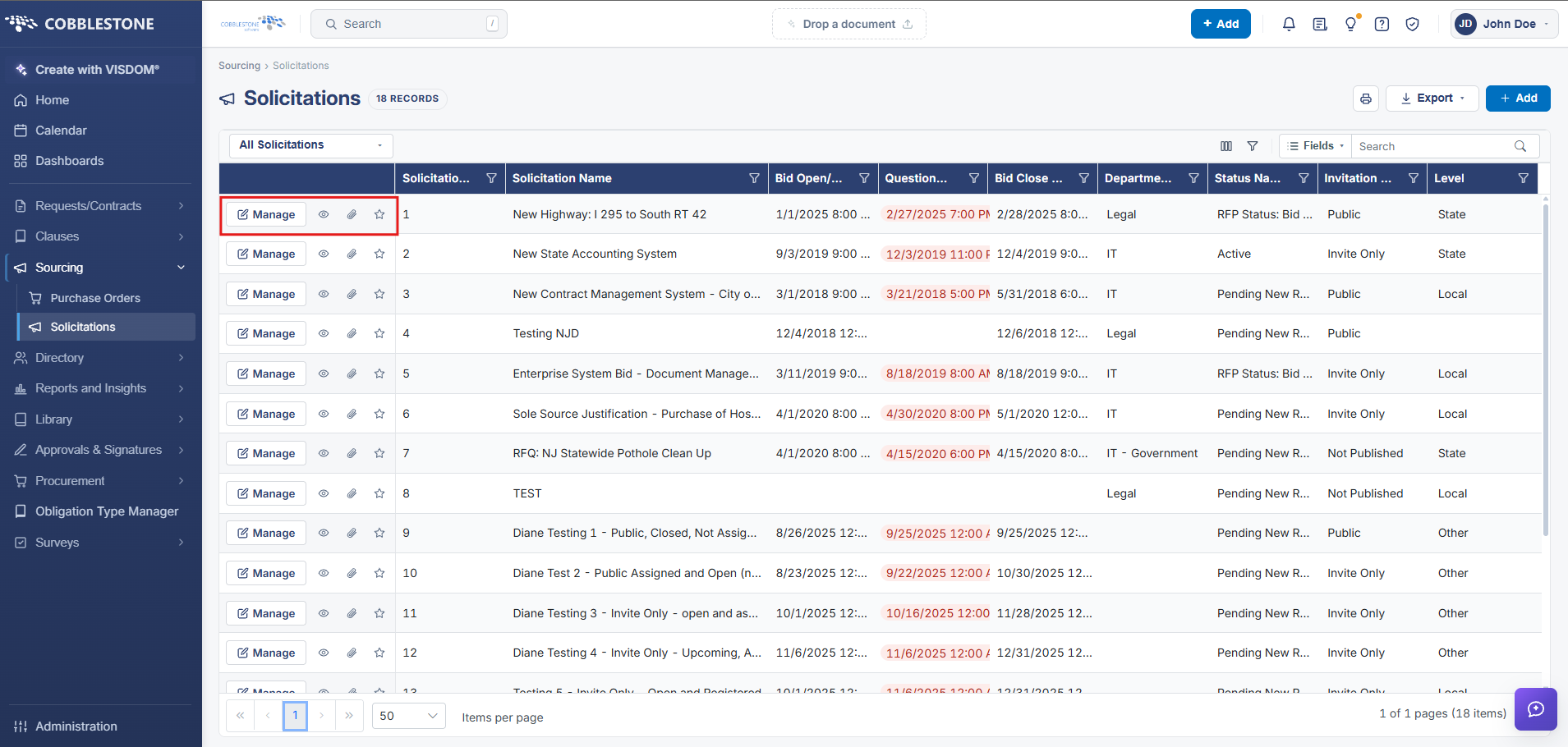
4. Click the Manage Button.
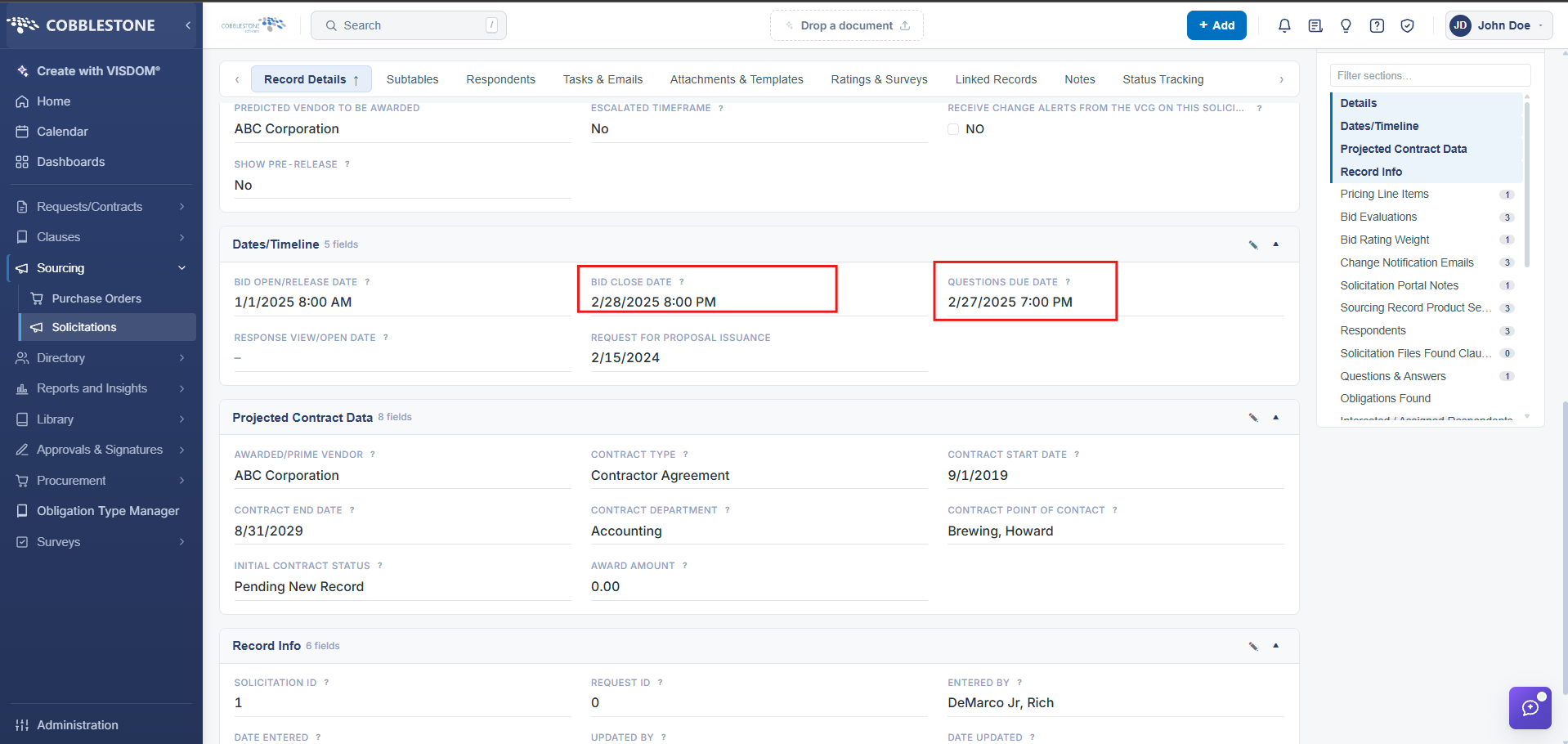
5. Navigate to the Record Details tab. Solicitation Record Alerts are sent out to the Employee Contact specified on the Solicitation Record based on the Bid Close Date and Questions Due Date.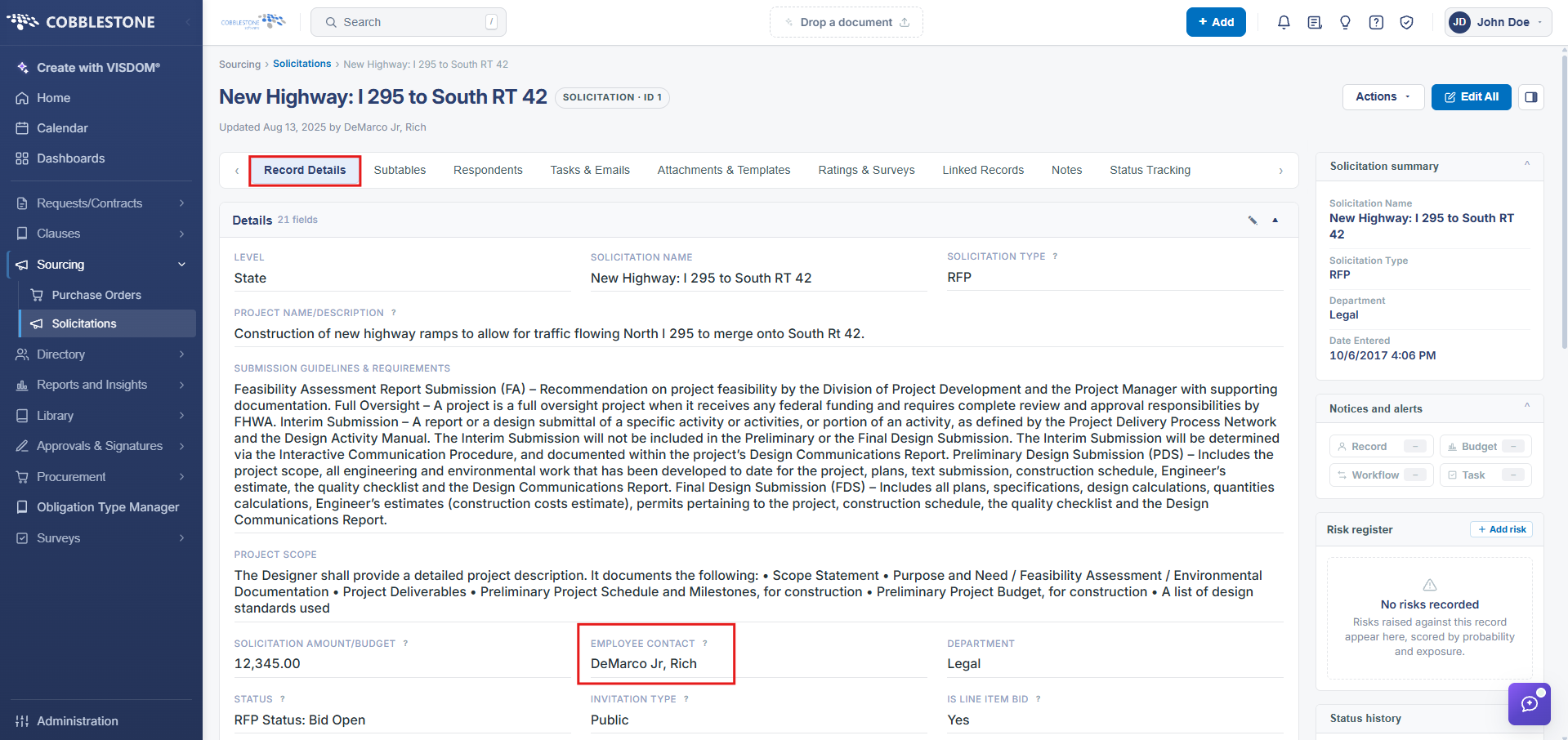
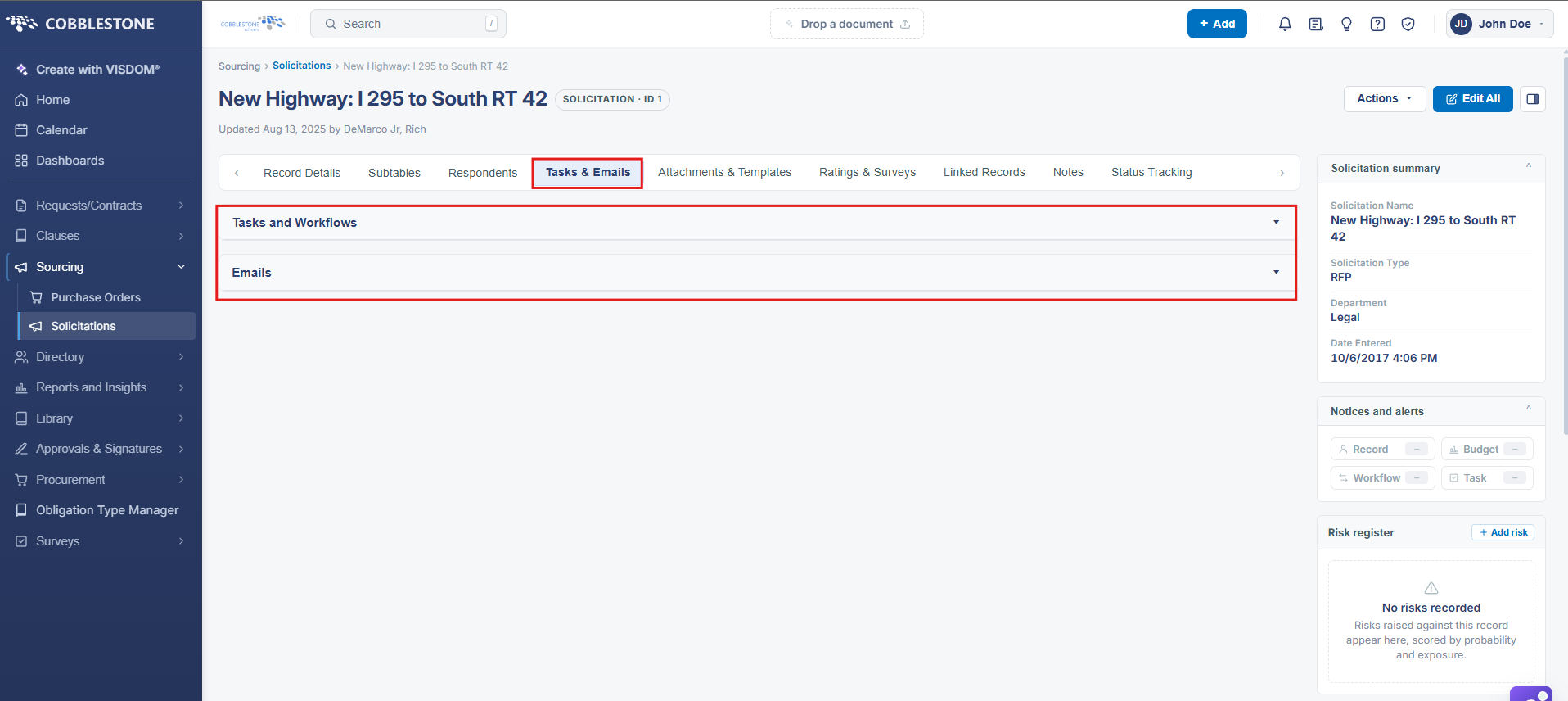
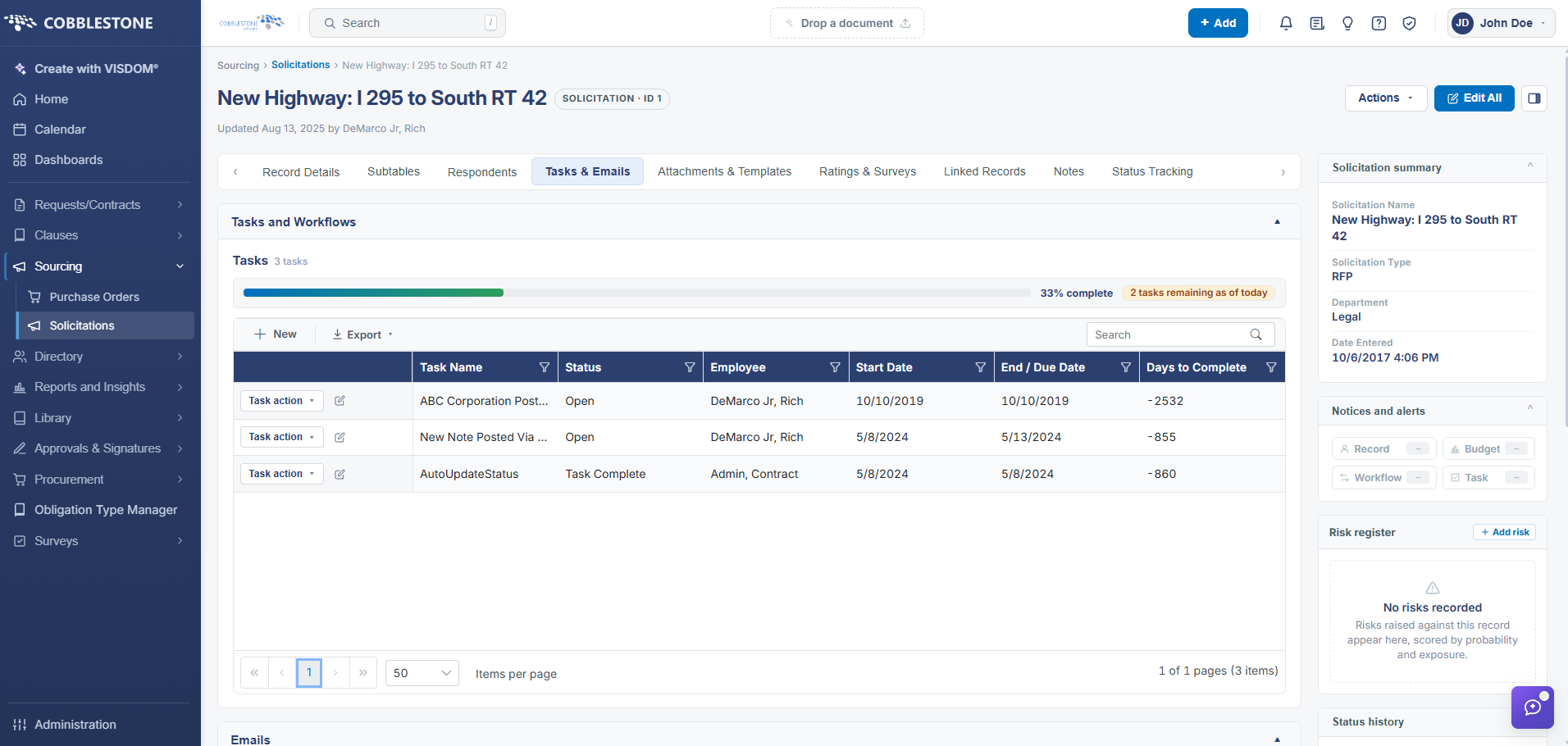
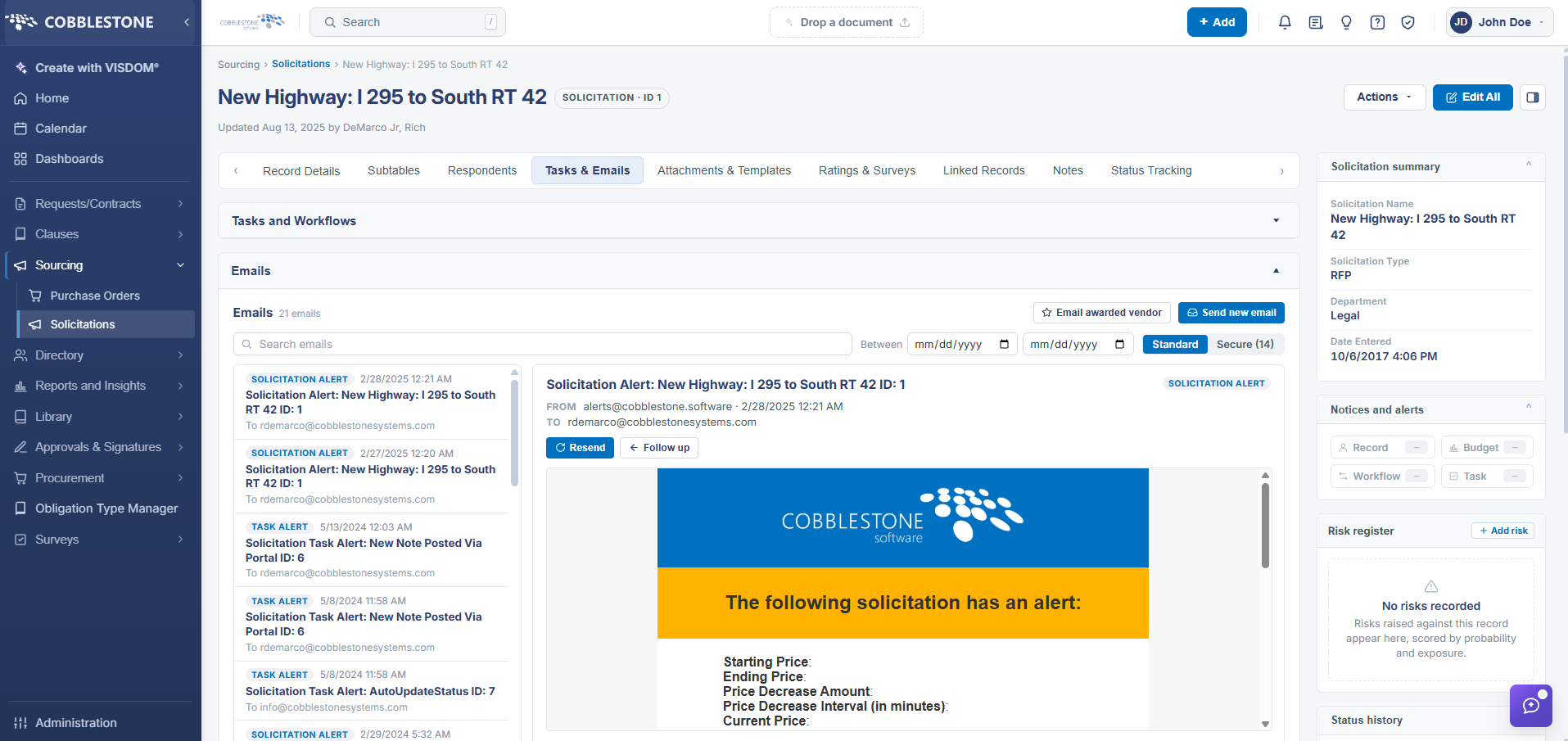
5. Navigate to the Tasks & Emails Tab. This is where you can track Tasks and Workflows / Emails for that solicitation record.
6. Ensure that the Solicitation Record Alerts are scheduled by navigating to Administration > Scheduled Jobs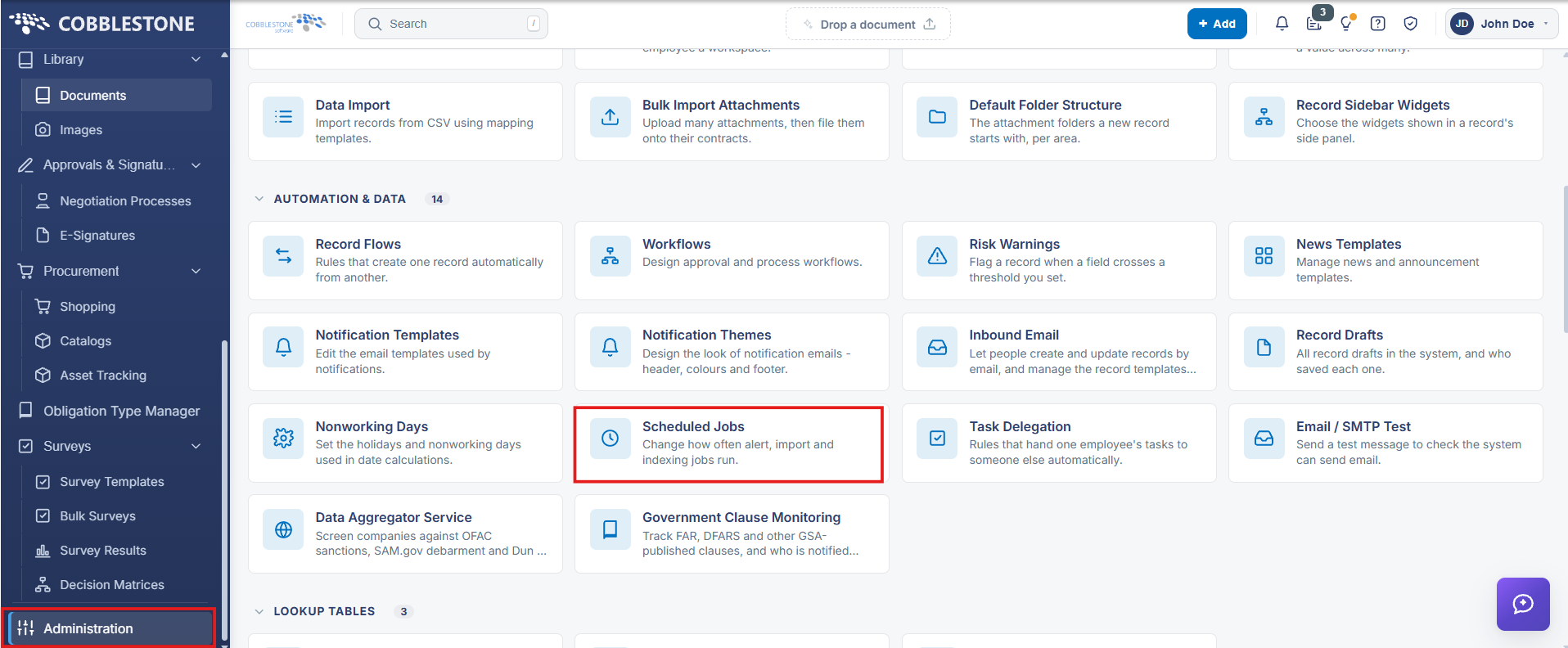
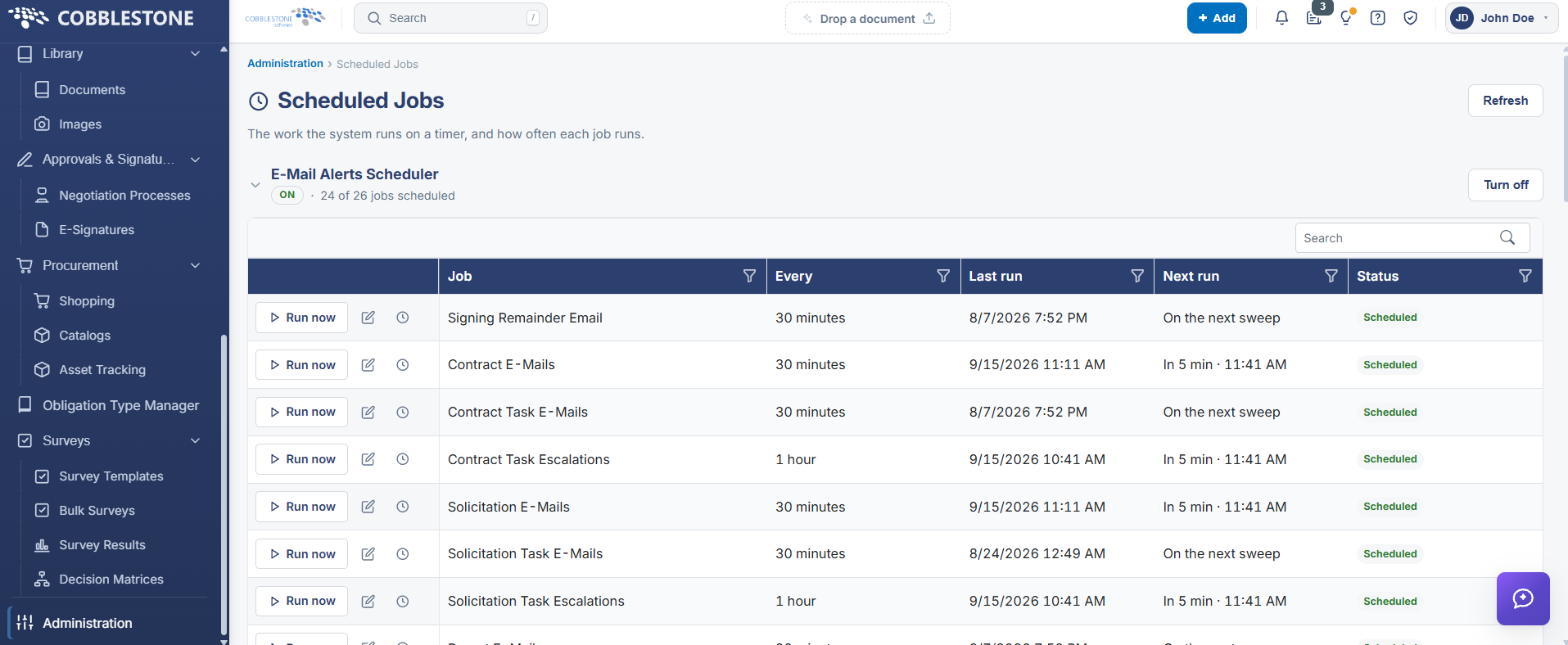
7. Click the pencil edit icon in the left-hand column to customize the interval of how often the job runs.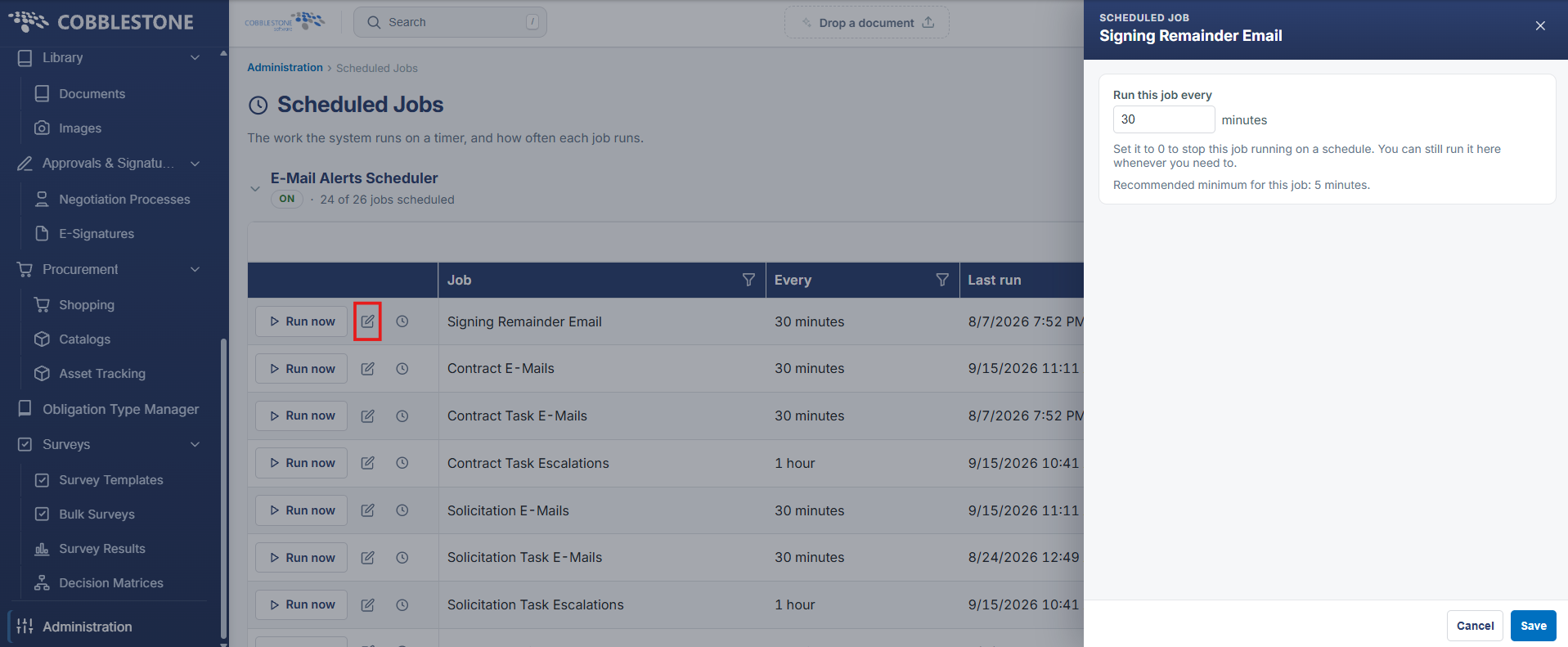
The system will also display the alert on the Calendar screen for the Employee Contact for both the Solicitation Close Date and Questions Due Date fields.
Note: For the e-mails to be routed successfully please have an Application Administrator Technician verify the following:
1. The employee's e-mail address is correct in the Employee Manager Screen.
2. The task end date and/or notify days (less than the task end date) is future dated.
3. Your organization’s internal e-mail system is not blocking e-mails from the CobbleStone®systems.com domain (or blocking emails from the internal server).
4. The task e-mailer job is properly configured and scheduled to run at least daily (or better).