COBBLESTONE SOFTWARE
Contract Insight — User Guide
Sorting and Filtering the Contract Request List Screens
09. End Users: Contract Requests › Searching Contract Requests › Sorting and Filtering the Contract Request List Screens
Note: Each procedure in this guide begins at the Contract Insight homepage, so any section can be followed on its own. Custom fields are configurable, so the exact field list on a contract category record may vary between environments.
1. Overview
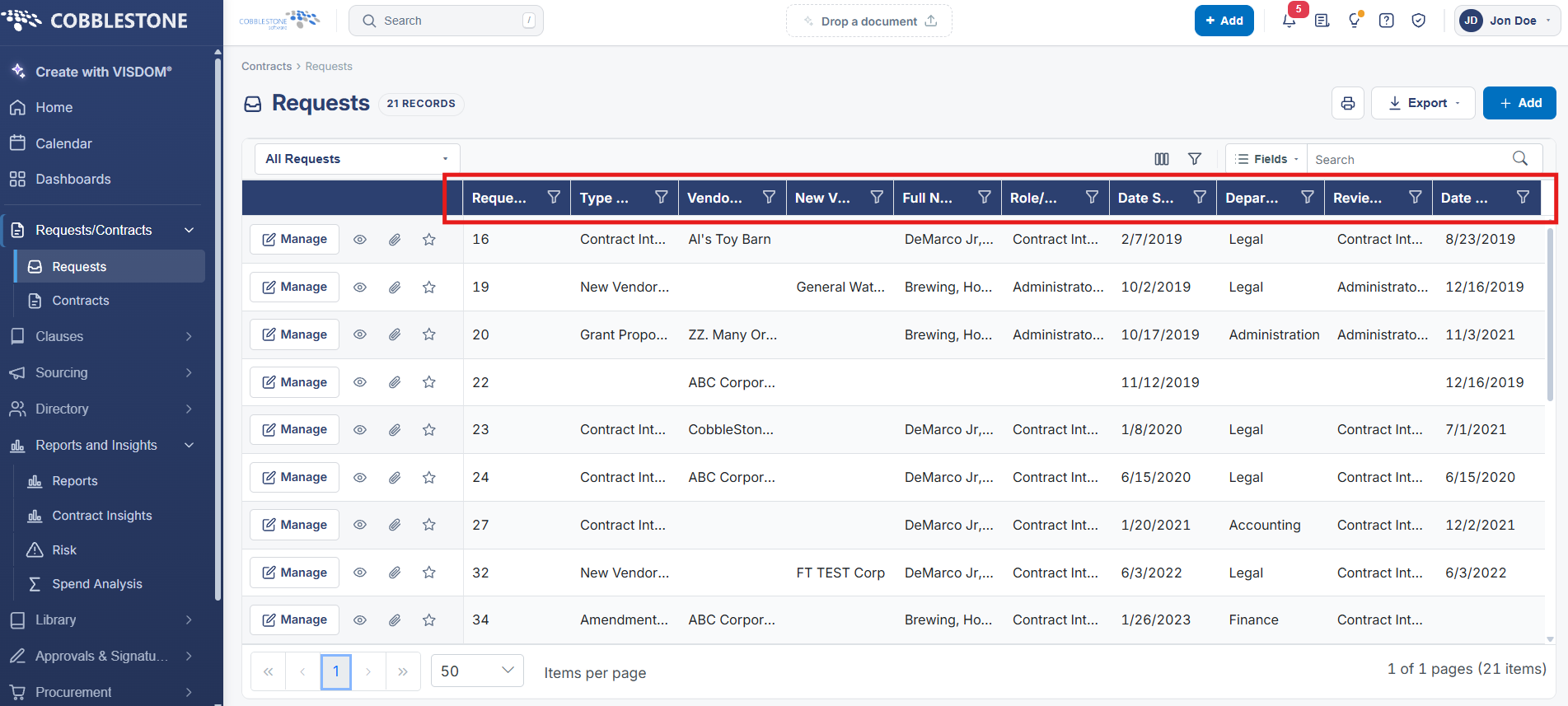
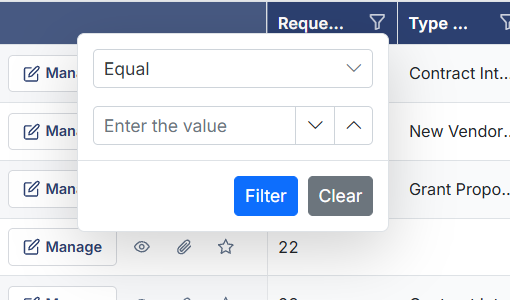
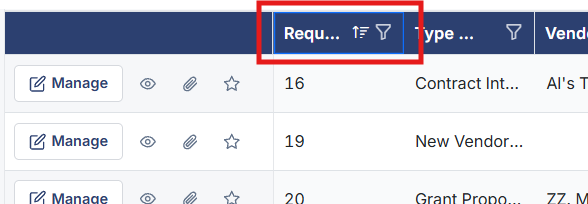
Column headers on the Requests list (Number, Request Title, Company Name, Department, Full Name, Updated, etc.) each include a filter icon that opens a per-column filter control — an operator dropdown (such as contains/equals, or greater-than/less-than/between for numeric and date columns) paired with a value input box, applied via a Filter button and cleared via a Clear button. Multiple column filters can be combined to narrow the 5,609-record list down to a specific subset. Clicking a column header (separately from its filter icon) sorts the list by that column; a small sort-direction indicator in the toolbar shows the current sort. This filter-and-sort combination is the live equivalent of the legacy wiki's list-screen guidance for finding specific requests without paging through the full list manually.
2. Key Elements
- Every column on the Requests list grid (Number, Request Title, Company Name, Department, Full Name, Updated, and more) has its own filter icon opening an operator-plus-value filter control.
- Filter operators adapt to the column's data type — text columns offer contains/equals-style operators, while numeric and date columns offer greater-than/less-than/between-style operators.
- Filter and Clear buttons apply or reset a column's filter; multiple column filters can be layered together to narrow the list.
- Clicking a column header sorts the grid by that column, with a sort-direction indicator reflecting the current sort in the toolbar.
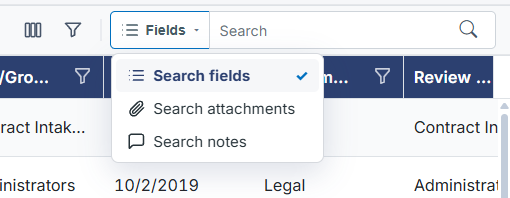
- These per-column controls work alongside the top-of-page Search box and Fields scope selector for finding specific requests across the full 5,609-record list.