COBBLESTONE SOFTWARE
Contract Insight — User Guide
Managing and Exporting the Contract Request List Screens
09. End Users: Contract Requests › Searching Contract Requests › Managing and Exporting the Contract Request List Screens
Note: Each procedure in this guide begins at the Contract Insight homepage, so any section can be followed on its own. Custom fields are configurable, so the exact field list on a contract category record may vary between environments.
1. Overview
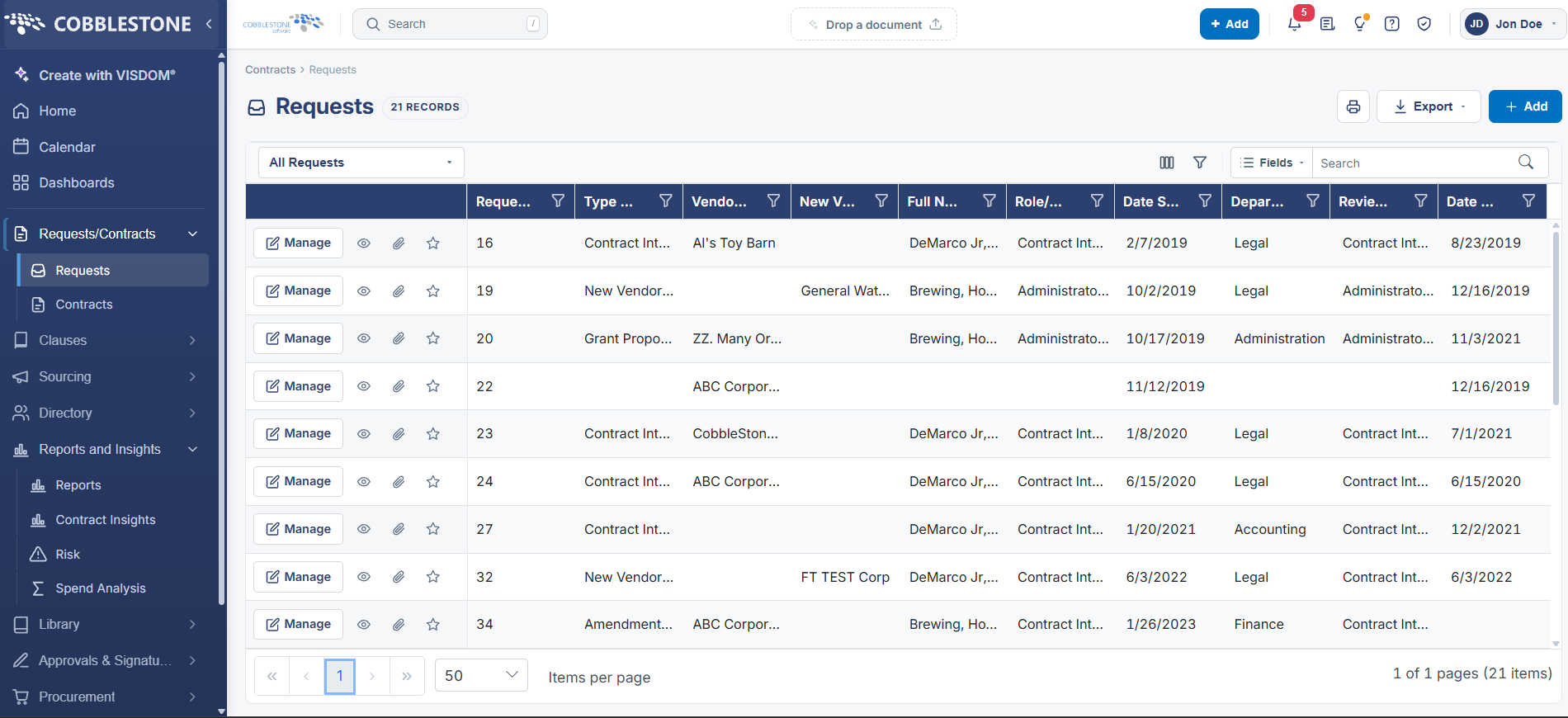
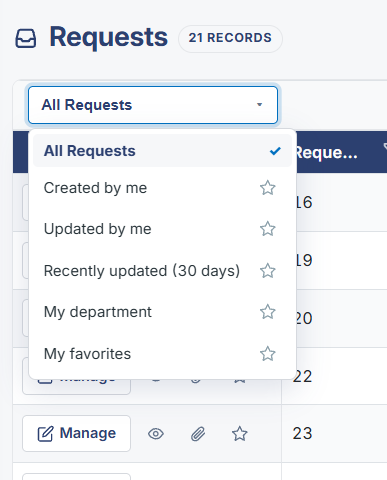
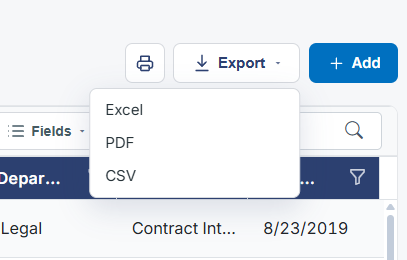
The Requests list screen (Contracts > Requests, 5,609 records in this environment) provides a Columns modal (opened via a dedicated icon in the toolbar) for choosing which fields display as columns and in what order, separate from the "Fields" search-scope control used when searching. A saved-view dropdown (defaulting to "All Requests") offers quick presets — Created by me, Updated by me, Recently updated (30 days), My department, and My favorites — for narrowing the list without building a custom filter. An Export button in the top-right lets the current list be exported, and each row's star icon adds that request to My favorites. Items-per-page and pagination controls sit at the bottom of the grid alongside the total record and page counts.
2. Key Elements
- A Columns icon in the Requests list toolbar opens a modal for choosing which fields appear as columns and their order — distinct from the Fields dropdown used to scope keyword search.
- The view-selector dropdown (default "All Requests") offers preset filtered views: Created by me, Updated by me, Recently updated (30 days), My department, and My favorites.
- An Export button in the top-right of the list screen exports the current list of requests.
- Each row has a star icon to mark/unmark that request as a favorite, feeding the "My favorites" preset view.
- Pagination controls at the bottom of the grid show items-per-page (adjustable), current page, and total record/page counts (5,609 records across 113 pages at 50 per page in this environment).