COBBLESTONE SOFTWARE
Contract Insight — User Guide
8. Solicitation Notes & Comments
Module: Solicitations › Solicitations › 8. Solicitation Notes & Comments
Note: Each procedure in this guide begins at the Contract Insight homepage, so any section can be followed on its own. Custom fields are configurable, so the exact field list on a contract category record may vary between environments.
1. Overview
A solicitation's Notes tab has a Notes & comments panel (5 notes on the example reviewed) with an Add note button, a search box, and a two-pane layout — a list of notes on the left, the selected note's full subject/date/author/text on the right with a Revise action. This matches the legacy description of a word-processor-style entry with a subject, though the live version confirmed here shows plain-text note bodies rather than rich formatting.
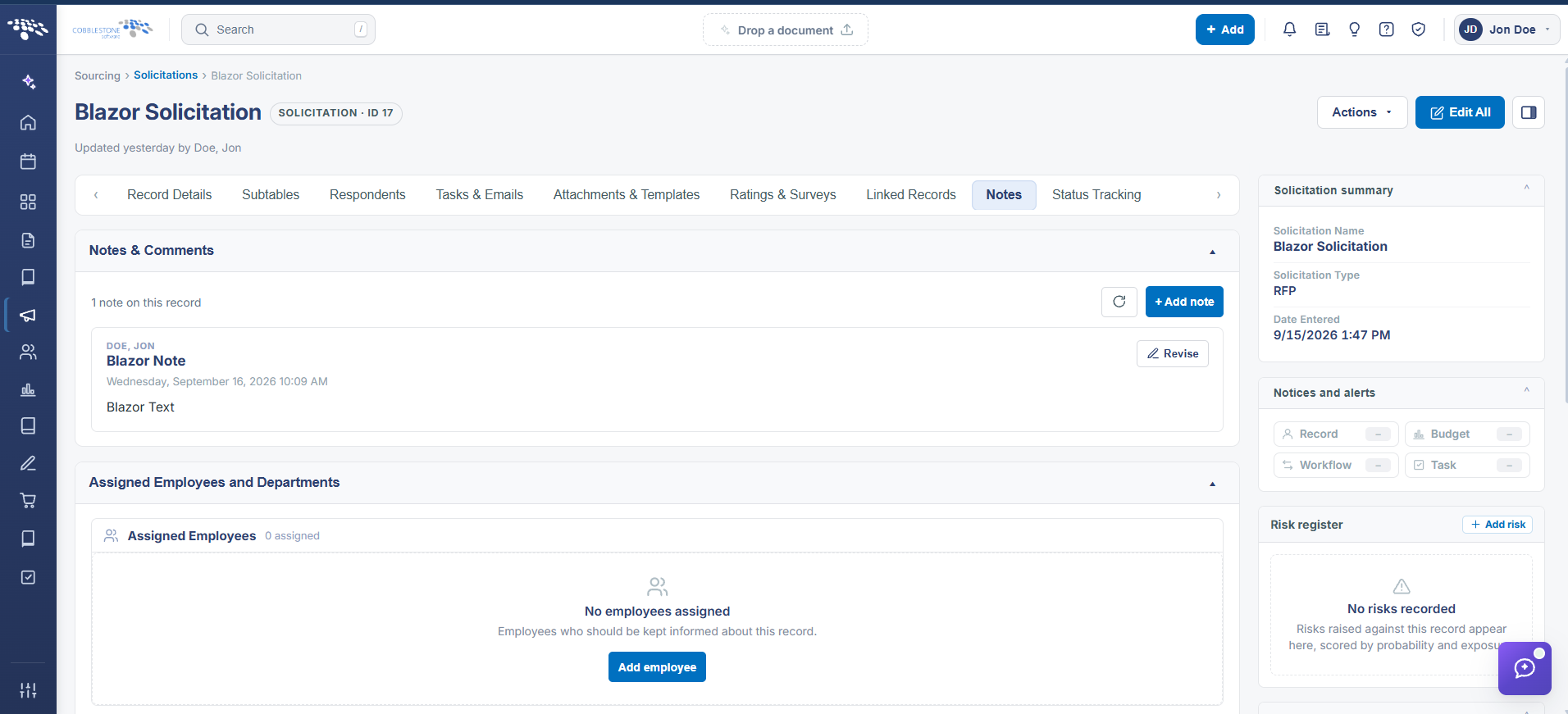 Solicitation Details Note & Comments
2. Key Elements
- Notes tab > Notes & comments panel: Add note creates a new entry; existing notes list on the left with the full note shown on the right
- Each note records its author, exact date/time, a subject-style title, and the note text itself
- Revise (on the open note) lets the original author or an authorized user edit an existing note
- A search box filters the notes list, useful once a record accumulates many entries over time
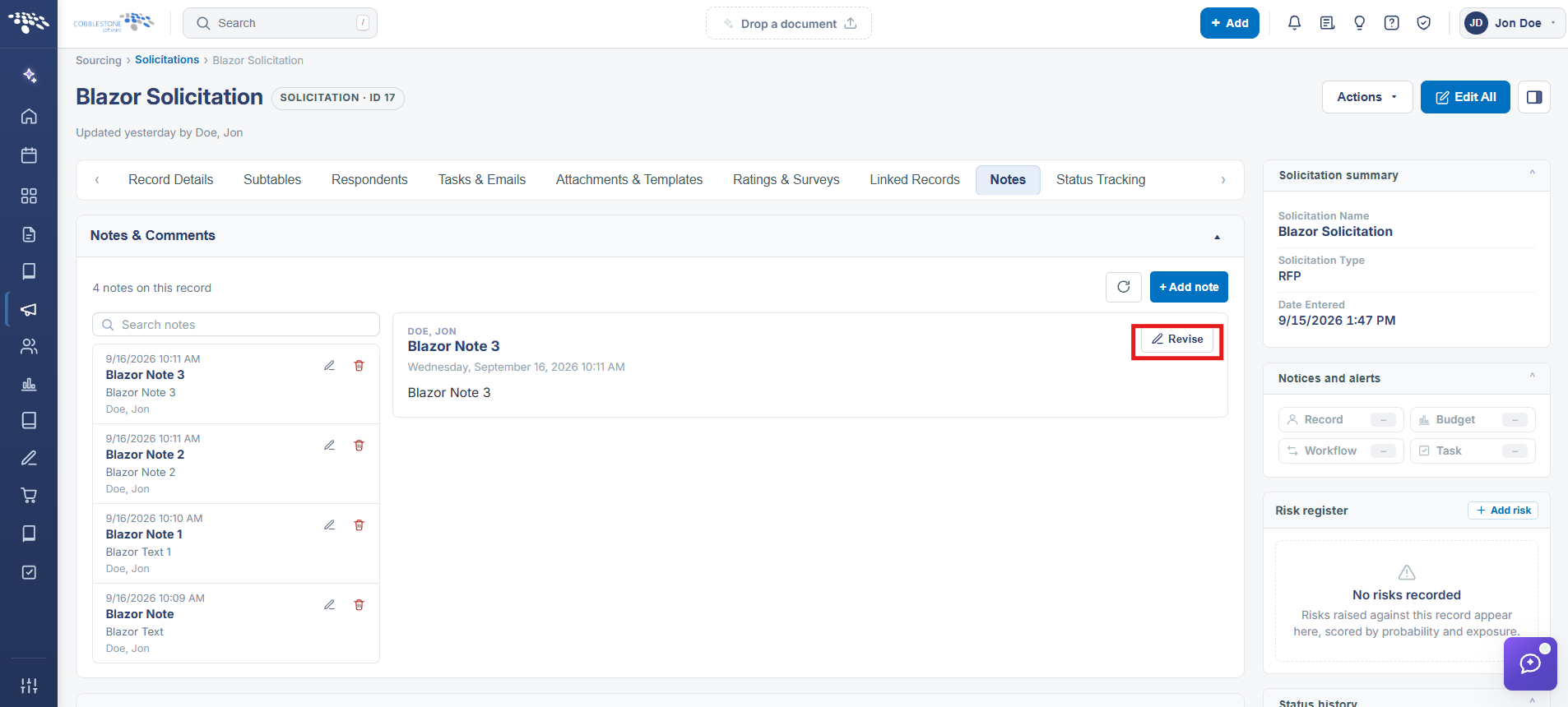
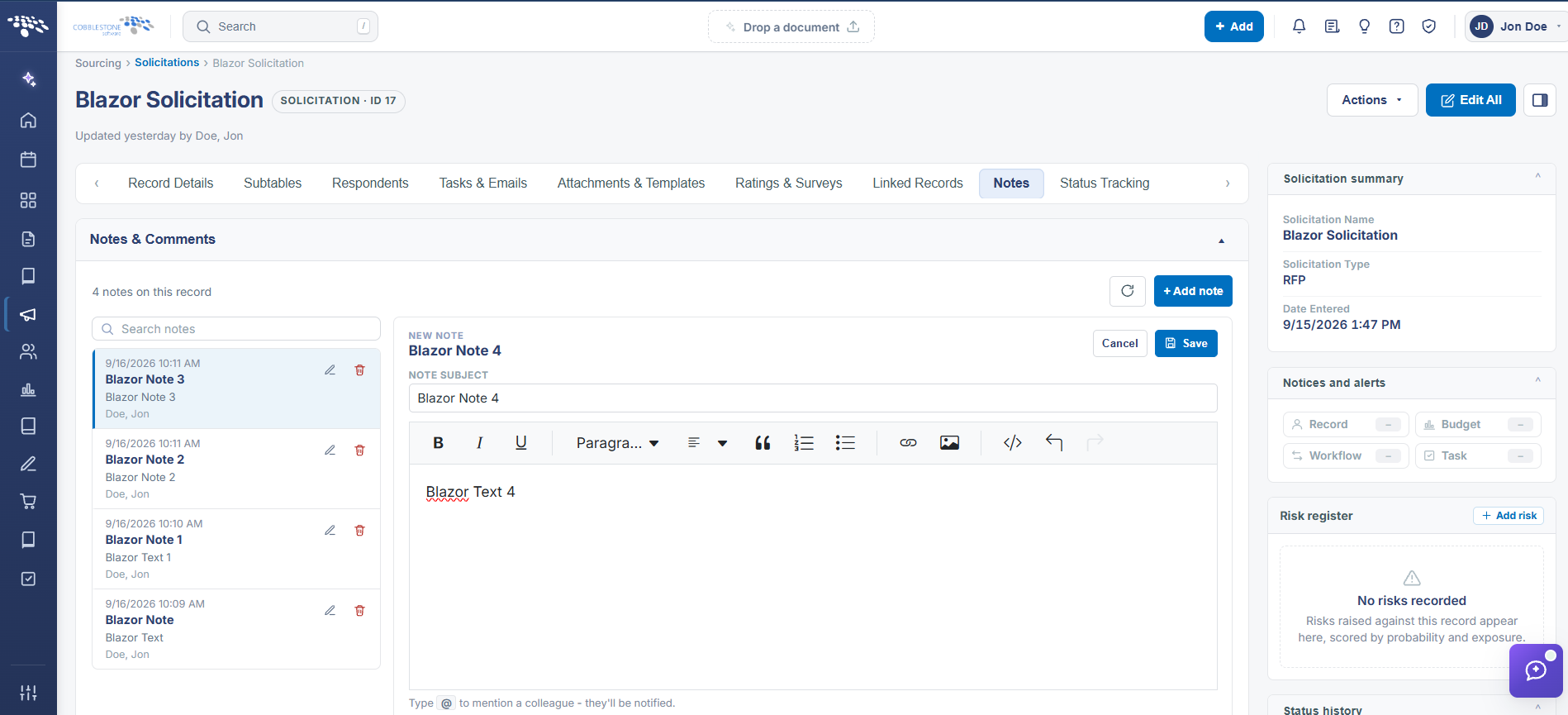 Notes & Comments - Functions