COBBLESTONE SOFTWARE
Contract Insight — User Guide
Search Contract Attachments
06. End Users: Searching & Reporting › Search Files/Notes › Search Contract Attachments
Note: Each procedure in this guide begins at the Contract Insight homepage, so any section can be followed on its own. Custom fields are configurable, so the exact field list on a contract category record may vary between environments.
1. Overview
The Search Attachments tab is located in the field dropdown next to the contracts search bar.
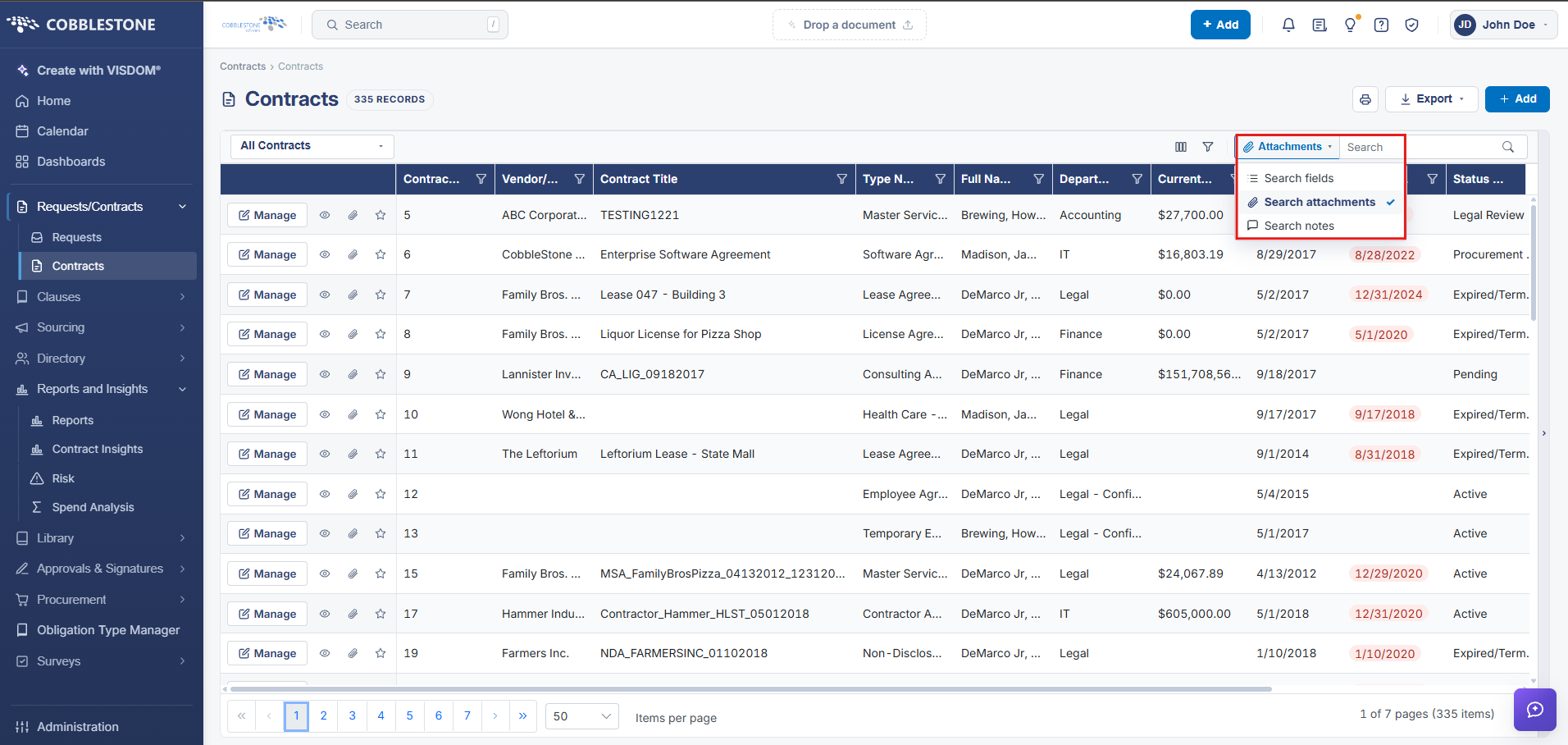
Search Attachments:
Contract Insight enables its users to search through contract record’s text-based files/attachment using keywords.
1. To do so, enter a keyword you would like to look for in the Search Attachments text box and click Search.
2. The results displayed will be any contract records that have a text-based file attached that contains the keyword entered.