COBBLESTONE SOFTWARE
Contract Insight — User Guide
Reviewing Contract Requests
09. End Users: Contract Requests › Contract Request Process › Reviewing Contract Requests
Note: Each procedure in this guide begins at the Contract Insight homepage, so any section can be followed on its own. Custom fields are configurable, so the exact field list on a contract category record may vary between environments.
1. Overview
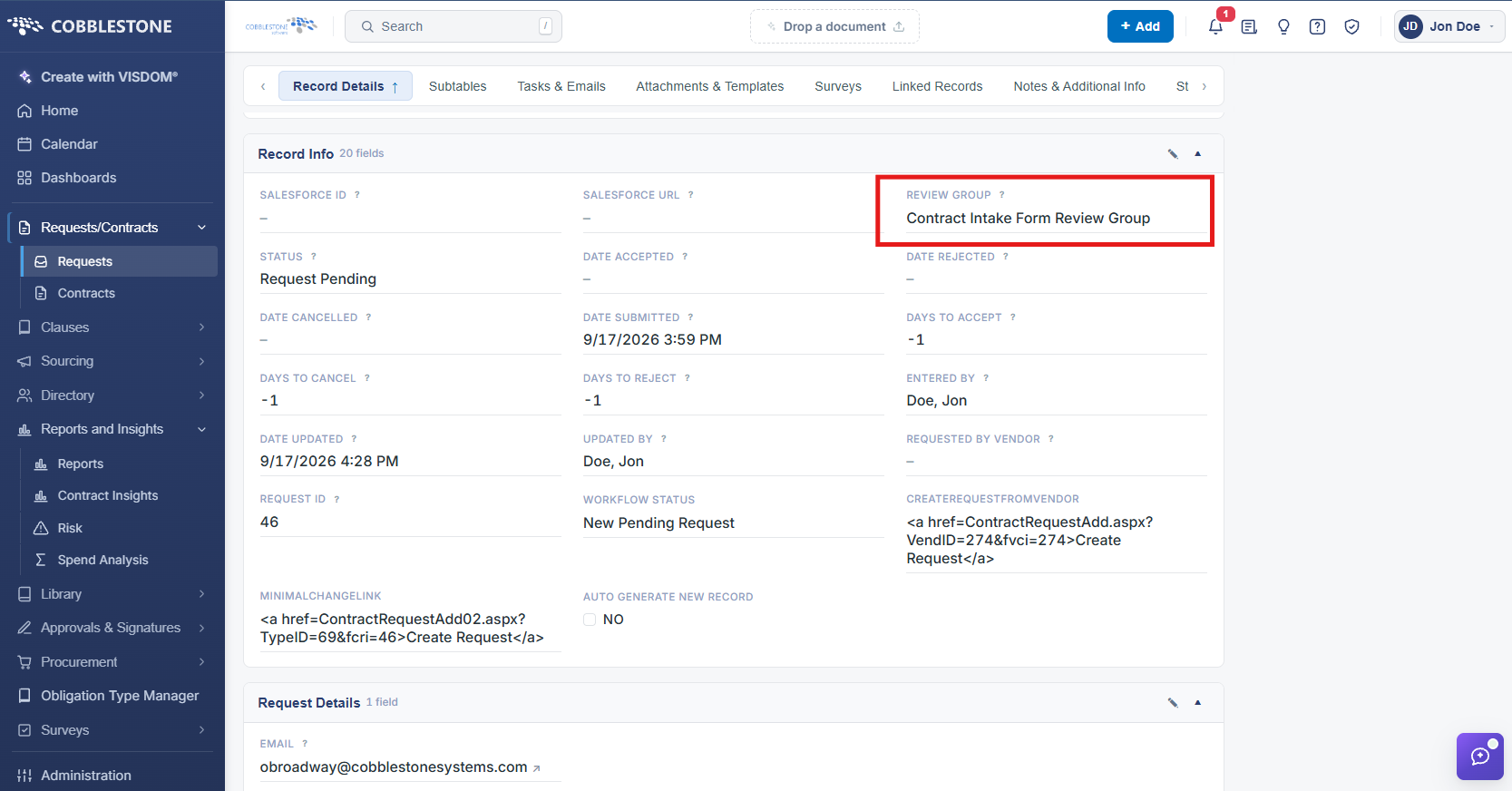
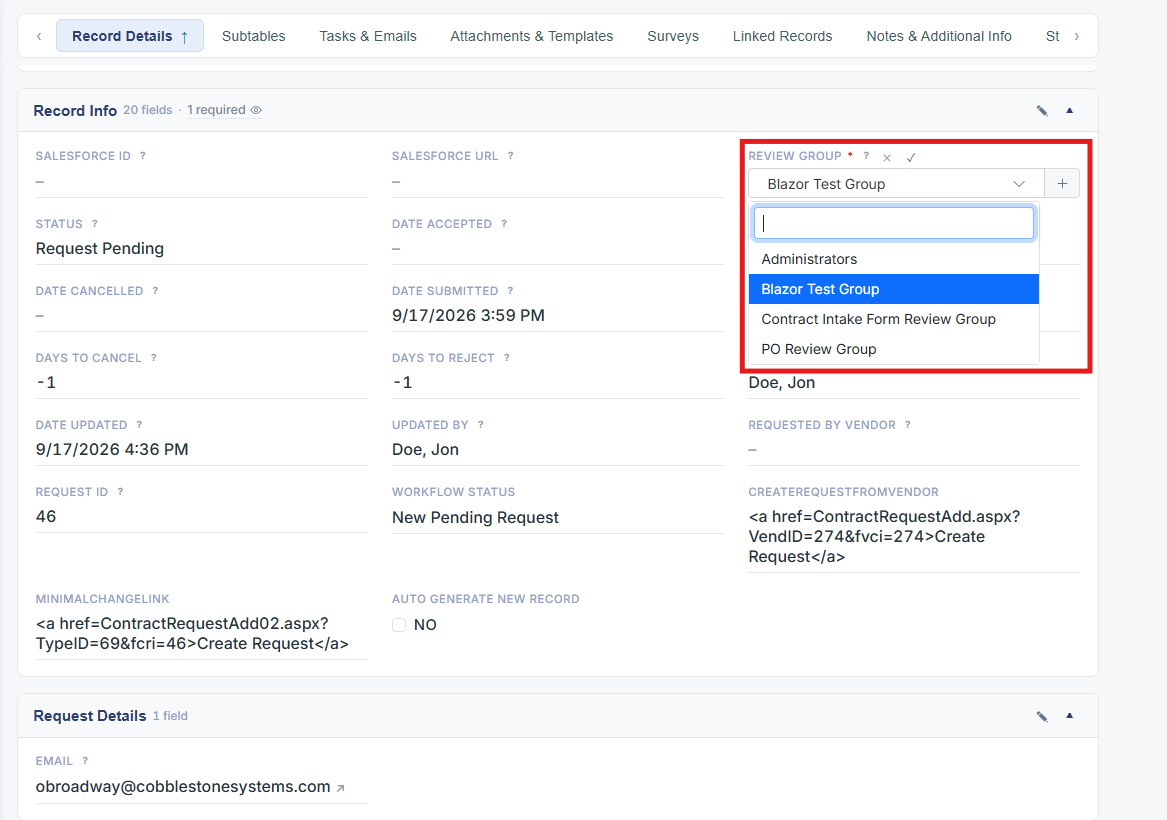
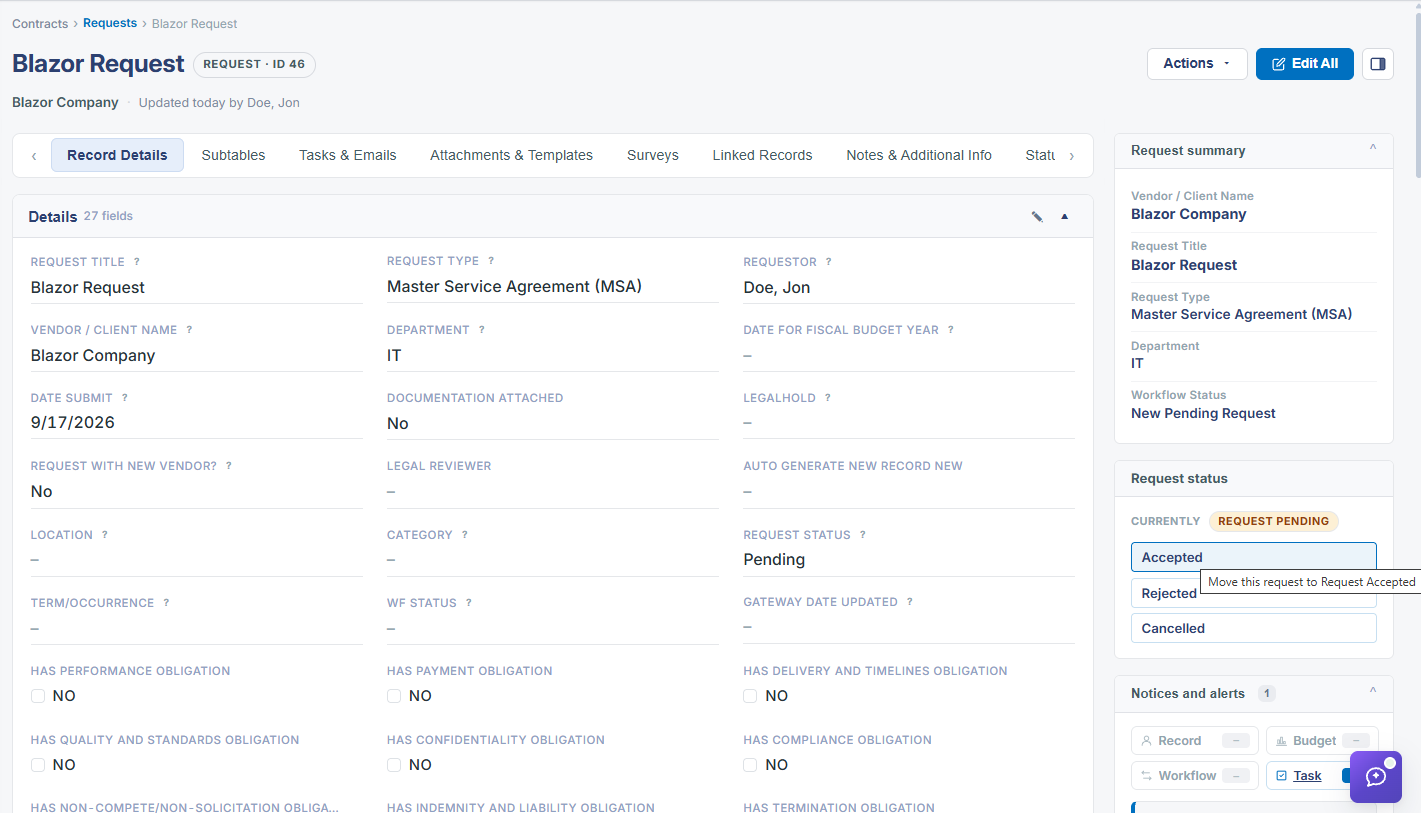
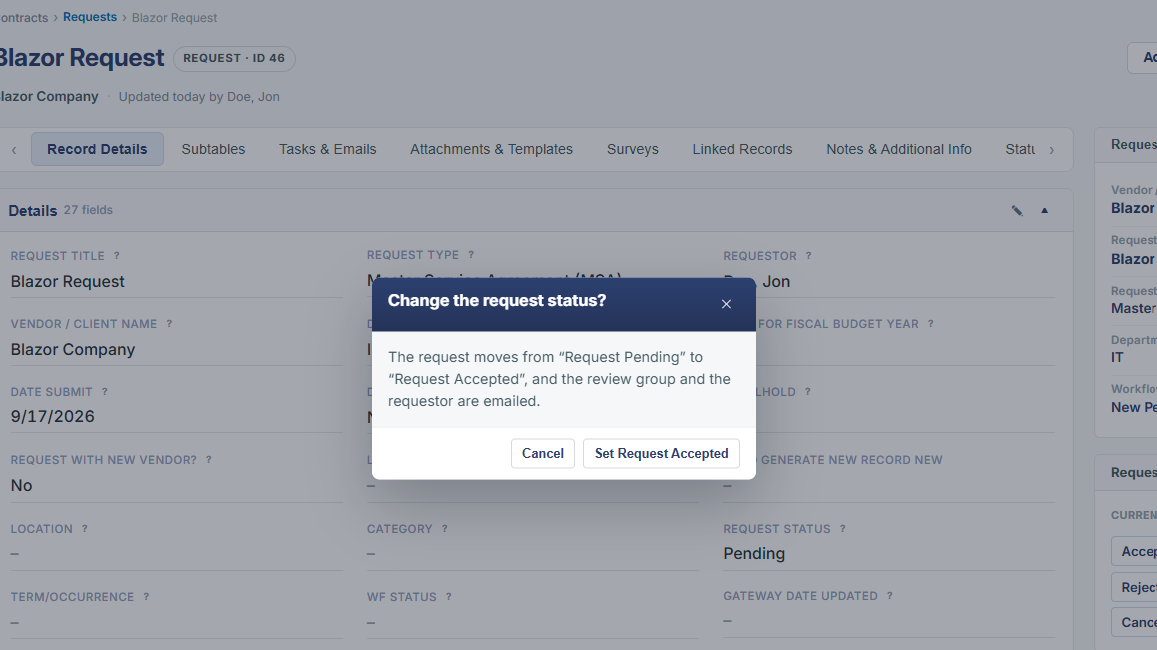
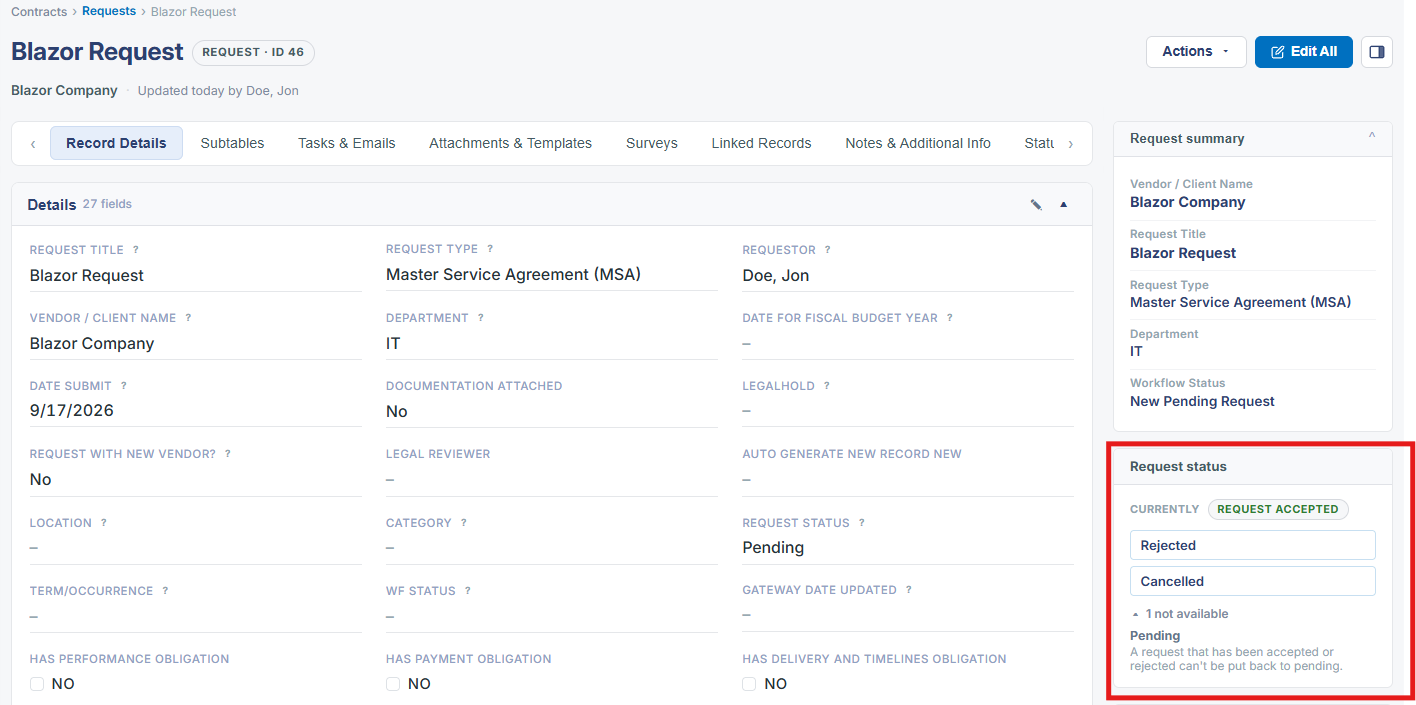
Review of a Contract Request is organized around the Review Group field, which is set when the request is created (and editable afterward like any other field). This is a required field on the Add Request wizard's Details step, presented as a searchable dropdown listing every configured review group in the environment (examples seen include Administrators and a large number of named test groups such as "1325 Group" and "25256 Group"), with an inline "Add new information in-line - Request" option for creating a new review group on the fly rather than leaving the form. Assigning a request to a Review Group determines who is responsible for evaluating it; the actual accept/reject decision is then recorded via the Request status widget's Pending/Accepted/Rejected quick-action buttons on the record. Review group membership itself (who belongs to which group) is configured elsewhere in the application's security/directory administration rather than on the request record.
2. Key Elements
- Review Group is a required field on every request, set at creation time via a searchable dropdown of all configured review groups and editable afterward.
- The Review Group dropdown supports adding a brand-new group inline, without leaving the Add Request form.
- Assigning a Review Group determines who is responsible for evaluating a pending request; the resulting decision is then captured via the Request status widget's Pending/Accepted/Rejected actions.
- Review group membership (which users belong to a given group) is managed in the application's broader security/directory administration, not on the individual request record.
- This environment includes both purpose-built groups (e.g. Administrators) and many ad hoc/test groups, reflecting how flexibly review groups can be defined.