COBBLESTONE SOFTWARE
Contract Insight — User Guide
Quick Stats Analysis
03. Admin User Manual › Searching & Reporting › Quick Stats Analysis
Note: Each procedure in this guide begins at the Contract Insight homepage, so any section can be followed on its own. Custom fields are configurable, so the exact field list on a contract category record may vary between environments.
1. Overview
Contract Insights' Overview board (labeled Portfolio health) is the modern quick-stats screen: four headline tiles (Total contracts, Active, Expiring in 90 days, Value) followed by By status / By type breakdowns, a new-contracts trend, data-completeness percentages per key field, a clause-coverage grid, an Expiring soon list, and an on-demand VISDOM briefing — all generated live rather than run as a saved report.
2. Key Elements
- Reports and Insights → Contract Insights opens on the Overview board by default. Seven other boards (Renewals & Expirations, Financial & Vendors, Operations & Activity, Approvals & Signatures, Cycle Time, Data Health, and Users & Licences) are available from the same board selector.
- The headline tiles show Total contracts, Active, Expiring in 90 days, and Value (with the number of contracts that have a value). In this QA environment: 340 total contracts, 263 active, 2 expiring in 90 days, and $160.2M across 14 valued contracts. Figures are specific to each environment and update live.
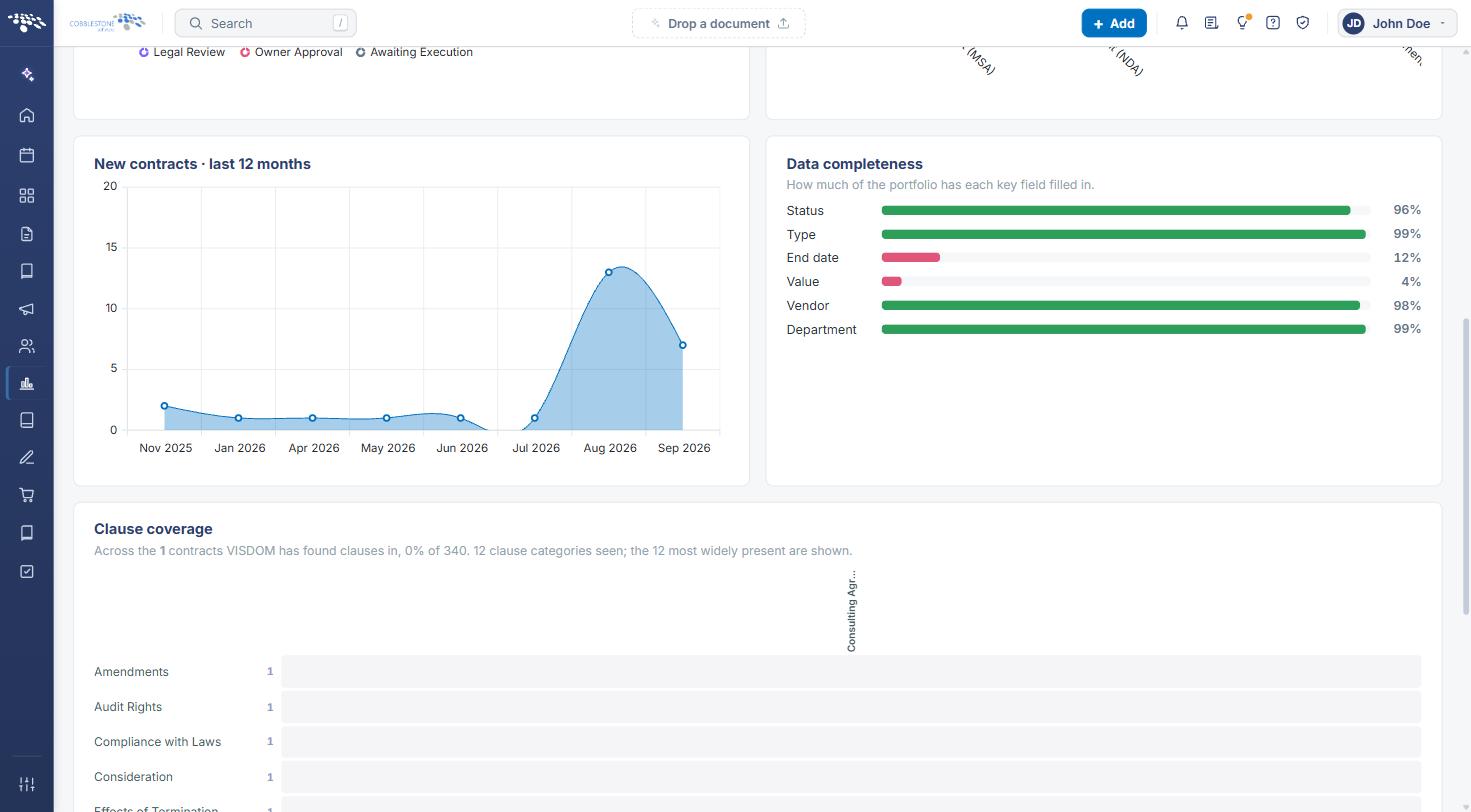
- Data completeness shows what percent of the portfolio has each key field filled in (Status 96%, Type 99%, End date 12%, Value 4%, Vendor 98%, Department 99% in this QA environment).
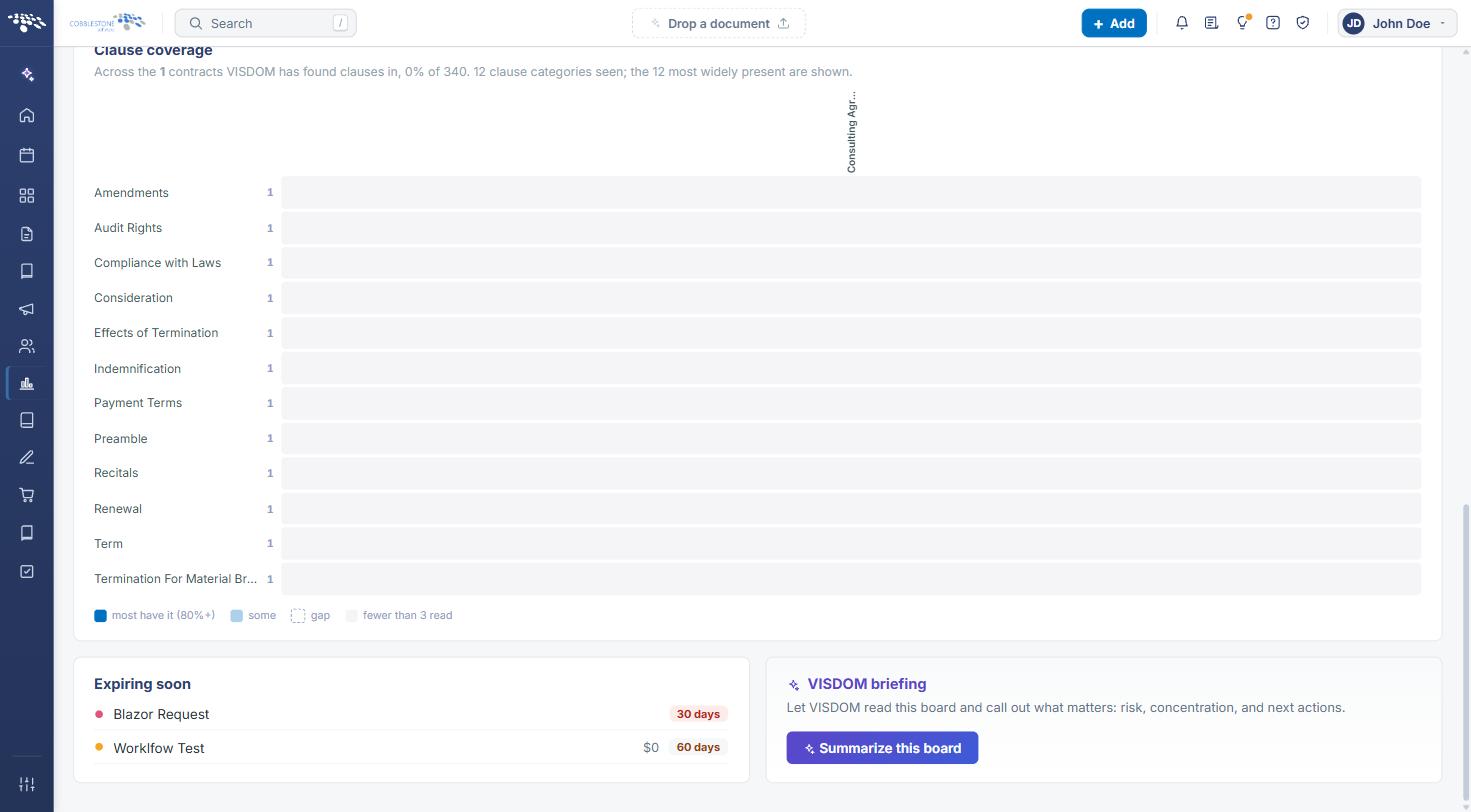
- Clause coverage shows which clause categories VISDOM has found across the contracts it has read.
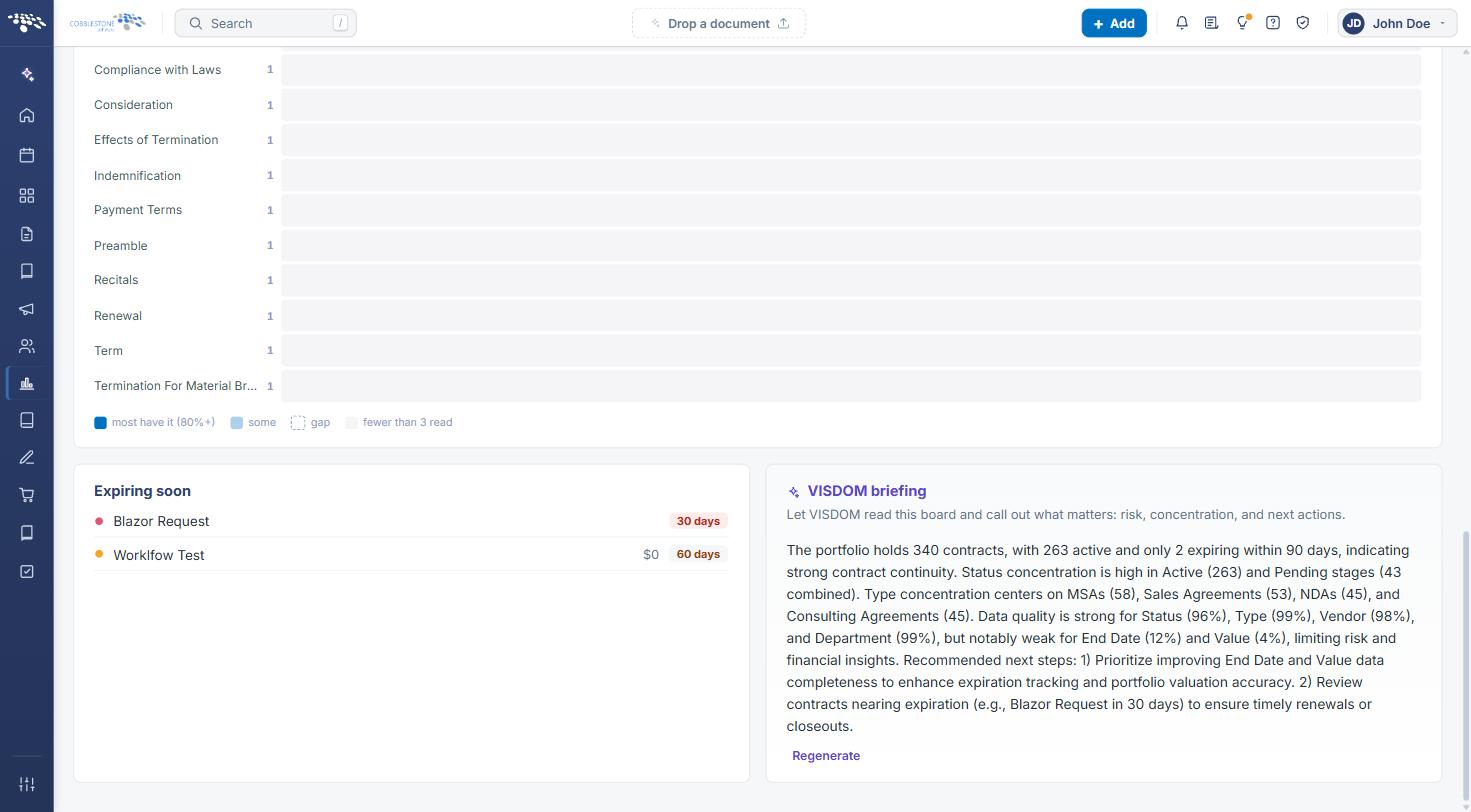
- The VISDOM briefing card's Summarize this board button lets VISDOM AI summarize the board's numbers — risk, concentration, and next actions — on demand.
3. Opening the Overview Board
- From the Contract Insight homepage, click the Reports and Insights icon in the left navigation bar.
- Select Contract Insights from the menu.
.jpg)
- The Contract Insights page opens on the Overview (Portfolio health) board. To return to it from another board, click the Overview tile in the board selector at the top of the page.
4. Reading the Headline Tiles & Breakdowns
The four tiles below the board selector summarize the portfolio at a glance. Beneath them, the By status donut chart breaks contracts down by status (for example Active, Expired/Terminated, Pending New Record, Pending, Procurement Review, Legal Review, Owner Approval, and Awaiting Execution), and the By type bar chart shows the number of contracts per contract type.
.jpg)
5. New Contracts Trend & Data Completeness
New contracts · last 12 months plots how many contracts were added each month. Data completeness lists the share of the portfolio that has each key field filled in; green bars indicate well-populated fields, while red bars flag fields that are mostly empty. Low completeness limits the accuracy of other figures on the board — for example, a low Value percentage means the Value tile reflects only the contracts that have a value entered.
6. Clause Coverage & Expiring Soon
The Clause coverage grid lists the most widely present clause categories VISDOM has found, with a count for each. The legend indicates whether most contracts have the clause (80%+), some have it, there is a gap, or fewer than 3 contracts have been read. The Expiring soon list shows contracts approaching their end date, along with their value and the number of days remaining.
7. Generating a VISDOM Briefing
- Open the Overview board (see Section 3) and scroll to the bottom of the page.
- In the VISDOM briefing card, click Summarize this board.
- Review the summary, which calls out portfolio size, status and type concentration, data-quality gaps, and recommended next steps.
- Click Regenerate to produce a fresh summary after the underlying data changes.
Note: The VISDOM briefing is AI-generated from the numbers on the board. Review its recommendations before acting on them.
8. Quick Reference Summary
| Task | How to Complete It |
|---|---|
| Open the Overview board | Reports and Insights → Contract Insights → Overview. |
| Switch to another Insights board | Click a board tile (e.g., Renewals & Expirations, Data Health) at the top of Contract Insights. |
| Check which key fields are missing data | Overview board → Data completeness card. |
| Review clause coverage | Overview board → Clause coverage grid. |
| See contracts expiring soon | Overview board → Expiring soon list. |
| Generate a VISDOM summary of the board | Overview board → VISDOM briefing → Summarize this board (Regenerate to refresh). |