COBBLESTONE SOFTWARE
Contract Insight — User Guide
Purchase Orders Overview
Module: Purchase Orders › PO: Configuration & Setup › Purchase Orders Overview
Note: Each procedure in this guide begins at the Contract Insight homepage, so any section can be followed on its own. Custom fields are configurable, so the exact field list on a contract category record may vary between environments.
1. Overview
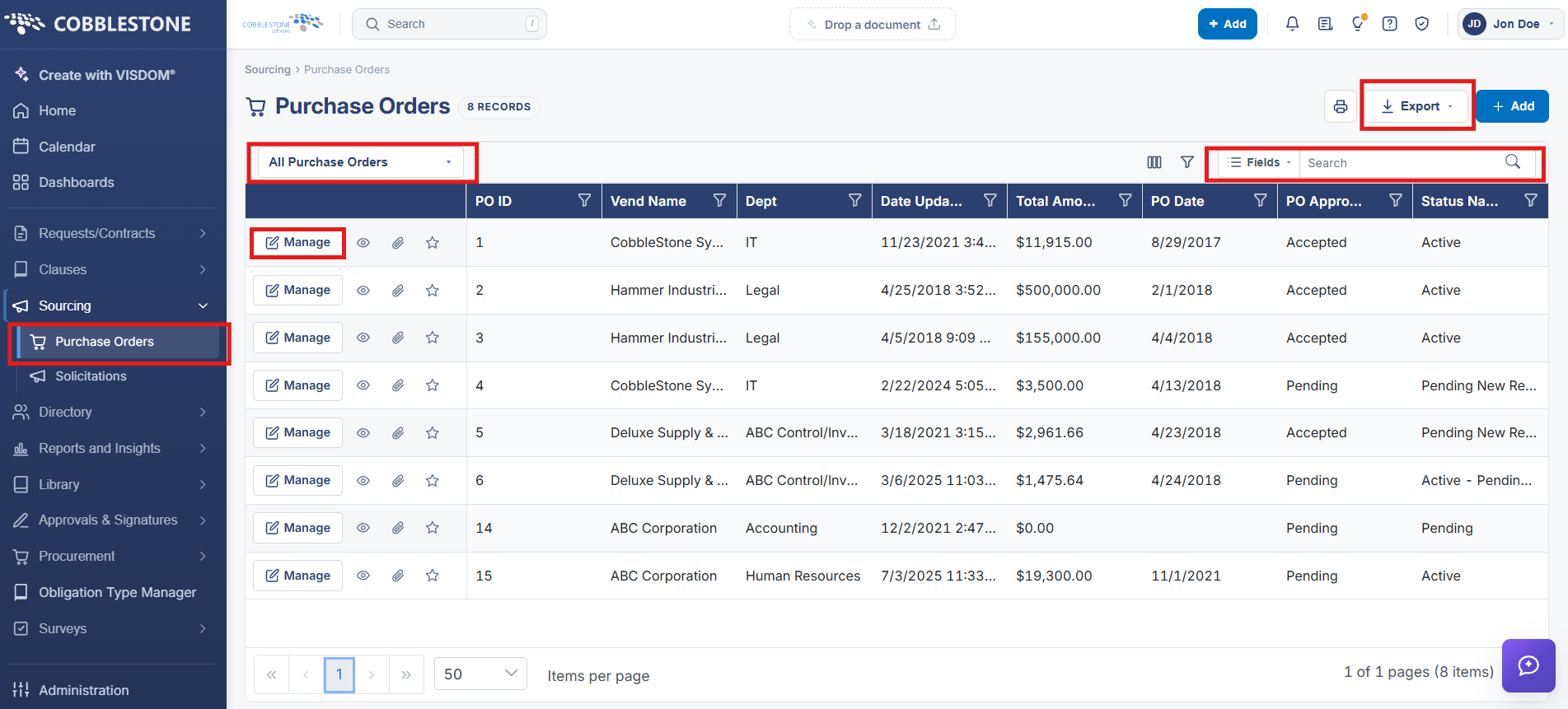
Purchase Orders is its own module, filed under Sourcing in the left navigation, with its own list screen showing every PO the user can access — 1,748 in this environment. Like the Contracts list, it offers a saved-view selector (All Purchase Orders), a user-configurable Fields column picker, search and column filters, Export, and + Add, with a Manage action and view/attachment/favorite icons on each row.
2. Key Elements
- Sourcing → Purchase Orders is the module's home screen
- Record count badge (e.g. "1,748 Records") next to the heading
- All Purchase Orders view selector, Fields column picker, search, and Export
- Grid columns include PO ID, PO Title, Status, and Entered By
- Per-row Manage, view, attachment, and favorite-star icons