COBBLESTONE SOFTWARE
Contract Insight — User Guide
Mergeable Clause List
Clauses › Mergeable Clause List
Note: Each procedure in this guide begins at the Contract Insight homepage, so any section can be followed on its own. Custom fields are configurable, so the exact field list on a contract category record may vary between environments.
1. Overview
Administration > Mergeable Clauses (744 clauses in this environment) is the shared library of clauses offered as optional content when a document is generated: "Optional clauses offered when a document is generated from a template." It supports Add clause, record-type filter chips (All record types, Contracts, Counterparty, E-Procurement, Employees, Purchase Orders, Requests), and an "Include inactive" toggle, with a grid of Clause, Record type, Fields, Doc versions, Nested, and On templates. Opening a clause reaches its own Title/Description/Record type/Reads from/Condition/"Email when this changes" settings and Active/merge-behavior options, plus a versioned Clause document upload with Published/Draft states — one clause observed live carried the description "Federal Clause Library (US) Monitored Clause," confirming this shared list is also where FAR/DFARS/NFS-sourced clauses end up once followed.
2. Key Elements
- Administration > Mergeable Clauses — the shared library of optional clauses offered when generating a document, 744 in this environment
- Add clause, record-type filter chips, and "Include inactive" control the list
- Each clause has a Condition (blank = offered on every record; filled in = offered only when the record matches) and an "Email when this changes" notification list
- A clause's document is version-tracked with Published/Draft states, and the published version is the one a merge uses
- Federal Clause Library (US) clauses followed via Government Clause Monitoring appear in this same shared list
3. Navigating to Mergeable Clauses
- From the Contract Insight homepage, click the Administration (settings) icon at the bottom of the left navigation bar.
- In the Search administration box, type Mergeable.
- Click Mergeable Clauses.
.png)
4. Using the Mergeable Clause List
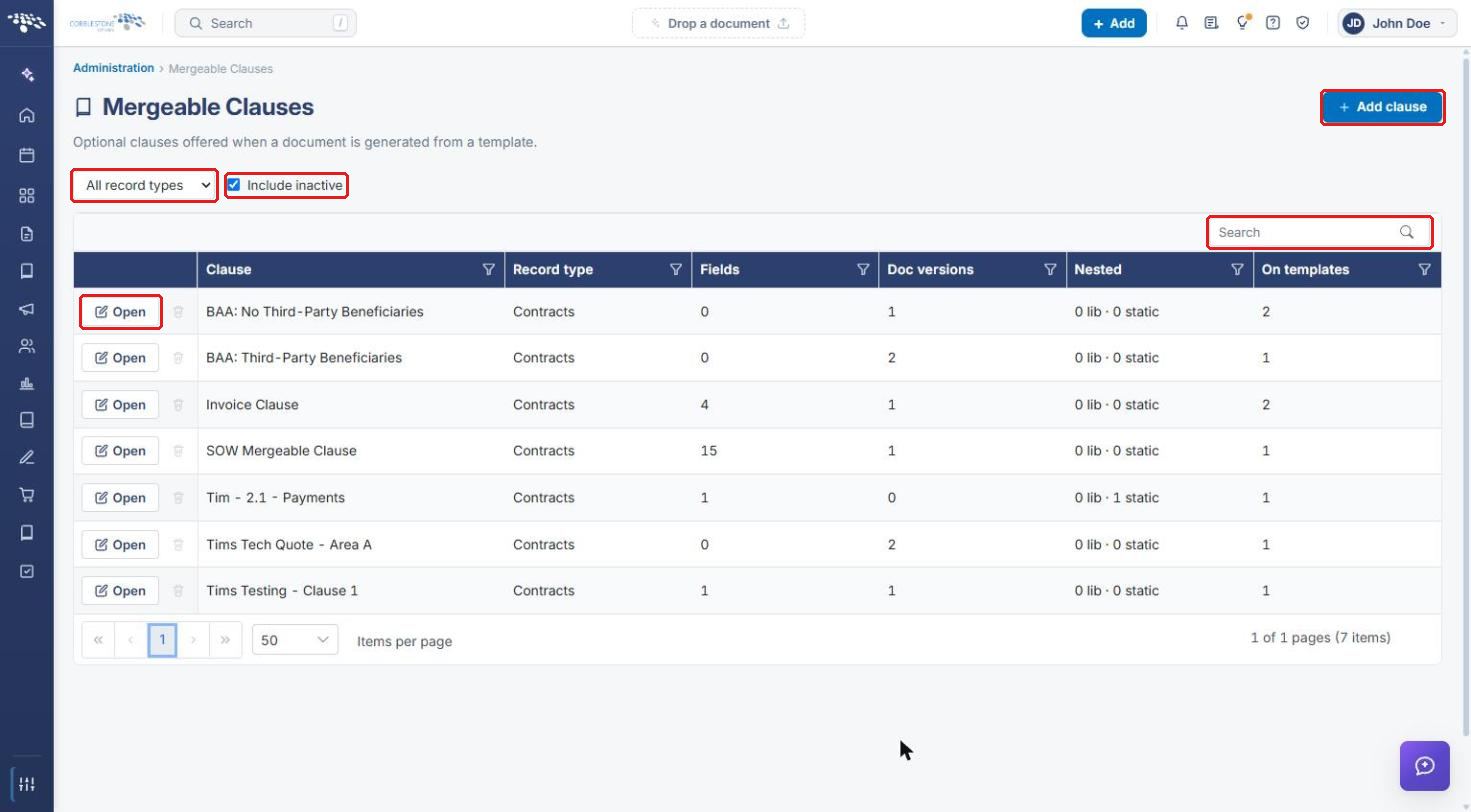
The Mergeable Clauses page lists every clause that can be offered when a document is generated from a template. For each clause, the grid shows its Record type, number of Fields, Doc versions, Nested content, and how many templates it is offered On.
- Use the record type dropdown (All record types) to show only clauses for one record type.
- Select or clear Include inactive to show or hide inactive clauses.
- Use the Search box above the grid, or the filter icon in any column header, to find a clause.
- Click Add clause to create a new clause.
- Click Open on a clause's row to view or edit it.
5. Viewing and Editing a Clause
5a. Clause Settings
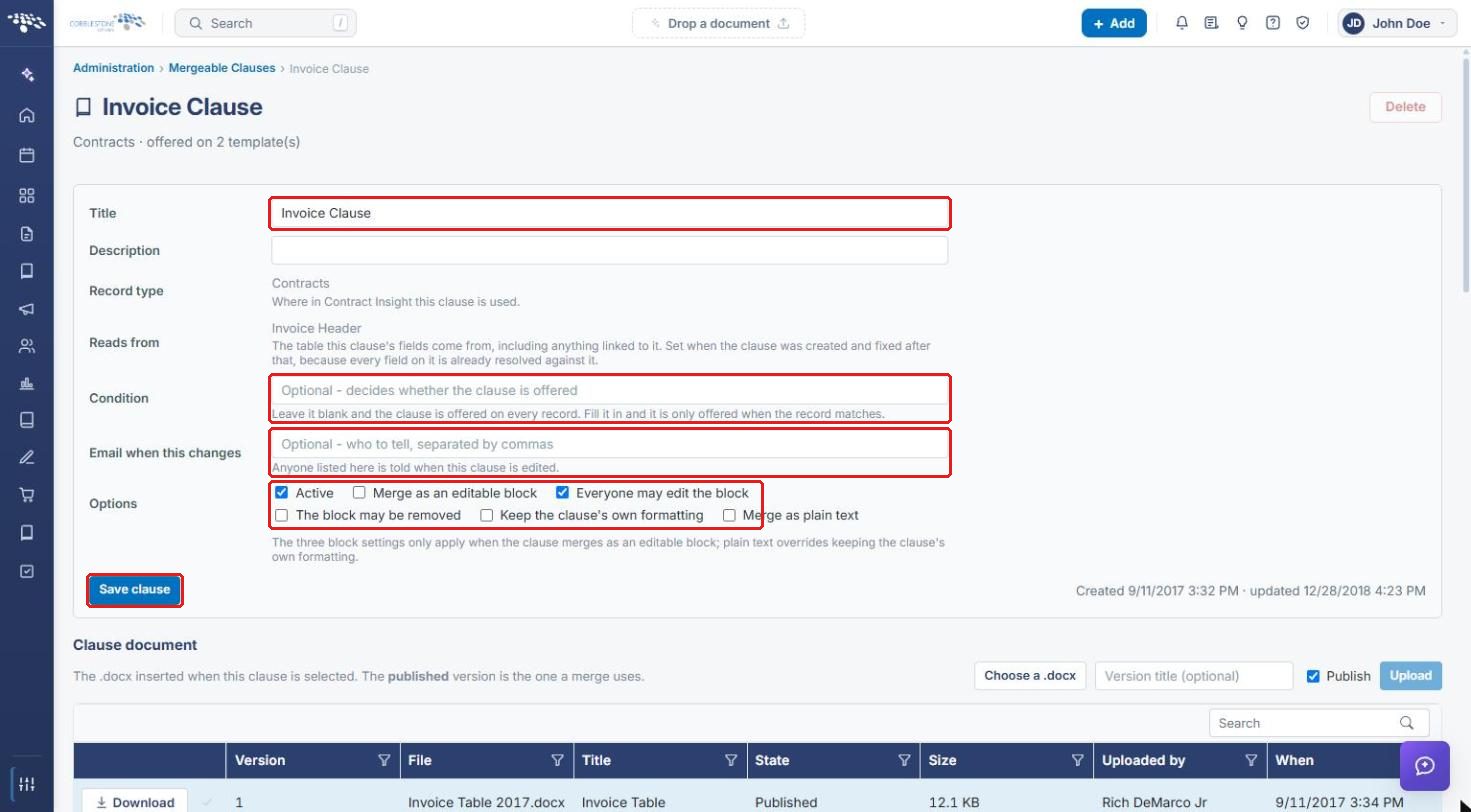
- On the Mergeable Clauses list, click Open on the clause's row.
- Update the clause settings as needed:
- Title and Description identify the clause.
- Record type and Reads from are set when the clause is created and cannot be changed afterwards.
- Condition: leave blank to offer the clause on every record, or fill it in to offer it only when the record matches.
- Email when this changes: enter the people to notify when the clause is edited, separated by commas.
- Options: Active controls whether the clause is offered; the remaining options control how the clause merges (editable block, who may edit or remove the block, formatting, and plain text).
- Click Save clause.
5b. Clause Document Versions
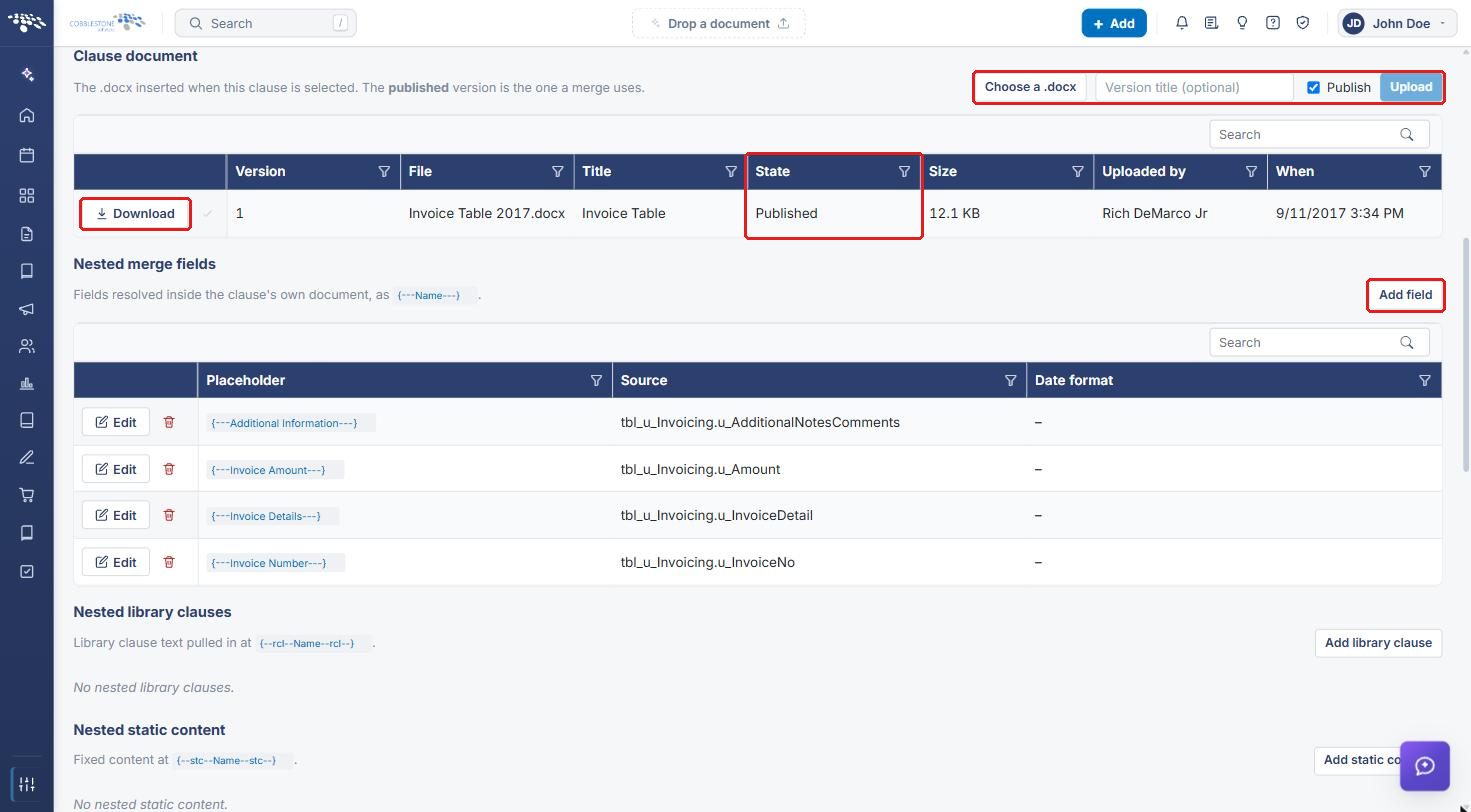
The Clause document section holds the .docx inserted when the clause is selected. Only the Published version is used in a merge.
- Click Choose a .docx and select the file.
- Optionally enter a Version title.
- Leave Publish selected to make this the version used in merges, or clear it to upload a draft.
- Click Upload.
Use Download on a version's row to retrieve that file. Merge fields used inside the clause document are listed under Nested merge fields; click Add field to add one.
5c. Where a Clause Is Used
Further down the clause page:
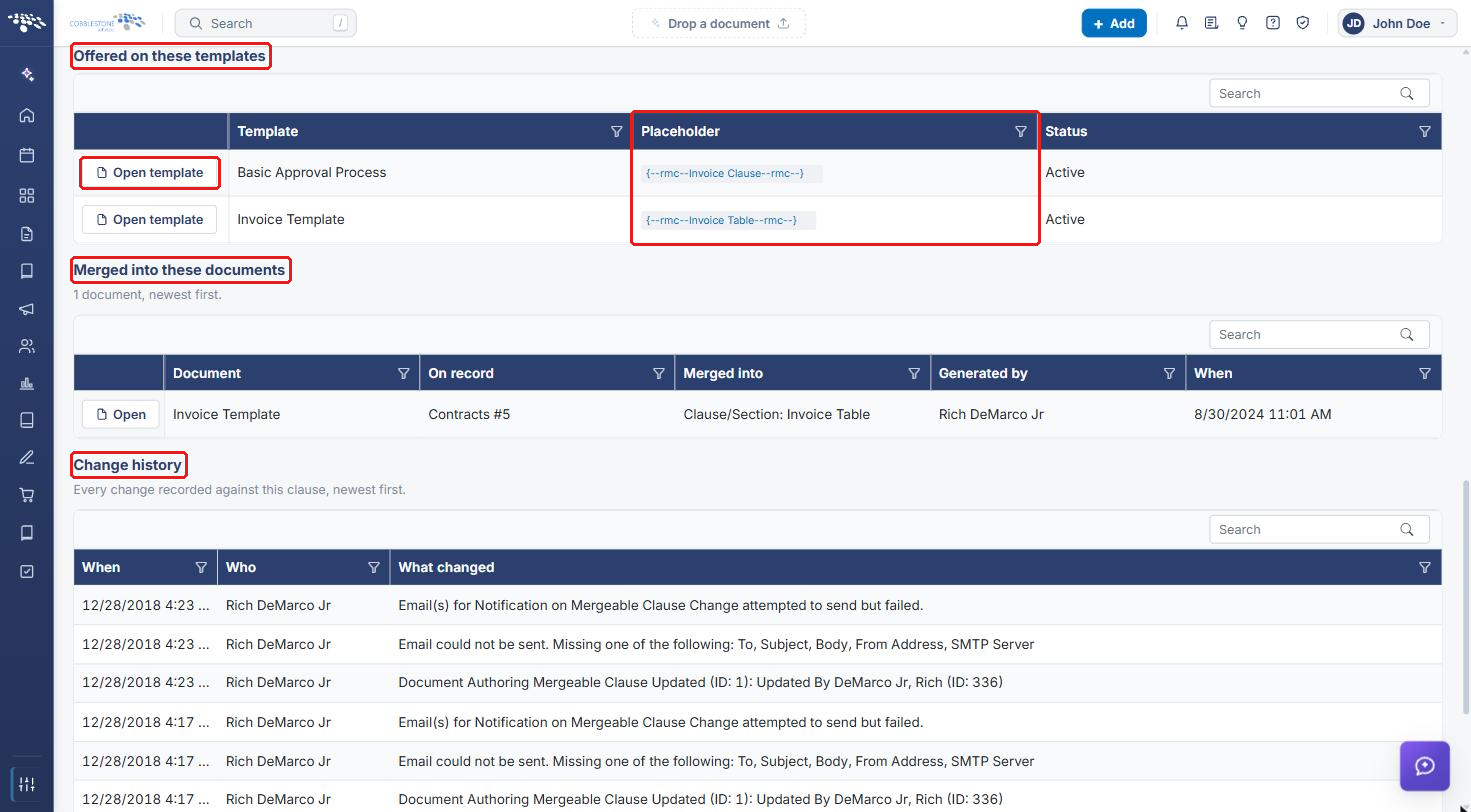
- Offered on these templates lists each template that offers the clause and the Placeholder it uses. Click Open template to go to the template.
- Merged into these documents lists documents the clause has been merged into.
- Change history lists every change recorded against the clause, newest first.
6. Quick Reference Summary
| Task | Where |
|---|---|
| Open the clause list | Administration → Mergeable Clauses |
| Filter the list | Record type dropdown, Include inactive, Search |
| Create a clause | Add clause |
| Edit a clause | Open → update settings → Save clause |
| Upload a new clause document | Clause document → Choose a .docx → Upload |
| See which templates use a clause | Offered on these templates |