COBBLESTONE SOFTWARE
Contract Insight — User Guide
Manage PO Fields (PO Line Item Screen)
Module: Purchase Orders › PO: Configuration & Setup › Manage PO Fields (PO Line Item Screen)
Note: Each procedure in this guide begins at the Contract Insight homepage, so any section can be followed on its own. Custom fields are configurable, so the exact field list on a contract category record may vary between environments.
1. Overview
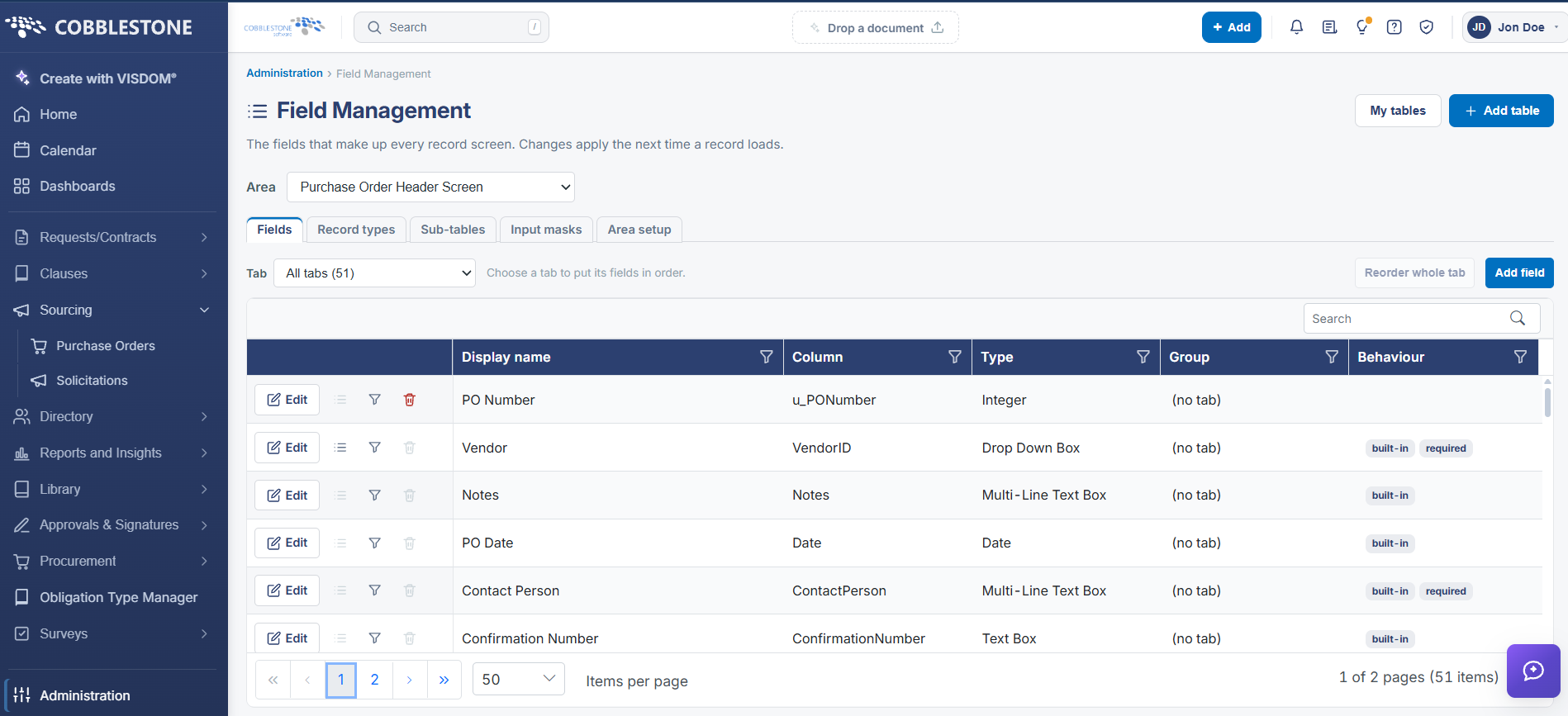
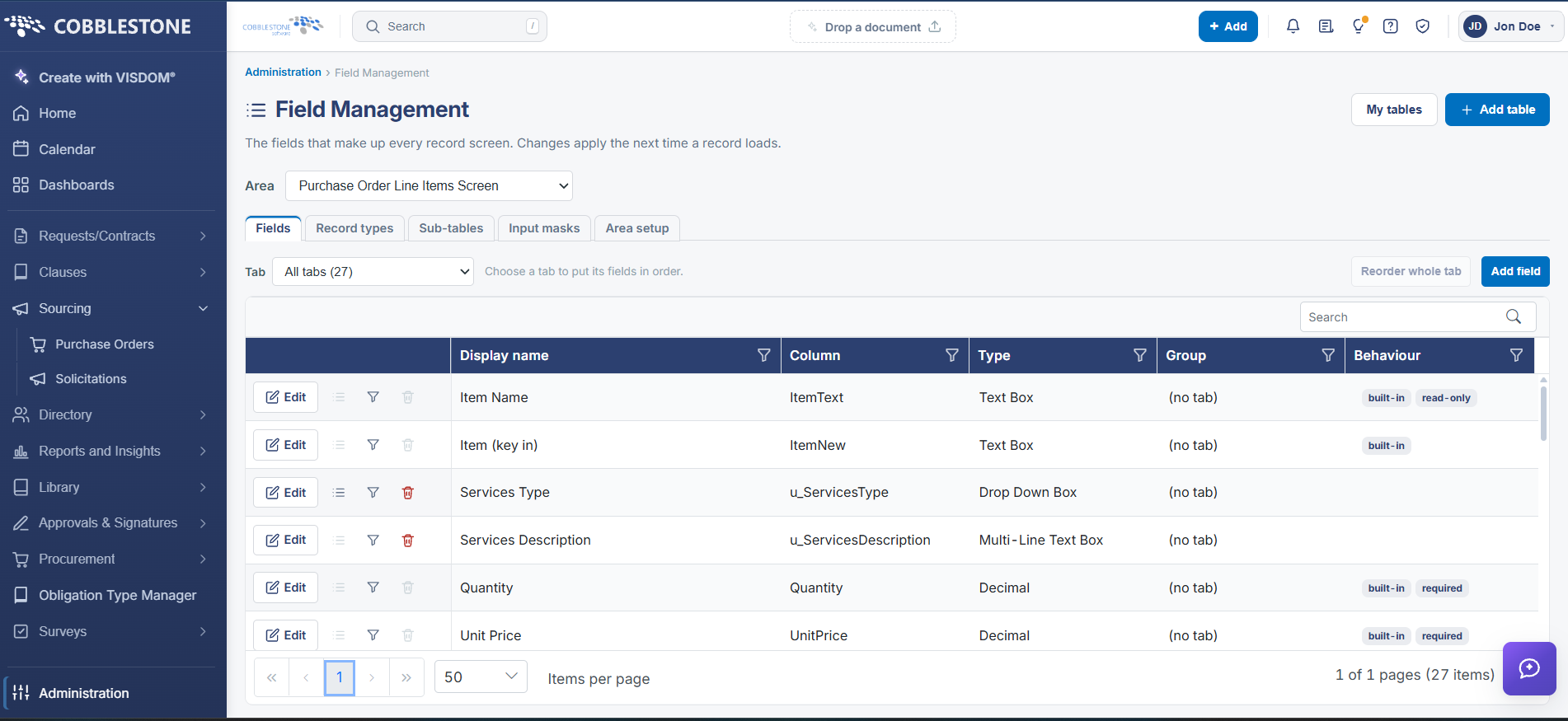
The PO Line Items grid has its own field set, managed separately by selecting the Purchase Order Line Items Screen area under Administration → Field Management — a distinct area from the Purchase Order Header Screen used for the record's main fields, so a change to a line-item field doesn't touch the header screen and vice versa.
2. Key Elements
- Administration → Field Management → Area: Purchase Order Line Items Screen
- Kept separate from the Purchase Order Header Screen area used for the record's main Details fields
- Same Fields / Record types / Sub-tables / Input masks / Area setup tools apply