Optional Add-On Module for the collaboration of documents between internal and external users/participants. This module utilizes E-Approval (Electronic Approval) and/or E-Signature (Electronic Signature) processing to support full online negotiation via a secure online portal.
DOCUMENT COLLABORATION & E-SIGNATURE
ENHANCEMENTS
ENHANCEMENT: Streamlined Document Collaboration Workflow Enhancing Signing Process Efficiency
Reference #: 260527.345.25518
Enhancements have been made to the IntelliSign and E-Signature collaboration experience to provide a more streamlined and intuitive workflow within the Core system.
Previously, users needed to navigate across multiple screens and panels to manage participants, configure placeholders, and initiate signing processes. This update consolidates these key actions into a more unified experience, reducing unnecessary navigation while maintaining compatibility with existing system functionality and configurations.
These improvements help simplify document collaboration workflows, improve usability, and enable users to complete signing processes more efficiently within the current Core experience.
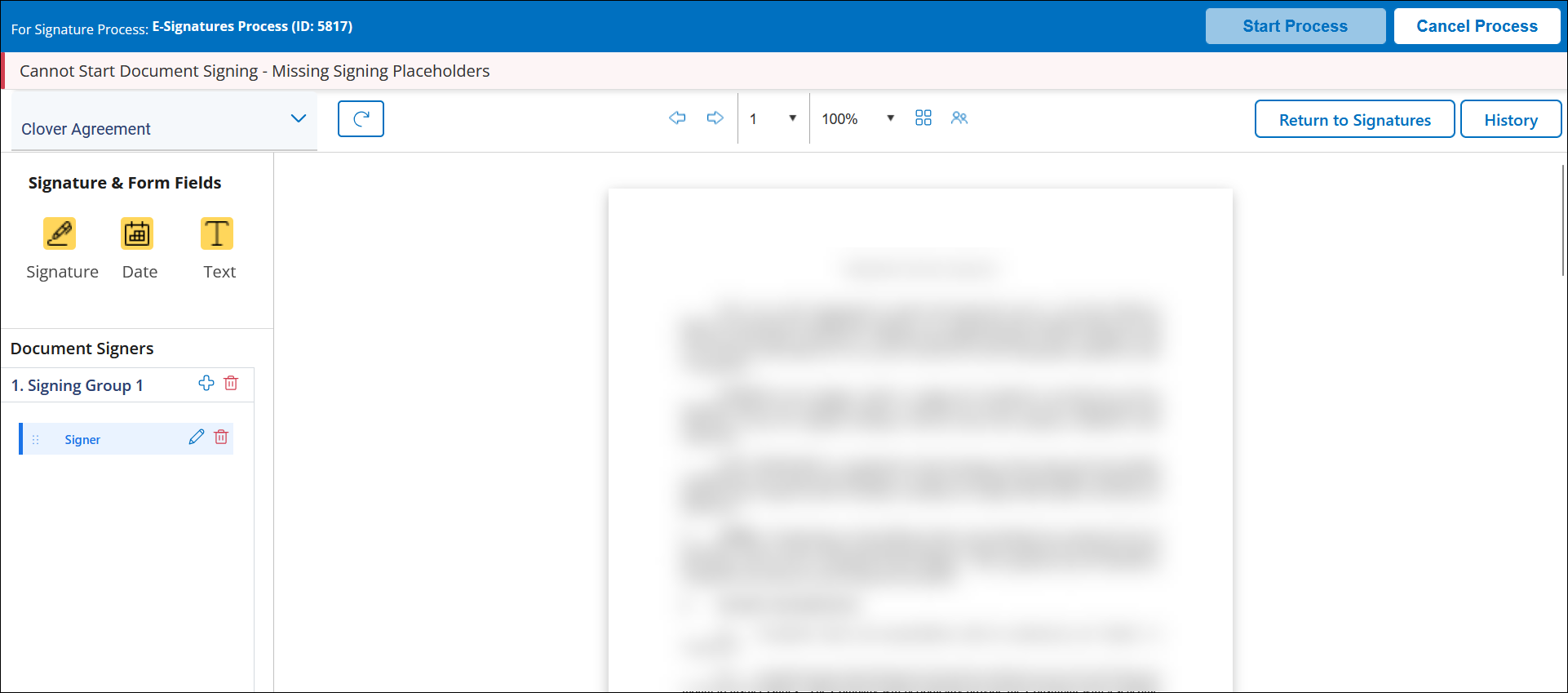
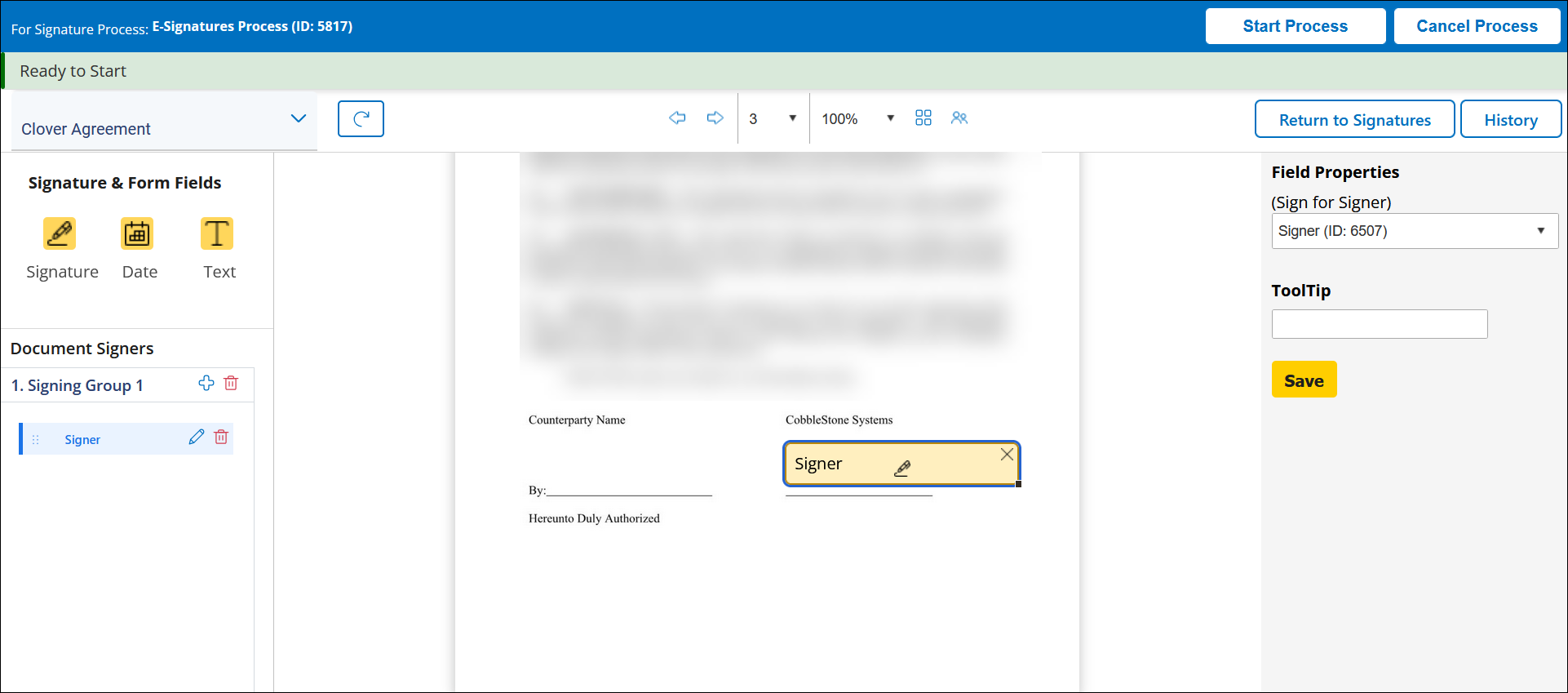 Placeholder Signature Process - After placeholder(s) set
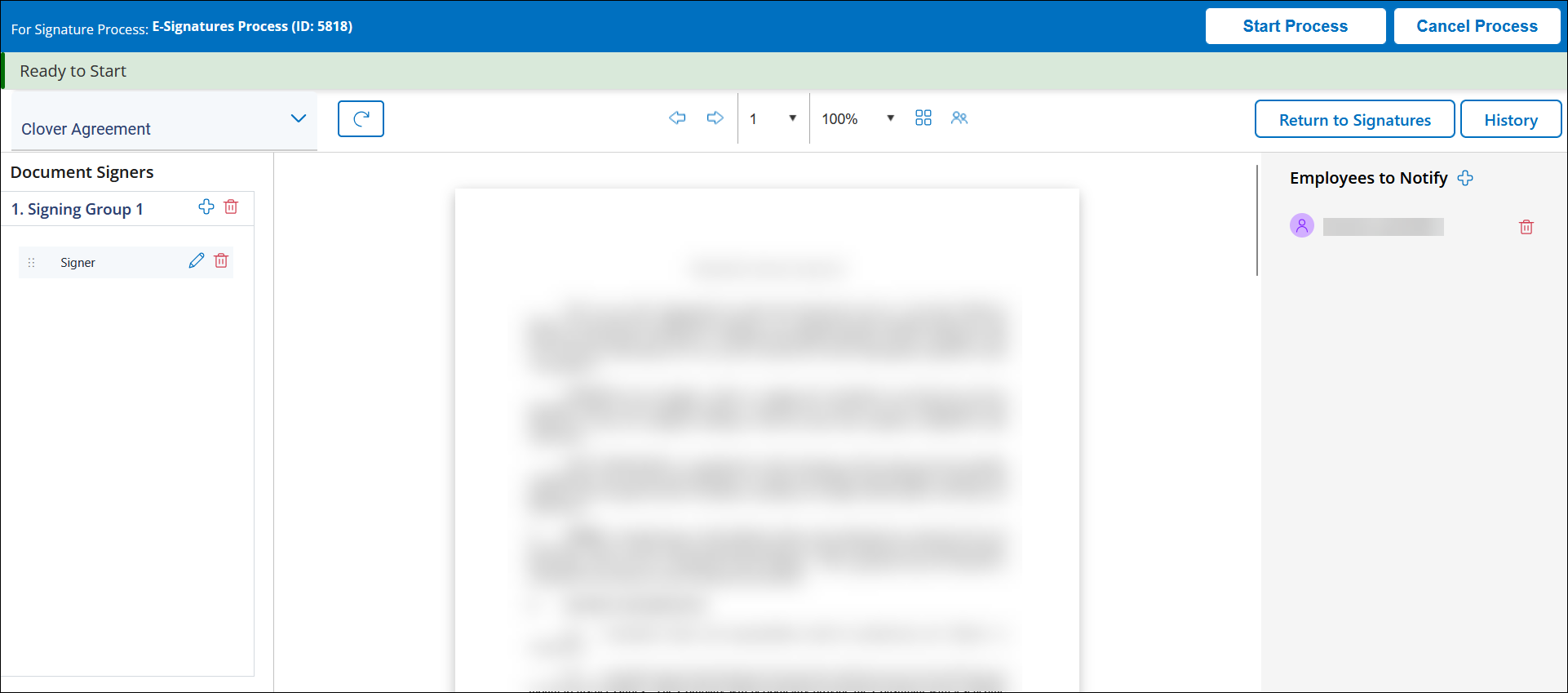 Free Form Signature Process
ENHANCEMENT: Restored Electronic Signature Date Appending Option Enhancing Signature Audit Visibility
Reference #: 260527.345.32846
DOCUMENT COLLABORATION & E-SIGNATURE
RESOLUTIONS
RESOLUTION: Insufficient Signature Display Sizing Causing Truncated Signatures on Completion Certificates
Reference #: 260527.345.34275
An issue was identified where signatures displayed on IntelliSign and E-Signature completion certificates could appear partially cut off after the signing process was completed.
This was caused by insufficient display sizing within the generated certificate layout, which prevented the full signature image from being shown properly. Updates were applied to adjust the signature display area and ensure signatures are fully visible on completion certificates.
RESOLUTION: Signature Placeholder Resizing Limitation in IntelliSign
Reference #: 260507.1157.25313
An issue was identified where signature placeholders in IntelliSign could only be enlarged, not reduced in size. This limitation was due to how placeholder scaling behavior was originally configured, which restricted users’ ability to properly fit signature fields within documents.
This has been resolved by enabling both upscaling and downscaling of signature placeholders. Resizing is now performed from a single corner to maintain the correct aspect ratio and ensure consistent formatting. Additionally, typed and drawn signatures will automatically adjust to fit the updated placeholder size, improving overall usability and visual consistency.