COBBLESTONE SOFTWARE
Contract Insight — User Guide
On-Screen Validation Messages
08. End Users: Tasks › Contract Tasks › On-Screen Validation Messages
Note: Each procedure in this guide begins at the Contract Insight homepage, so any section can be followed on its own. Custom fields are configurable, so the exact field list on a contract category record may vary between environments.
1. Overview
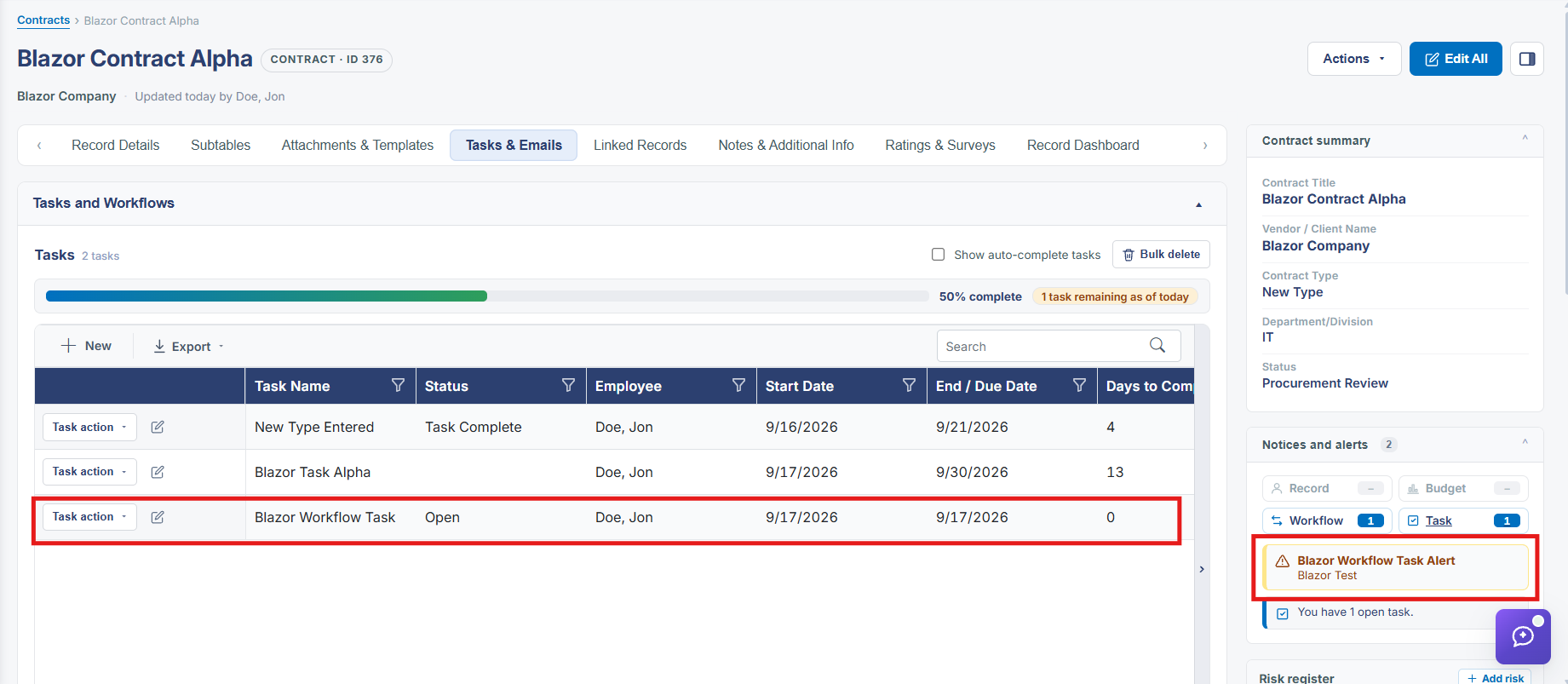
Beyond any single workflow's own Alerts tab, every record aggregates its active notices into one place — the Notices and alerts panel in the record's right-hand summary, broken into four categories (Record, Budget, Workflow, Task) with a running count and, in this environment's example record, a plain-language line: "You have 2 open tasks."
2. Key Elements
- A record's Notices and alerts panel groups active messages into Record, Budget, Workflow, and Task categories
- The panel header shows a running count of active notices ("1" in the example record)
- A Task-category notice can read out in plain language, e.g. "You have 2 open tasks," with a Go to task on this record link
- This aggregate panel is distinct from the Alerts tab on any single workflow, which defines one notice at a time