COBBLESTONE SOFTWARE
Contract Insight — User Guide
Contract Tasks Overview
08. End Users: Tasks › Contract Tasks › Contract Tasks Overview
Note: Each procedure in this guide begins at the Contract Insight homepage, so any section can be followed on its own. Custom fields are configurable, so the exact field list on a contract category record may vary between environments.
1. Overview
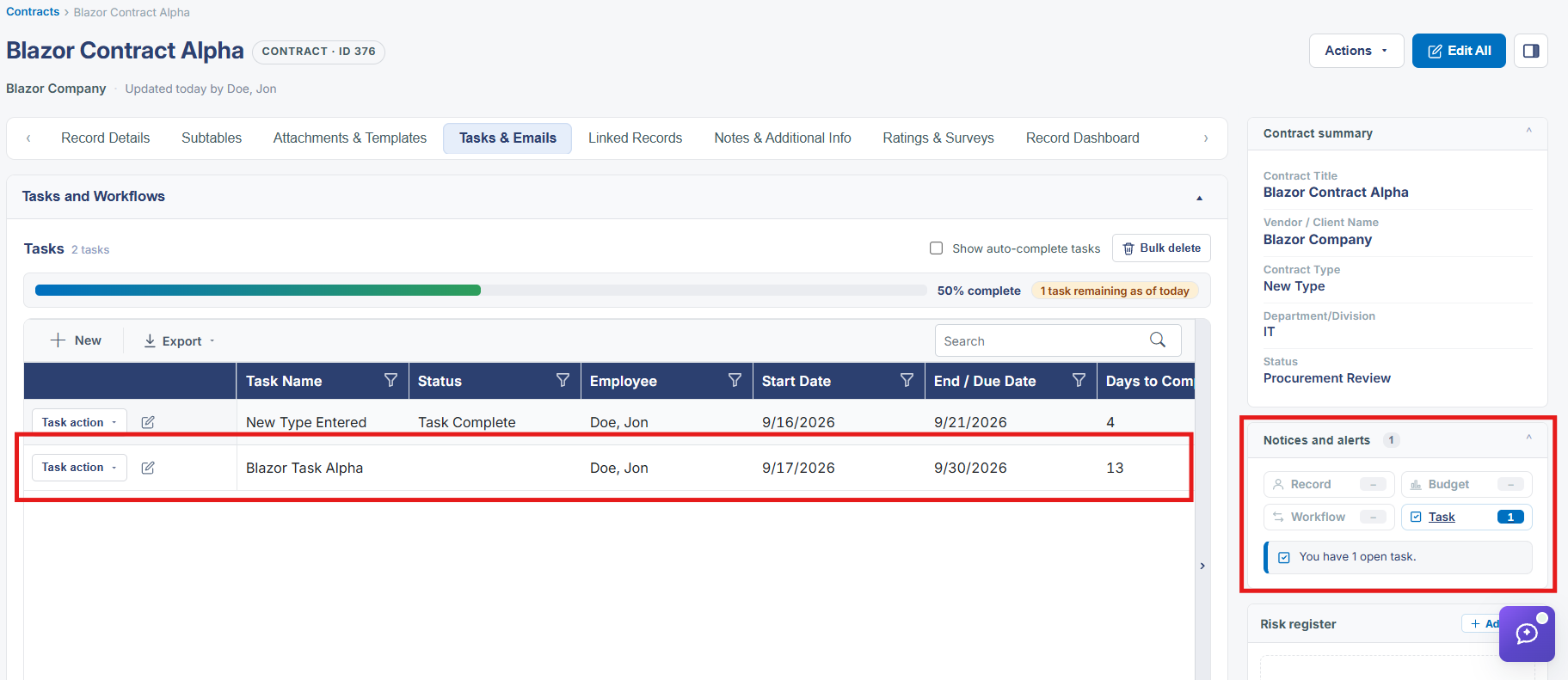
A contract record's own tasks live in its Tasks and Workflows section, on the Tasks & Emails tab alongside Emails — the record-level view of everything the Advanced Workflow Manager has created for that specific record, plus any one-off tasks added directly to it. The record's Notices and alerts panel separately surfaces a live Task count ("You have 2 open tasks") with a direct link to jump to them.
2. Key Elements
- Tasks & Emails tab → Tasks and Workflows section holds every task tied to that one contract
- Notices and alerts (in the record's right-hand summary panel) shows a running Task count and a Go to task on this record link
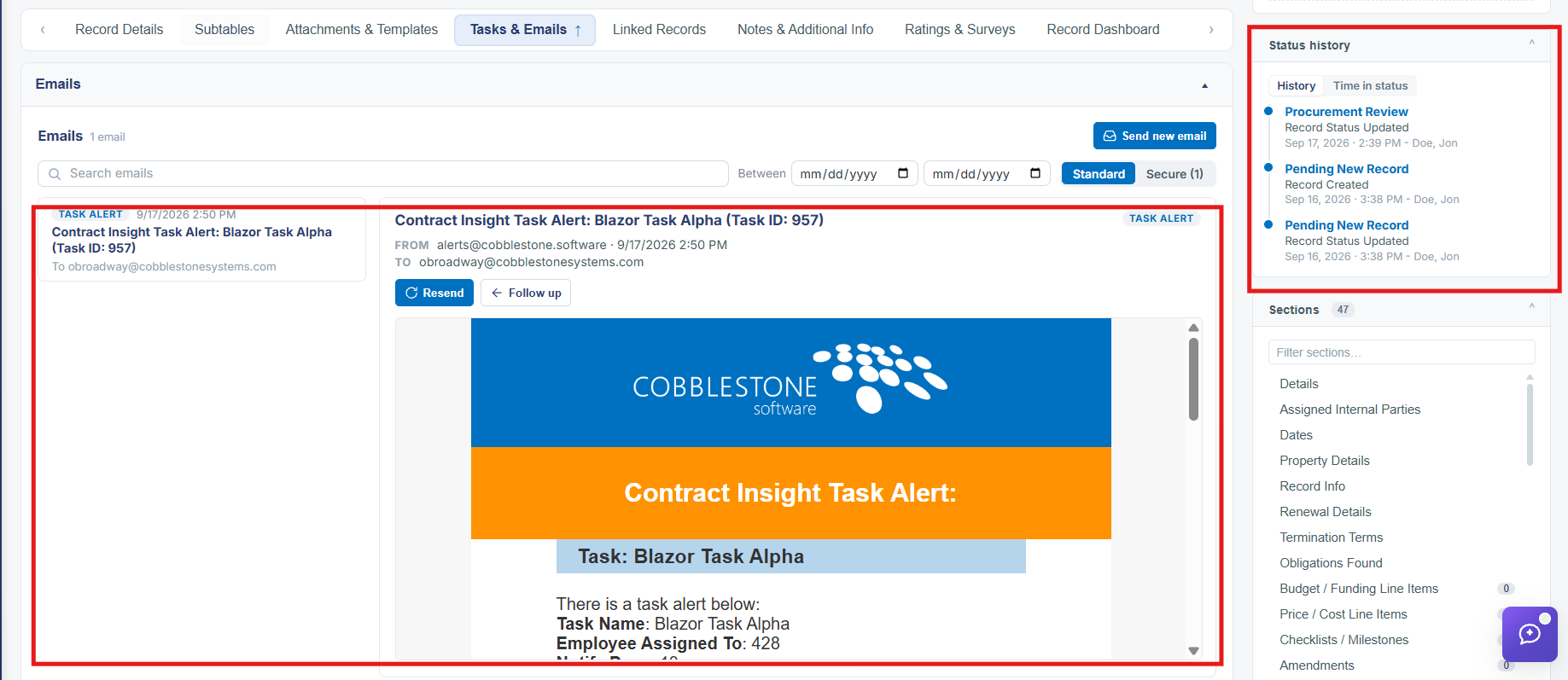
- The same tab's Emails section shows the task-alert and workflow-alert emails those tasks have generated
- Status history, in the same summary panel, tracks how long the record has spent in each status — useful context for task due dates tied to a status change