COBBLESTONE SOFTWARE
Contract Insight — User Guide
Clause Library Management
Clauses › Clause Library Management
Note: Each procedure in this guide begins at the Contract Insight homepage, so any section can be followed on its own. Custom fields are configurable, so the exact field list on a contract category record may vary between environments.
1. Overview
Clauses › Clause Library is the shared repository of named clauses that can be reused across contracts and playbooks. The record count next to the title shows how many clauses the library holds. The list shows each clause's Clause Group and Clause Text, with Print, Export, Extract with VISDOM and Add at the top of the page.
Clicking Manage opens a clause record with four tabs: Details (name, text, active status, group and VISDOM category), Clause Match (whether the clause is expected in a document and the percent match needed), Record Info, and Playbooks, which lists "The playbooks this clause is part of" and lets you add the clause to more playbooks or create a new one. Extract with VISDOM (formerly IntelliDraft.AI) reads uploaded agreements and lists the clauses it finds, ready to add to the library.
2. Key Elements
- Clause Library list: Clause Group and Clause Text columns, a view selector (All Clause Library), column and filter icons, Search, and Manage, Preview (eye) and Add to your favorites (star) on each row.
- Print, Export, Extract with VISDOM and Add: at the top right of the list.
- Details tab: Clause Name, Clause Text, ID, IsActive, Clause Group, Clause Preference, Visdom Category, Is Preferred Version, Federal Clause Library Number, Business Justification and Negotiating Comments.
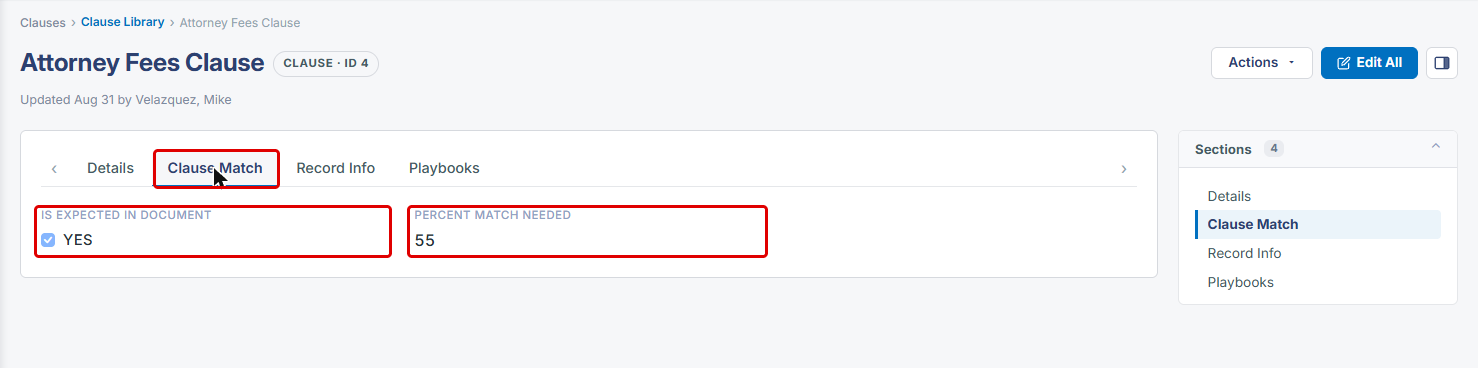
- Clause Match tab: Is Expected In Document and Percent Match Needed.
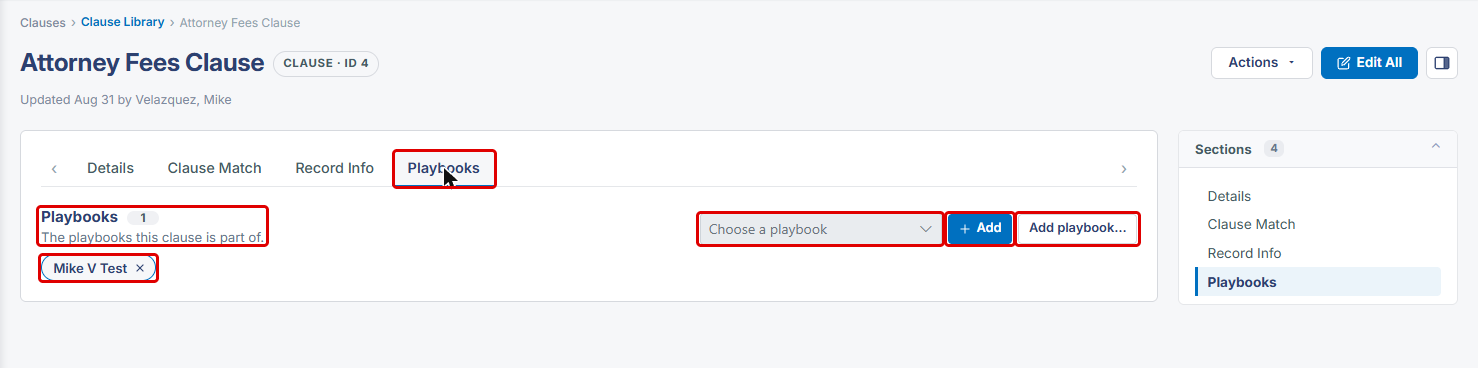
- Playbooks tab: the playbooks the clause belongs to (shown as removable tags), Choose a playbook, Add and Add playbook....
- Extract Clauses with VISDOM: upload PDF, Word, RTF or text files, then Find clauses to review the clauses VISDOM finds before anything is saved.
3. Opening the Clause Library
- From the Contract Insight homepage, hover over the Clauses icon in the left navigation bar.
- Select Clause Library.
.jpg)
- The Clause Library list opens. Use Search to find a clause, or the filter icons to narrow the list.
- Click Manage to open a clause, the Preview (eye) icon to view it in a side panel, or the star to add it to your favorites.
.jpg)
4. Adding a Clause
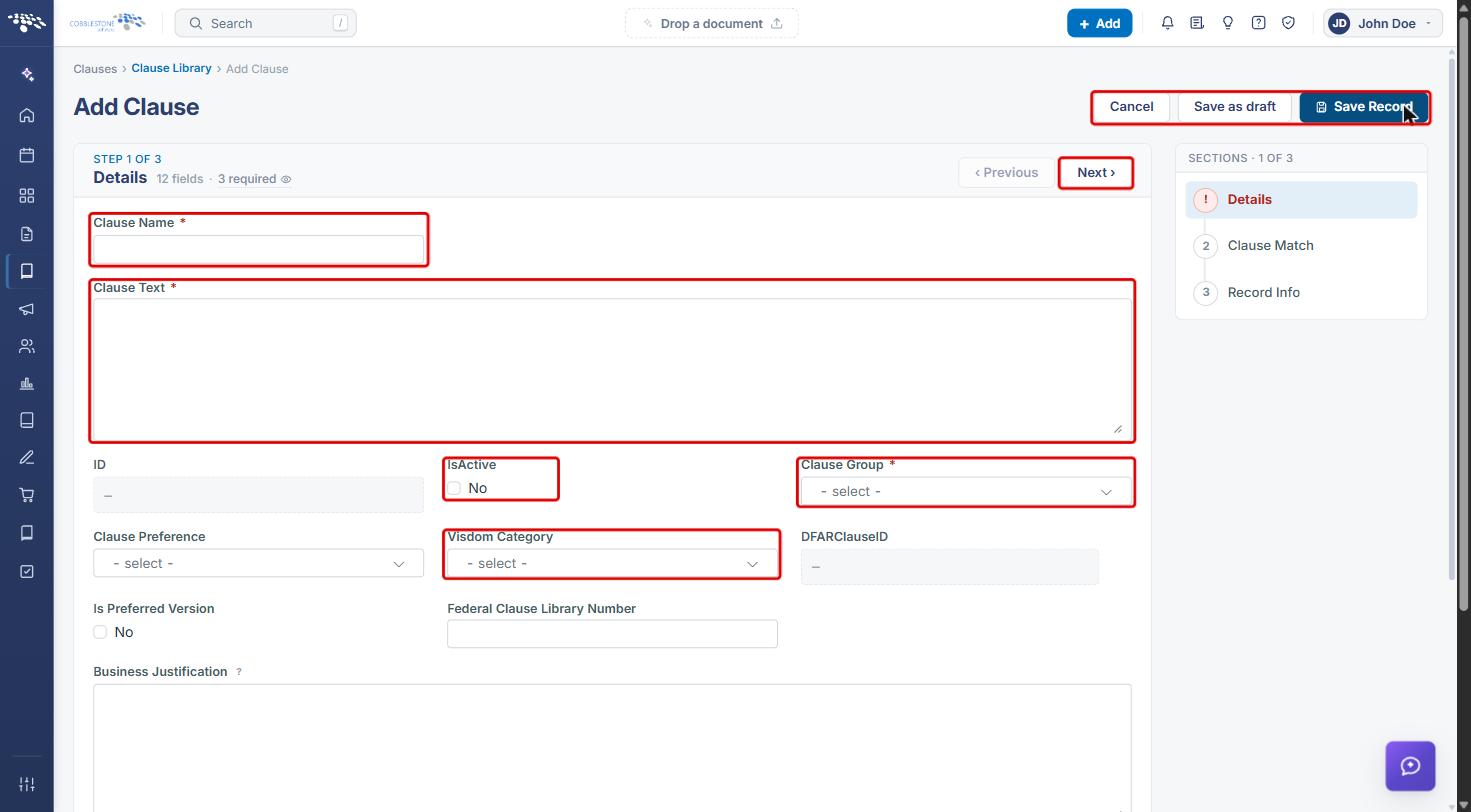
- On the Clause Library list, click Add.
- Enter a Clause Name and the Clause Text. Both are required.
- Choose a Clause Group (required), and optionally a Visdom Category, Clause Preference and other details.
- Select IsActive so the clause is available for use.
- Click Next to move through Clause Match and Record Info, or use the Sections list on the right.
- Click Save Record, Save as draft to finish later, or Cancel.
5. Viewing and Editing a Clause
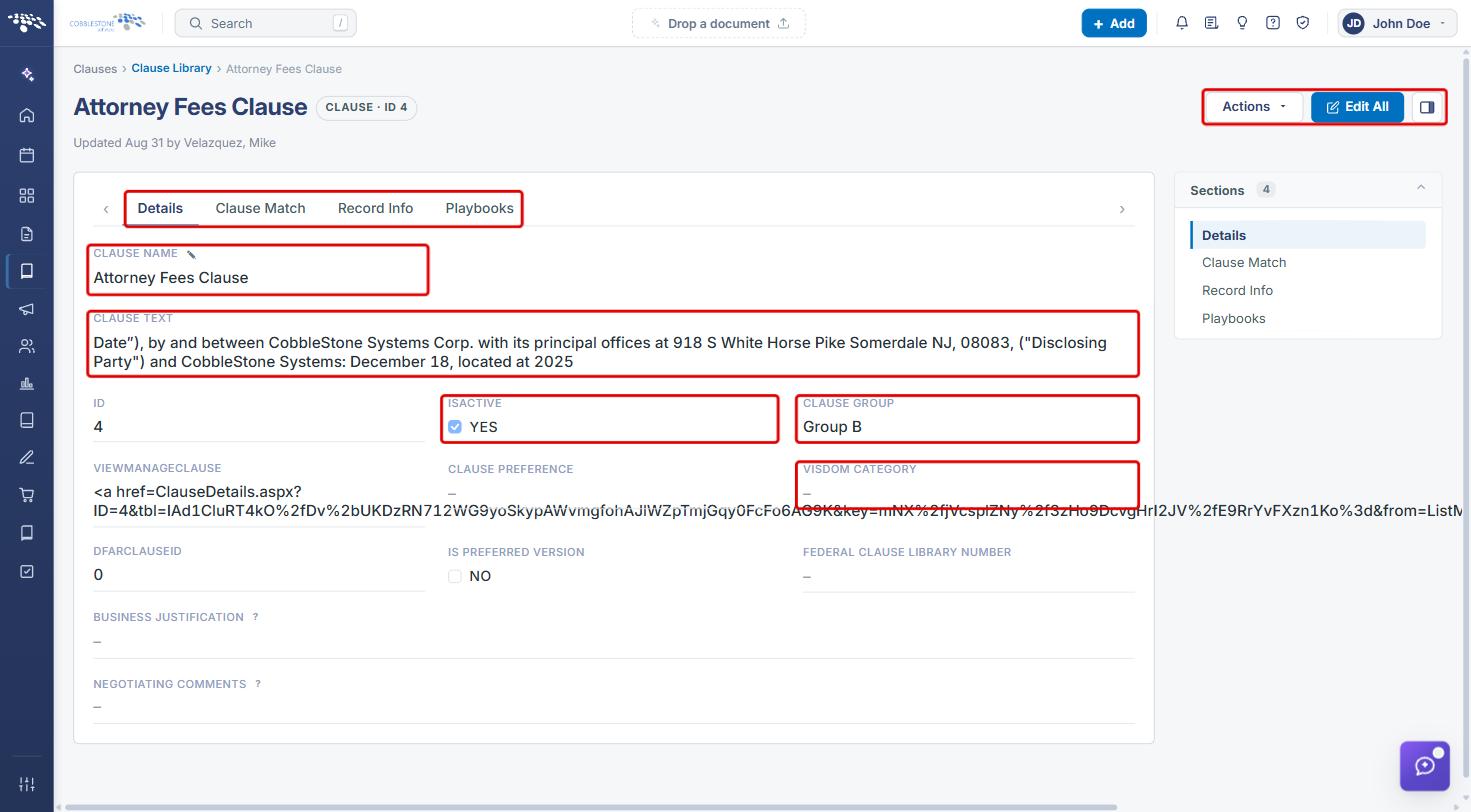
- On the Clause Library list, click Manage on the clause.
- On the Details tab, review the Clause Name, Clause Text, IsActive, Clause Group and Visdom Category.
- Click Edit All to change the clause, or use Actions for other options.
- Click the Clause Match tab to see whether the clause Is Expected In Document and the Percent Match Needed for a document's text to count as a match.
6. Assigning a Clause to Playbooks
- Open the clause with Manage, then click the Playbooks tab. The playbooks the clause already belongs to appear as tags.
- From Choose a playbook, select a playbook, then click Add.
- To create a new playbook for the clause, click Add playbook....
- To remove the clause from a playbook, click the x on that playbook's tag.
Note: A clause can belong to more than one playbook.
7. Extracting Clauses with VISDOM
- On the Clause Library list, click Extract with VISDOM.
- Under Upload files, drop contracts, templates or amendments onto the upload area, or click Browse. PDF, Word, RTF and text files are supported.
- Click Find clauses. VISDOM reads each file and lists the clauses it finds for you to review before anything is saved. Click Cancel to go back without extracting.
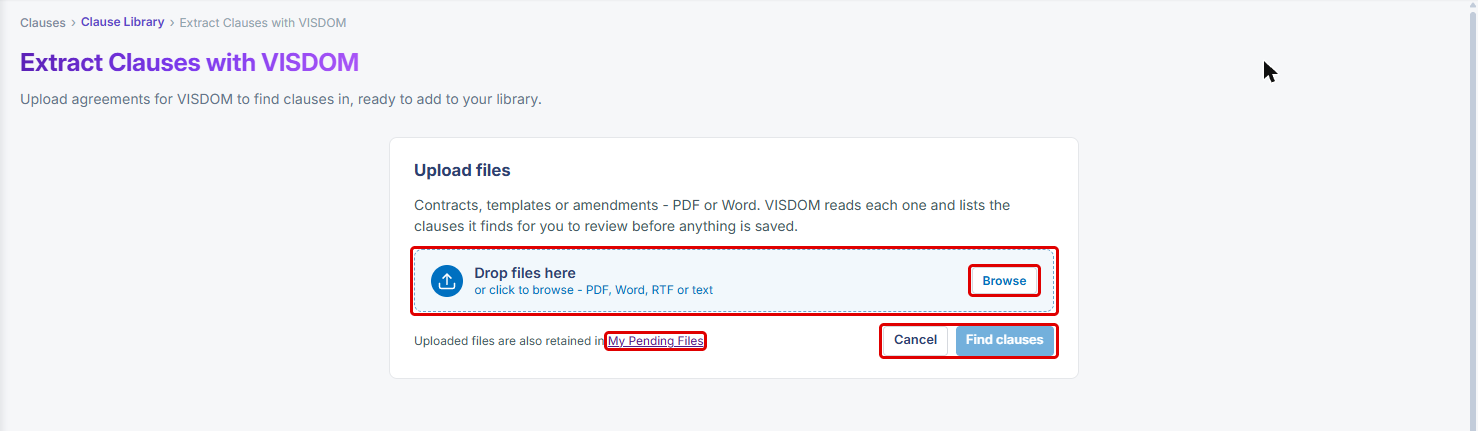
Note: Uploaded files are also kept in My Pending Files.
8. Quick Reference Summary
| Task | Where / How |
|---|---|
| Open the library | Clauses › Clause Library |
| Find a clause | Search box or column filters |
| Add a clause | Add › Clause Name, Clause Text, Clause Group › Save Record |
| Edit a clause | Manage › Edit All |
| Set matching rules | Manage › Clause Match tab |
| Add a clause to a playbook | Manage › Playbooks › Choose a playbook › Add |
| Create a playbook from a clause | Manage › Playbooks › Add playbook... |
| Find clauses in agreements | Extract with VISDOM › upload files › Find clauses |
| Print or export the list | Print icon or Export |