COBBLESTONE SOFTWARE
Contract Insight — User Guide
Create a Contract from a Contract Request
09. End Users: Contract Requests › Contract Request Process › Create a Contract from a Contract Request
Note: Each procedure in this guide begins at the Contract Insight homepage, so any section can be followed on its own. Custom fields are configurable, so the exact field list on a contract category record may vary between environments.
1. Overview
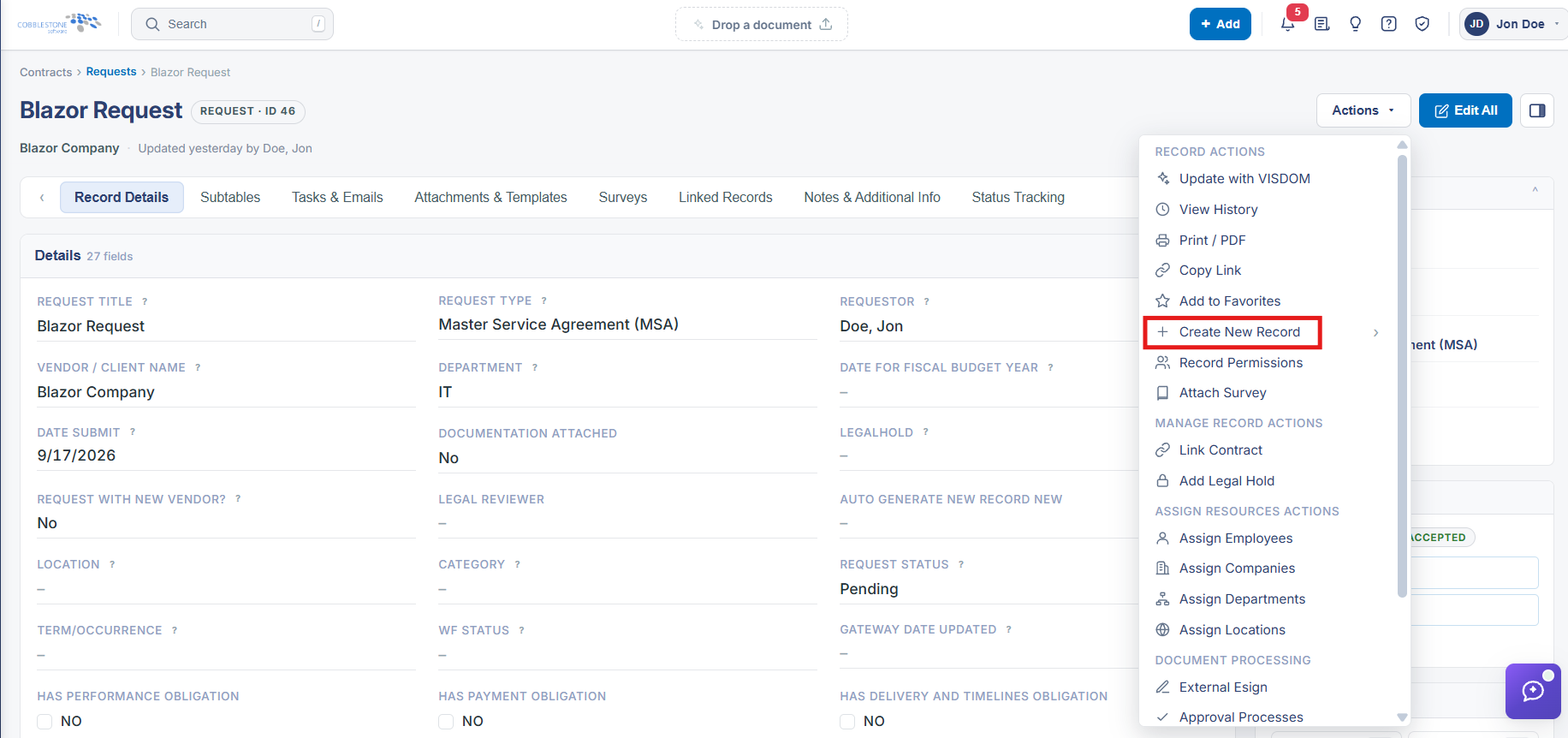
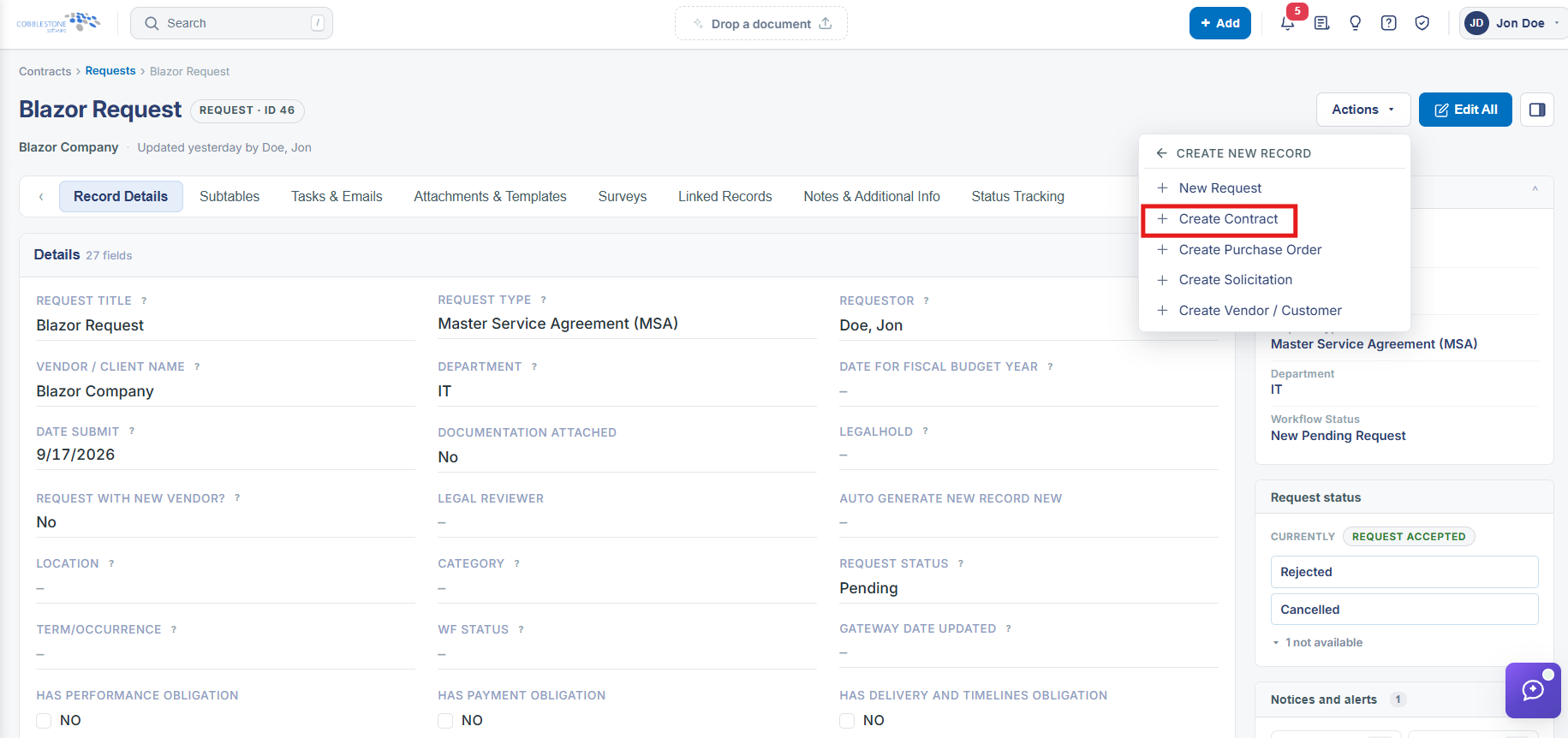
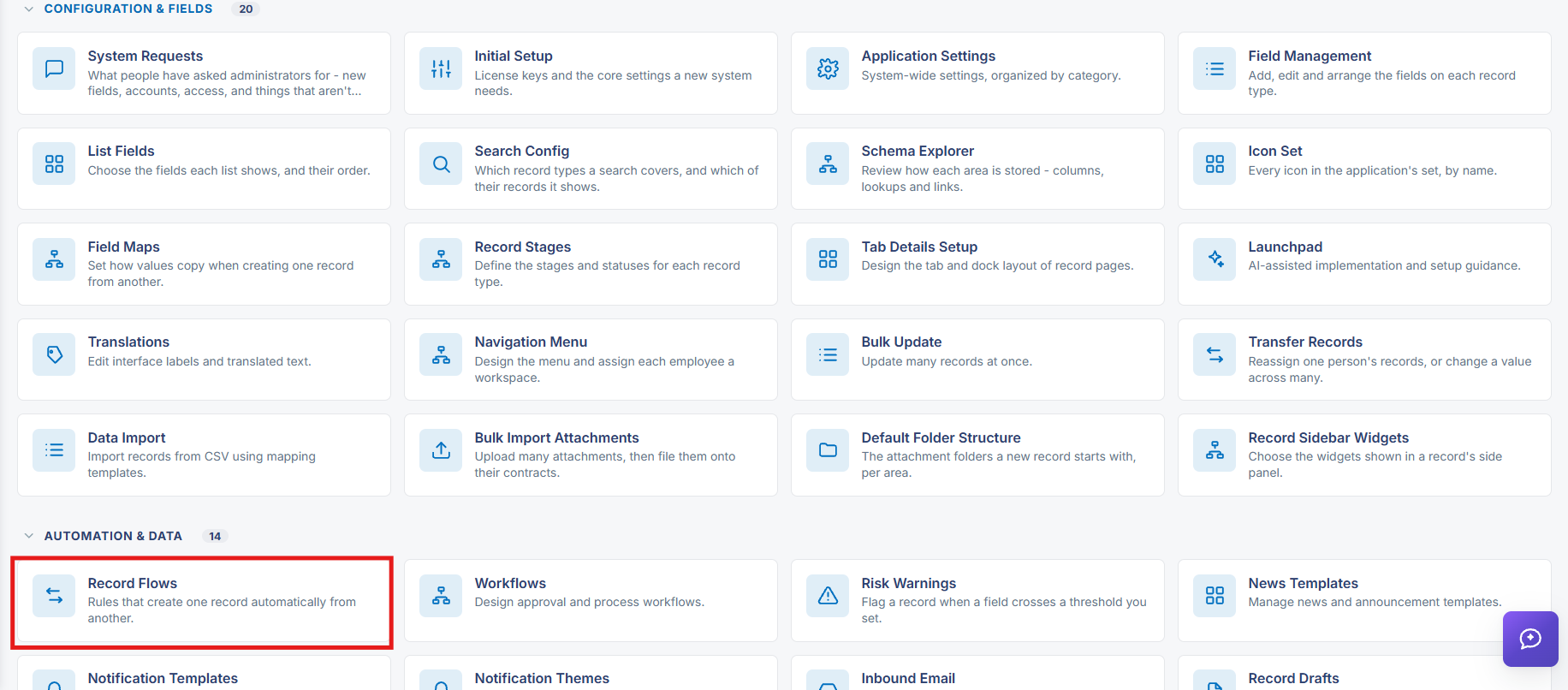
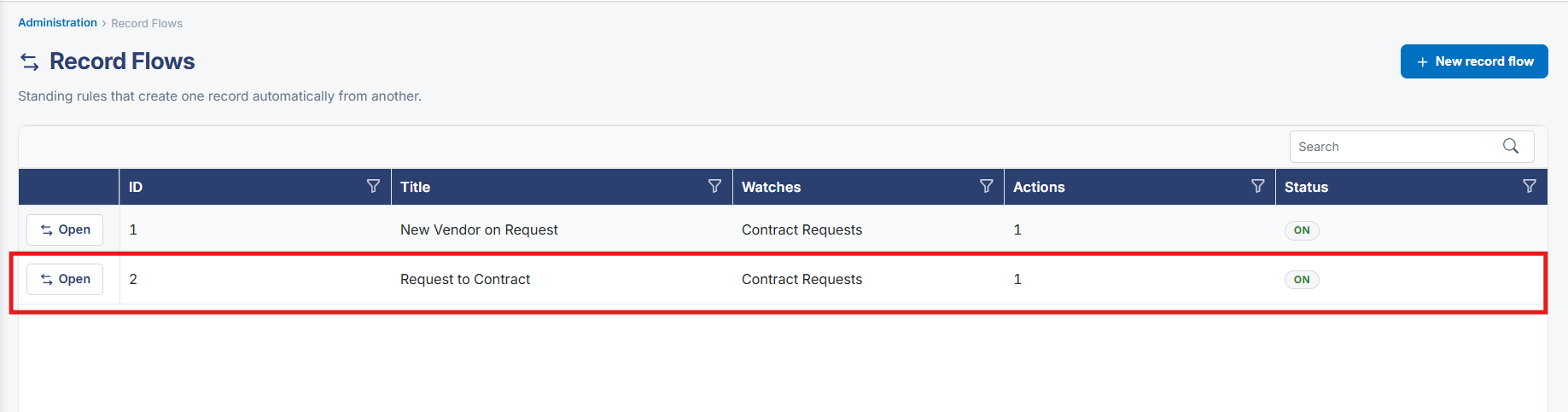
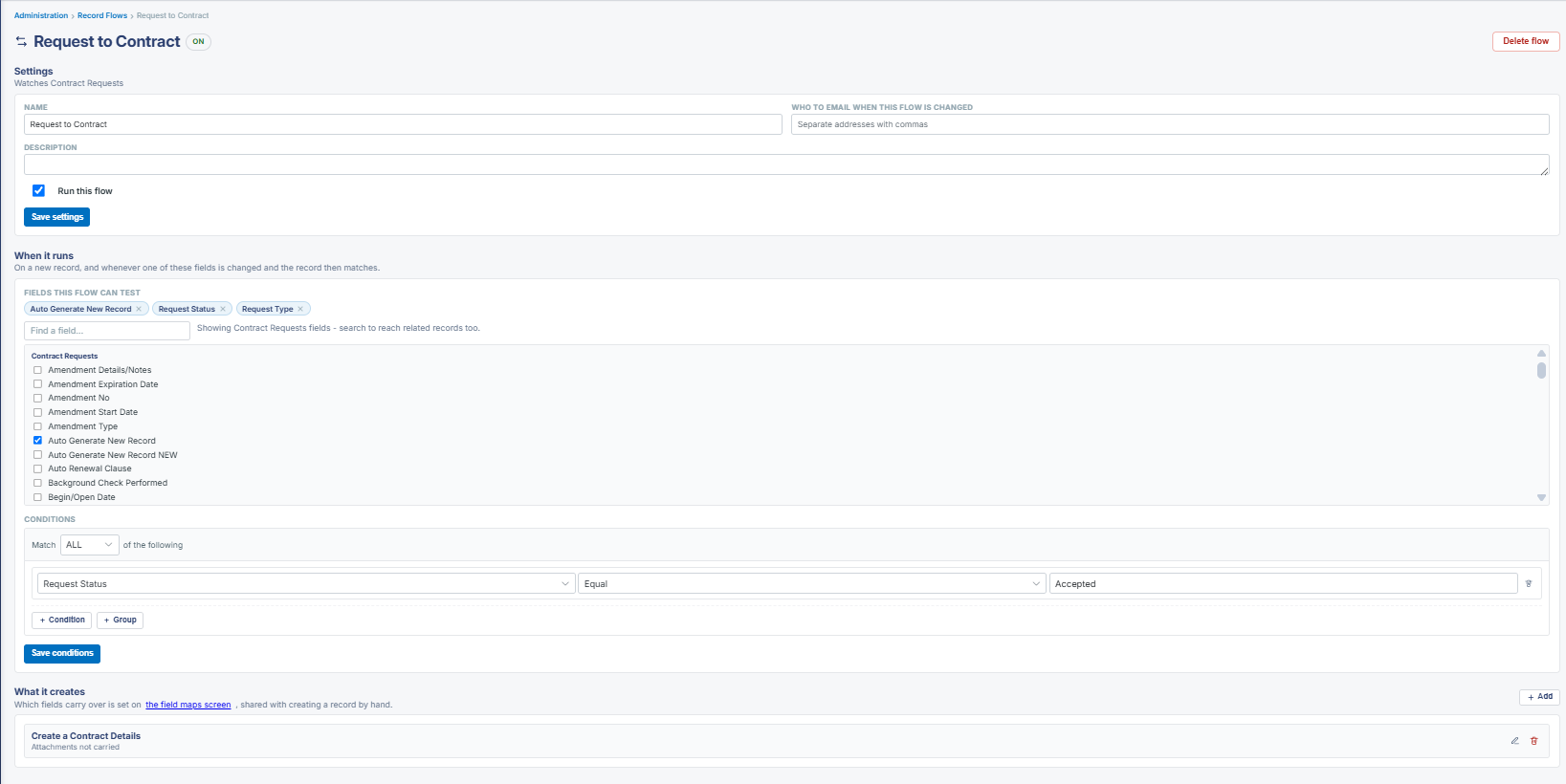
A Contract Request can be converted into a Contract in two ways in this environment. Manually, a Request record's Actions dropdown (top-right of the record page) includes a "Link Contract" action under a Manage Record Actions group, alongside other record-level actions (Update with VISDOM, View History, Print, Copy Link, Record PDF, Create New Record, Record Permissions, Attach Survey, Add Legal Hold, resource-assignment actions, and document-processing actions like External Esign/Approval Processes/Signature Processes/IntelliApprove/IntelliSign). Automatically, Administration > Record Flows lets an admin define a standing rule that watches Contract Requests and, when a new or updated request matches configured field conditions, creates a related record — the "What it creates" section of a Record Flow can be configured to "Create a Contract Details" record, carrying over fields according to the flow's field maps. This means the request-to-contract conversion can be done manually per record via Link Contract, or automated for an entire category of requests via a Record Flow.
2. Key Elements
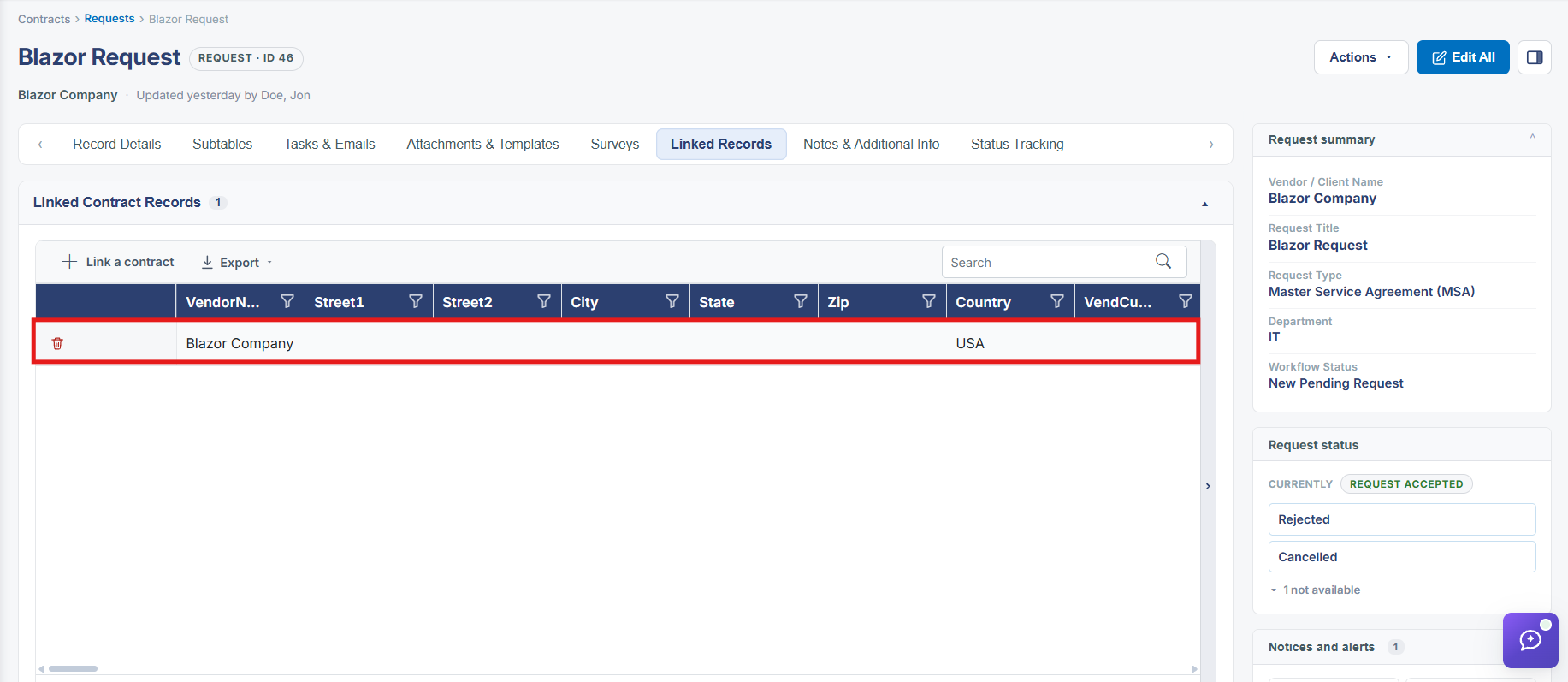
- The Actions dropdown on a Request record includes a "Link Contract" action, under Manage Record Actions, for manually associating or creating a linked contract from that request.
- Administration > Record Flows lets an admin build a standing rule that watches Contract Requests and automatically creates a linked record — configured under "What it creates" as "Create a Contract Details," for example.
- A Record Flow's field conditions (built from the watched record type's fields) determine which requests trigger the automatic contract creation.
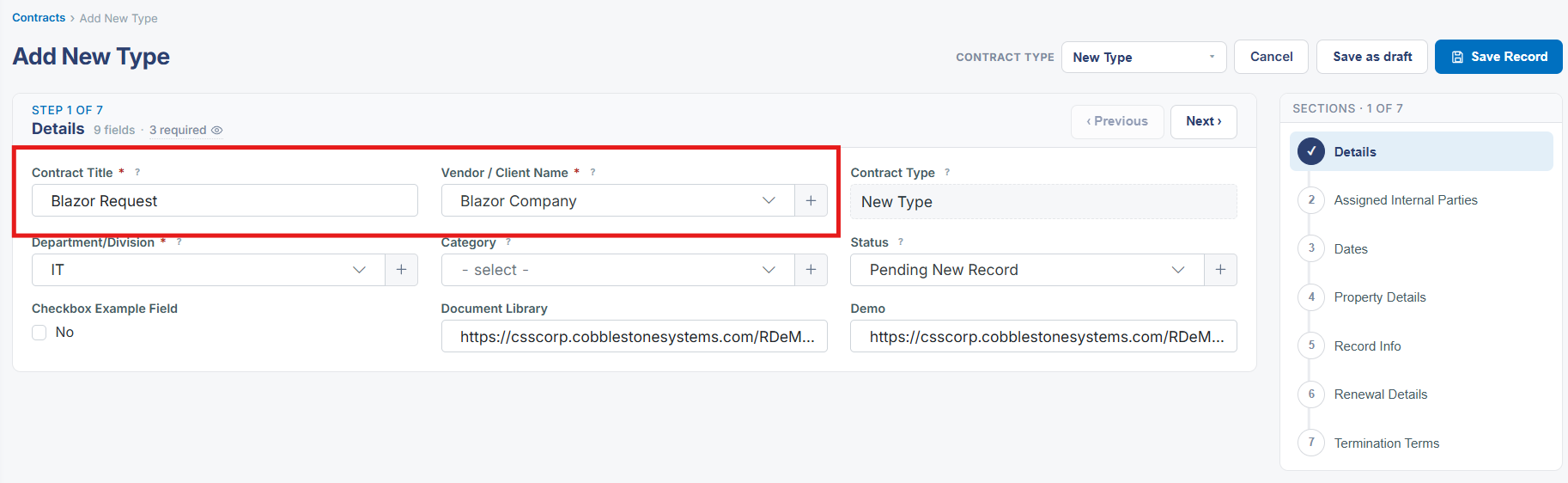
- Which fields carry over from the request to the newly created contract is controlled by the flow's field maps, the same mechanism used when creating a record by hand.
- The Actions dropdown only reliably renders its menu on record instances where at least one action applies to the record's current state — on some individual records the menu can appear empty even though the button is present.