COBBLESTONE SOFTWARE
Contract Insight — User Guide
Manage/Edit a PO
Module: Purchase Orders › Purchase Order Details › Manage/Edit a PO
Note: Each procedure in this guide begins at the Contract Insight homepage, so any section can be followed on its own. Custom fields are configurable, so the exact field list on a contract category record may vary between environments.
1. Overview
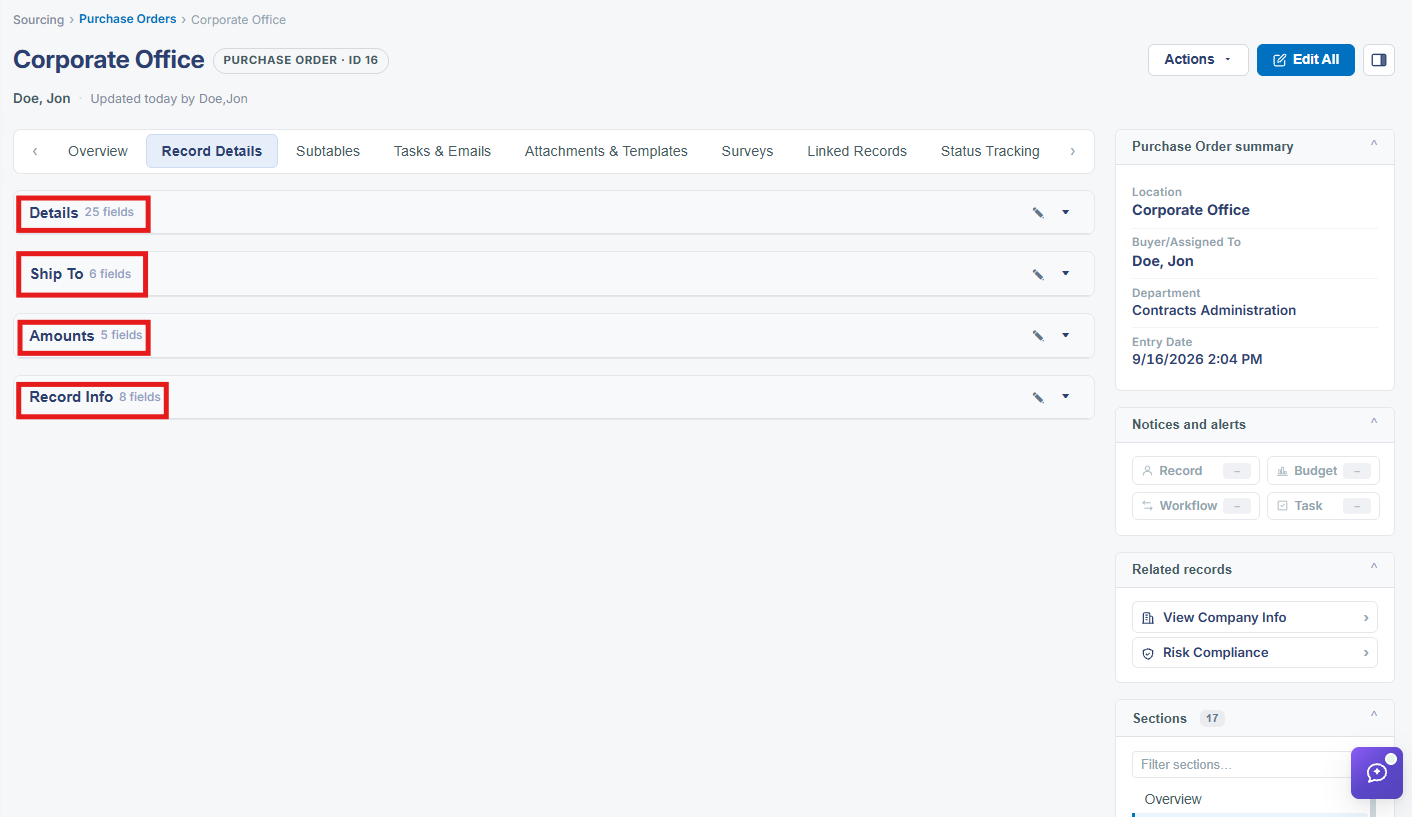
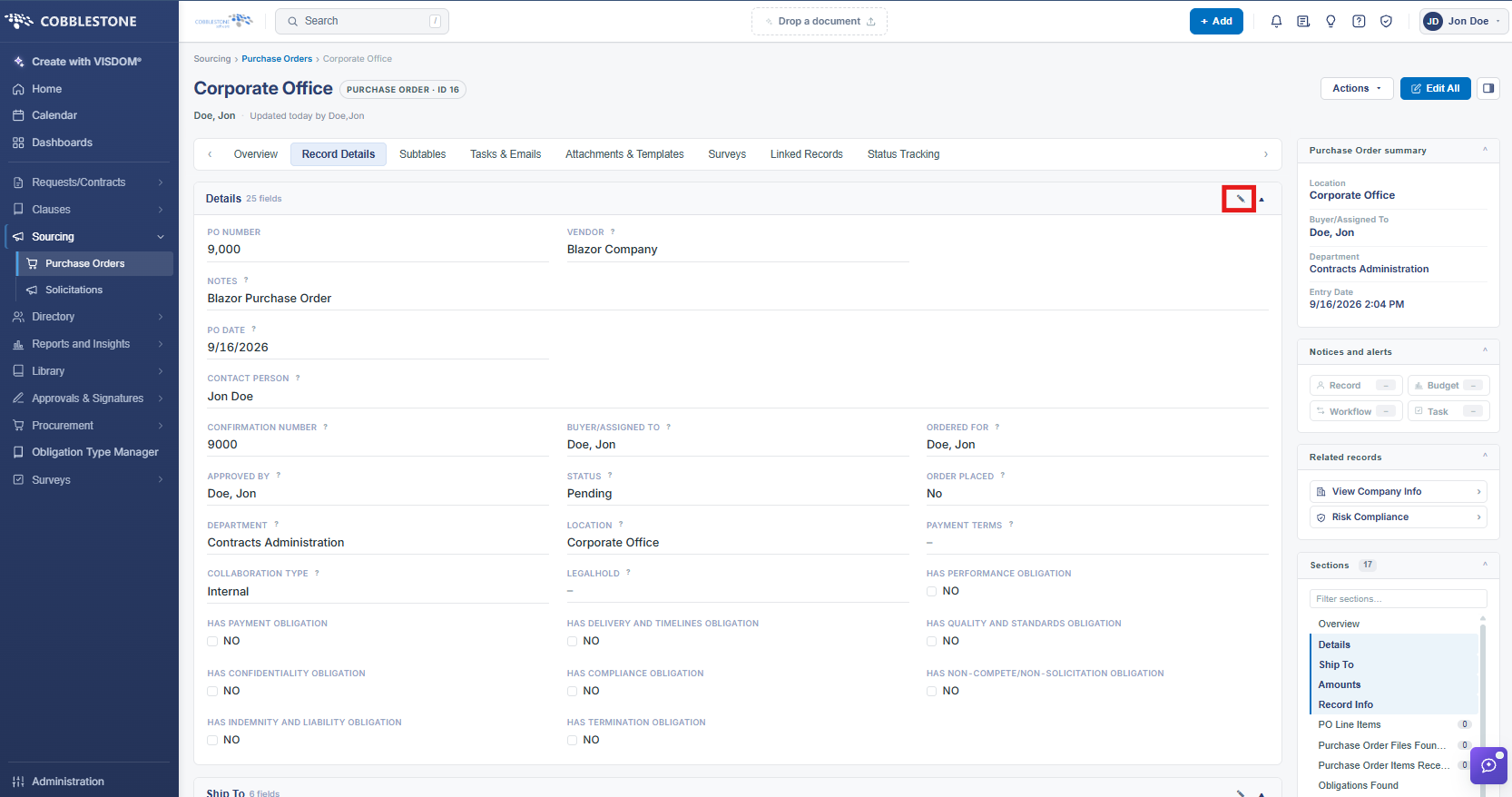
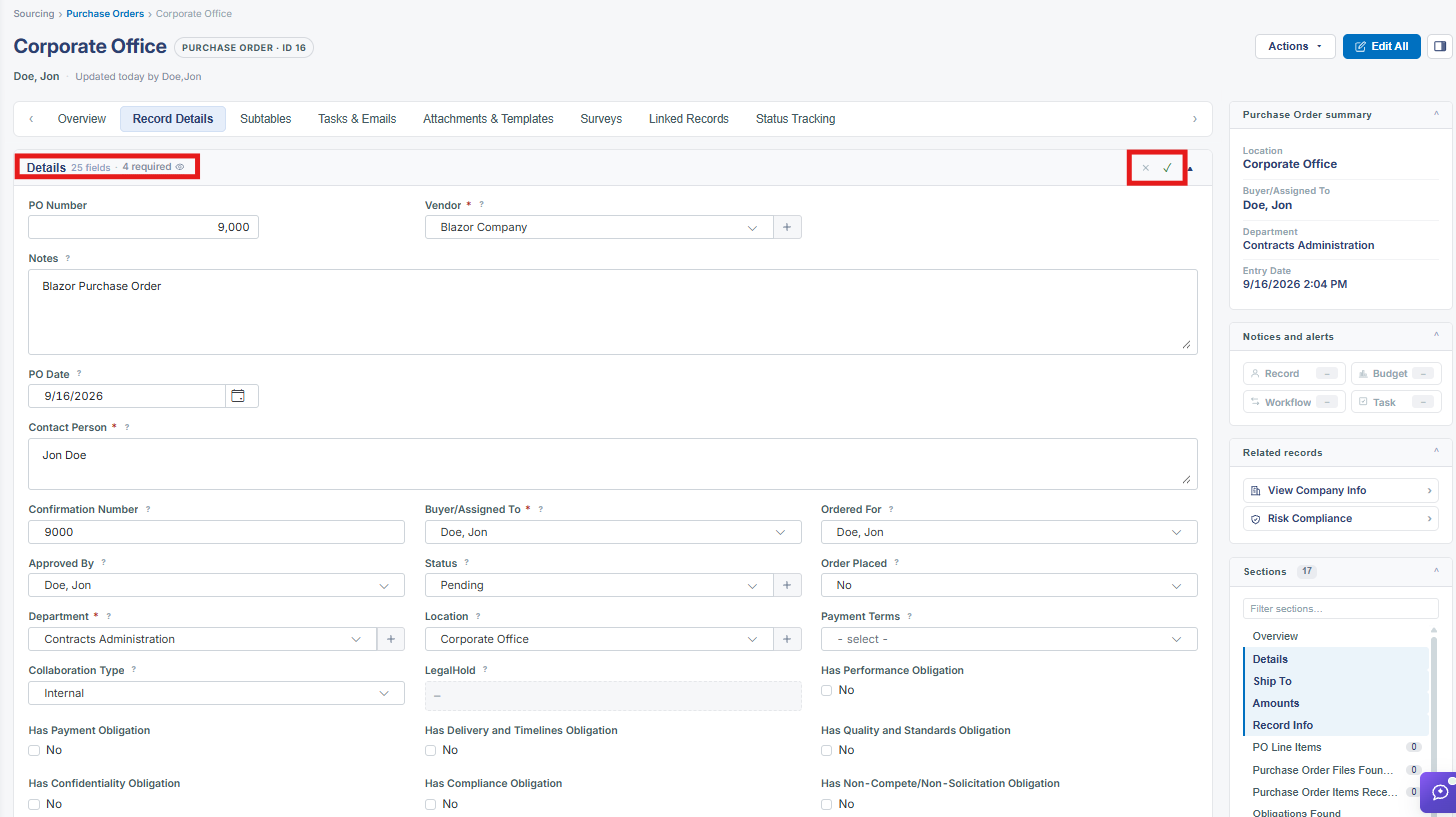
An existing PO opens on its Record Details tab, showing every field assigned to that PO type inside a Details panel (42 fields in this environment's sample record), plus related panels for Ship To, Amounts, and Record Info. Edit All switches the whole record into edit mode, and individual fields also carry their own inline edit (pencil) icon for one-off changes.
2. Key Elements
- Record Details tab is the default landing tab for any purchase order
- Details panel groups the PO's core fields: PO Title, PO Date, PO Type, Vendor, Status, Buyer/Assigned To, Approved By, and more
- Ship To panel holds the delivery address fields
- Amounts panel holds Total Amount, Date for Fiscal/Budget Year, and Disadvantaged Business Amount
- Edit All switches the entire record into edit mode