COBBLESTONE SOFTWARE
Contract Insight — User Guide
Employee Budget
Module: Purchase Orders › Purchase Order Details › Employee Budget
Note: Each procedure in this guide begins at the Contract Insight homepage, so any section can be followed on its own. Custom fields are configurable, so the exact field list on a contract category record may vary between environments.
1. Overview
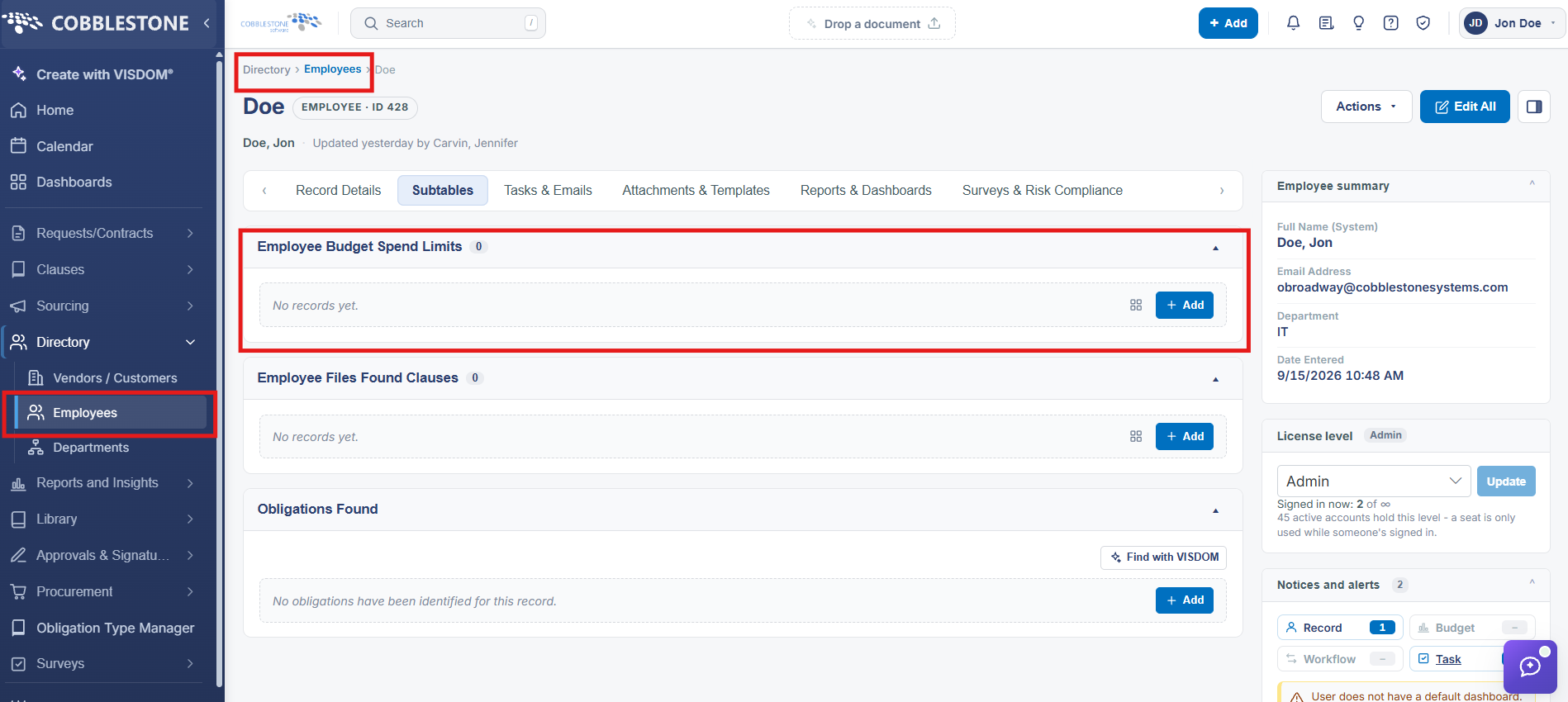
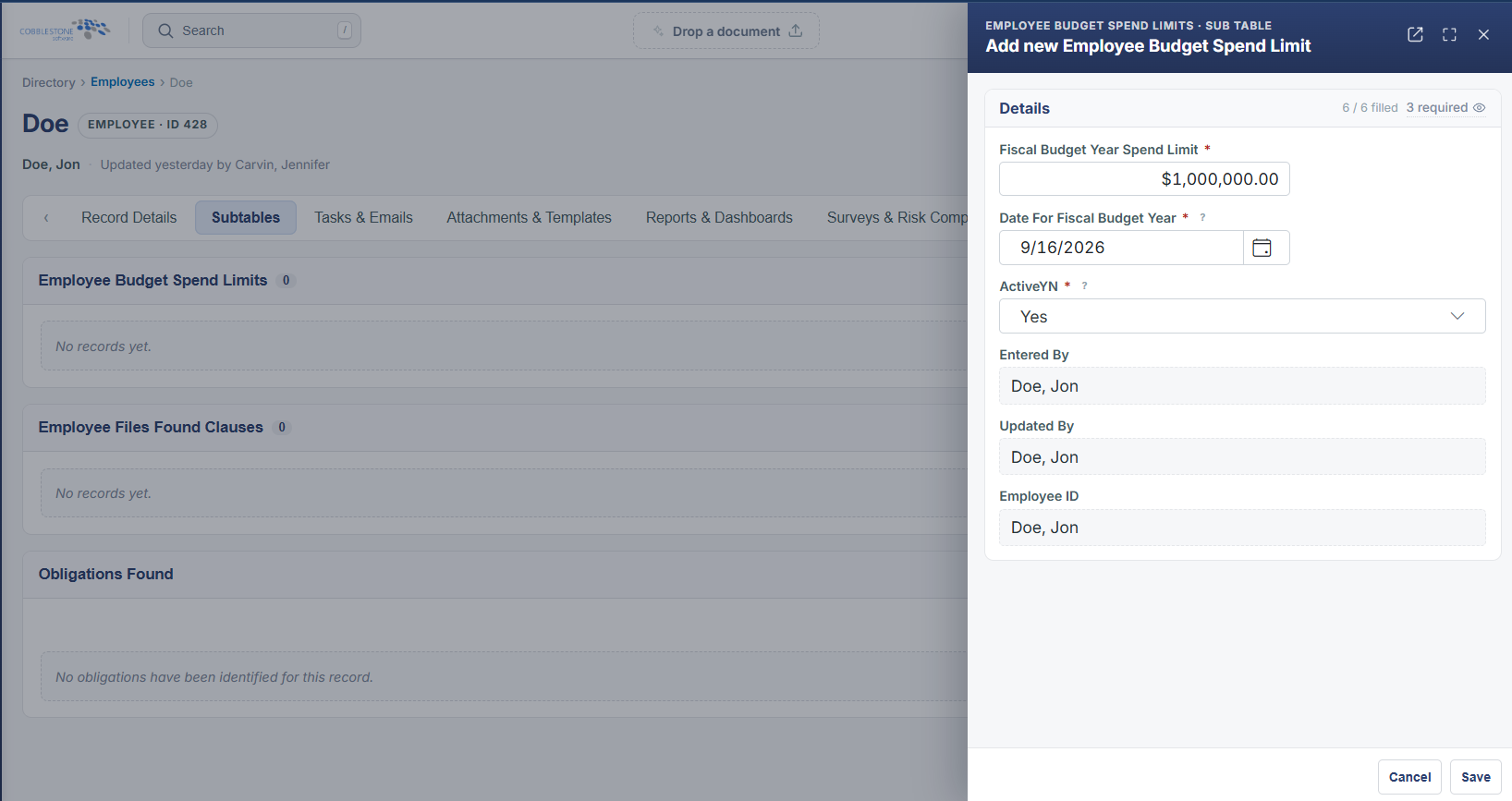
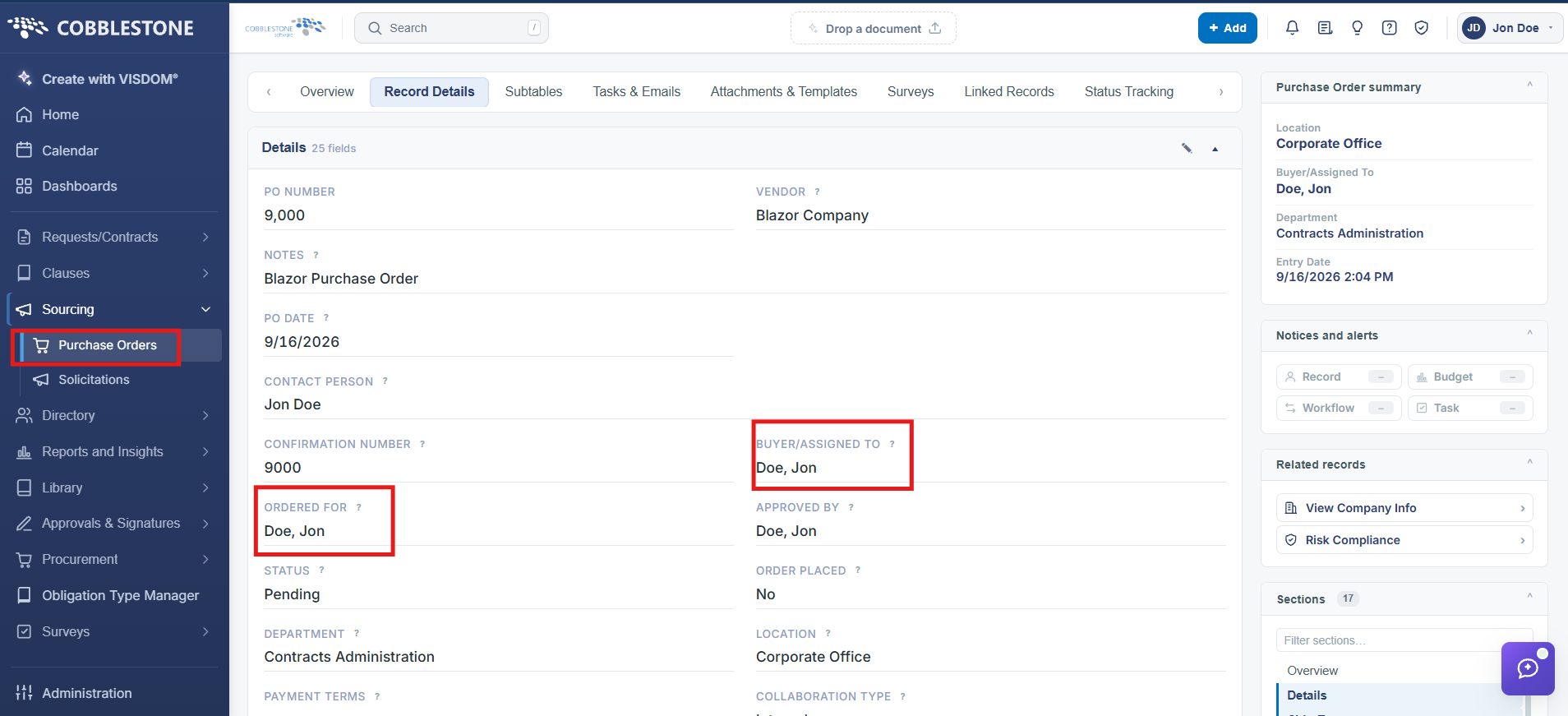
Individual employees can carry their own spend limits, tracked in the application's data model as Employee Budget Spend Limits — a distinct field area from an employee's main Employee Details record. Purchase orders can be tied to a specific employee through the Ordered For and Buyer/Assigned To fields on the PO's Details panel, connecting a PO's spend back to the employee it was raised for.
2. Key Elements
- Employee Budget Spend Limits is tracked separately from core Employee Details
- Ordered For and Buyer/Assigned To on a PO's Details panel tie spend to a specific employee