COBBLESTONE SOFTWARE
Contract Insight — User Guide
Add/Search/Delete Attachments for PO
Module: Purchase Orders › Purchase Order Details › Add/Search/Delete Attachments for PO
Note: Each procedure in this guide begins at the Contract Insight homepage, so any section can be followed on its own. Custom fields are configurable, so the exact field list on a contract category record may vary between environments.
1. Overview
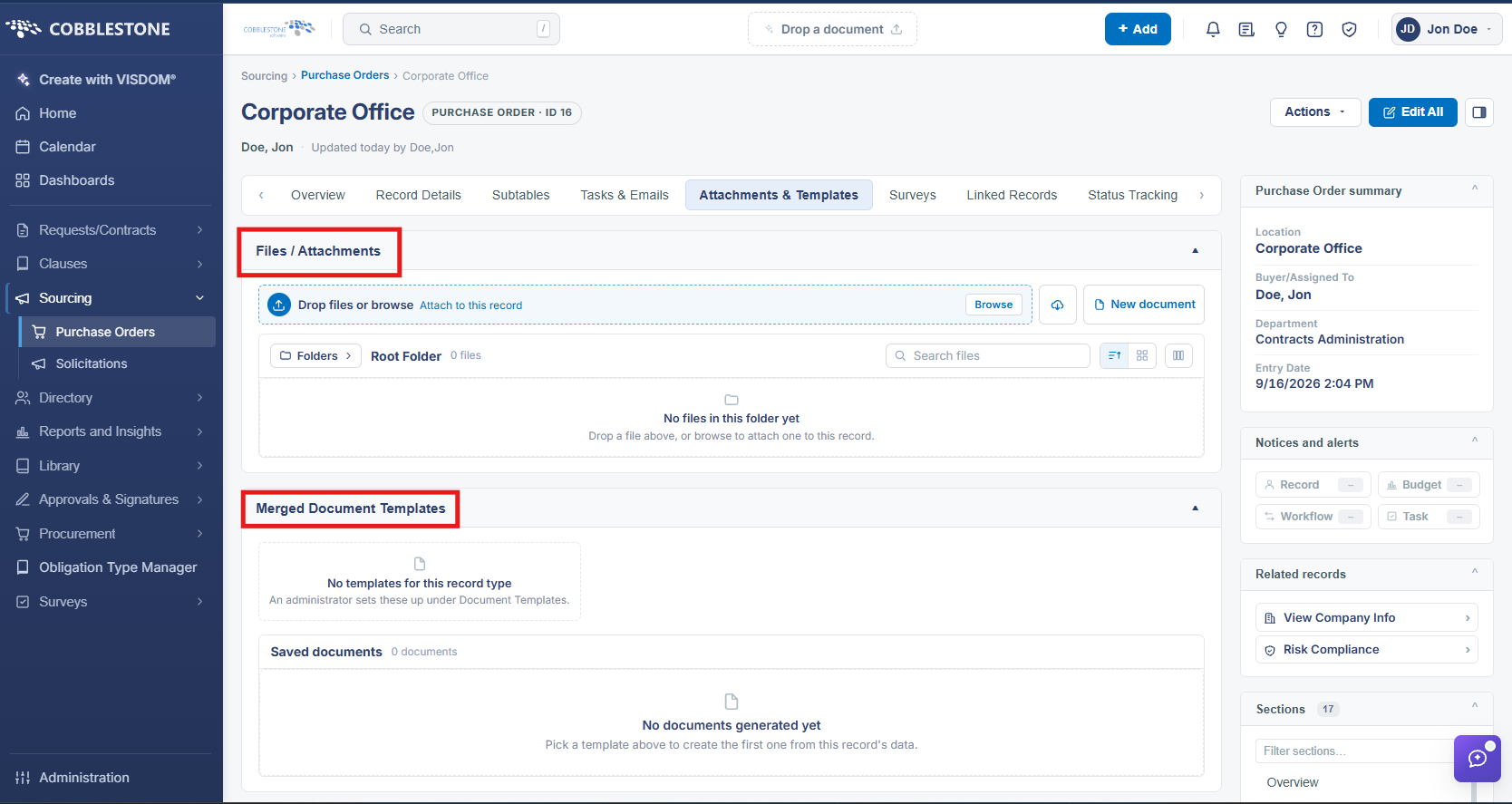
A purchase order's Attachments & Templates tab holds its Files / Attachments section, matching the same attachment pattern used on contract records: files can be added, searched, and removed from the record, and the tab also tracks any Merged Document Templates generated for the PO.
2. Key Elements
- PO record → Attachments & Templates tab → Files / Attachments
- Supports adding, searching, and deleting attached files
- Merged Document Templates on the same tab tracks generated documents