COBBLESTONE SOFTWARE
Contract Insight — User Guide
Manage Catalogs
Module: Purchase Orders › Catalog Management › Manage Catalogs
Note: Each procedure in this guide begins at the Contract Insight homepage, so any section can be followed on its own. Custom fields are configurable, so the exact field list on a contract category record may vary between environments.
1. Overview
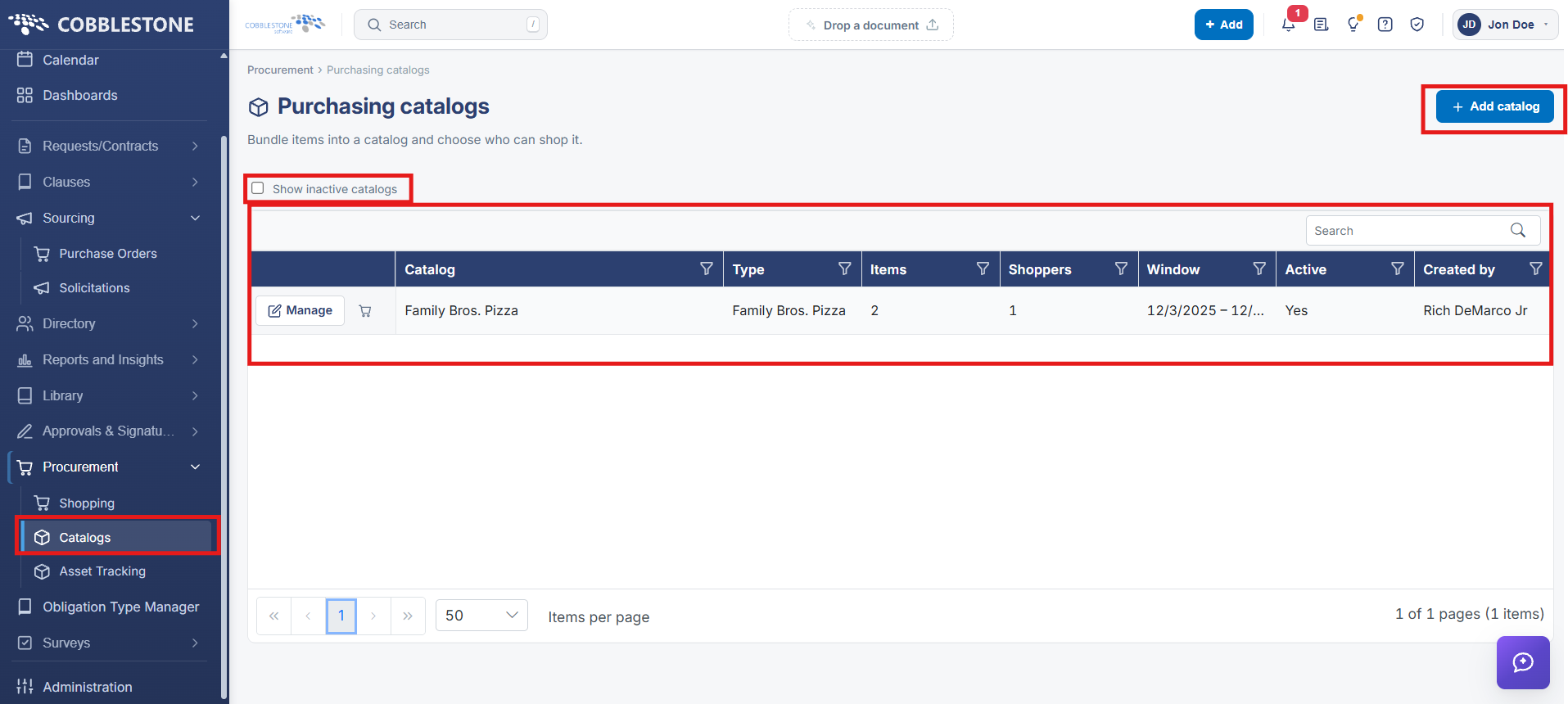
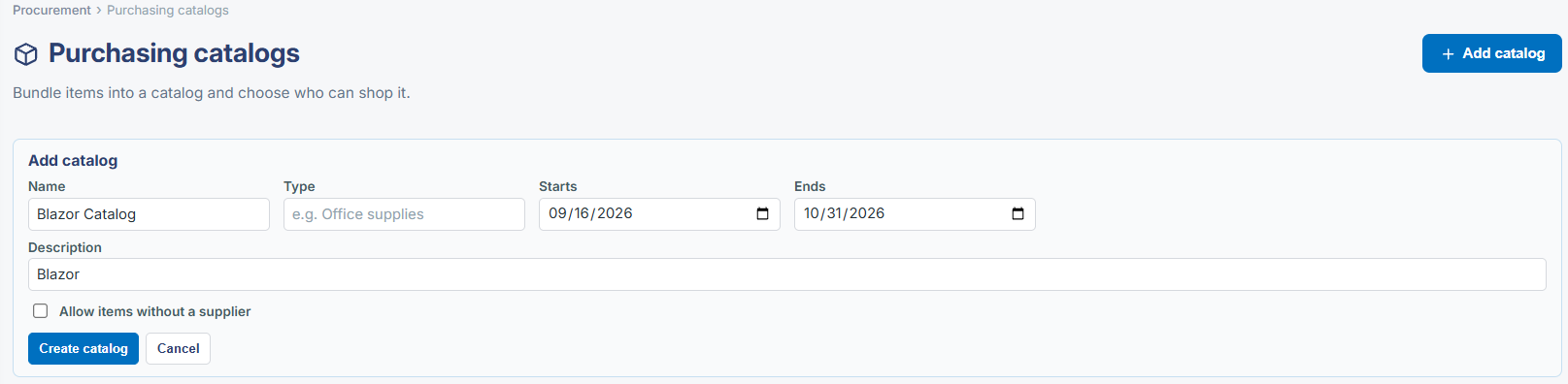
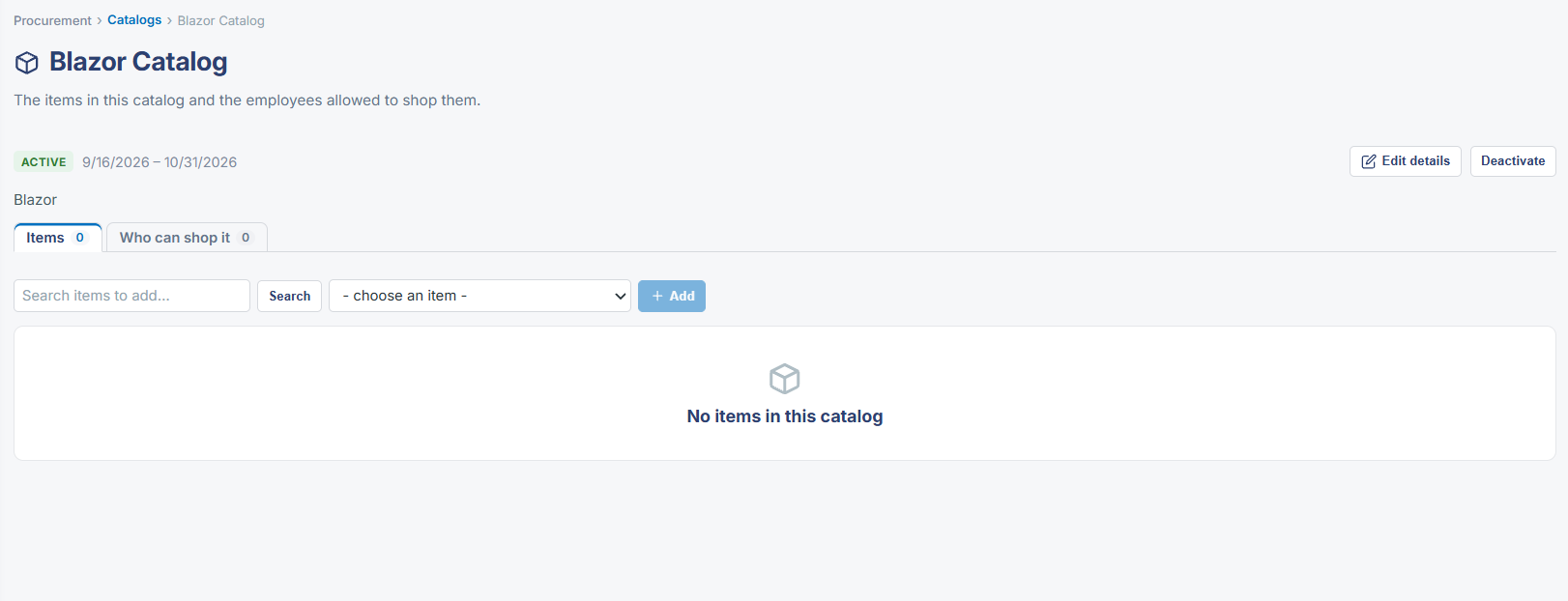
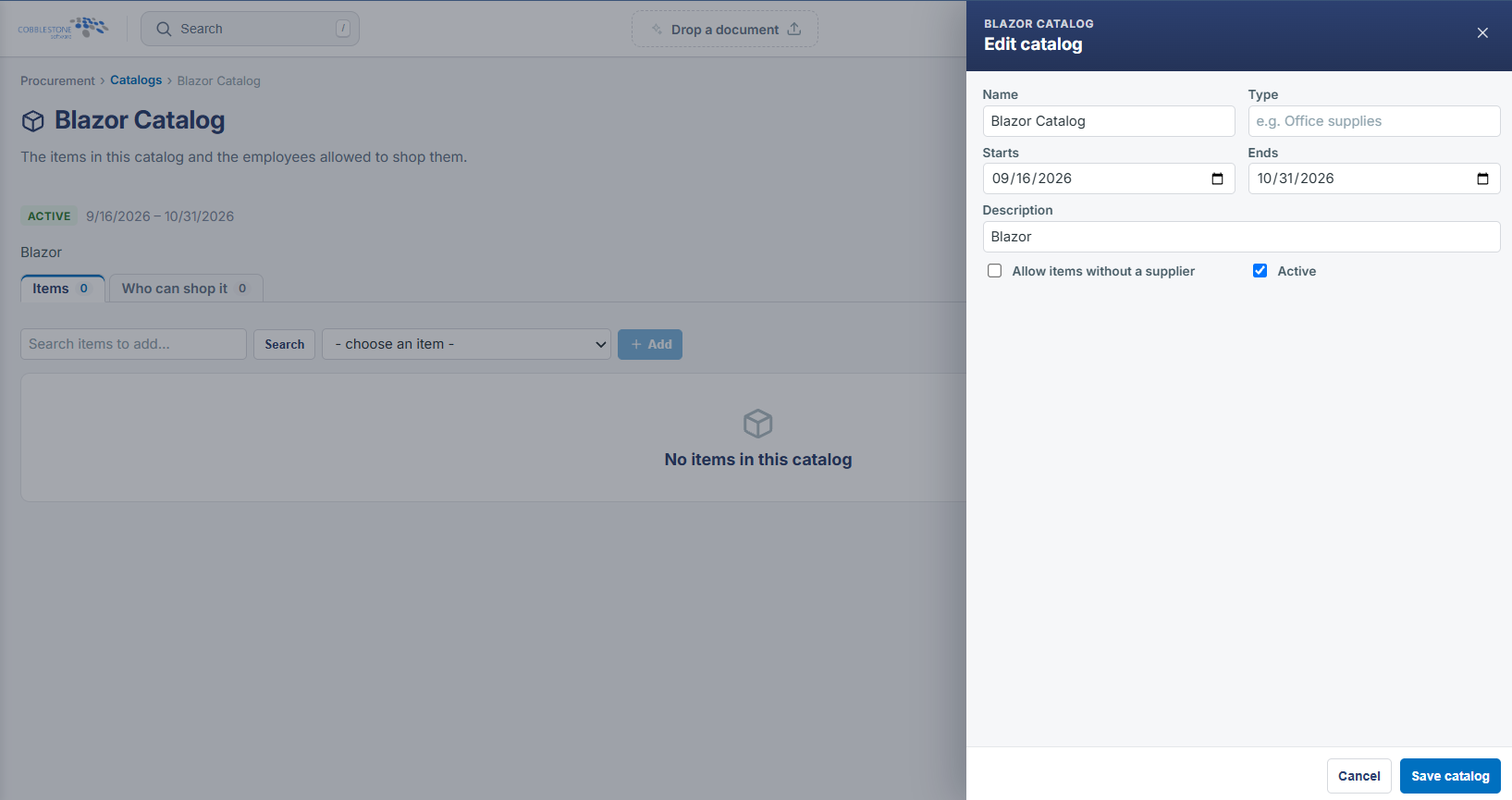
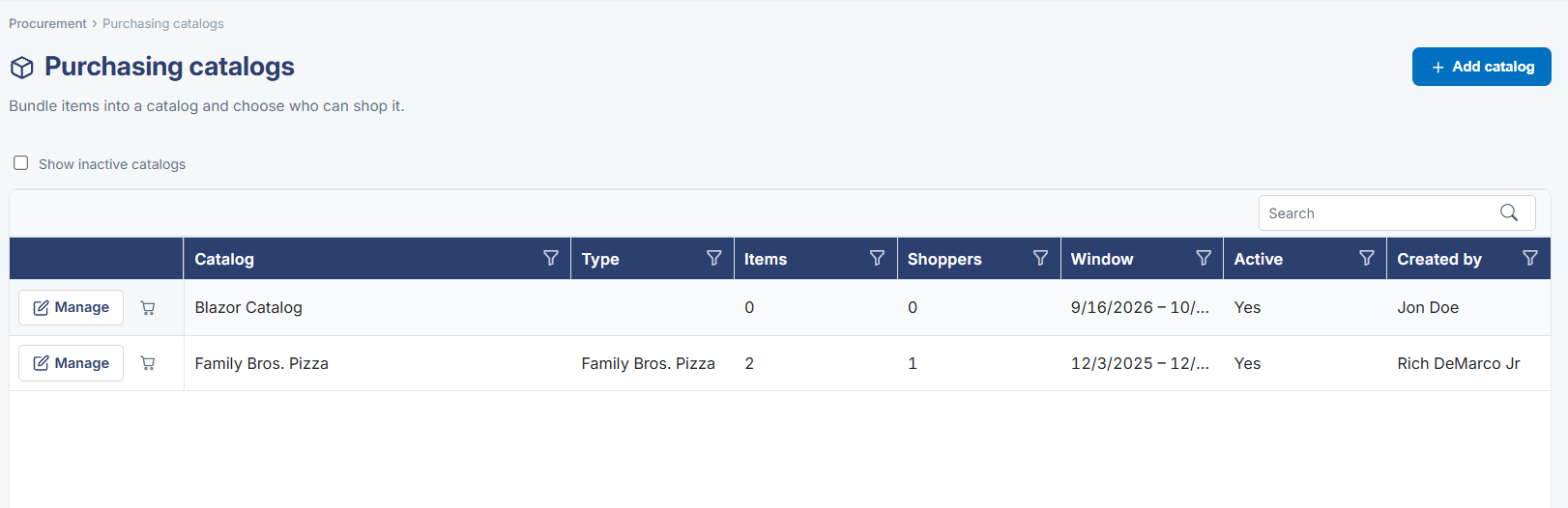
Procurement → Catalogs is where catalogs are bundled and shared: a grid lists every catalog with its type, item count, shopper count, active date window, and active status, with Add catalog to create a new one and a Show inactive catalogs toggle. Opening a catalog leads to an Active/Inactive header with Edit details and Deactivate controls alongside its item list.
2. Key Elements
- Procurement → Catalogs, described as "bundle items into a catalog and choose who can shop it"
- Grid columns: Catalog, Type, Items, Shoppers, Window, Active, Created by
- Add catalog creates a new catalog; Show inactive catalogs reveals deactivated ones
- Opening a catalog offers Edit details and Deactivate