COBBLESTONE SOFTWARE
Contract Insight — User Guide
Catalog Item Management
Module: Purchase Orders › Catalog Management › Catalog Item Management
Note: Each procedure in this guide begins at the Contract Insight homepage, so any section can be followed on its own. Custom fields are configurable, so the exact field list on a contract category record may vary between environments.
1. Overview
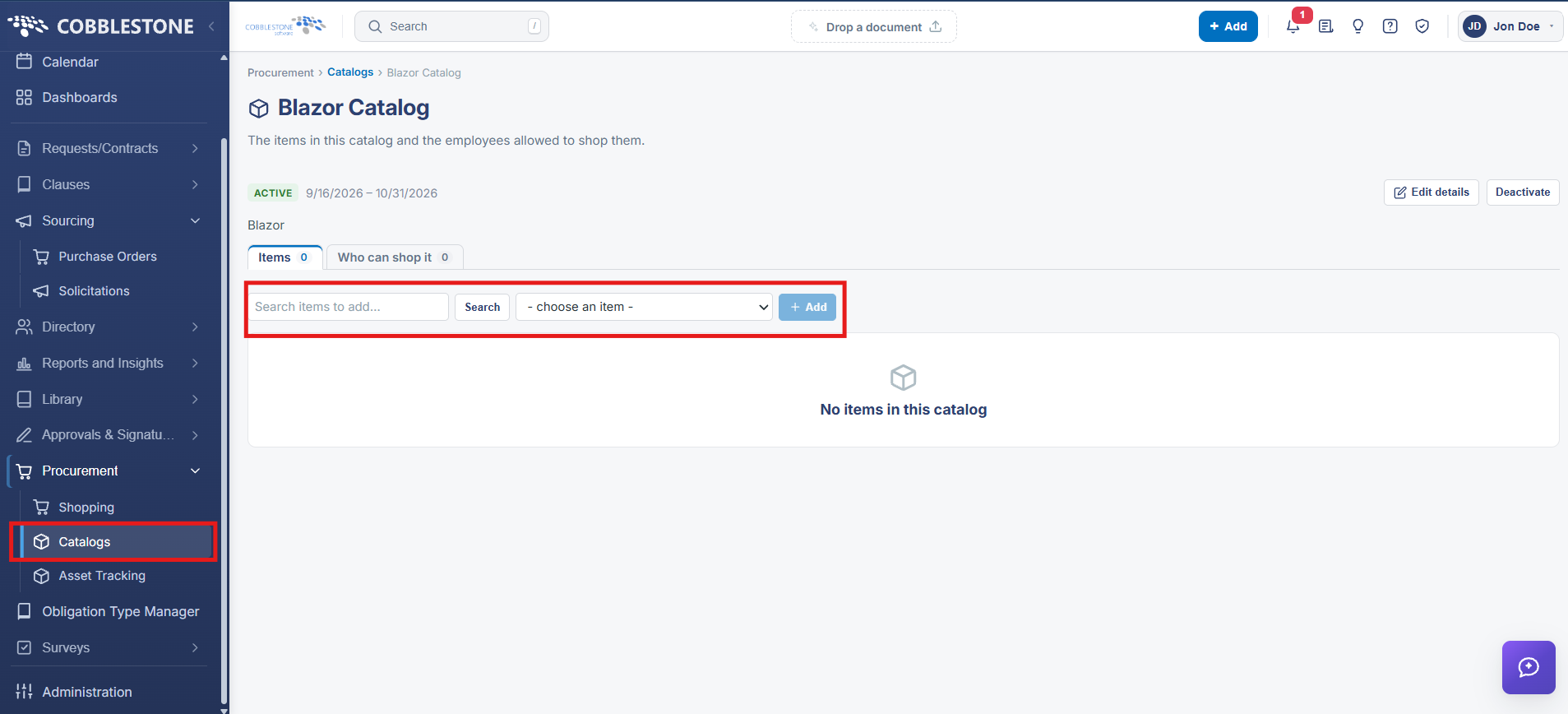
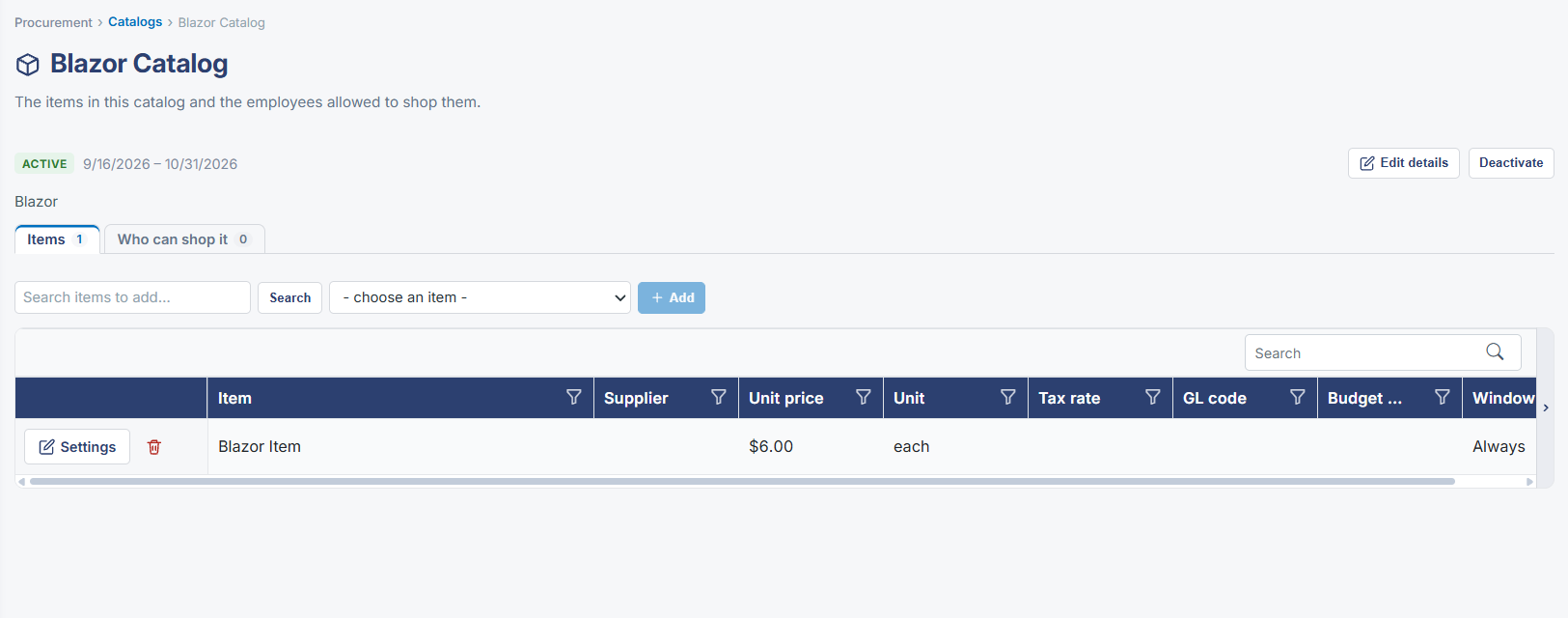
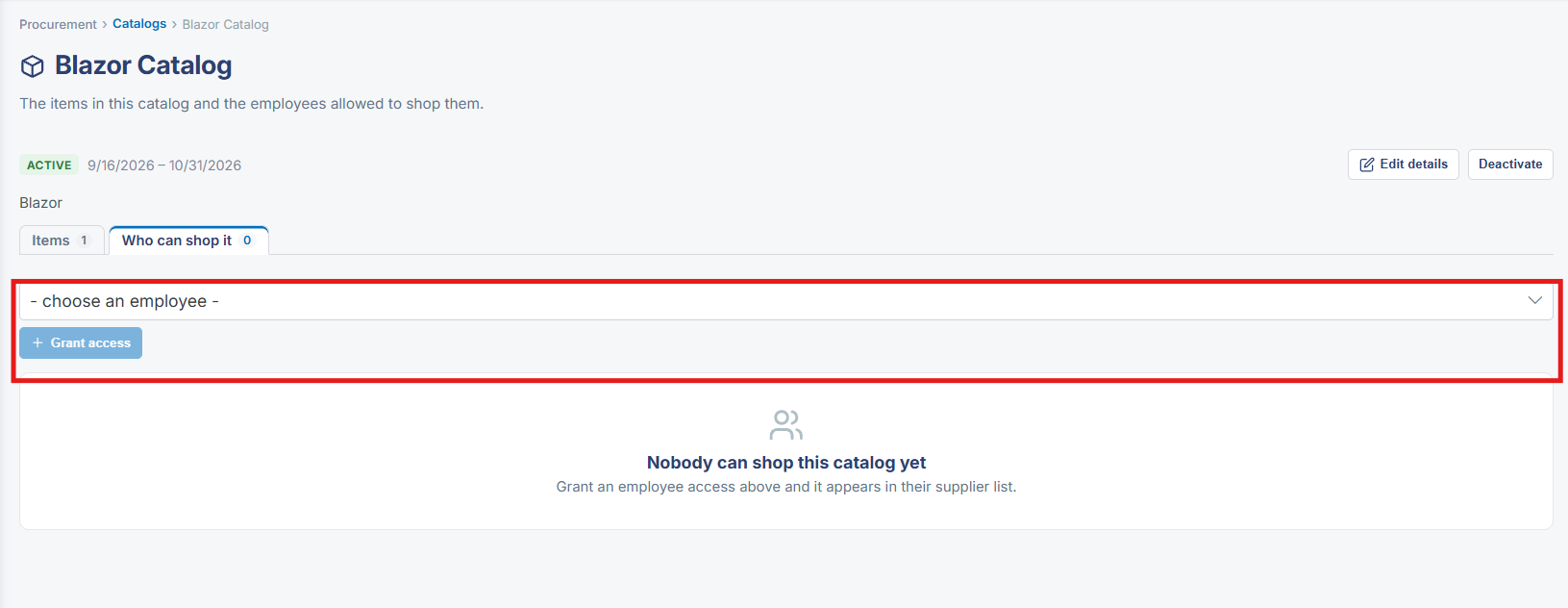
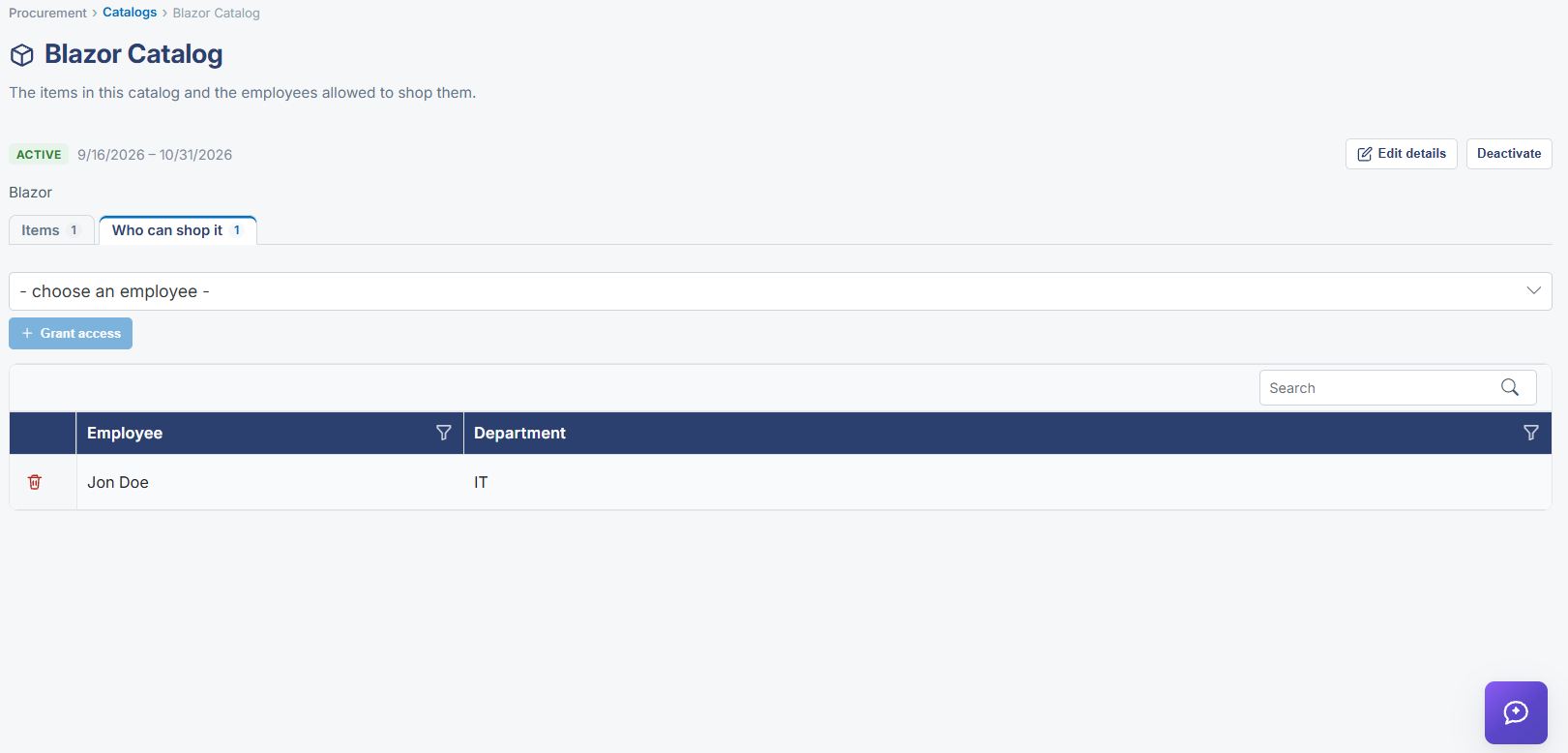
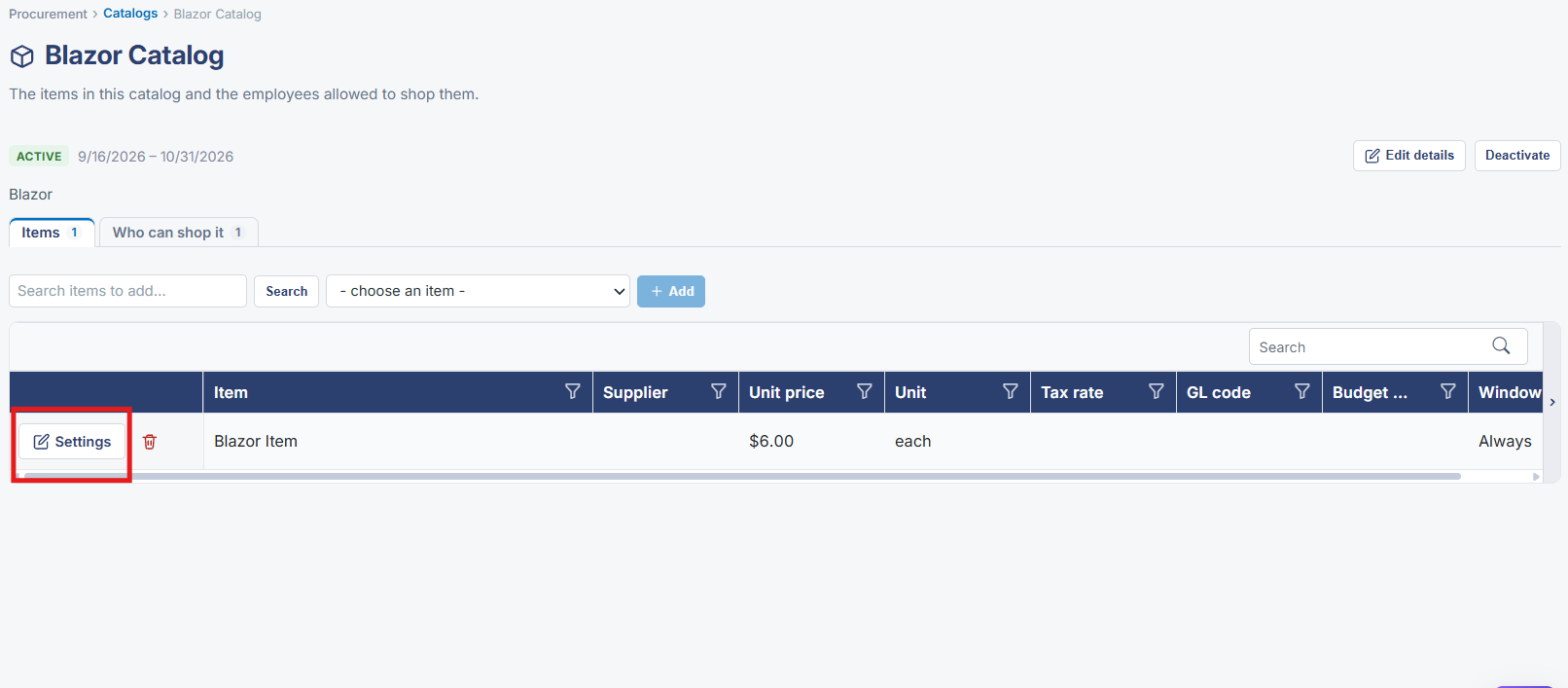
Opening a specific catalog (Procurement → Catalogs → a catalog's Manage link) shows Items and Who can shop it counts, a search box, a — choose an item — picker for adding items from the master item list into this catalog, and an Add button, above a table of the catalog's current items with Item, Supplier, Unit price, Unit, Tax rate, GL code, Budget code, and Window columns, each with its own Settings action.
2. Key Elements
- A catalog's page shows Items and Who can shop it counts
- — choose an item — picker adds an item from the master list into this catalog
- Item table columns: Item, Supplier, Unit price, Unit, Tax rate, GL code, Budget code, Window
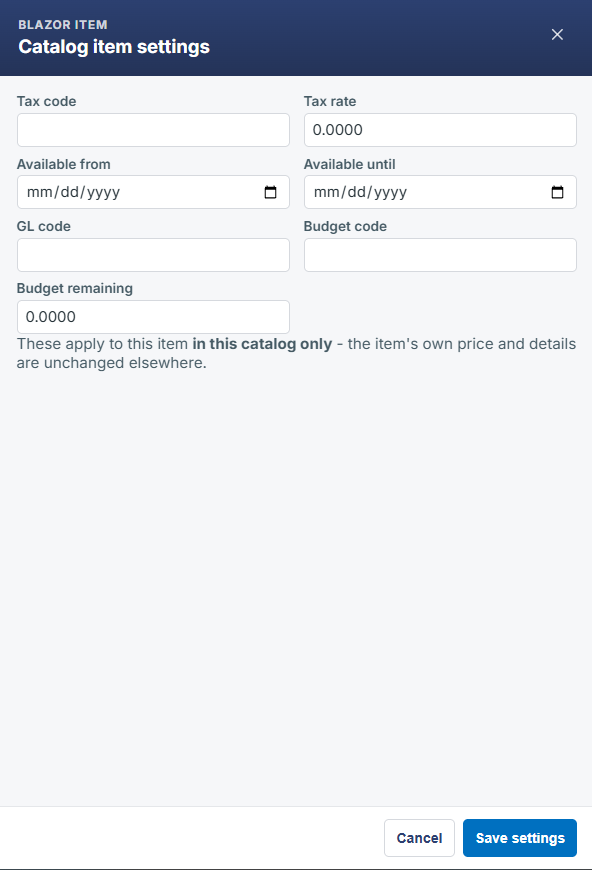
- Settings action per item configures that item within the catalog