COBBLESTONE SOFTWARE
Contract Insight — User Guide
Hiding Surveys
12. Surveys & Decision Trees › 2. Surveys/Questionnaires › Hiding Surveys
Note: Each procedure in this guide begins at the Contract Insight homepage, so any section can be followed on its own. Custom fields are configurable, so the exact field list on a contract category record may vary between environments.
1. Overview
A survey template's Active field (Yes/No, required) is the visibility control found on the Survey Templates record in this environment; no separate "Hidden" or "Visible" field was found alongside it on the Details view or the full Edit All form. Setting Active to No is the mechanism available for taking a template out of active use without deleting it — it remains in the Survey Templates list (and its history/results, if any, are preserved) but is presumably no longer offered when attaching a new survey to a record, consistent with how an Active toggle is used elsewhere in the application (e.g. on Record Flows' "Run this flow" toggle) to disable something without removing its configuration.
2. Key Elements
- The Active field (Yes/No, required) on a Survey Template record is the visibility/availability control identified for that template in this environment.
- No separate "Hidden" or "Visible" field exists alongside Active on either the Details summary view or the full Edit All form for a survey template.
- Setting Active to No is the way to take a template out of active use without deleting it — the record and its history remain in Survey Templates.
- This mirrors the Active/enable-toggle pattern used elsewhere in the application (for example, a Record Flow's "Run this flow" toggle) for disabling something without discarding its configuration.
- This topic is grounded via the Active field rather than a feature literally labeled "Hide," since no such control was found on the live record.
3. Navigating to Survey Templates
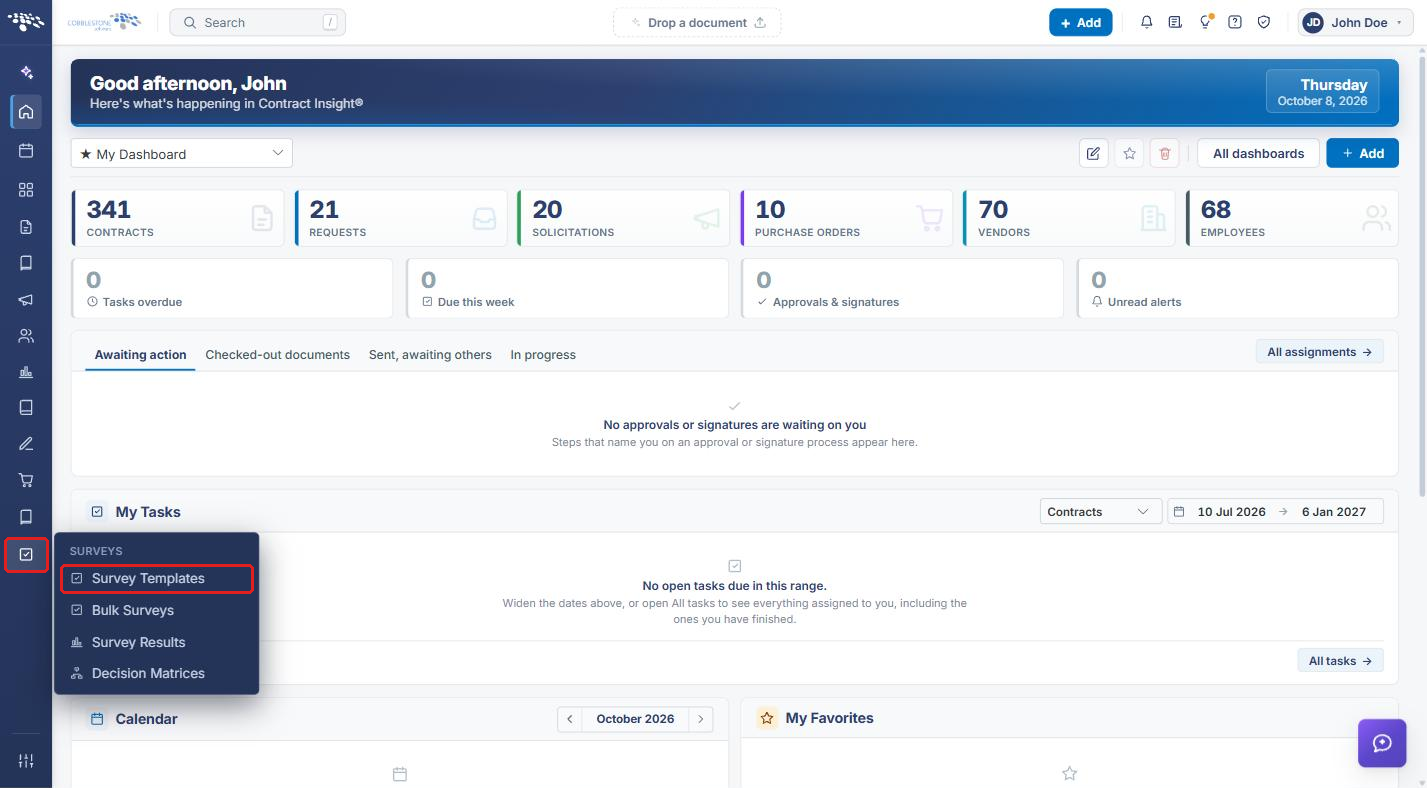
- From the Contract Insight homepage, click the Surveys icon in the left navigation bar.
- Select Survey Templates.
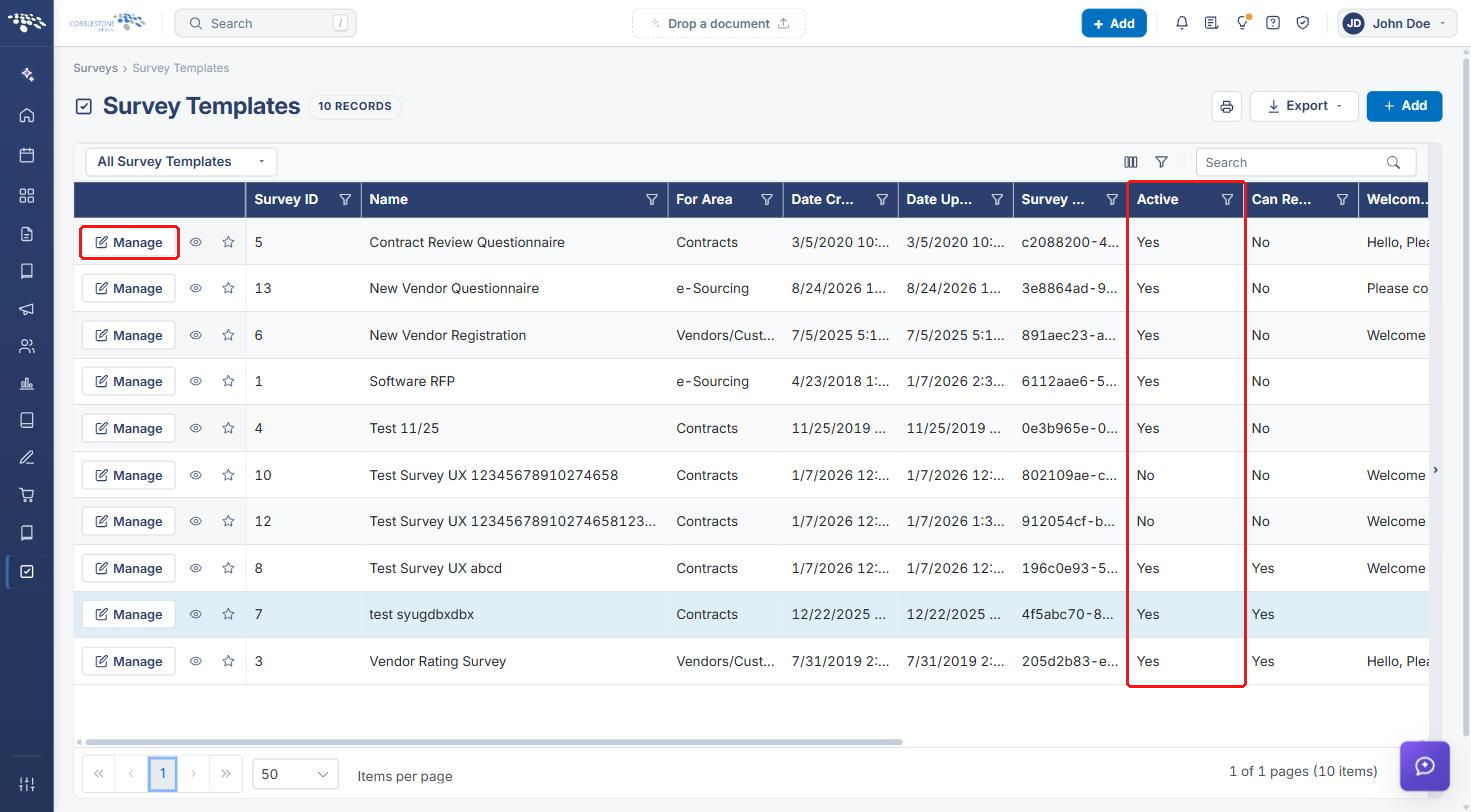
The Survey Templates list opens. The Active column shows whether each template is currently active (Yes) or hidden from active use (No). Use the filter icon in the Active column header to show only active or inactive templates.
4. Hiding a Survey Template
- On the Survey Templates list, click Manage on the row of the template you want to hide.
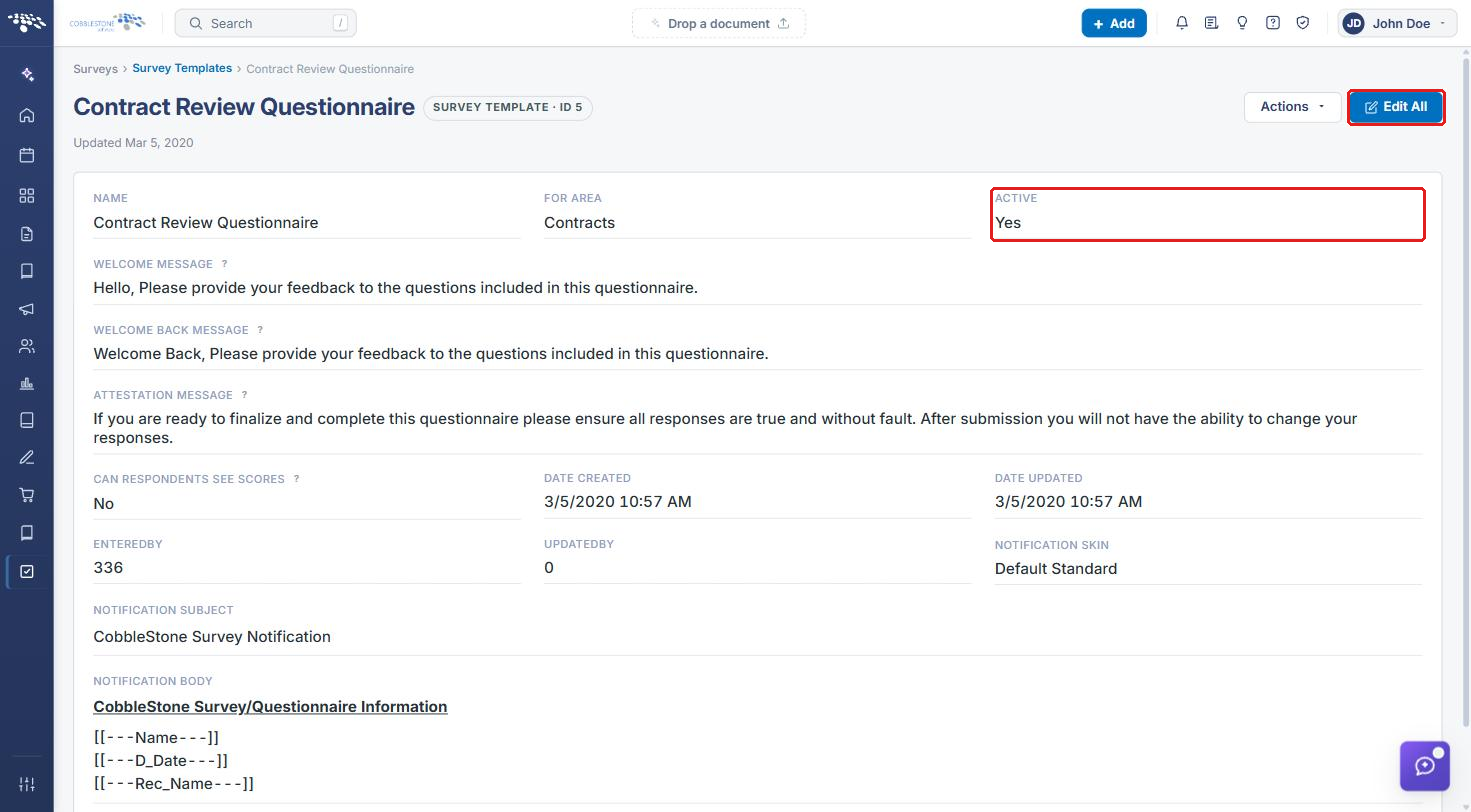
The template's details page opens, showing its current Active value.
- Click Edit All.
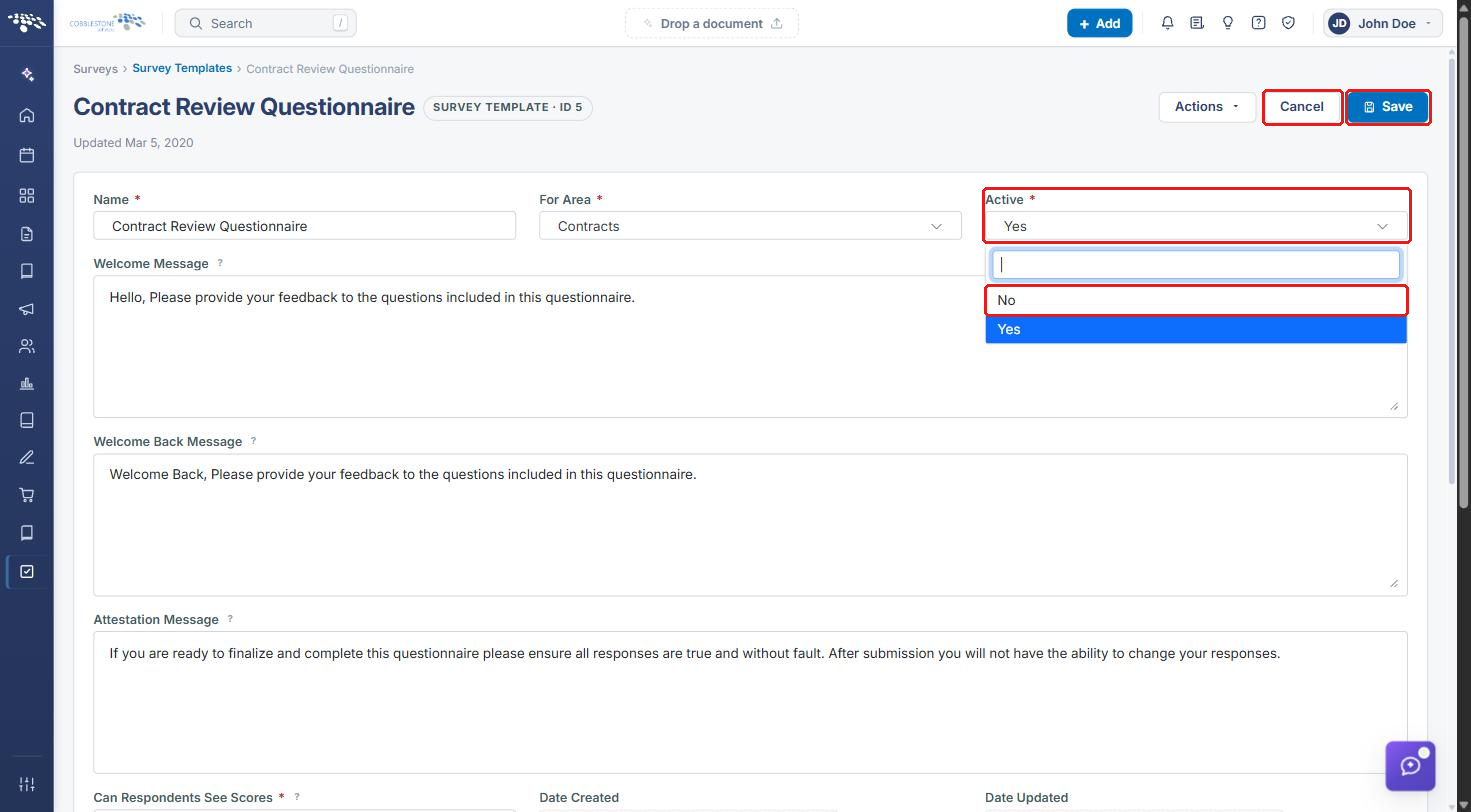
- Click the Active dropdown and select No.
- Click Save. To leave without changing the template, click Cancel.
The template stays in the Survey Templates list with Active set to No. Its configuration, history, and any results are preserved.
Note: Active is a required field, so it must always be set to either Yes or No.
5. Showing a Hidden Survey Template Again
- On the Survey Templates list, find the template with Active set to No and click Manage.
- Click Edit All.
- Set Active to Yes, then click Save.
6. Quick Reference Summary
| Task | Where |
|---|---|
| Open the template list | Surveys → Survey Templates |
| See which templates are hidden | Active column (No = hidden) |
| Hide a template | Manage → Edit All → Active: No → Save |
| Show a template again | Manage → Edit All → Active: Yes → Save |