COBBLESTONE SOFTWARE
Contract Insight — User Guide
2. Find/Search Solicitations
Module: Solicitations › Solicitations › 2. Find/Search Solicitations
Note: Each procedure in this guide begins at the Contract Insight homepage, so any section can be followed on its own. Custom fields are configurable, so the exact field list on a contract category record may vary between environments.
1. Overview
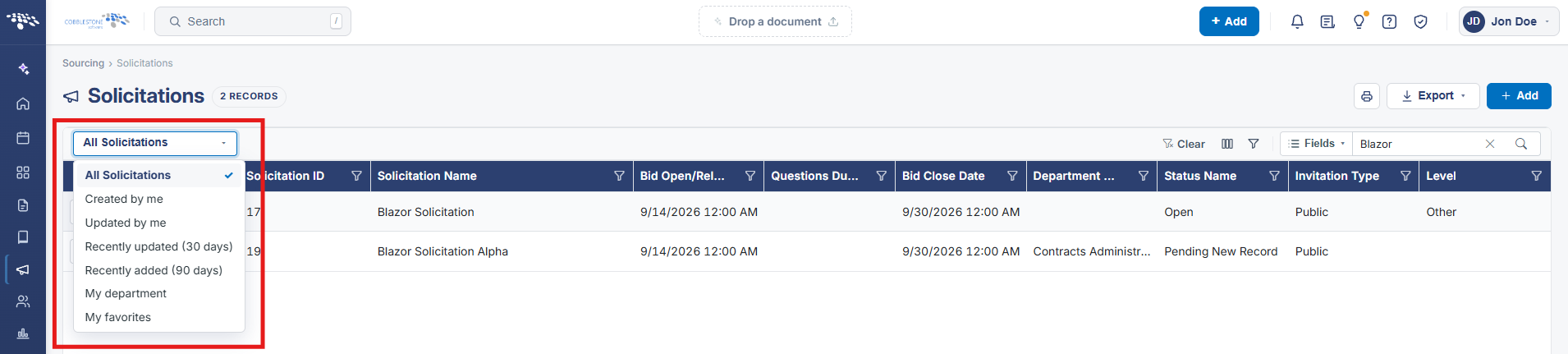
The Solicitations list (Sourcing > Solicitations) is the live Find/Search screen, holding 6,178 records across 124 pages. Its toolbar offers three distinct search mechanisms confirmed live: a plain Search box (searches across default fields), "Search: Search fields" (choose which specific fields a term matches), and "Filter on several columns at once" (build multi-column filter criteria). "Choose which columns this list shows" lets staff customize the visible column set, and every column header carries its own Filter icon for a one-column quick filter — together covering the legacy description of searching by fields such as close date or award amount.
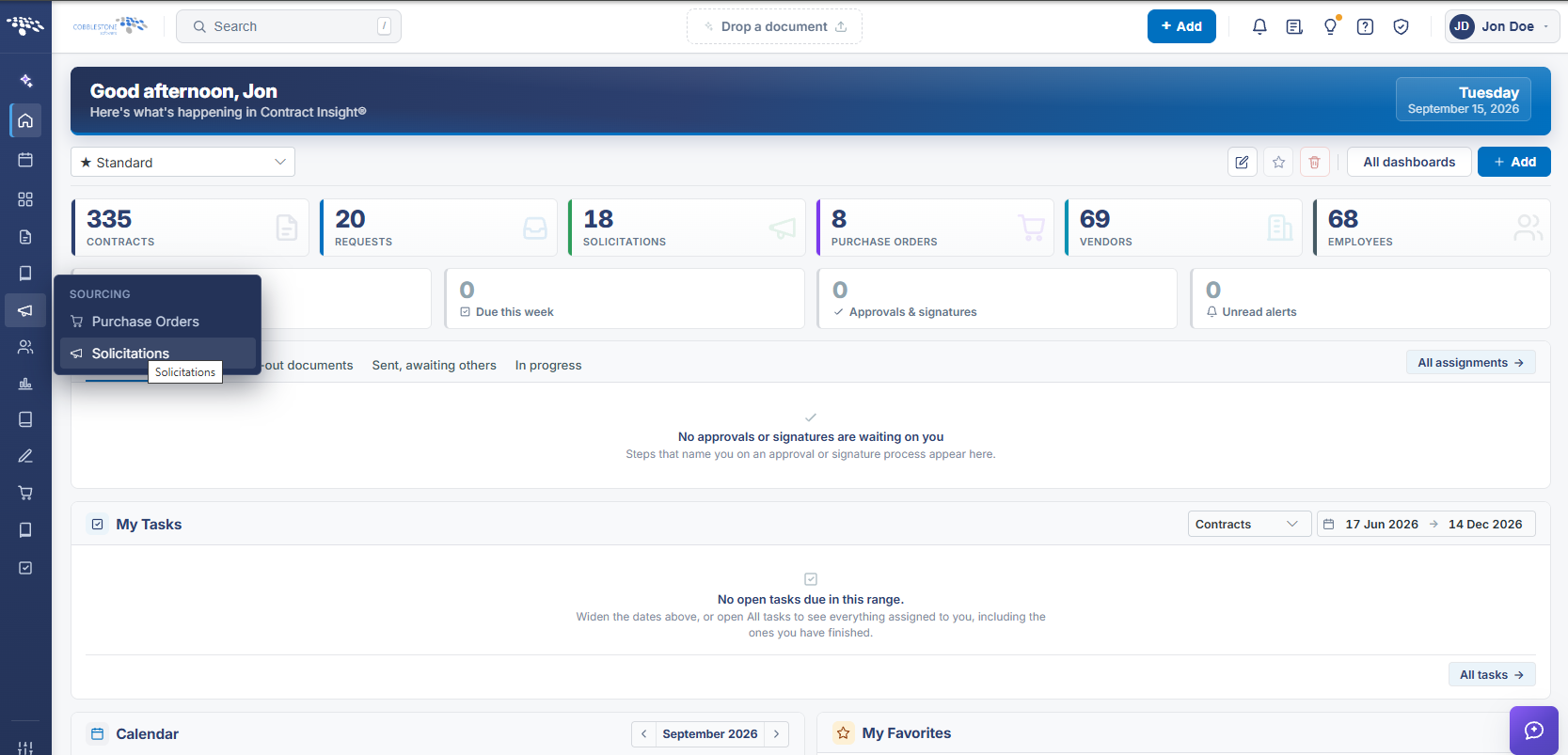 Solicitation Navigation
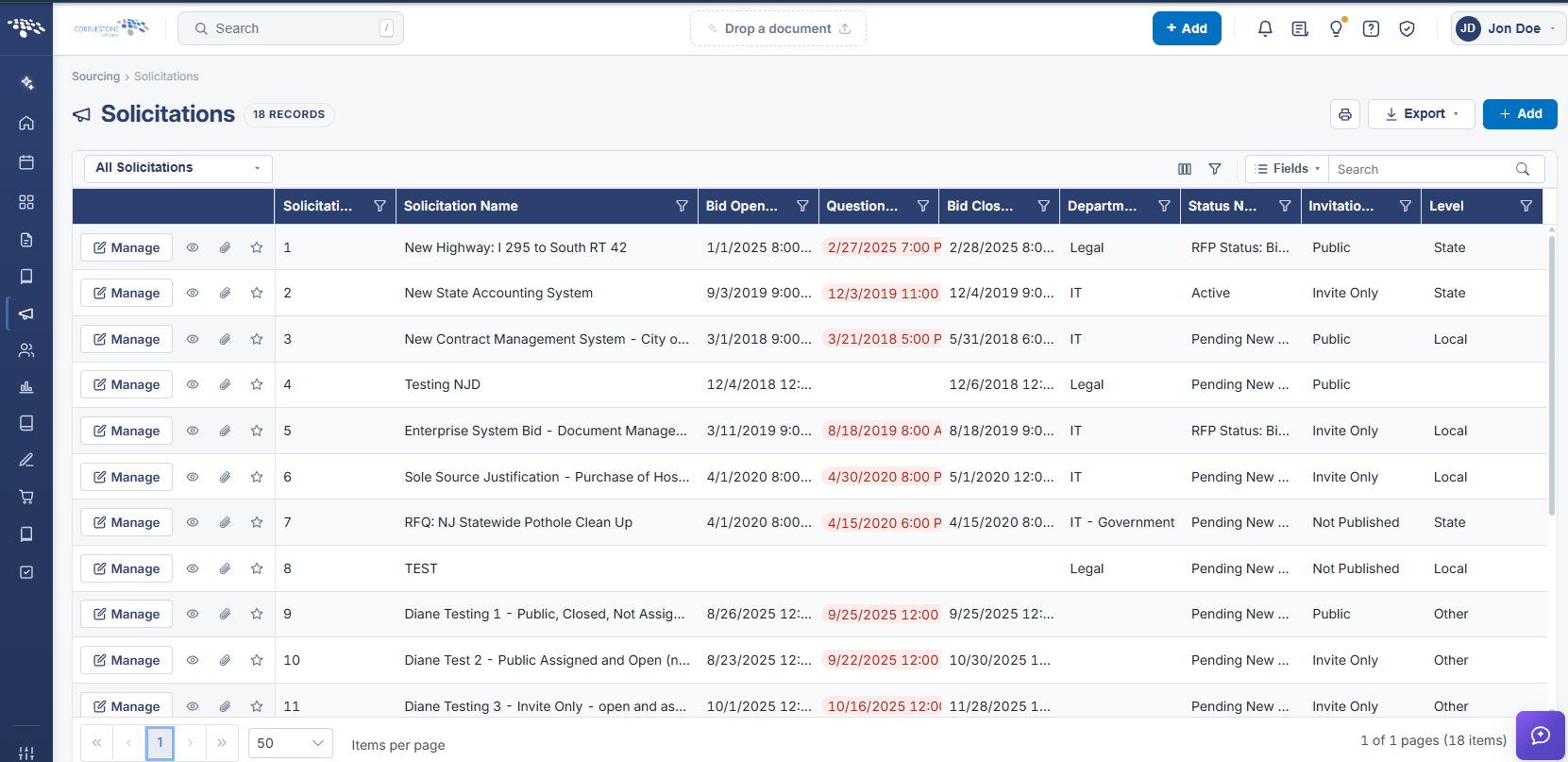 Solicitation Search
2. Key Elements
- Sourcing > Solicitations is the live Find/Search Solicitations screen (6,178 records, 124 pages in this environment)
- The Search box performs a general search; "Search: Search fields" scopes a search term to chosen fields
- "Filter on several columns at once" builds a multi-column filter; each column header's Filter icon offers a quick single-column filter
- "Choose which columns this list shows" customizes which fields (e.g. Bid Number, Bid Name, Solicitation Amount, Response/Questions due dates) appear in the list
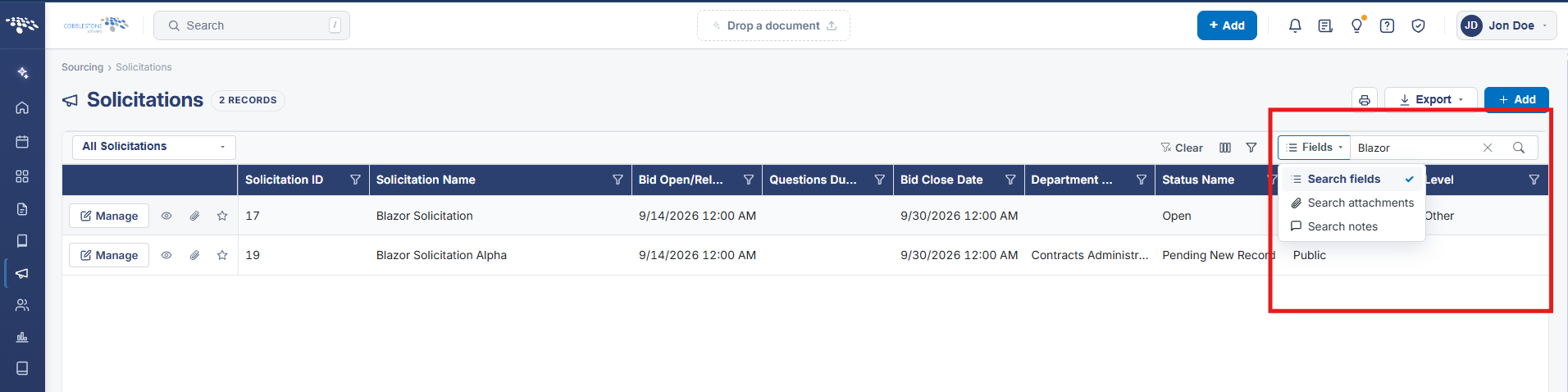 Search Bar
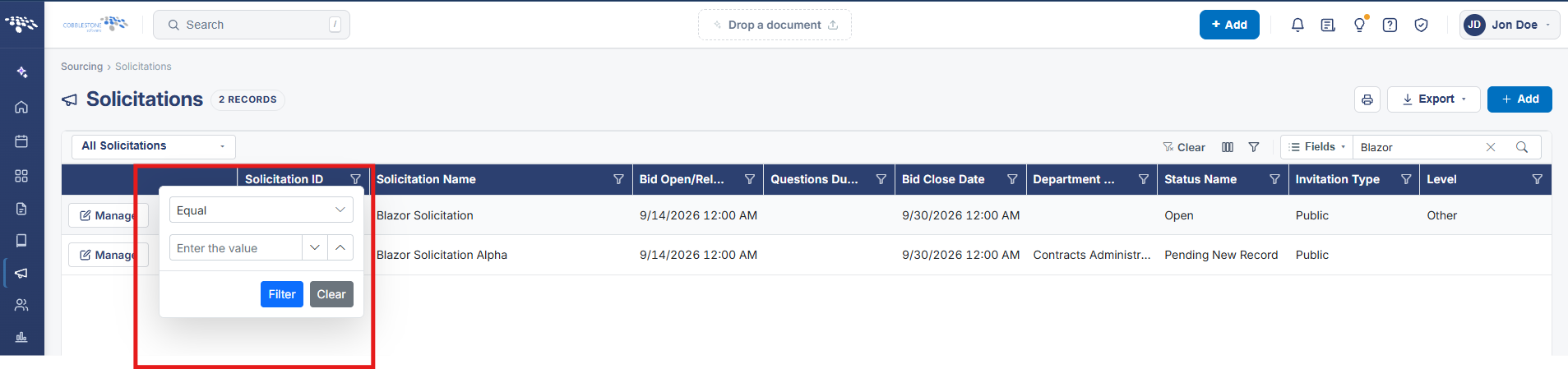 Filters
 Column Choice