COBBLESTONE SOFTWARE
Contract Insight — User Guide
1. Solicitation Types
Module: Solicitations › Solicitations › 1. Solicitation Types
Note: Each procedure in this guide begins at the Contract Insight homepage, so any section can be followed on its own. Custom fields are configurable, so the exact field list on a contract category record may vary between environments.
1. Overview
Solicitation record types are now managed under Administration > Field Management, with Area set to "Solicitation Details" and the Record types tab selected — the redesigned equivalent of the legacy Record Types Manager. The Record type dropdown lists every type tied to the solicitations table in this environment, including RFP, RFI, Sole Source, Dutch Auction, and Quick Bid alongside many environment-specific custom types; selecting one shows its Assigned vs. Available fields, with Add/Remove/Add all/Remove all controls and a "copy from type" option to clone another type's field set as a starting point.
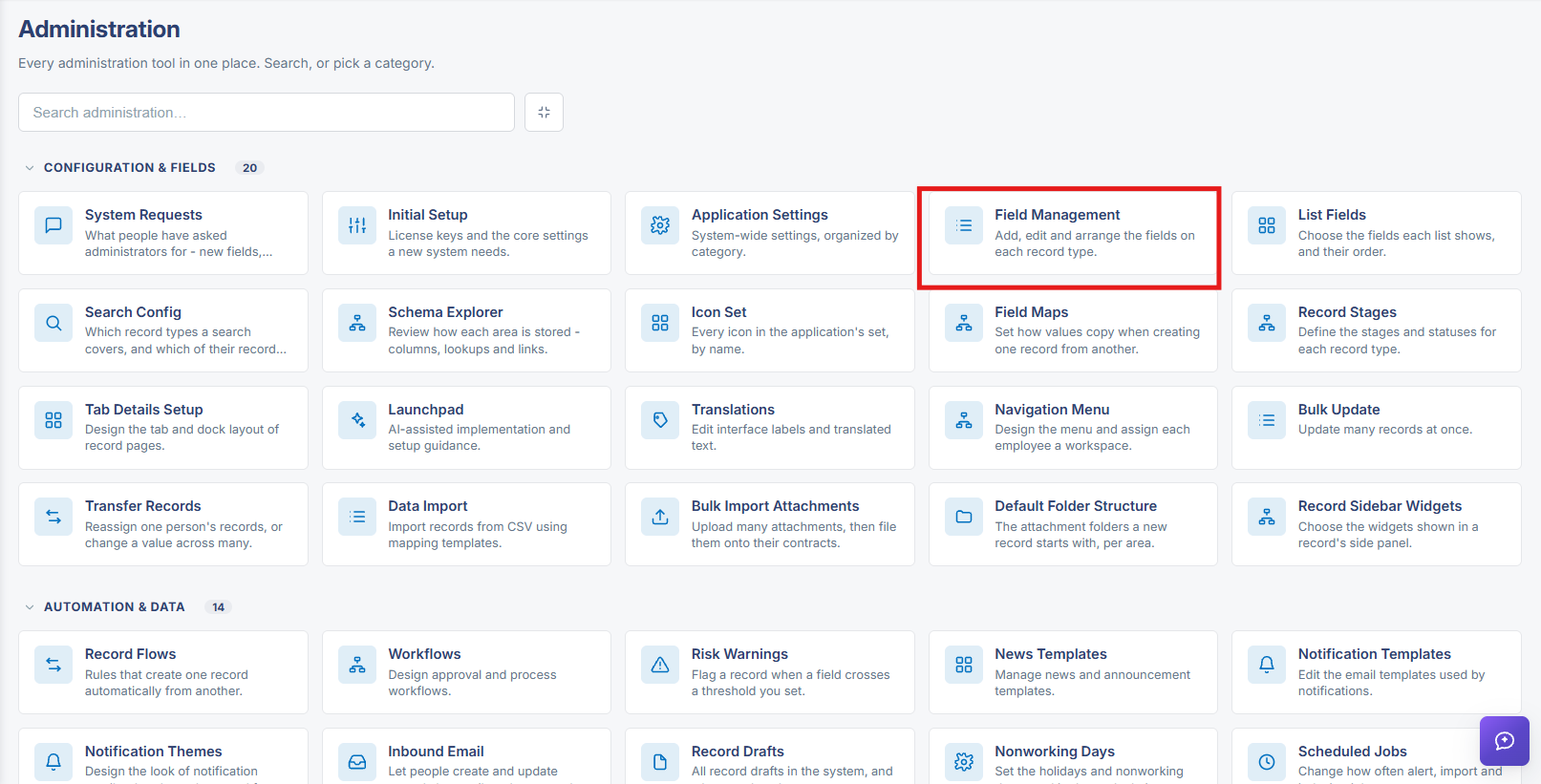 Field Management Navigation
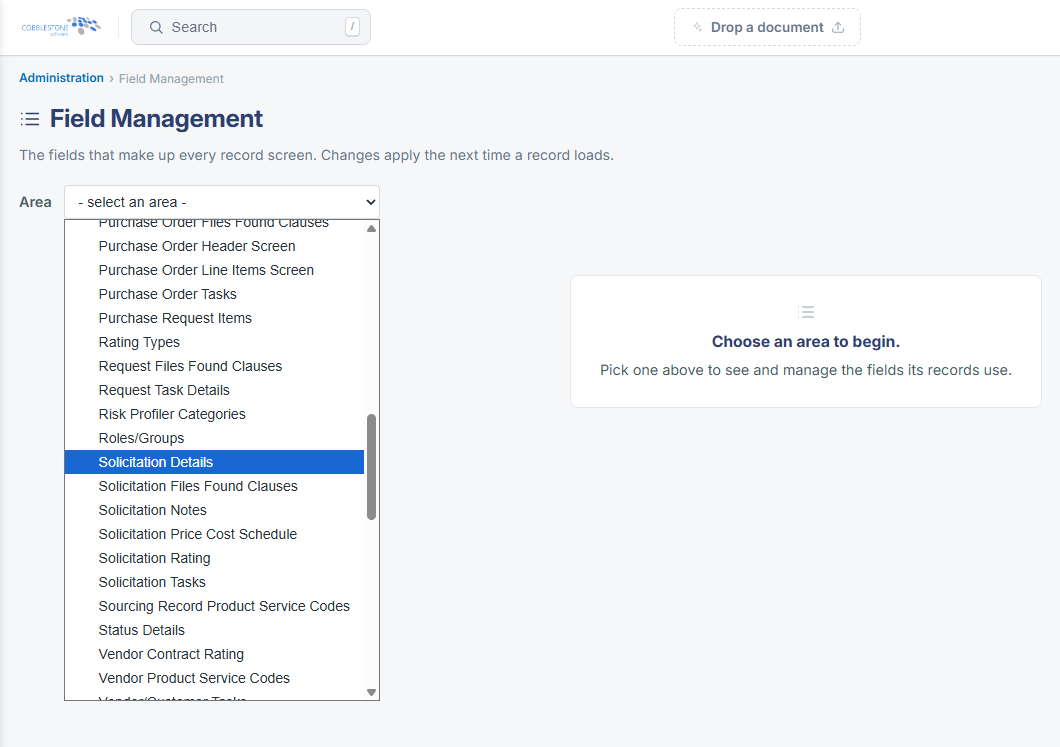 Field Management - Solicitation Details
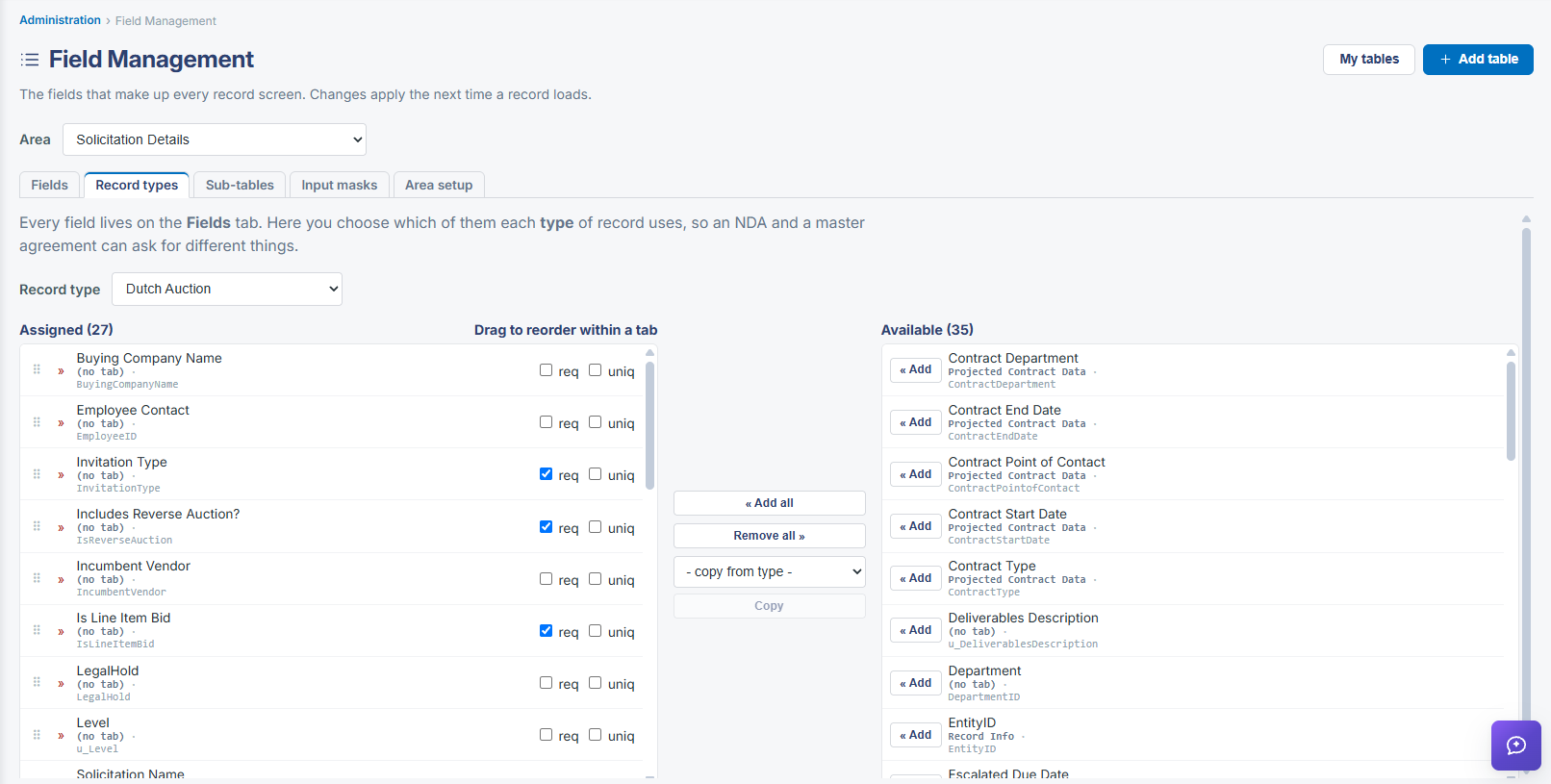 Solicitation Details - Record Types
2. Key Elements
- Administration > Field Management > Area: Solicitation Details > Record types tab is the live Record Types Manager for solicitations
- The Record type dropdown lists all existing types (RFP, RFI, Sole Source, Dutch Auction, Quick Bid, and custom types) tied to the solicitations table
- Each type has its own Assigned/Available field lists, built with Add, Remove, Add all, and Remove all
- "— copy from type —" plus Copy clones another type's assigned fields as a starting point for a new type
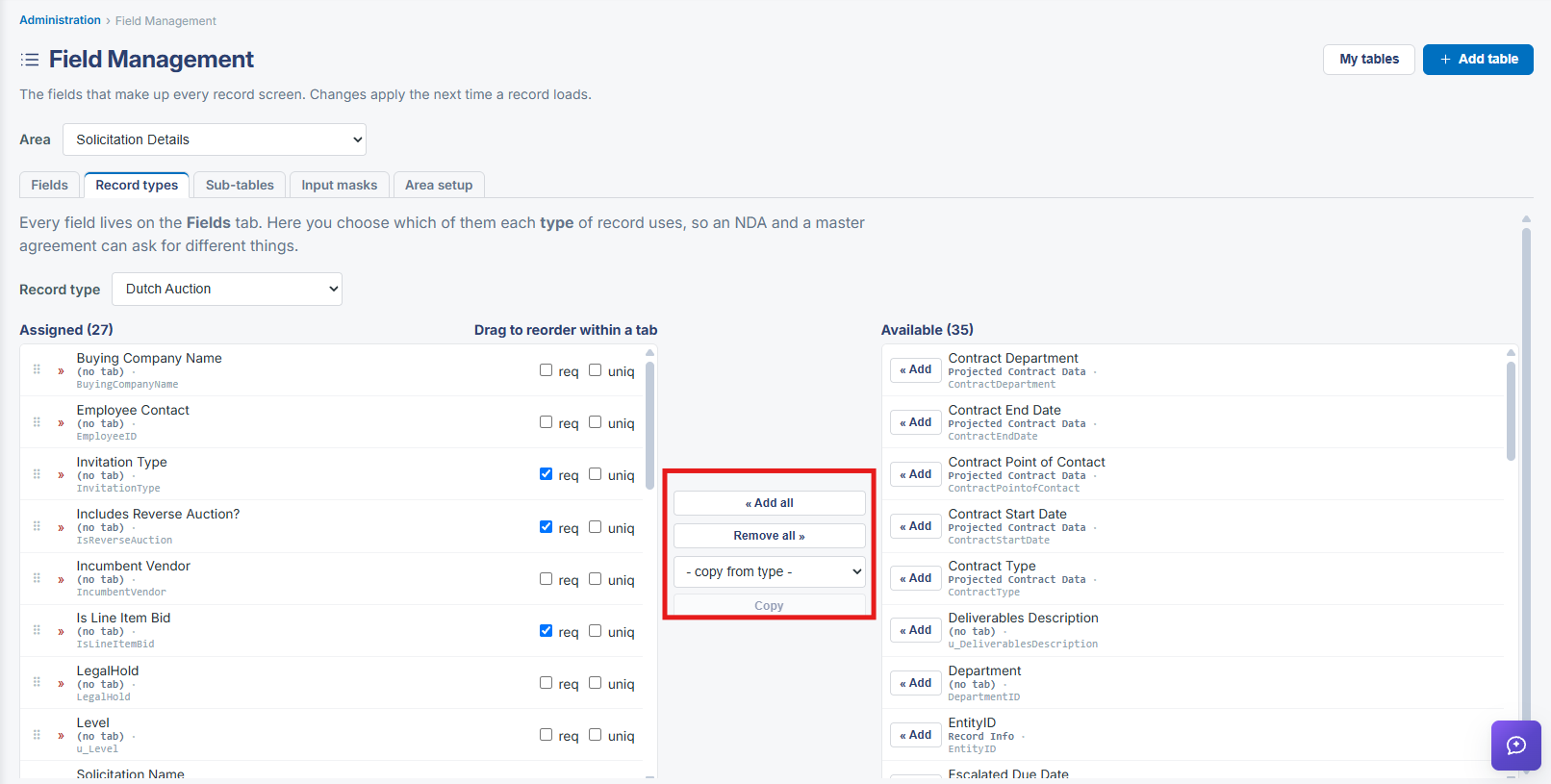 Assign Fields Options