COBBLESTONE SOFTWARE
Contract Insight — User Guide
Dashboard Manager
05. End Users: Home Page Options › Dashboards › Dashboard Manager
Note: Each procedure in this guide begins at the Contract Insight homepage, so any section can be followed on its own. Custom fields are configurable, so the exact field list on a contract category record may vary between environments.
1. Overview
The Dashboards gallery is the modern Dashboard Manager: a searchable card grid of every dashboard a person can open, each tagged Standard or Graphical, showing widget count or assignment ("Assigned to you," "Yours"), favoritable with a star, with Add to create a new one by name and optional description.
2. Key Elements
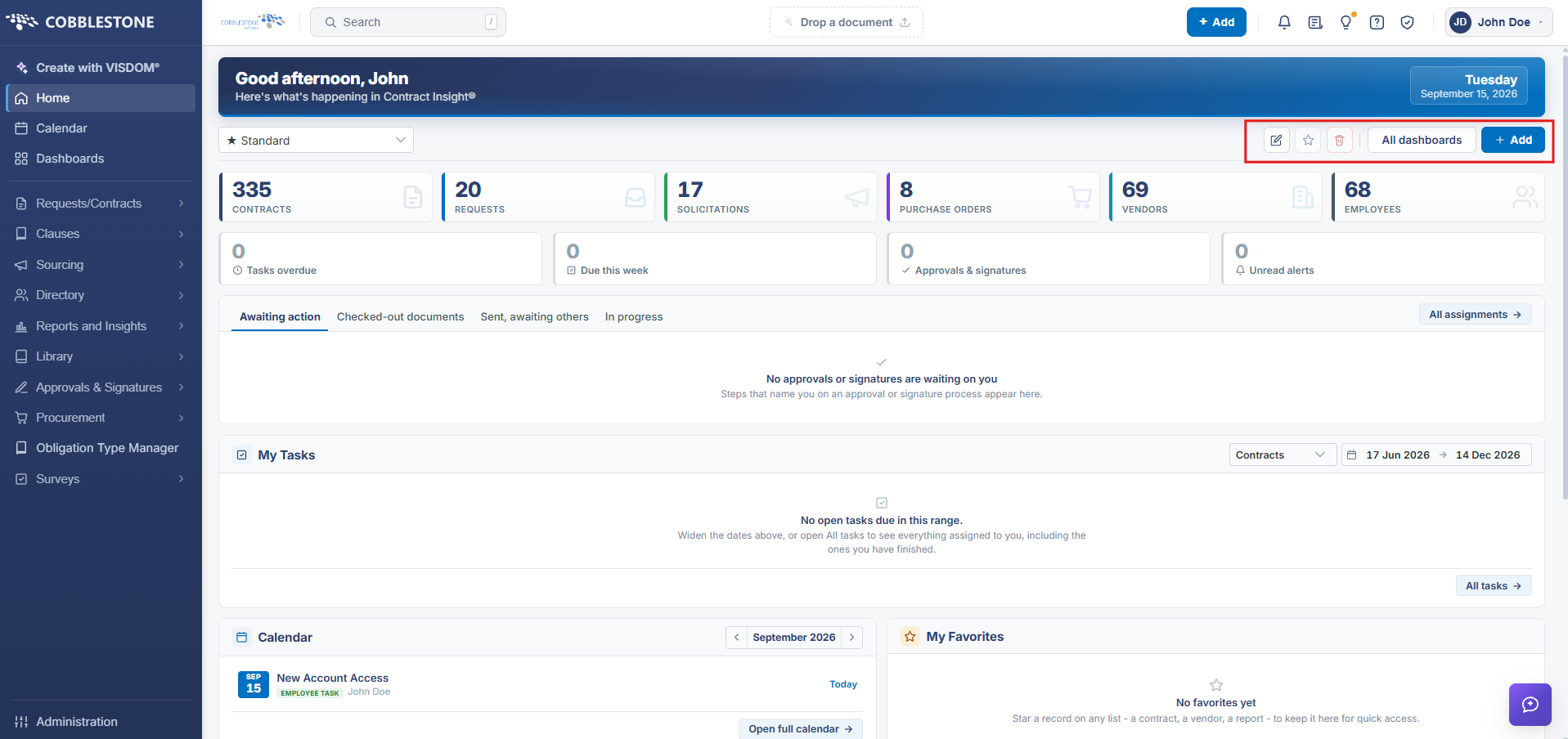
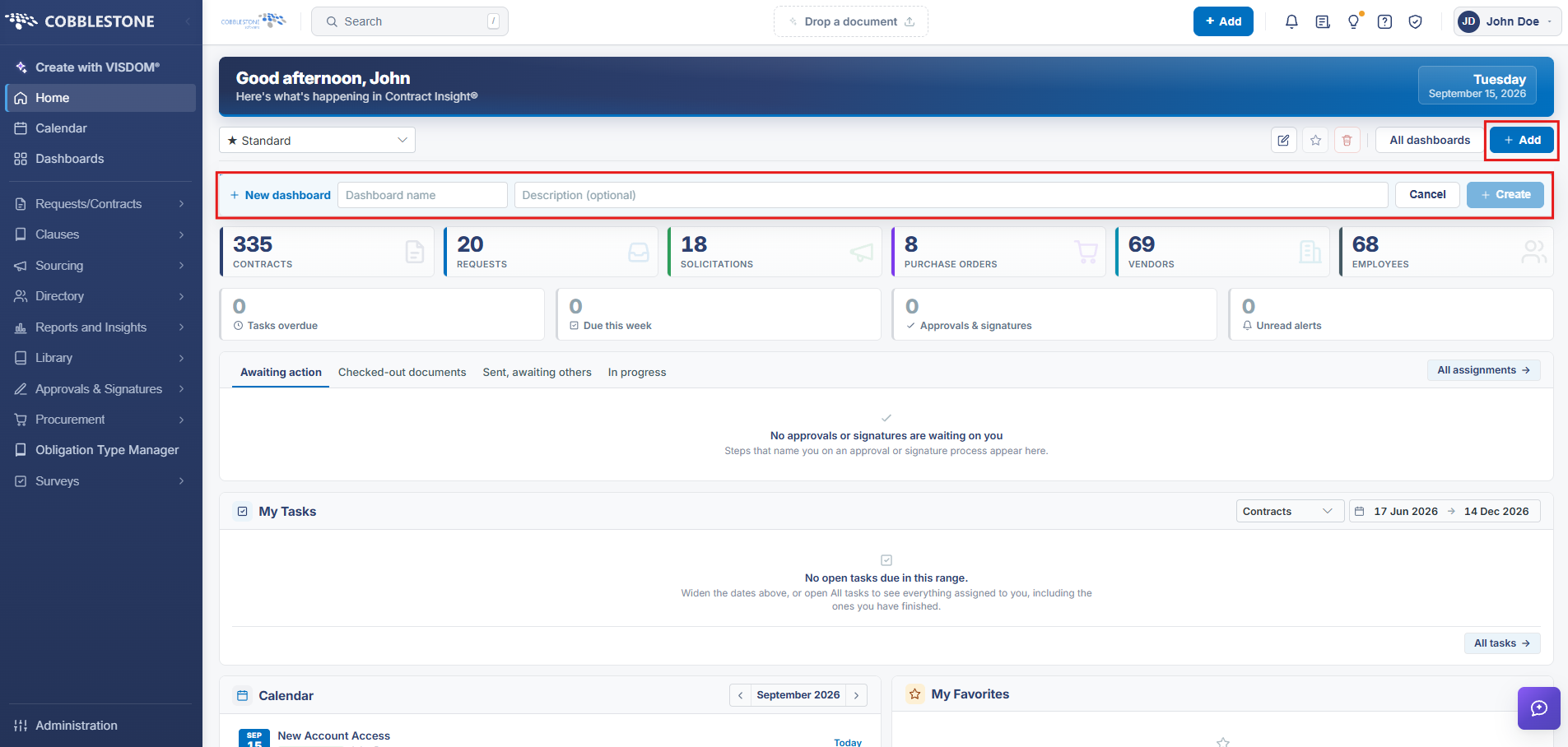
- Dashboards (top-nav) → Add: "Add dashboard" prompts for a Dashboard name and optional Description, then Create
- Each card is labeled STANDARD or GRAPHICAL and shows either a widget count ("4 widgets · Yours") or who it's assigned to
- Search dashboards filters the gallery; a grid/list view toggle sits beside the search box
- Opening a dashboard offers Customize, a favorite star, delete, and its own Add (for widgets/docks)