COBBLESTONE SOFTWARE
Contract Insight — User Guide
Dashboard Docks
05. End Users: Home Page Options › Dashboards › Dashboard Docks
Note: Each procedure in this guide begins at the Contract Insight homepage, so any section can be followed on its own. Custom fields are configurable, so the exact field list on a contract category record may vary between environments.
1. Overview
A Standard dashboard is built from widgets added via an "Add to this dashboard…" picker while in Customize mode. Button tiles (shortcuts to a page or web address), Number tiles (one number from a report — a total, count, average, smallest or largest), plus built-in docks like My Tasks, Alerts, Calendar and Recent Contracts — each draggable to rearrange and resizable by dragging an edge.
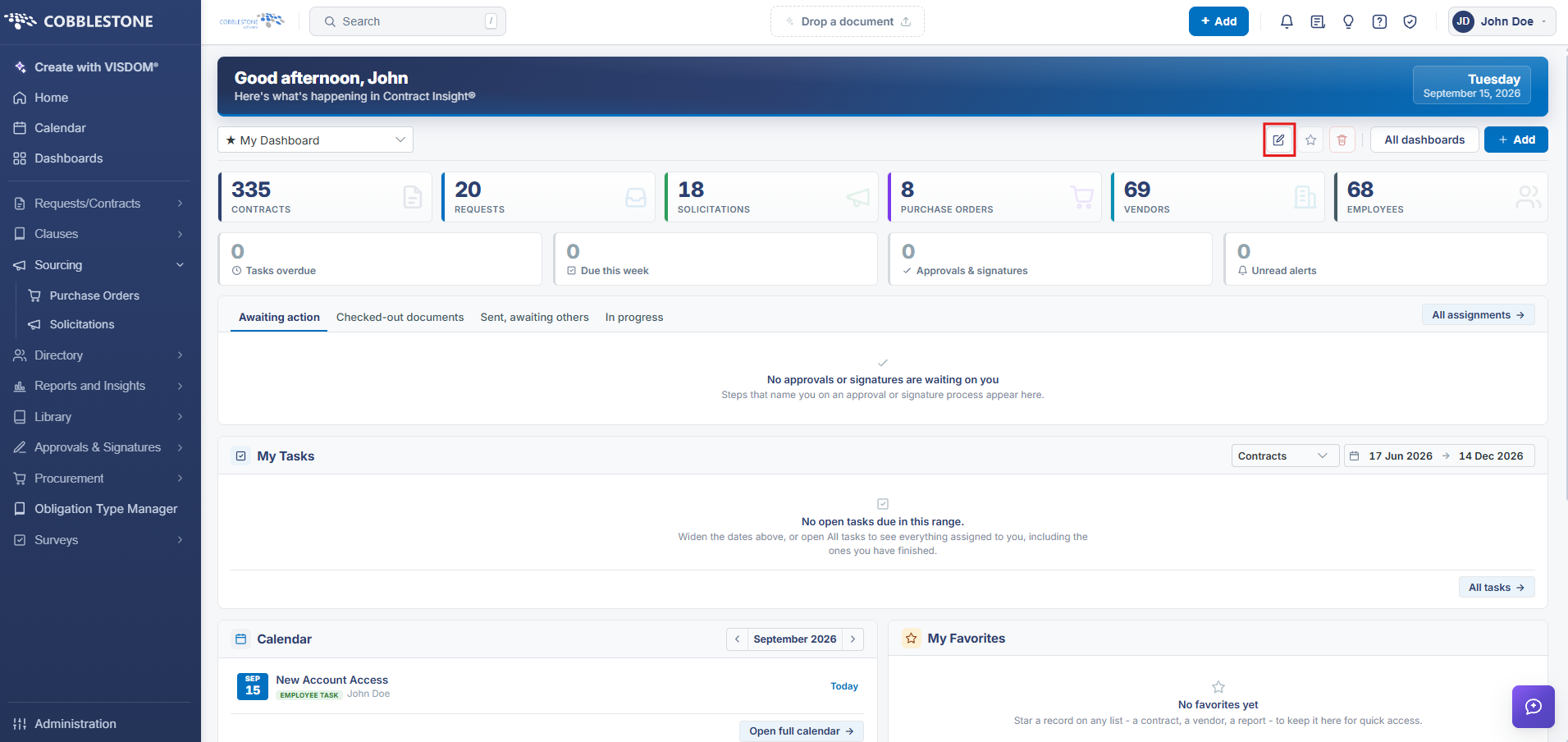 Dashboard Customizer
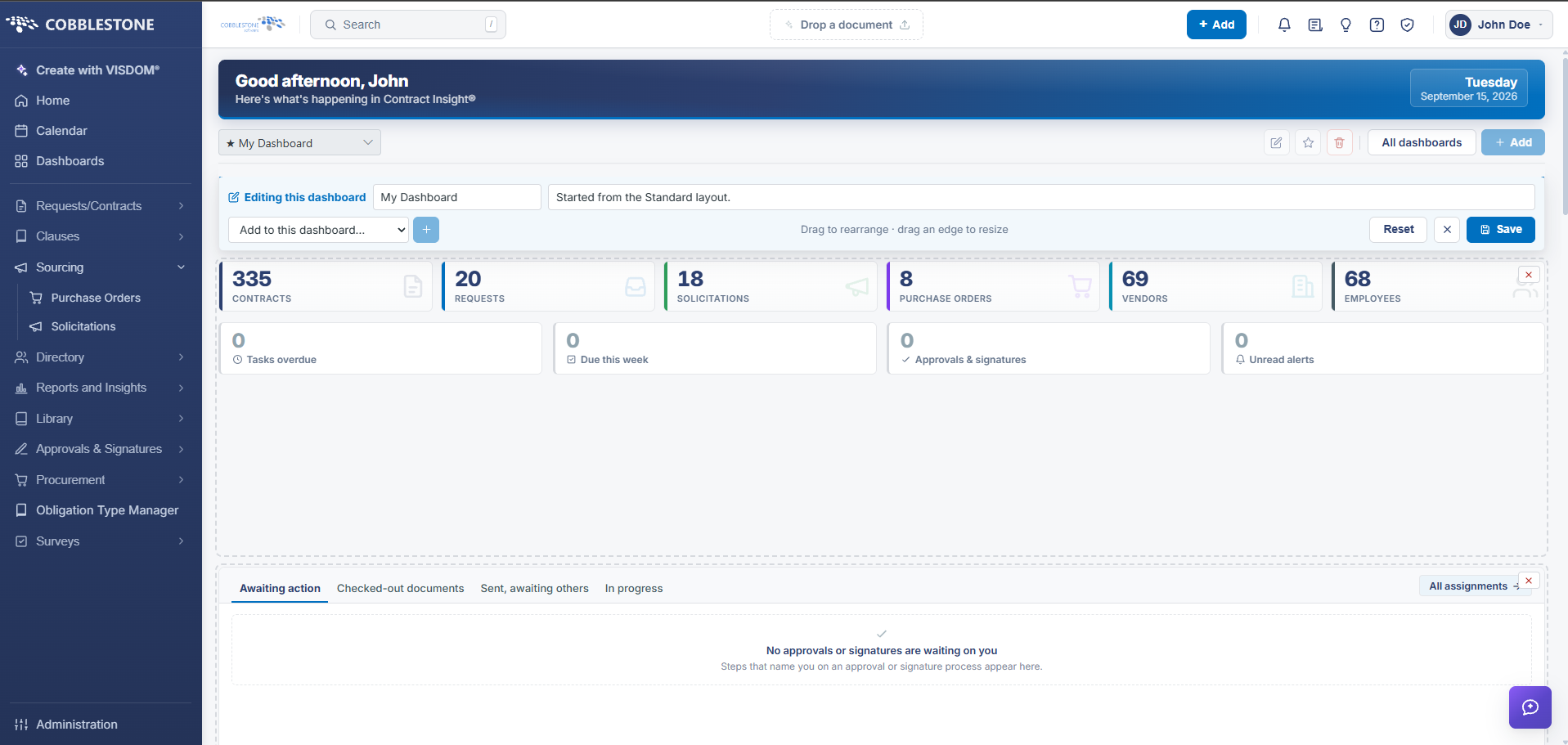 Customization Screen
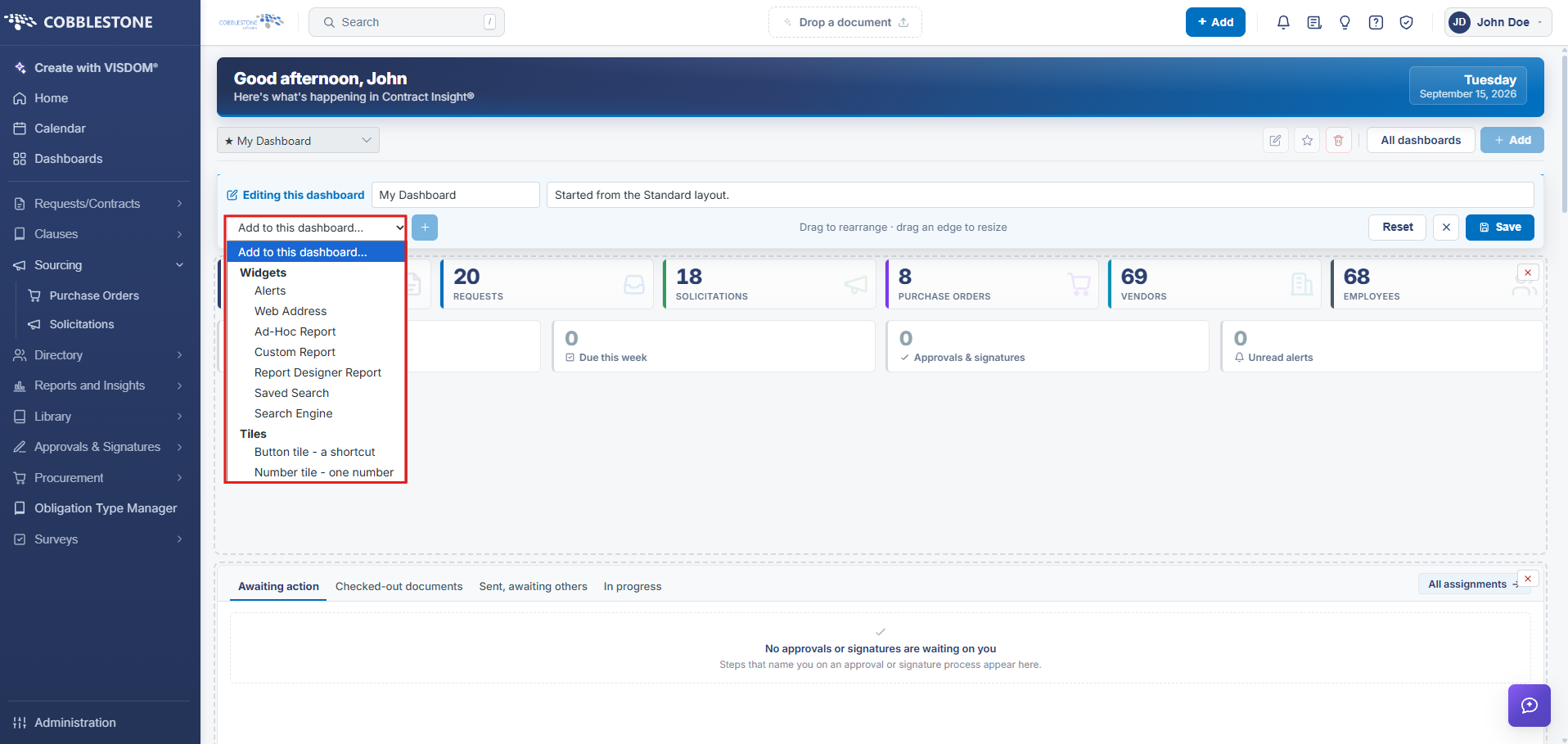 Add To This Dashboard dropdown - allows user to add widgets/tiles to dashboard screen
2. Key Elements
- Dashboards → open a Standard dashboard → Customize: "Add to this dashboard…" dropdown, then Add
- Widgets are a section of the dashboard that displays specifically requested information.
- Button tiles are described as "Shortcuts to a page or a web address"
- Number tiles as "One number from a report — a total, count, average, smallest or largest"
- "Drag to rearrange · drag an edge to resize" governs dock layout; "Reset to default" restores the dashboard's original layout
- Each dock has up/down reorder arrows plus its own edit and delete controls