COBBLESTONE SOFTWARE
Contract Insight — User Guide
Create a PO from a Contract Record
Module: Purchase Orders › Purchase Orders & Contracts › Create a PO from a Contract Record
Note: Each procedure in this guide begins at the Contract Insight homepage, so any section can be followed on its own. Custom fields are configurable, so the exact field list on a contract category record may vary between environments.
1. Overview
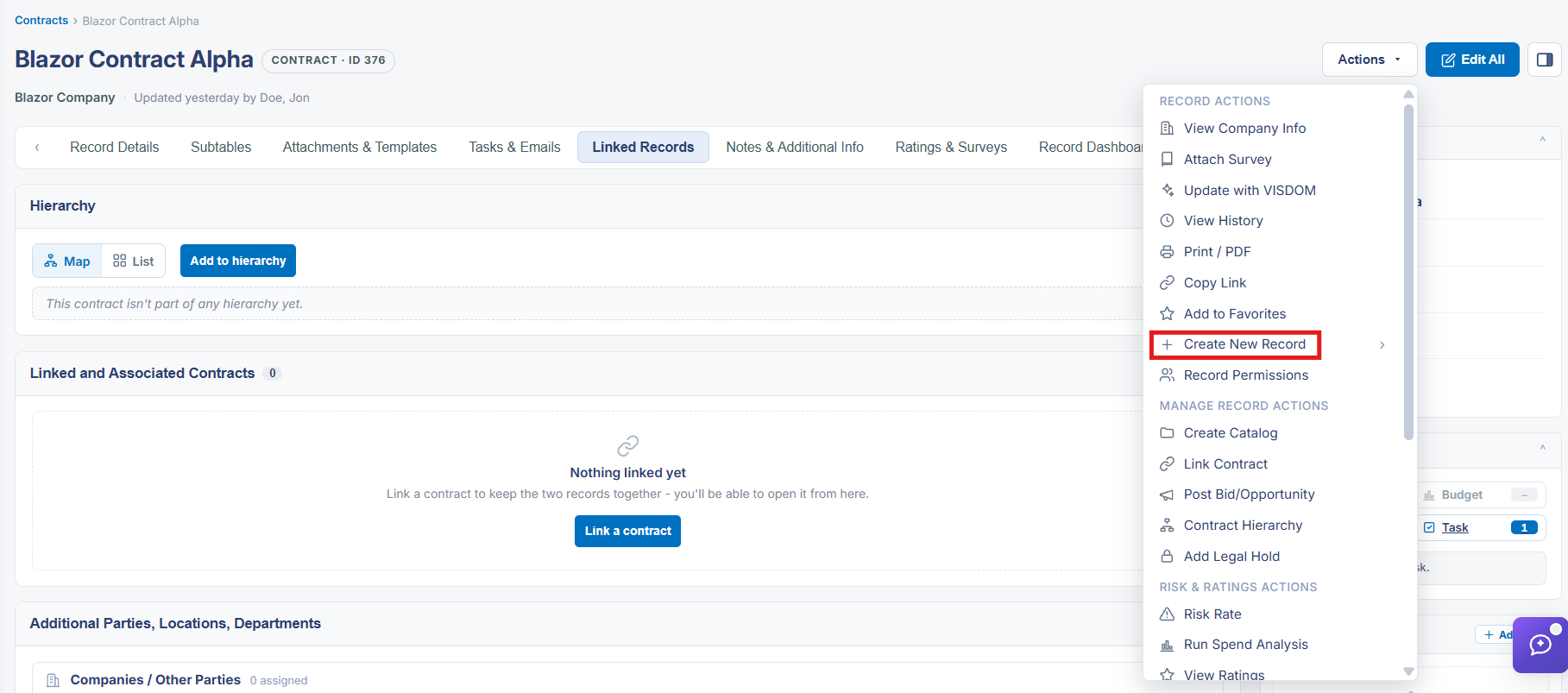
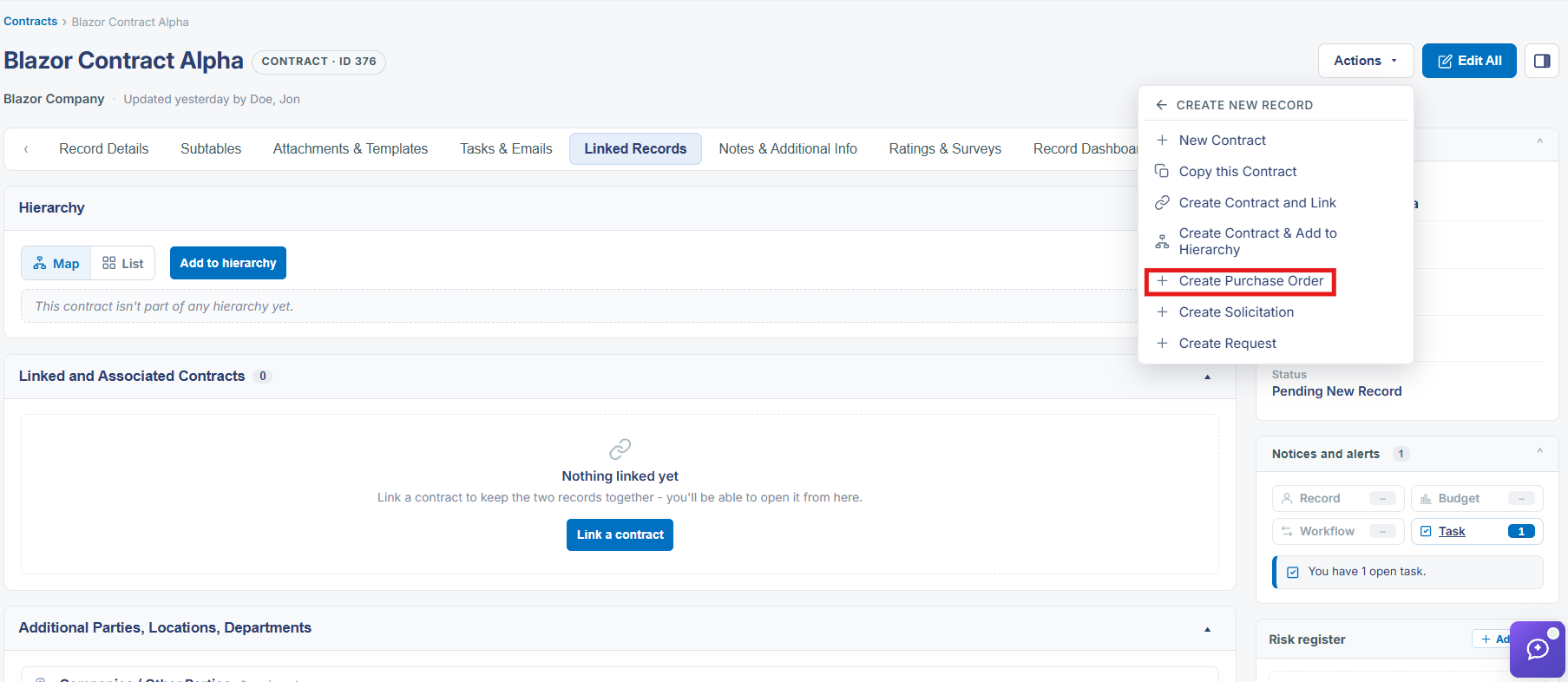
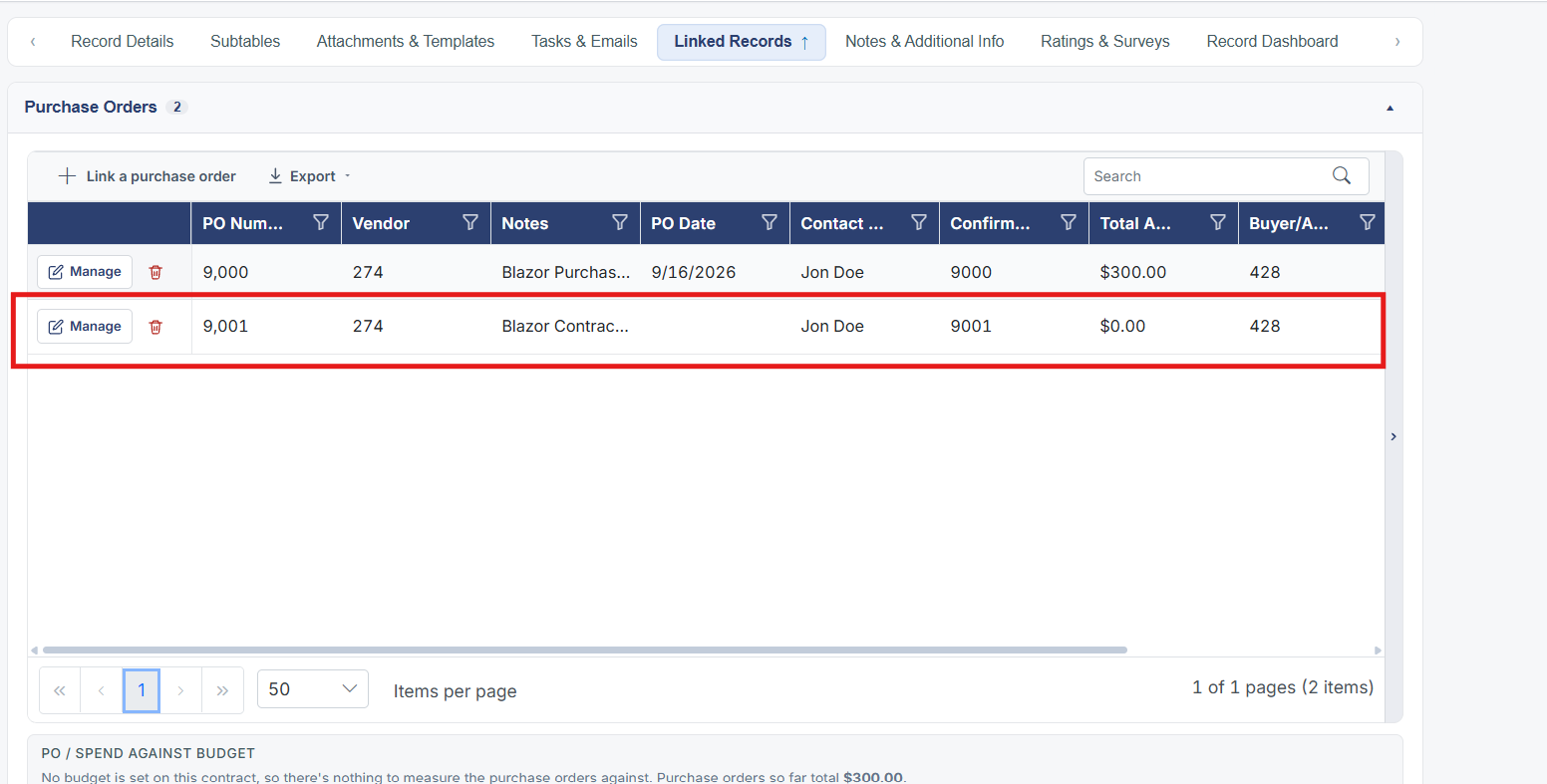
A contract's Linked Records tab includes a Purchase Orders entry that tracks POs tied to that contract, and the same Actions → Create New Record → Create Purchase Order action used to connect an existing PO is the mechanism for associating a newly created purchase order back to the contract it was raised against, keeping the contract's spend rollup current.
2. Key Elements
- Contract record → Subtables tab → Purchase Orders tracks associated POs
- Linking a new PO back to its originating contract keeps the PO / Spend Against Budget totals accurate