COBBLESTONE SOFTWARE
Contract Insight — User Guide
Filter/Sort PO Line Items
Module: Purchase Orders › Purchase Order Line Items › Filter/Sort PO Line Items
Note: Each procedure in this guide begins at the Contract Insight homepage, so any section can be followed on its own. Custom fields are configurable, so the exact field list on a contract category record may vary between environments.
1. Overview
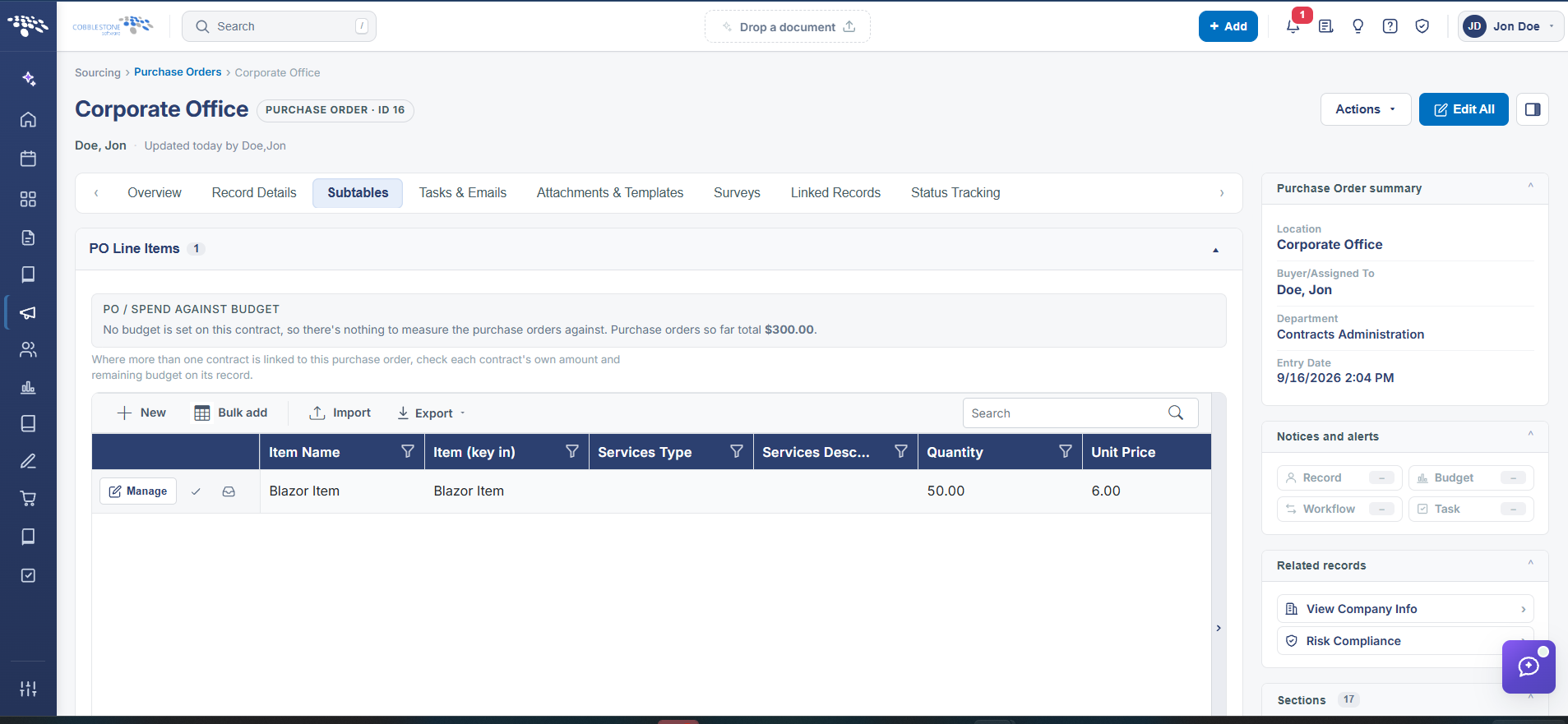
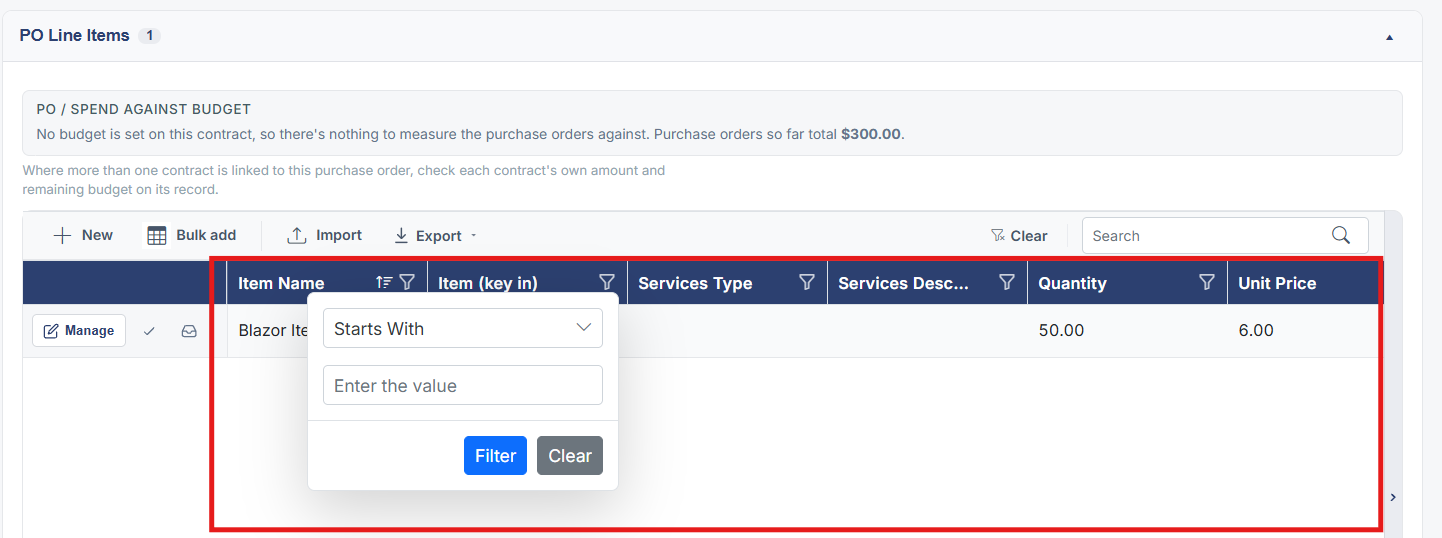
Column headers on the PO Line Items grid carry the same filter icons seen elsewhere in the application, letting users narrow the grid by Item, Quantity, Unit Price, or other line-item columns without leaving the PO record.
2. Key Elements
- Column filter icons appear on PO Line Items grid headers (e.g. Item (key in), Quantity, Unit Price)
- Filtering narrows the grid in place, without navigating away from the PO