COBBLESTONE SOFTWARE
Contract Insight — User Guide
Acting Upon/Approving/Rejecting a Task
08. End Users: Tasks › Contract Tasks › Acting Upon/Approving/Rejecting a Task
Note: Each procedure in this guide begins at the Contract Insight homepage, so any section can be followed on its own. Custom fields are configurable, so the exact field list on a contract category record may vary between environments.
1. Overview
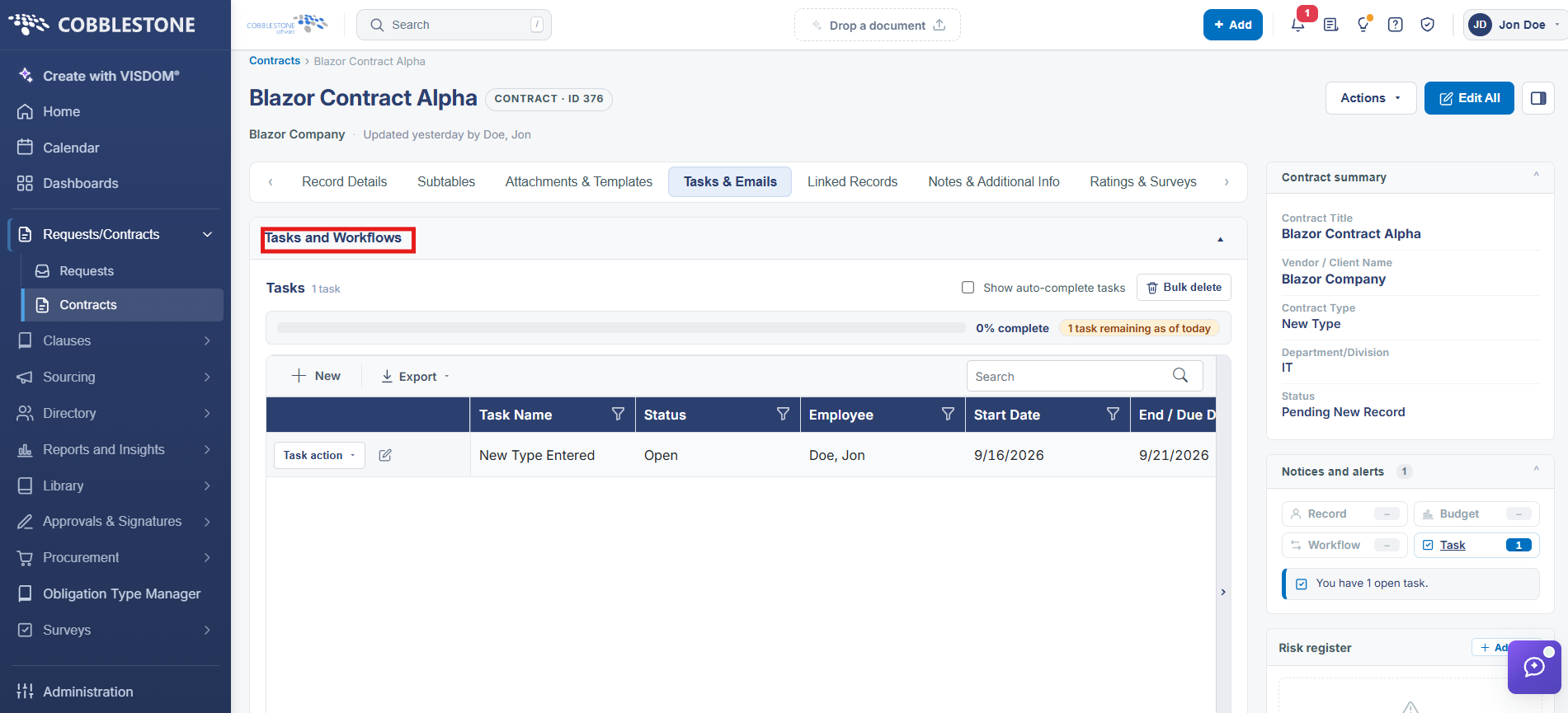
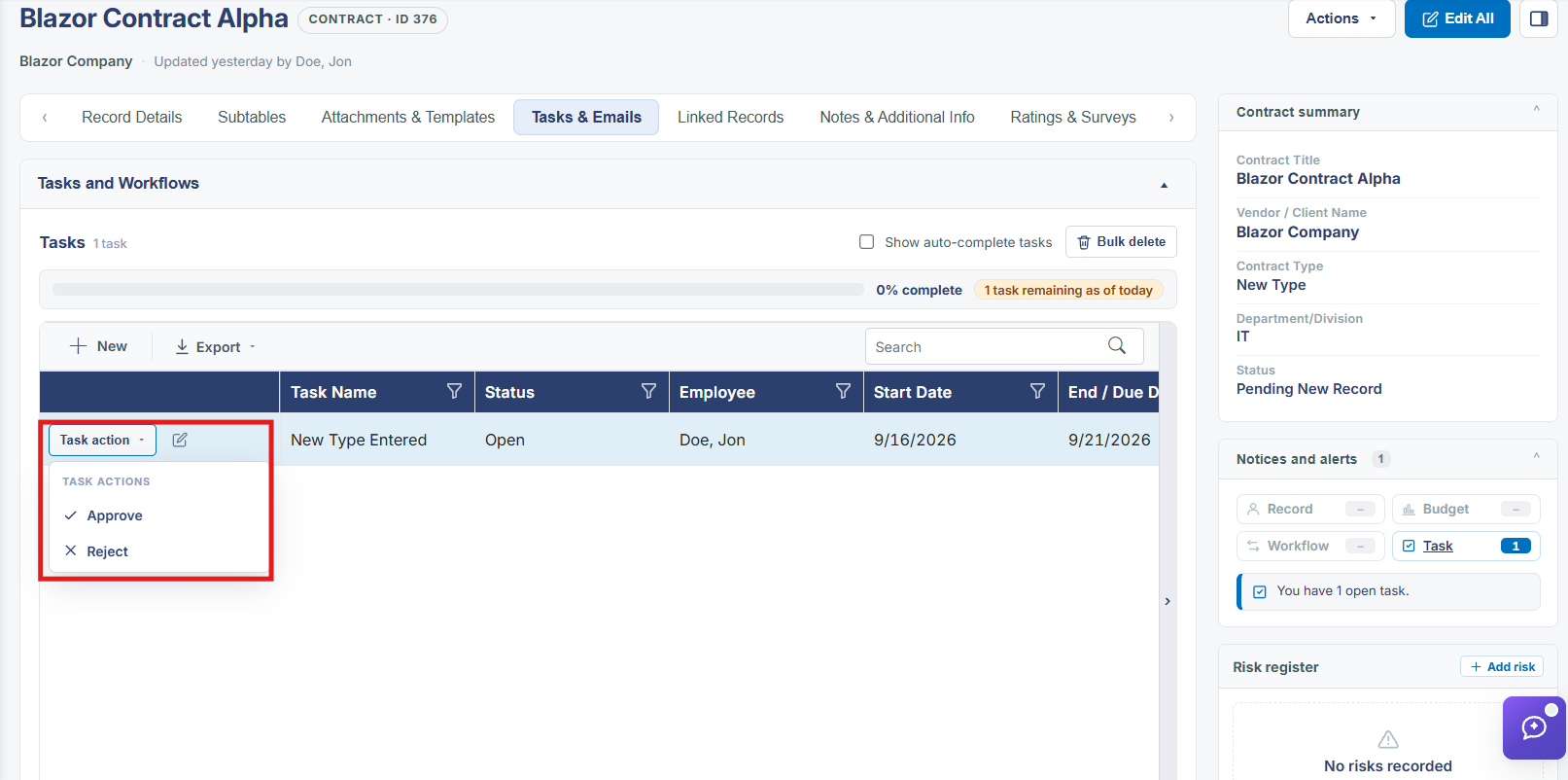
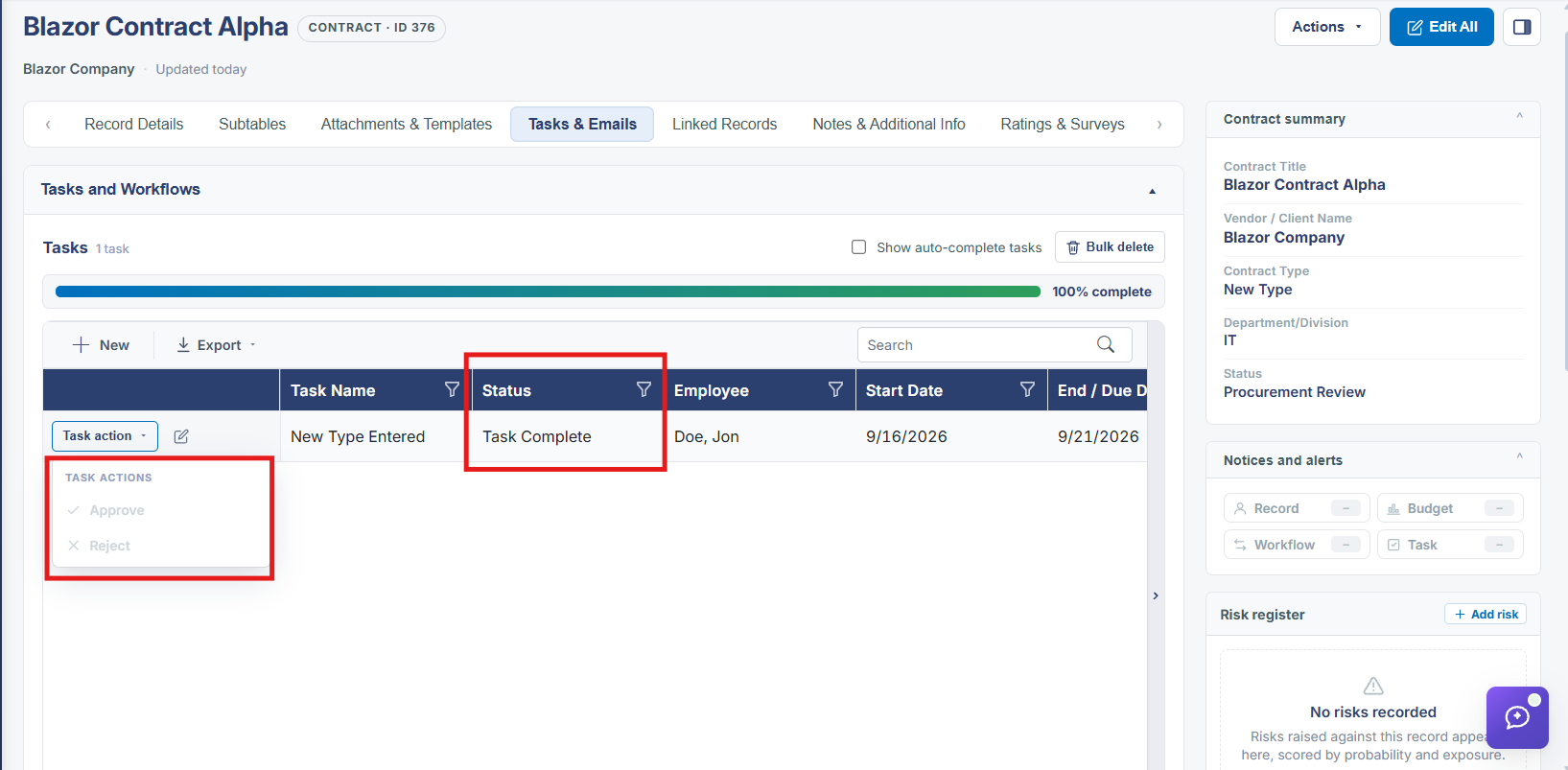
A task is acted on by setting it to one of the statuses configured under Administration → Task Statuses — most workflows are built around Task Complete and Rejected, both flagged as System statuses that Close the task, versus the default Open status, which never closes it. Each workflow's Tasks tab shows what happens "AND ONCE ANSWERED": in the example workflow "01. All Contract Types - Prepare for Review," setting the task to Task Complete sets Status_ID to 165, while setting it to Rejected sets Status_ID to 1.
2. Key Elements
- A task's outcome is picking one of its available statuses, most commonly Task Complete or Rejected
- Task Complete and Rejected are both System statuses in this environment, each flagged Closes Task: Yes
- The workflow that created the task defines what "AND ONCE ANSWERED" does for each possible answer — typically a field update, sometimes a document generation
- A field change made when a task is answered is what can trigger the next workflow in a chain