COBBLESTONE SOFTWARE
Contract Insight — User Guide
Contract Request Process Overview & Planning
09. End Users: Contract Requests › Contract Request Process › Contract Request Process Overview & Planning
Note: Each procedure in this guide begins at the Contract Insight homepage, so any section can be followed on its own. Custom fields are configurable, so the exact field list on a contract category record may vary between environments.
1. Overview
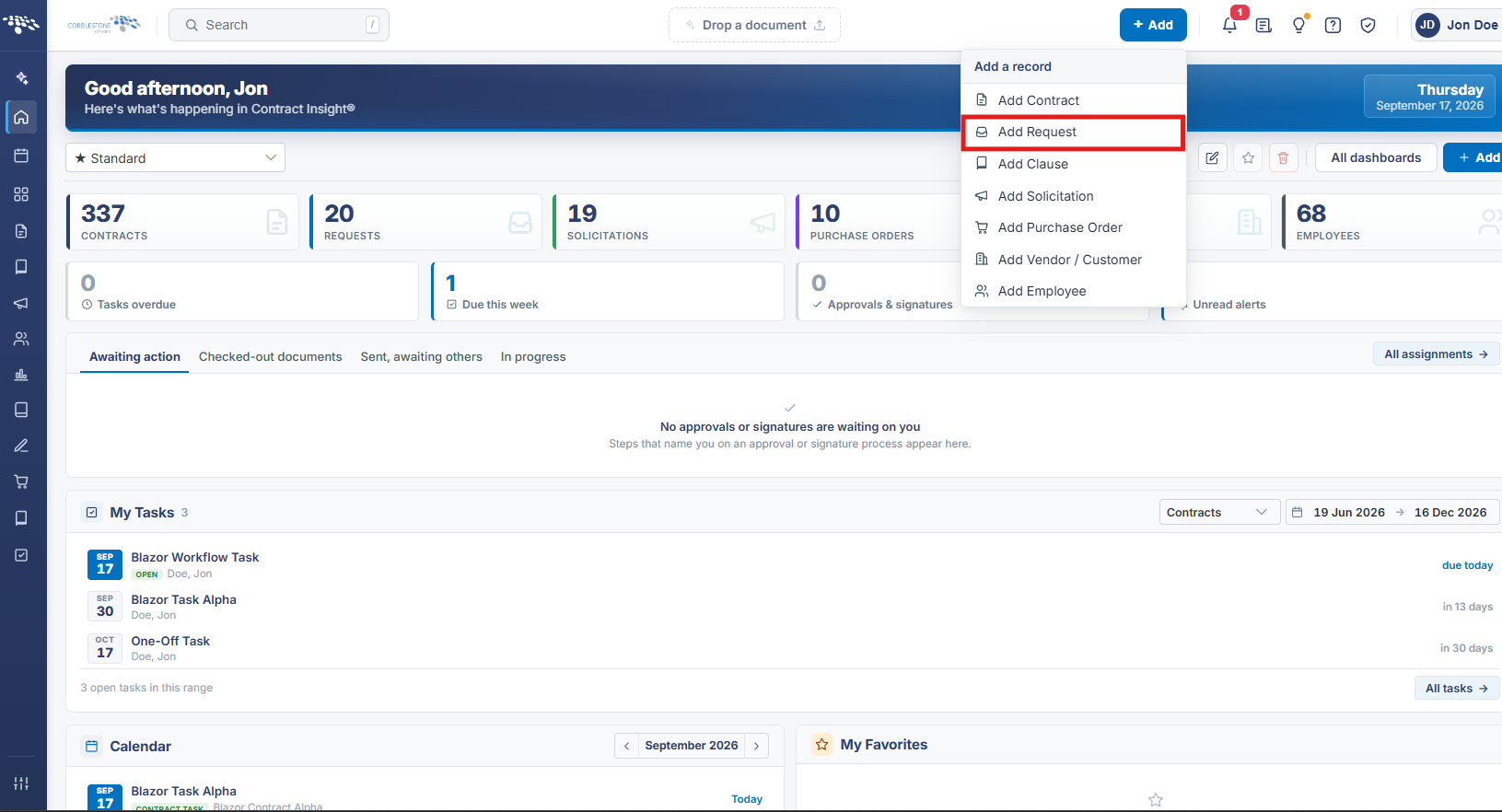
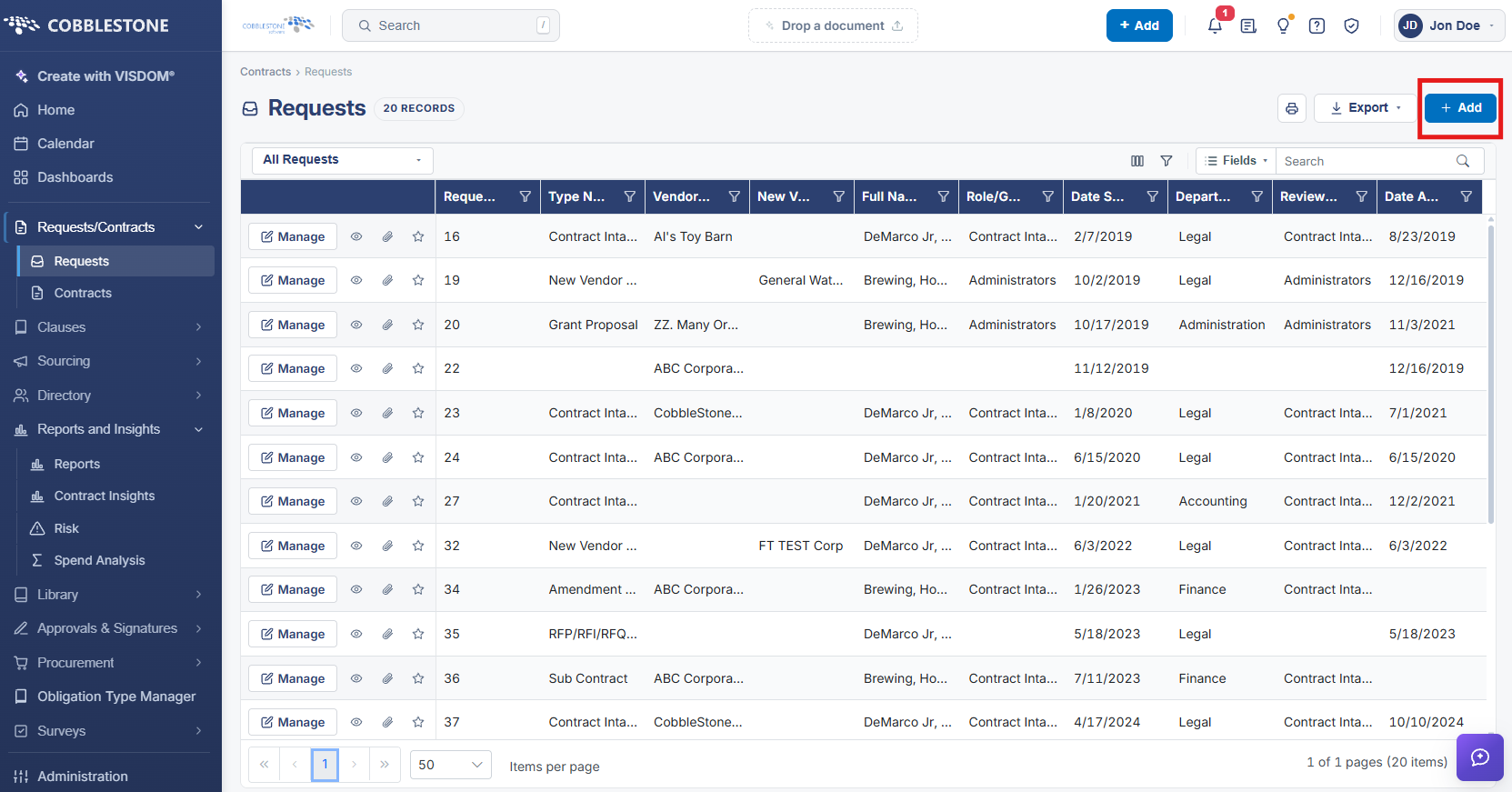
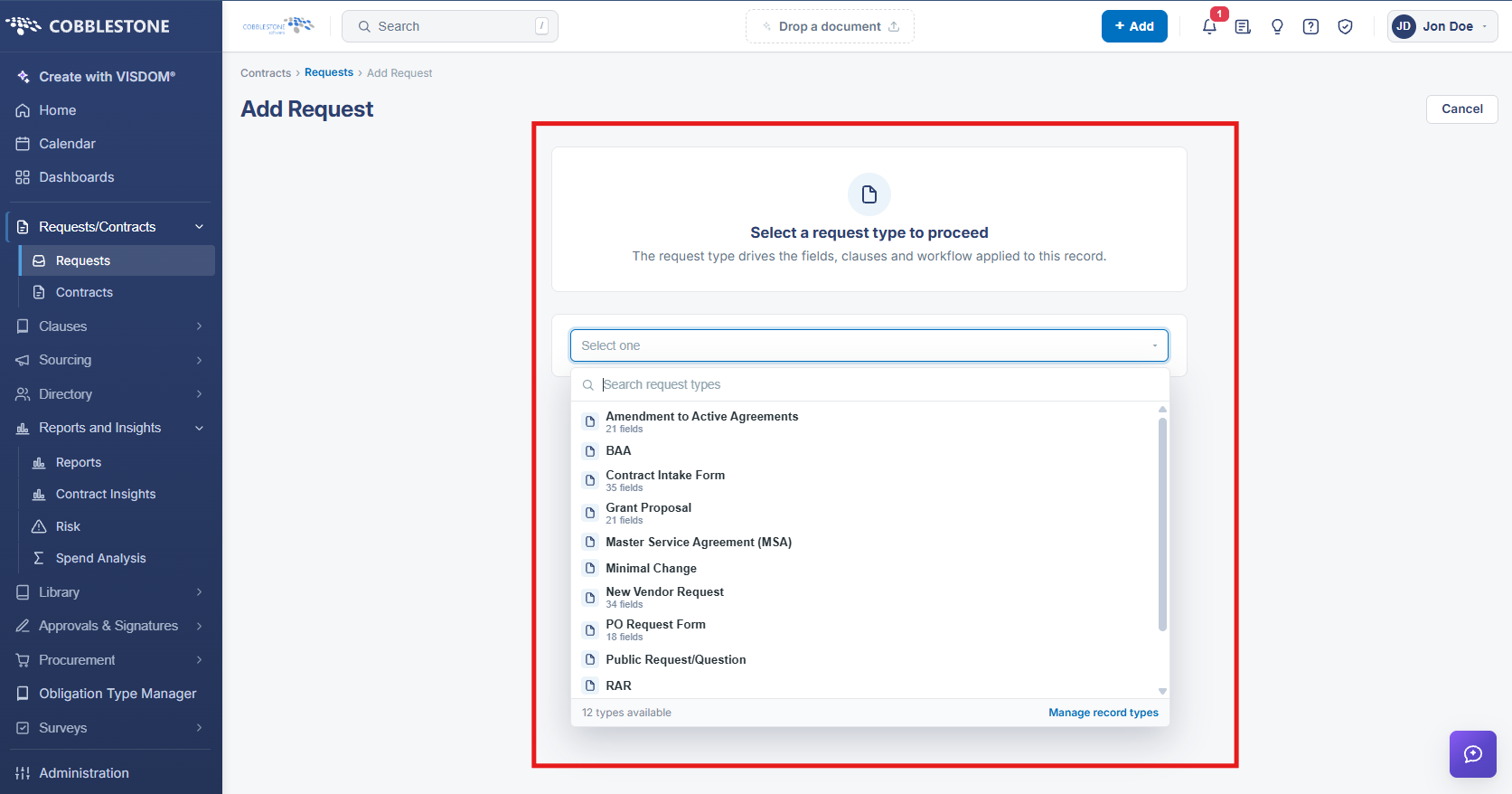
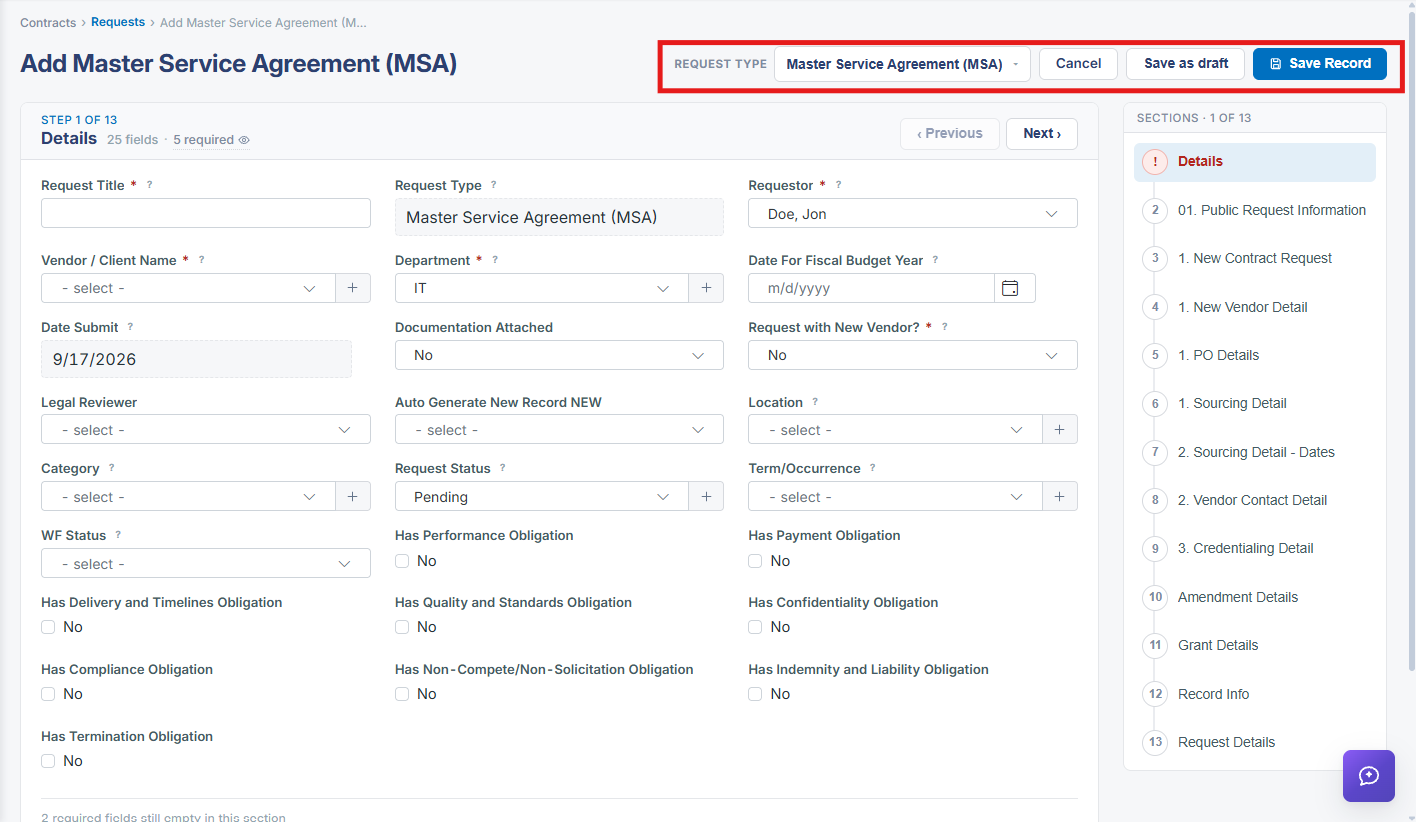
Starting a new request begins with an "Add Request" screen that first asks the user to select a request type — recently-used types are offered as quick-pick chips (e.g. Barebones Request, License Agreement, Consulting Agreement) alongside a searchable "Select one" dropdown covering every configured request type, because, as the screen states, "The request type drives the fields, clauses and workflow applied to this record." Choosing a type opens a multi-step wizard (for a Barebones Request, three steps: Details, Record Info, and a custom Testing group section), with a section-progress indicator on the right and Previous/Next navigation, culminating in Save as draft or Save Record actions. This structure is the live equivalent of the legacy wiki's request-planning guidance: the request type selection is the up-front planning decision that determines which fields, review group options, and downstream clauses/workflow apply, and the record can be saved as an incomplete draft before all required fields are filled in.
2. Key Elements
- The Add Request screen requires selecting a request type before any fields are shown, since the type determines the fields, clauses, and workflow that follow.
- Recently-used request types are surfaced as quick-pick chips; a full searchable dropdown lists every other configured request type.
- Each request type opens its own multi-step wizard (Details, Record Info, and any custom sections configured for that type), with a Sections progress panel and Previous/Next controls.
- A request can be saved incomplete via Save as draft, or finalized via Save Record once required fields are complete.
- Required fields for the Details step (in the Barebones Request example) include Request Title, Requestor, and Review Group, with a running count of how many required fields remain empty.