Contract Company Information
Company Info
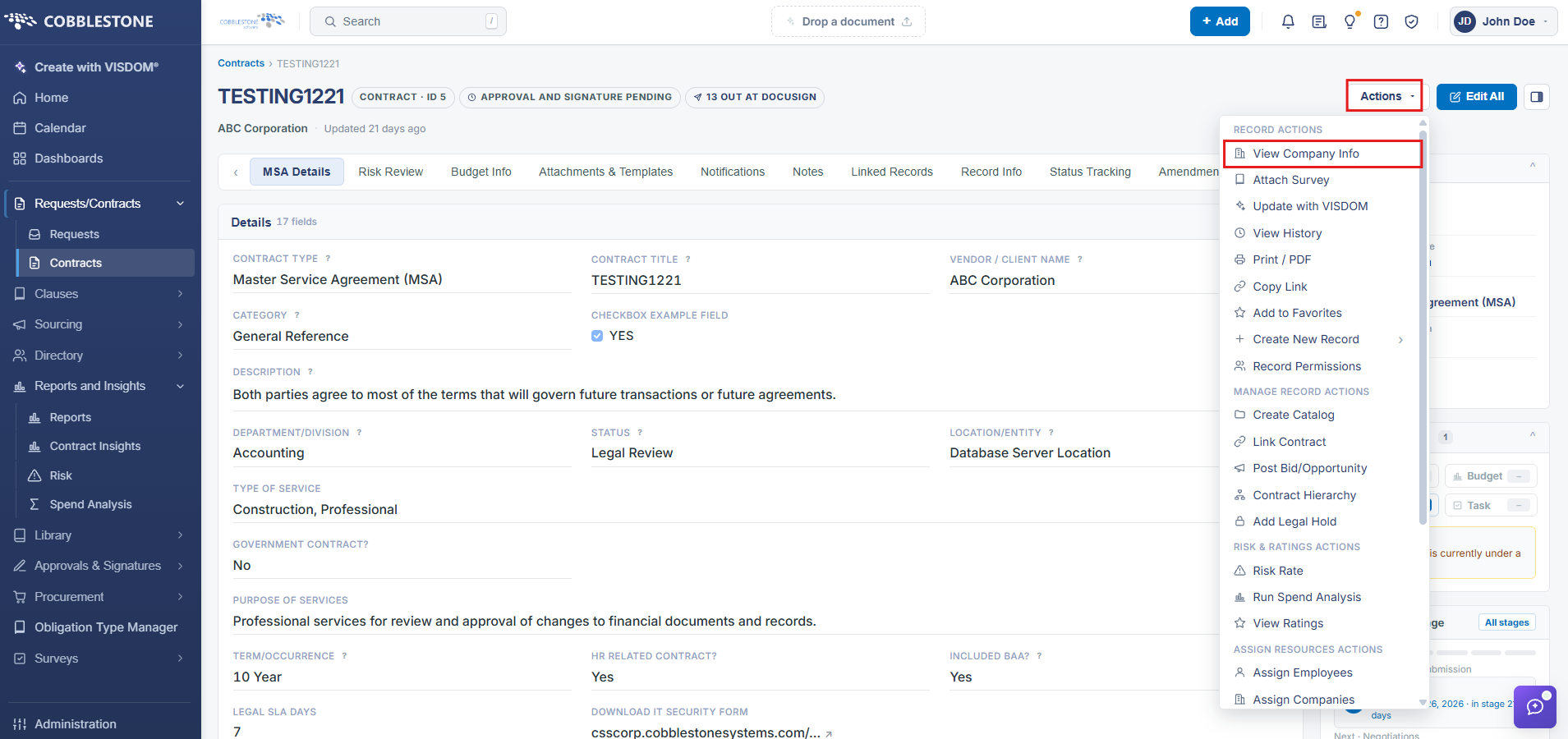
A contract's company-side details are reachable two ways: the Actions menu's View Company Info action jumps straight to the associated vendor/client's own company record, and the Notes & Additional Info tab's Additional Parties, Locations, Departments panel lists every company or other party currently assigned to the contract, each shown with its name and internal ID.
- Actions → View Company Info (Record Actions group) opens the associated company record
- Companies / Other Parties section lists every company assigned to the contract
- Each assigned company is shown with its name and record ID
- Add company adds another company or party to the record
1. On the Contract Details screen, click the Actions dropdown > View Company Info
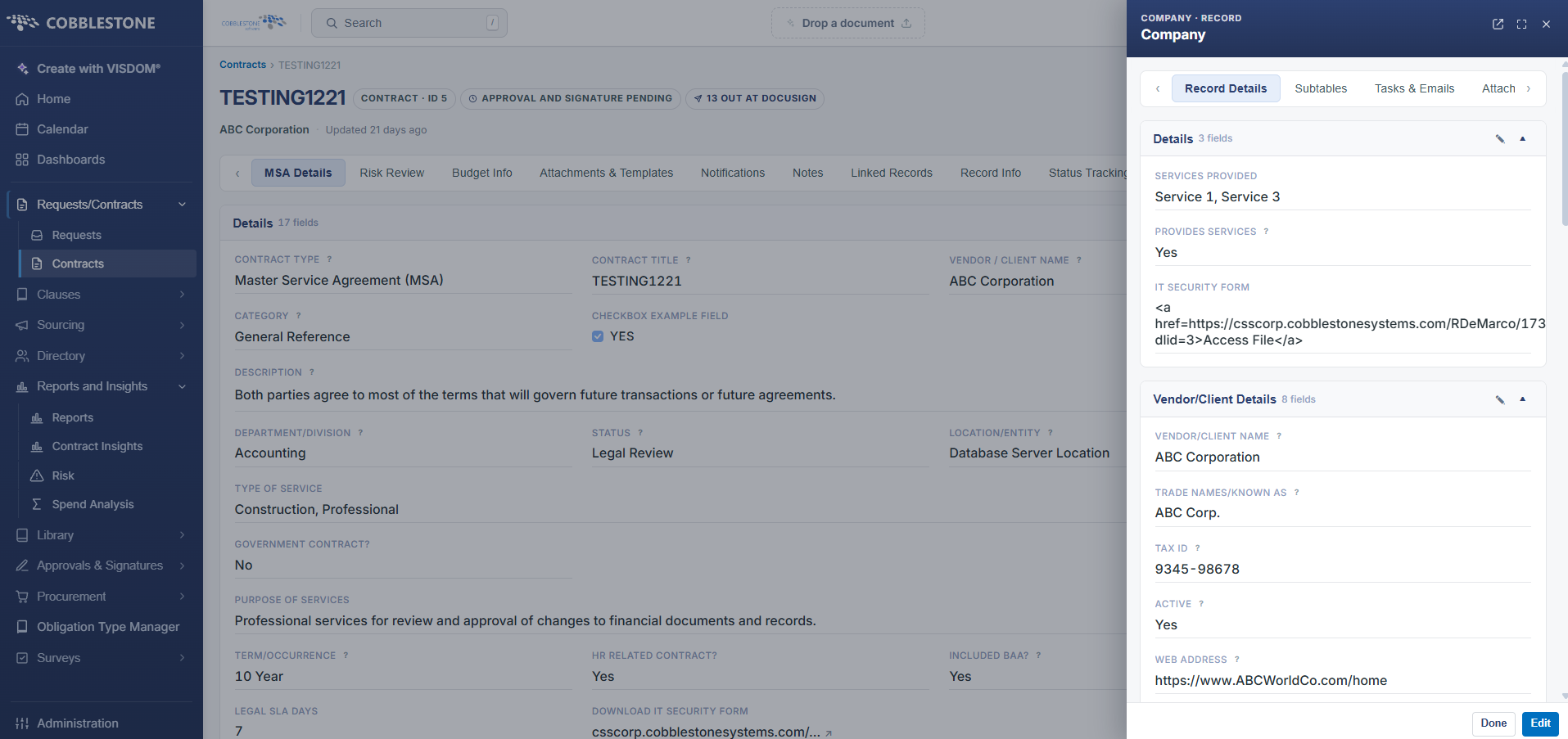
3. See the “View Company Details” Wiki Page for more information on the Company Details screen.