COBBLESTONE SOFTWARE
Contract Insight — User Guide
Complete Fulfillment of an Individual Line Item
Module: Purchase Orders › Inventory Tracking › Complete Fulfillment of an Individual Line Item
Note: Each procedure in this guide begins at the Contract Insight homepage, so any section can be followed on its own. Custom fields are configurable, so the exact field list on a contract category record may vary between environments.
1. Overview
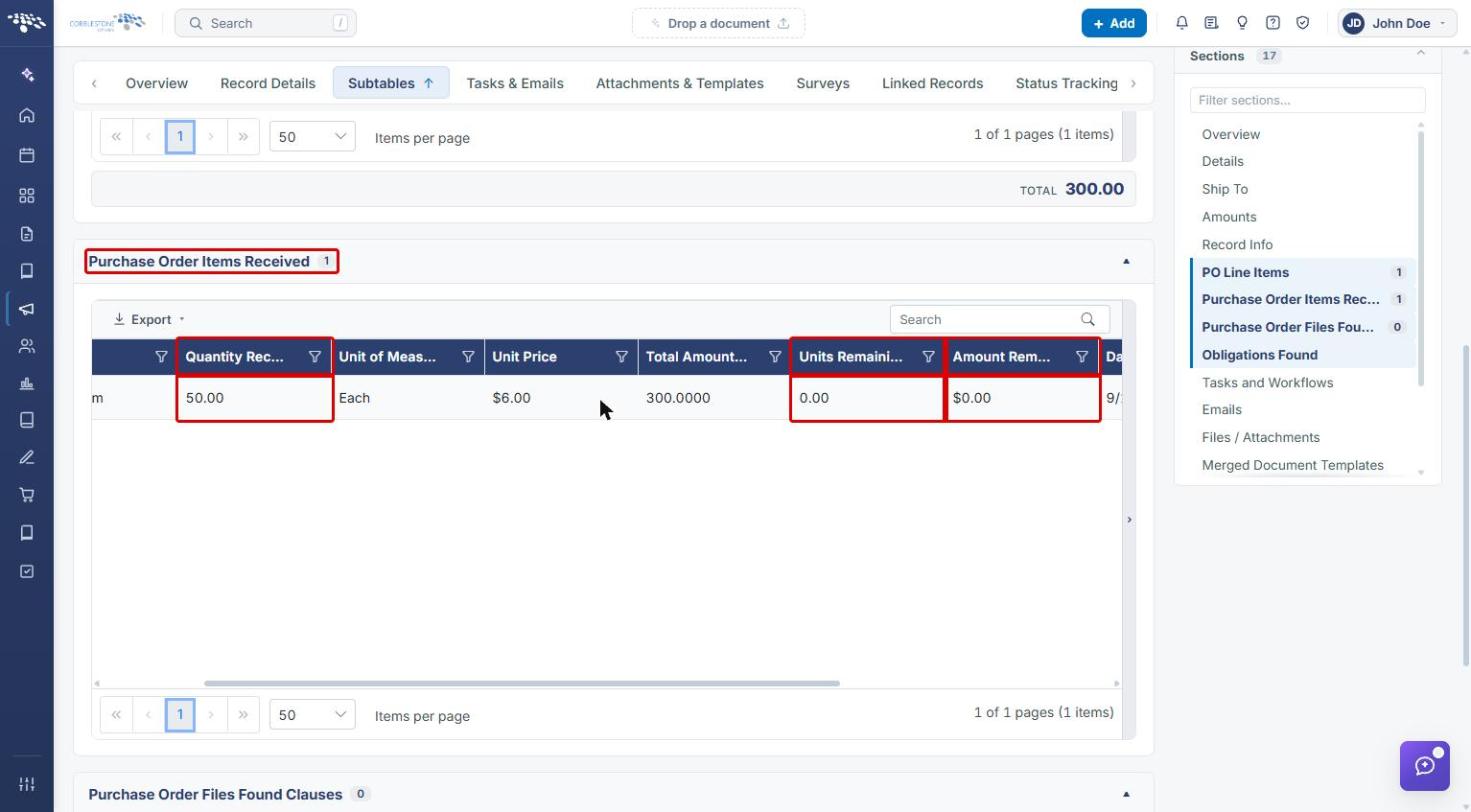
Fulfillment on a PO line item is tracked through its Quantity Received field, visible both in the PO Line Items grid and in a dedicated Purchase Order Items Received subtable that logs Quantity Received, Units Remaining, and Amount Remaining for each receipt. A line item is fully fulfilled once its Quantity Received matches its ordered Quantity, leaving Units Remaining at zero.
To record complete fulfillment in one step, use the Received in full (check mark) icon on the line item's row in the PO Line Items grid.
2. Key Elements
- Quantity Received is tracked per line item on the PO Line Items grid and on the line item record.
- Received in full (check mark icon) on a PO line item row receives the entire remaining quantity for that line.
- Receive part of this line (inbox icon), beside it, records a partial receipt instead. See Partial Fill of an Individual Line Item.
- The Purchase Order Items Received subtable logs each receipt with Units Remaining and Amount Remaining.
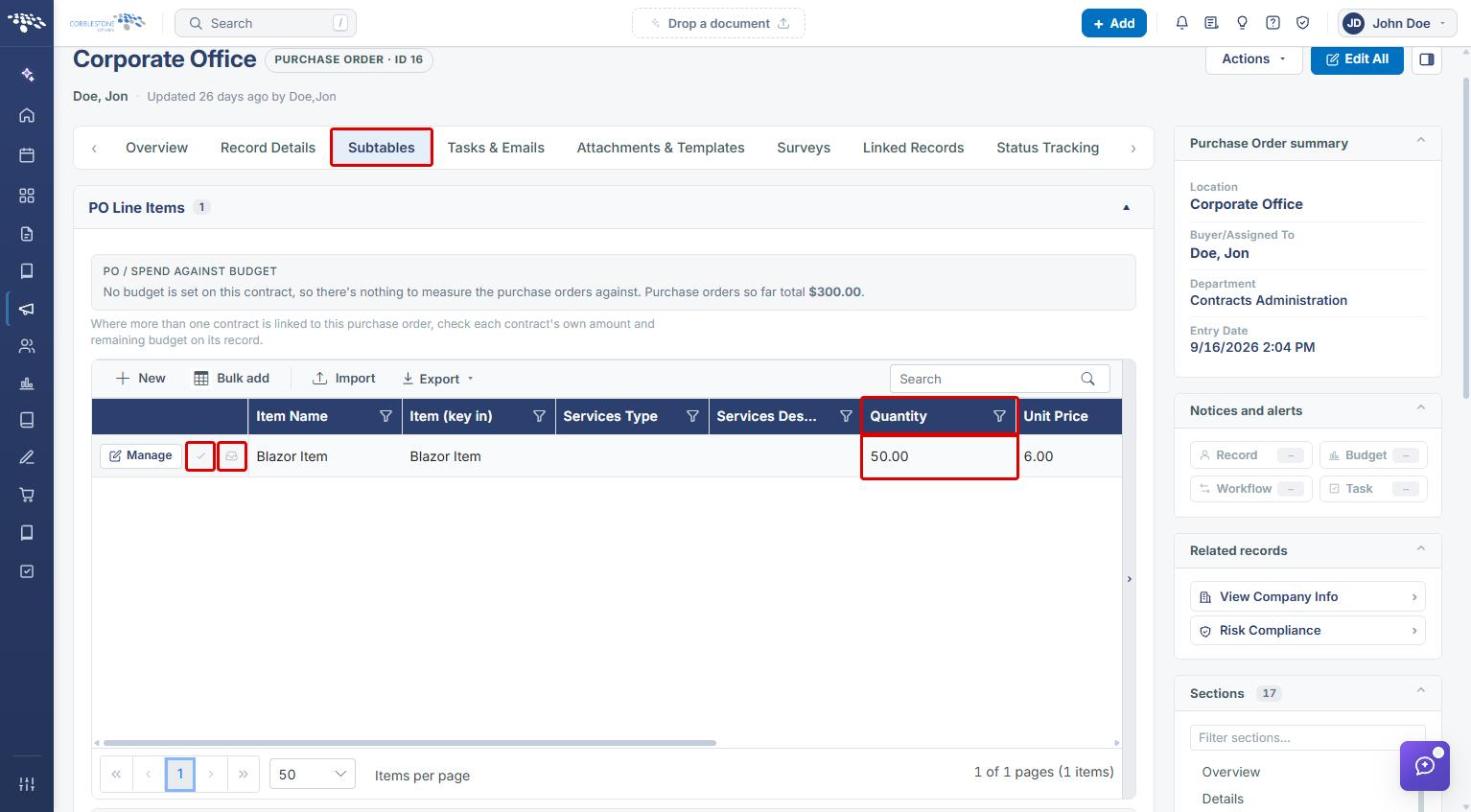
- A line is fully fulfilled when Quantity Received equals the ordered Quantity. Both receive icons are then greyed out with the tooltip “This line has been received in full.”
3. Navigating to a Purchase Order
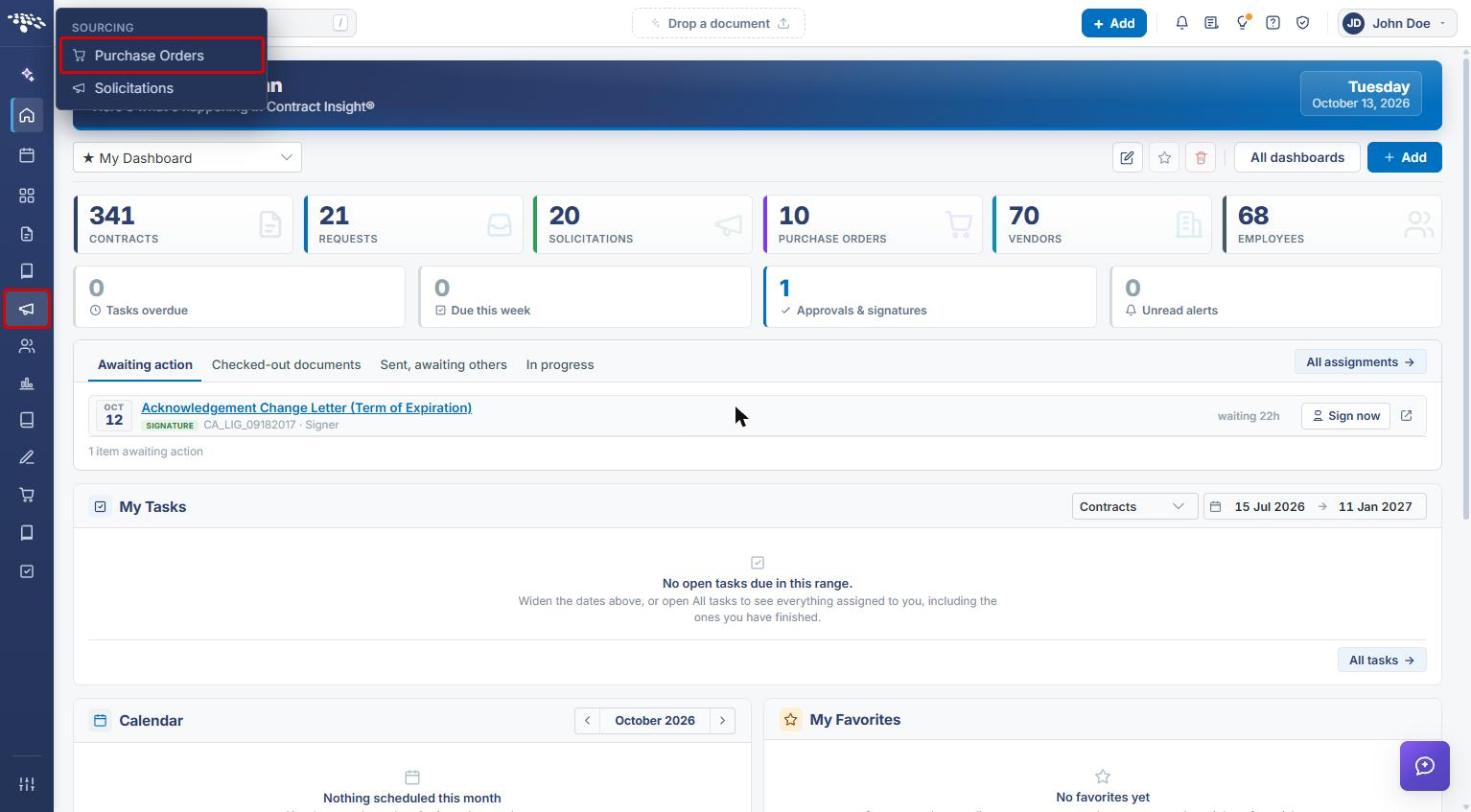
- From the Contract Insight homepage, click the Sourcing icon in the left navigation bar.
- Select Purchase Orders.
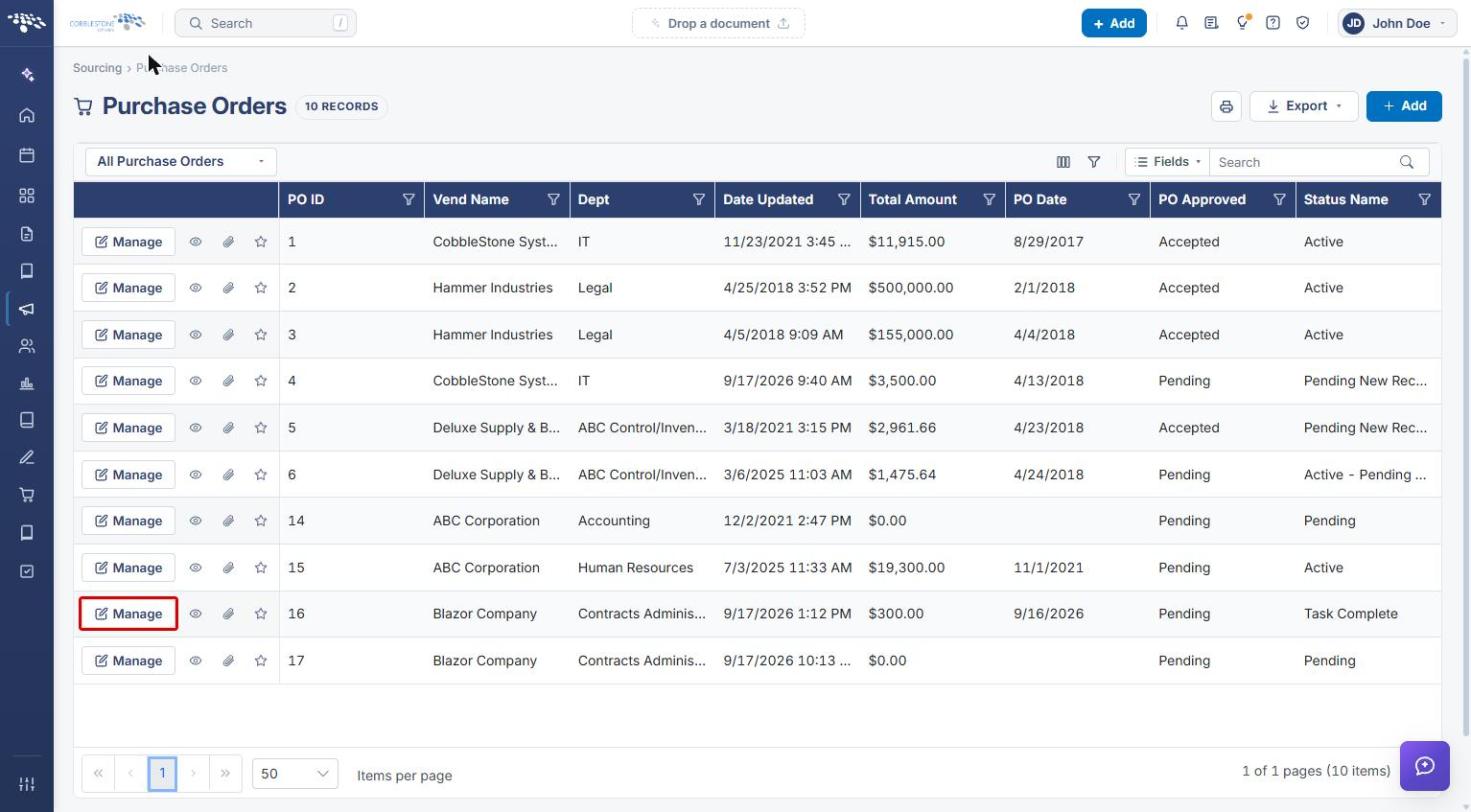
- On the Purchase Orders list, locate the purchase order. Use the Search box, column filters, or the view drop-down to narrow the list.
- Click Manage on that purchase order's row.
4. Receiving a Line Item in Full
- On the purchase order record, click the Subtables tab.
- In the PO Line Items grid, locate the line item and confirm its ordered Quantity.
- Click the Received in full (check mark) icon next to Manage on that line item's row.
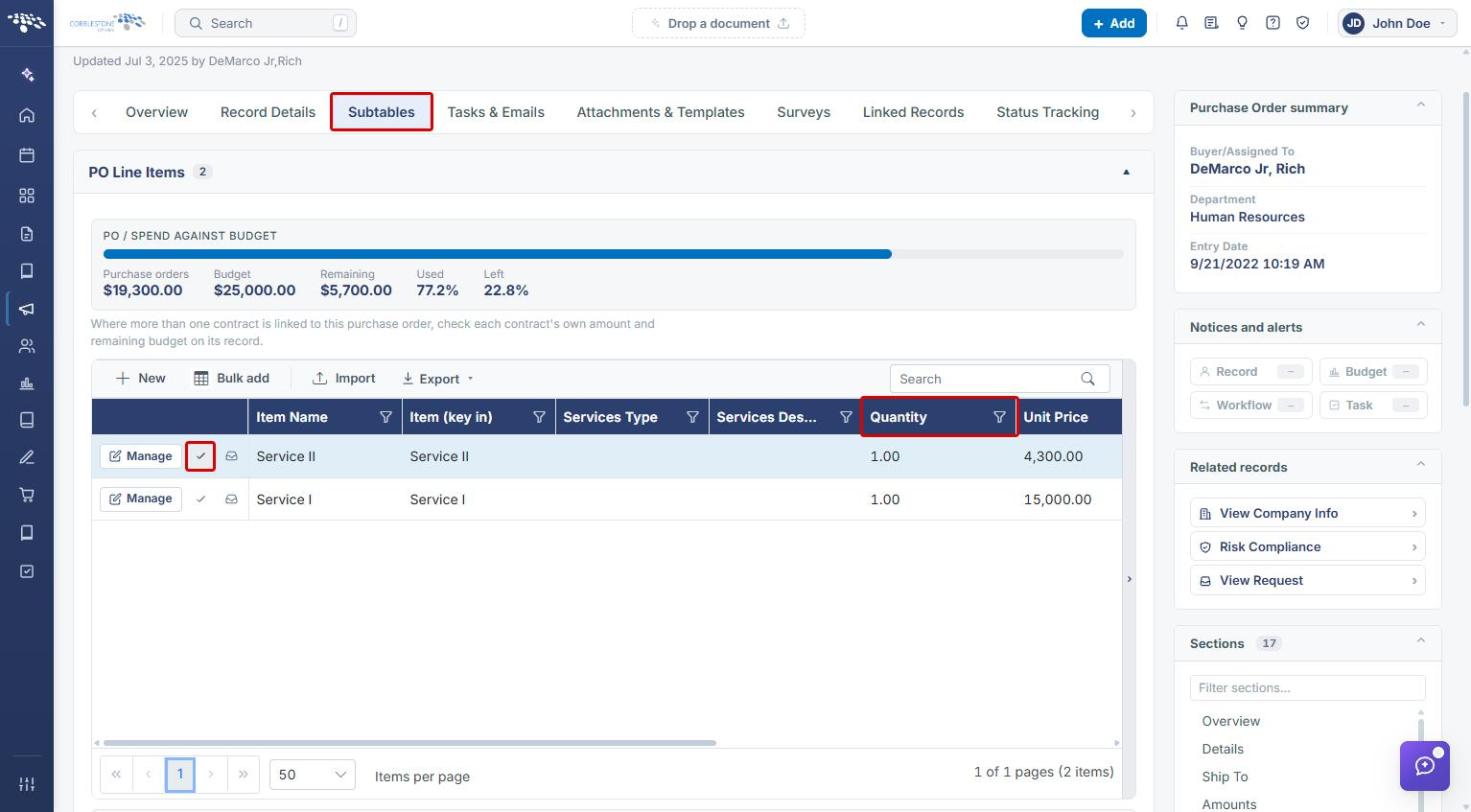
Note: To receive only part of the ordered quantity, click the Receive part of this line (inbox) icon instead. See Partial Fill of an Individual Line Item.
5. Verifying Complete Fulfillment
5a. In the PO Line Items Grid
Once a line item has been received in full, its Received in full and Receive part of this line icons are greyed out. Hovering over either icon shows “This line has been received in full.”
5b. In the Purchase Order Items Received Subtable
- On the Subtables tab, scroll down to the Purchase Order Items Received section.
- Locate the receipt for the line item. For a complete fulfillment, Quantity Received equals the ordered quantity, and Units Remaining and Amount Remaining are both zero.
5c. On the Line Item Record
- In the PO Line Items grid, click Manage on the line item.
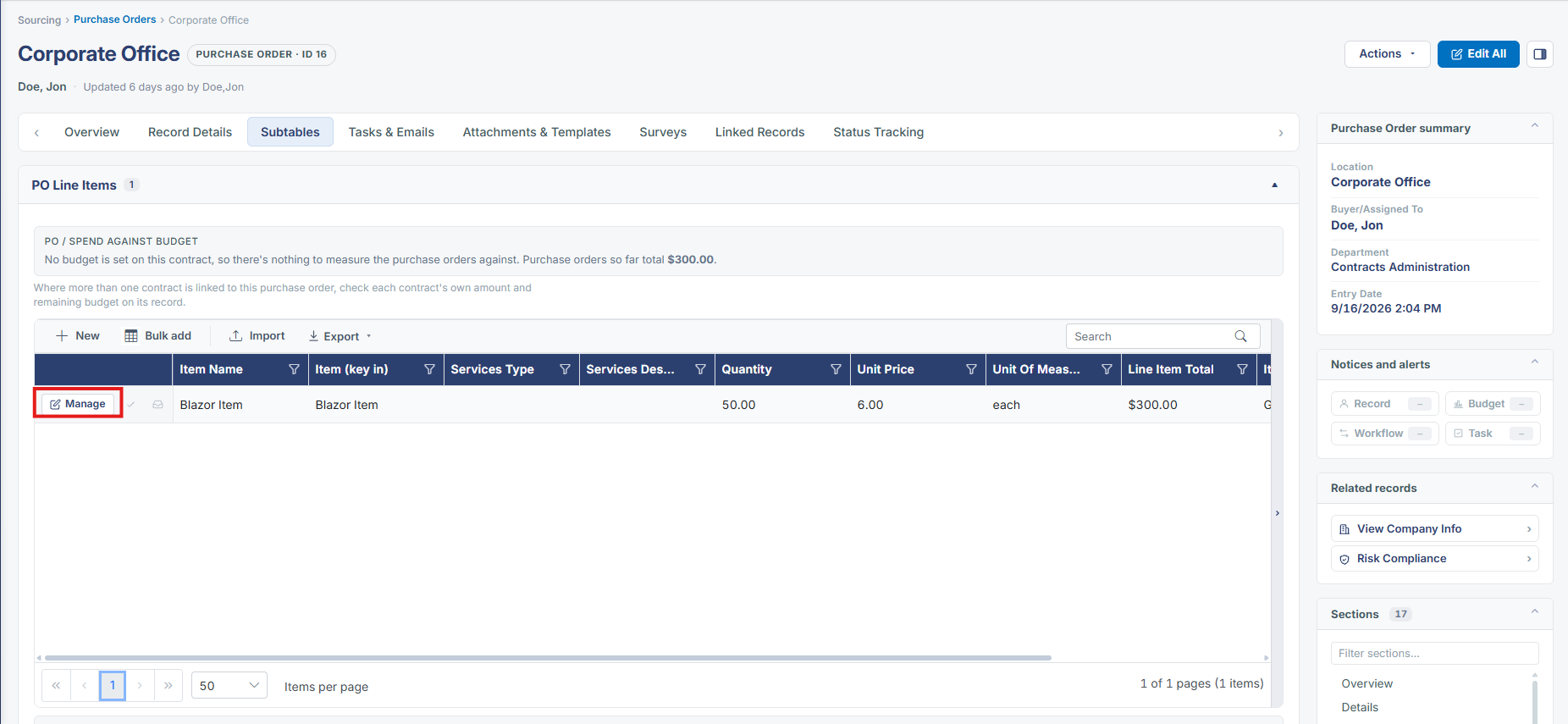
- The line item opens in a side drawer. Confirm that Quantity Received matches Quantity. Quantity Received is read-only; it is updated by the receive actions.
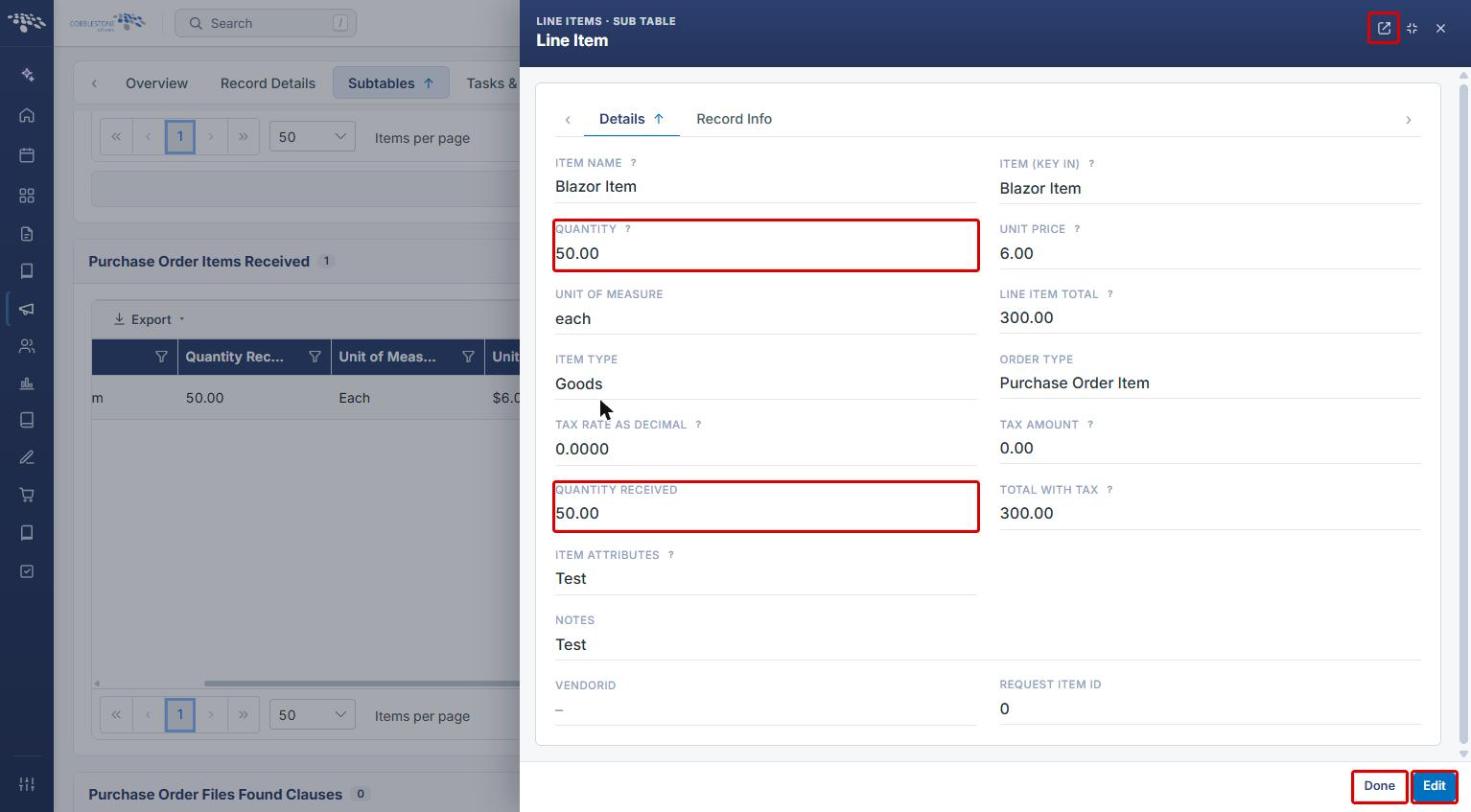
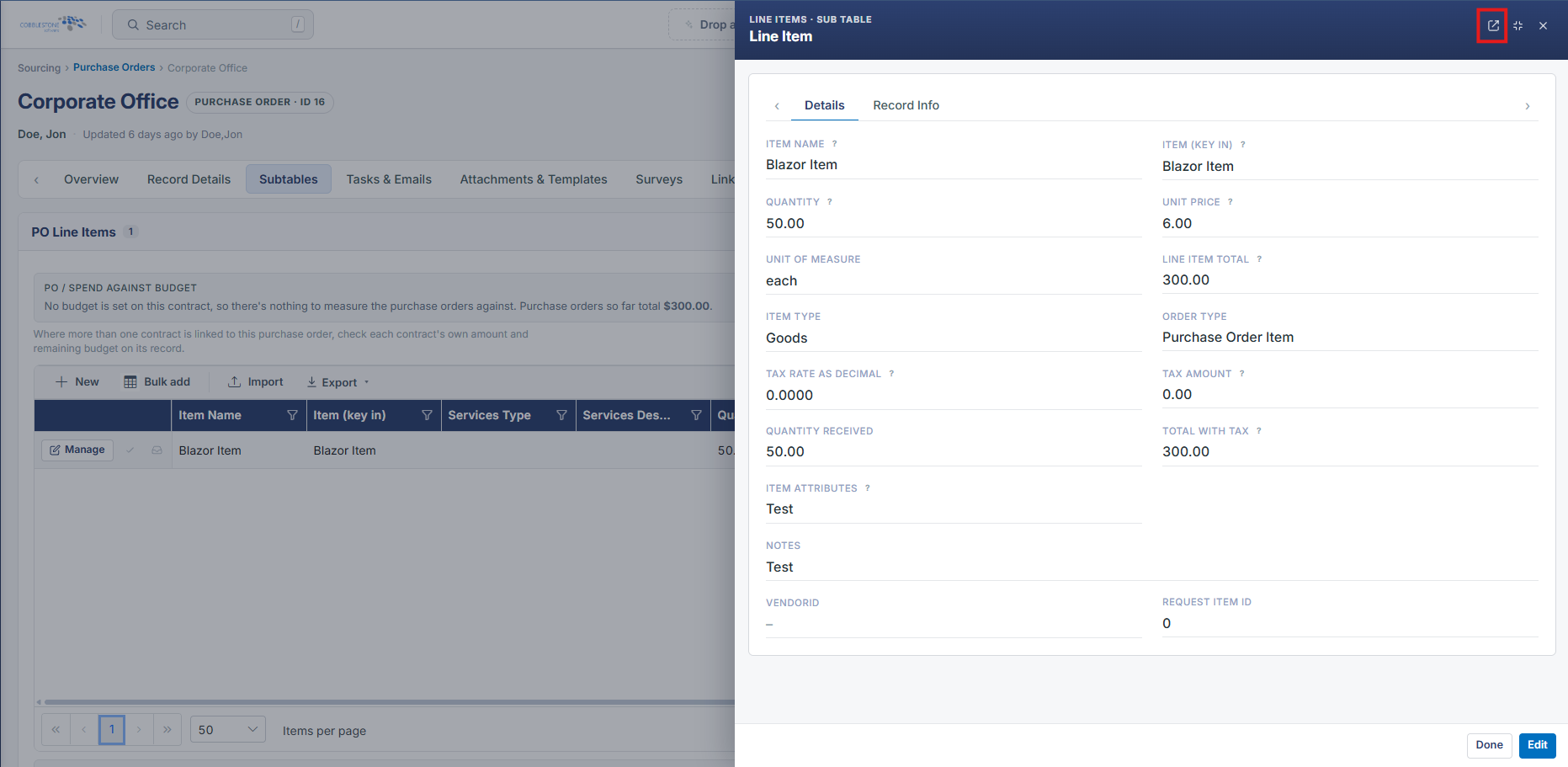
- To view the line item on its own page, click Open this as a full page in the drawer header. Click Done to close the drawer.
6. Related Articles
- Partial Fill of an Individual Line Item
- One Click Fulfillment
- Asset Tracking