COBBLESTONE SOFTWARE
Contract Insight — User Guide
All Surveys
12. Surveys & Decision Trees › 2. Surveys/Questionnaires › All Surveys
Note: Each procedure in this guide begins at the Contract Insight homepage, so any section can be followed on its own. Custom fields are configurable, so the exact field list on a contract category record may vary between environments.
1. Overview
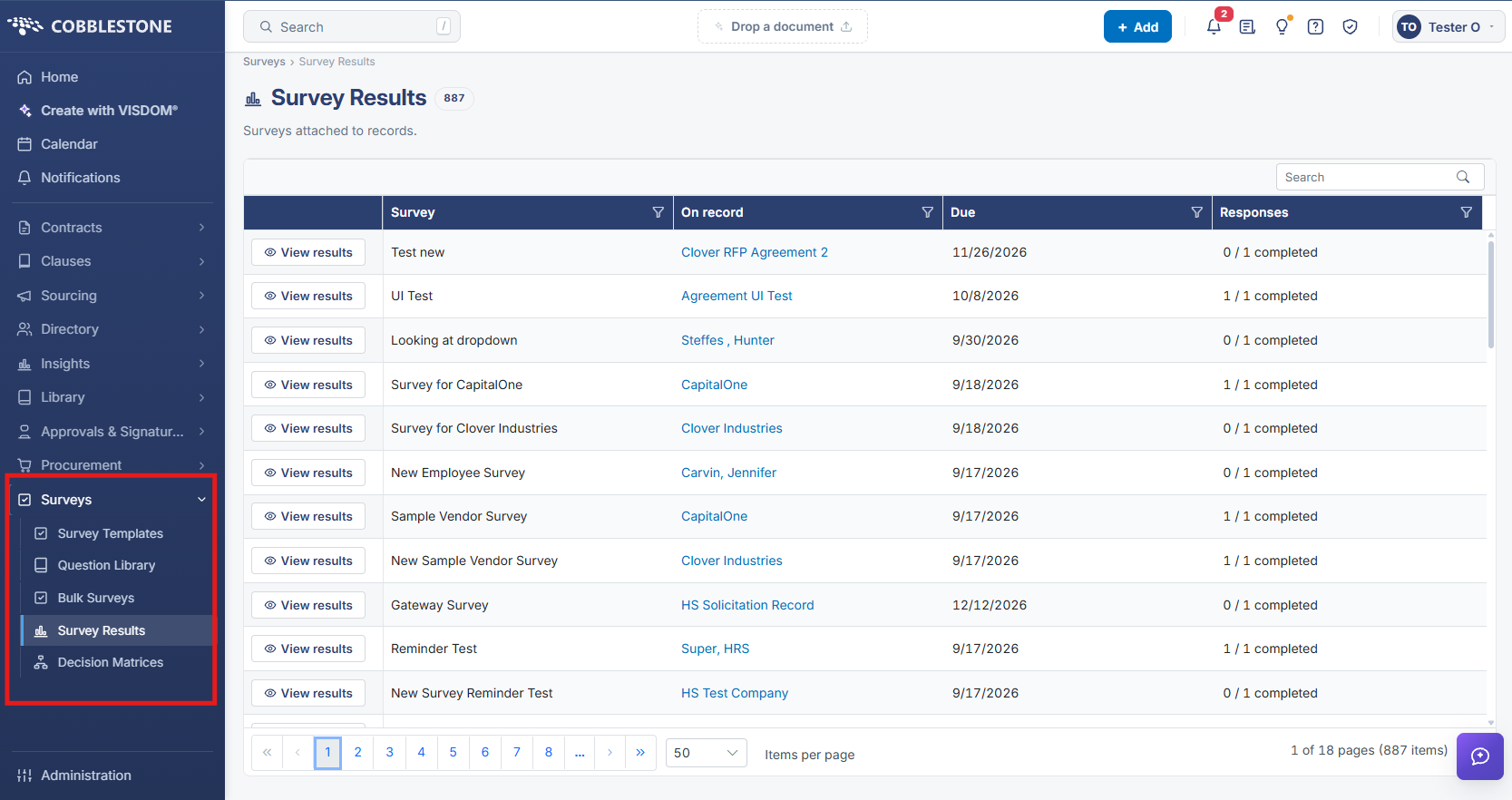
"All Surveys" corresponds to Surveys > Survey Results in this environment — the consolidated list of every survey instance actually in use across records, as opposed to the reusable templates listed under Survey Templates. This environment has 873 survey-result records, each showing which Survey (template) was used, which specific record it is On, its Due date, and a Responses completion count, with a default view spanning 18 pages at 50 rows per page. A keyword Search box and per-column filters narrow this list, and "View results" on any row opens that instance's full response detail. Because every attached survey — regardless of which record or template it came from — surfaces here, this screen functions as the single place to browse all surveys currently outstanding or completed across the entire application.
2. Key Elements
- Surveys > Survey Results is the consolidated view of every survey instance in use — 873 records in this environment, spanning every record type a survey can be attached to.
- Each row identifies the Survey (template) used, the specific record it's On, its Due date, and a live Responses completion count.
- A keyword Search box and per-column filters (on Survey, On record, Due, and Responses) let this large list be narrowed to a specific survey, record, or completion state.
- "View results" opens the full per-respondent response grid for any individual survey instance in the list.
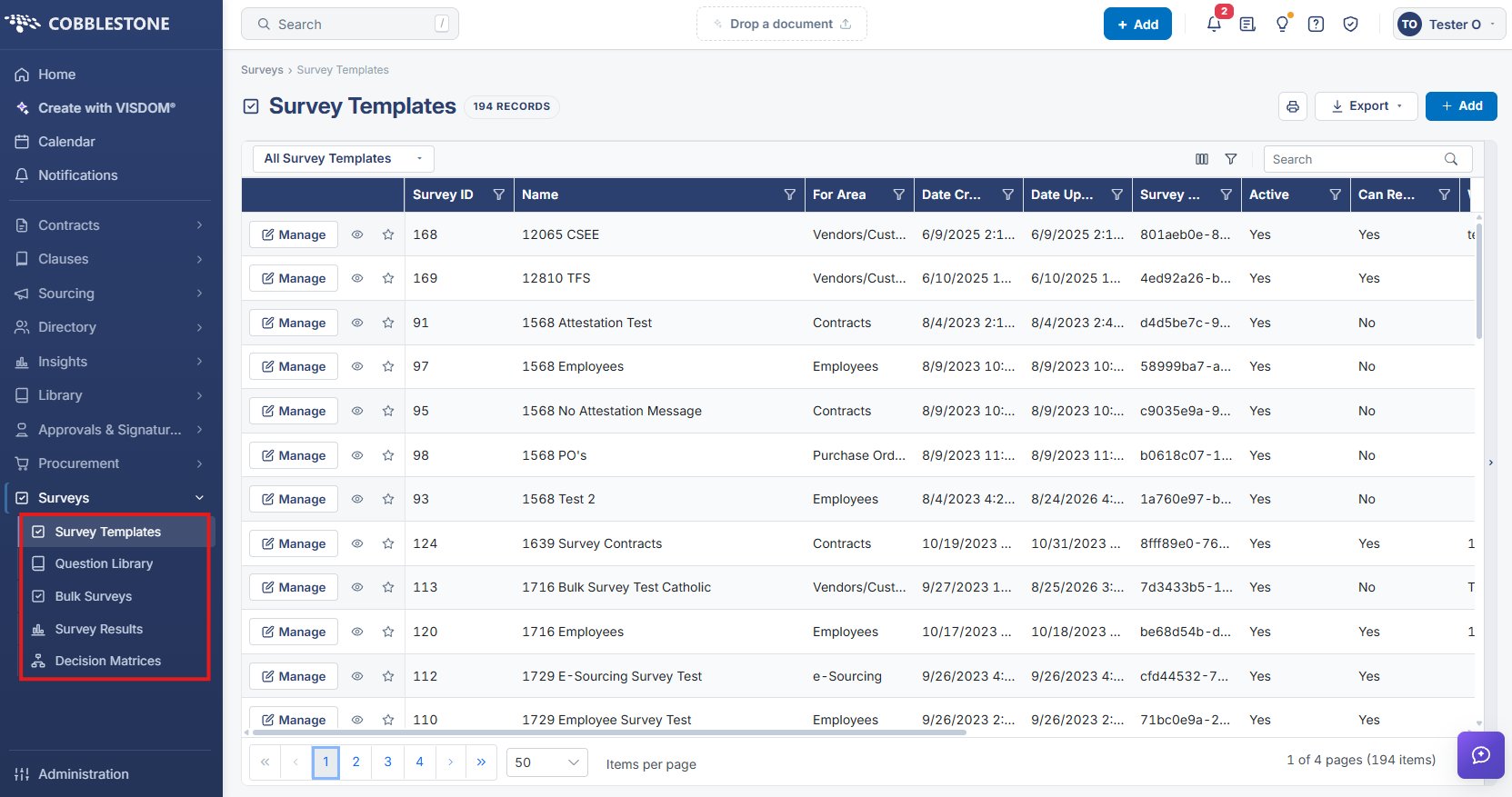
- This is distinct from Survey Templates, which lists the 190 reusable template definitions rather than the instances actually attached to records.