COBBLESTONE SOFTWARE
Contract Insight — User Guide
1. Using an Assigned Decision Tree
12. Surveys & Decision Trees › 1. Decision Trees › 1. Using an Assigned Decision Tree
Note: Each procedure in this guide begins at the Contract Insight homepage, so any section can be followed on its own. Custom fields are configurable, so the exact field list on a contract category record may vary between environments.
1. Overview
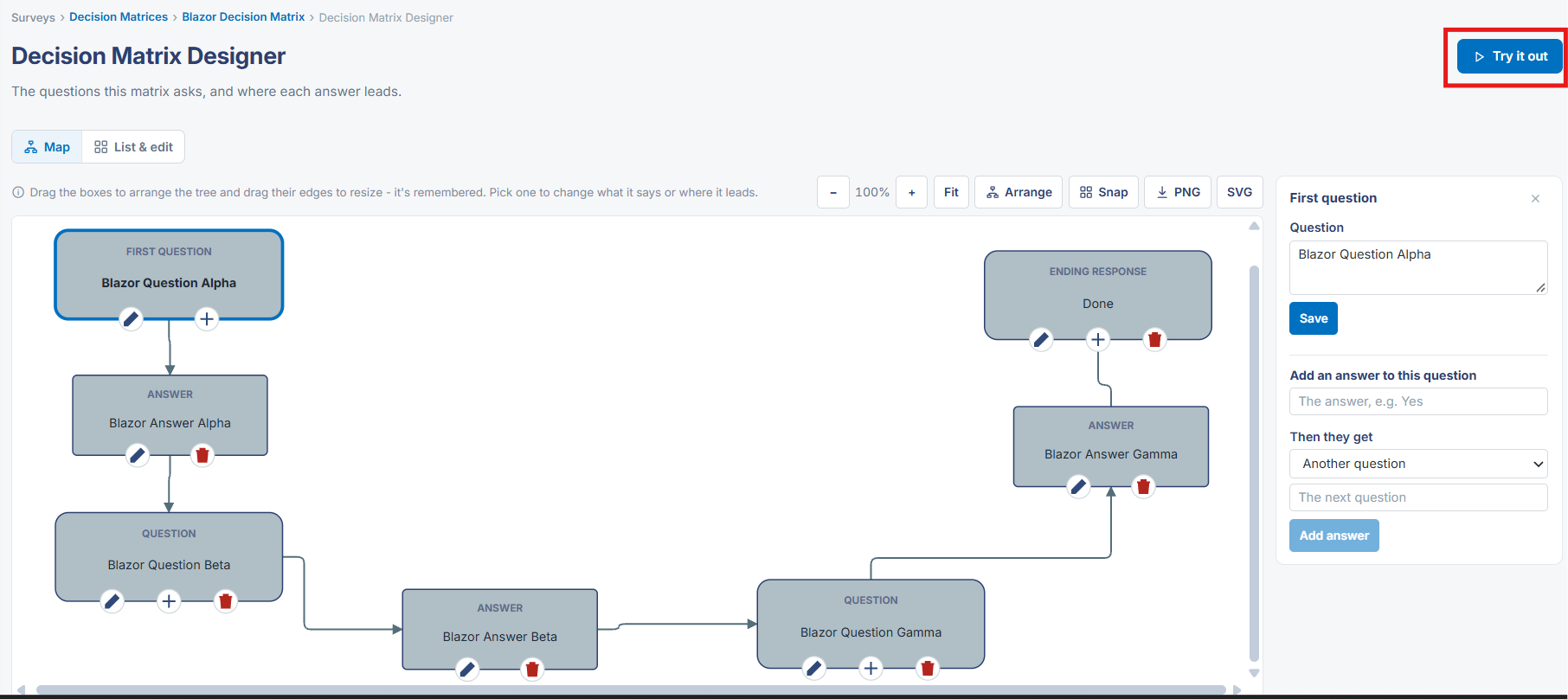
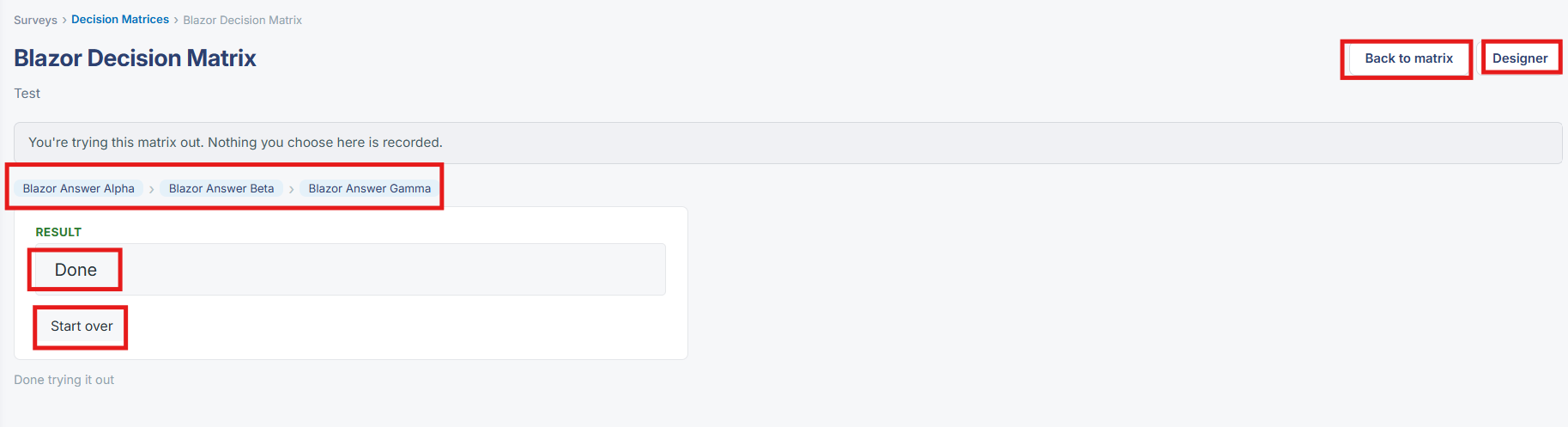
From the Decision Matrix Designer, a "Try it out" button (top-right) opens a live walkthrough of the matrix's question tree: it presents the First Question with its answer choice(s), and choosing an answer advances to whatever question or ending it leads to, exactly following the branches drawn in the Map view. A banner across the top of this walkthrough explicitly states "You're trying this matrix out. Nothing you choose here is recorded," and a "Start over" button restarts from the first question at any point; "Back to matrix" and "Designer" buttons return to the map. This preview mode is the live equivalent of the legacy wiki's guidance on using an assigned decision tree: when a decision matrix is actually assigned to and completed against a real record (rather than tried out from the Designer), the same question-by-question, answer-driven navigation applies, except that choices are recorded as that record's decision-tree responses instead of being discarded.
2. Key Elements
- The Decision Matrix Designer's "Try it out" button opens a step-by-step walkthrough of the matrix, presenting one question at a time and advancing based on the chosen answer.
- A banner in the walkthrough states that nothing chosen there is recorded — this is explicitly a preview/testing mode, not a live response.
- "Start over" restarts the walkthrough from the First Question; "Back to matrix" and "Designer" return to the map view.
- The walkthrough follows exactly the branches configured in the Map view — First Question to Answer to next Question or Ending response.
- When a decision matrix is genuinely assigned to a record (outside this try-it-out preview), the same question-by-question navigation is used to actually record that record's decision-tree responses.