Add Subtable Lines
Adding a Contract: Adding Subtable Data on the Add Screen
Beyond its main field set, a contract record can carry any number of subtables - repeating line-item grids such as Price / Cost Line Items, Budget / Funding Line Items, Checklists / Milestones, and Amendments. The Subtables tab on a contract record lists every subtable configured for that contract type along with how many rows each currently holds, and each subtable supports adding new lines directly within its grid.
● Subtables tab lists all subtables enabled for the record's contract type
● Each subtable shows a running row count next to its name
● Examples seen: Price / Cost Line Items, Budget / Funding Line Items, Checklists / Milestones, Amendments, Vendor Rating
● New rows are added directly inside a subtable's own grid
URL BELOW NEEDS UPDATING
Adding Subtable Lines on the Record Add Screen
1. Add a new record as usual.
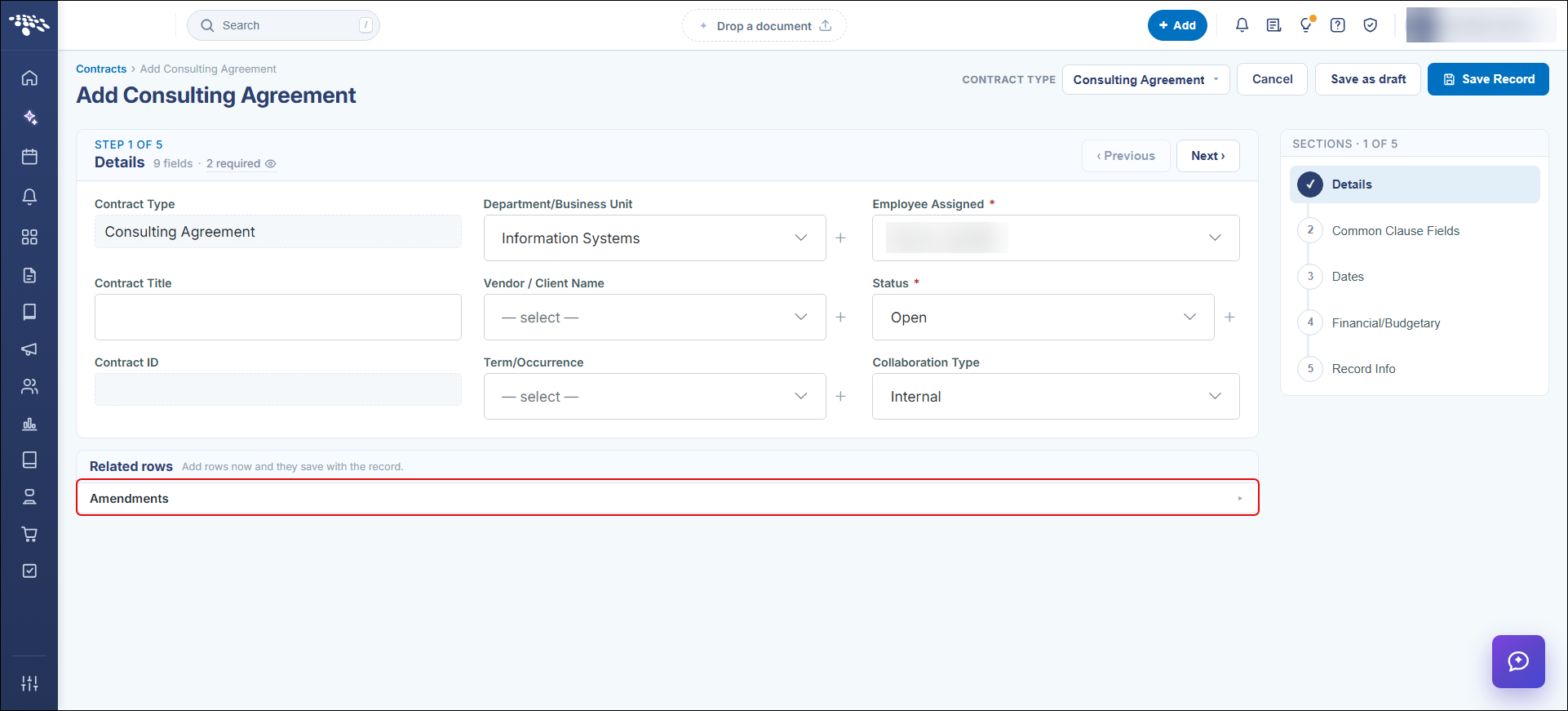
2. At the bottom of the Details section, click the subtable you want to add to under Related rows to expand. If a particular subtable is not available, your system administrator has not enabled it for use on the add screen.
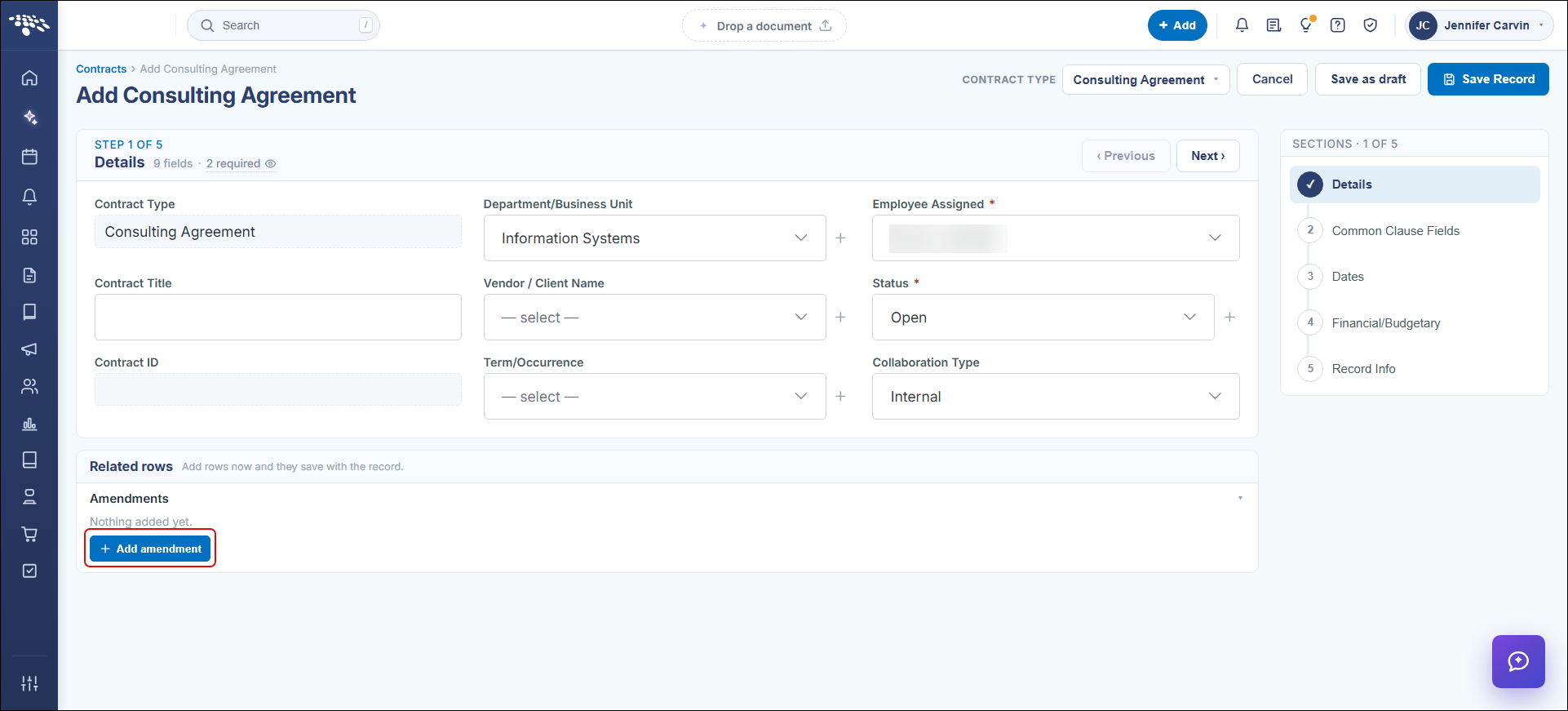
3. Click the Add button.
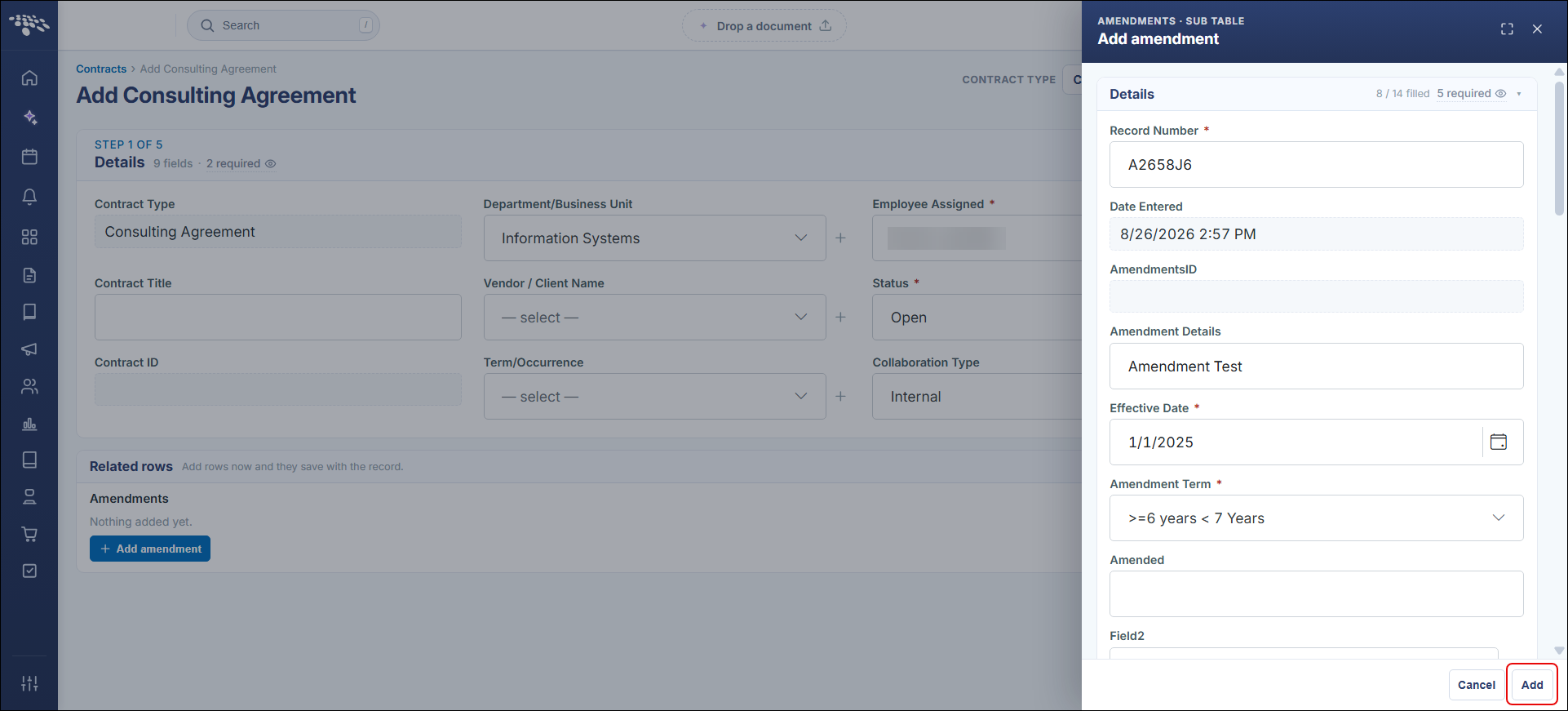
4. The add screen opens from the right. Enter data into all required fields (as marked with a red asterisk (*) in the column header) and all other data available.
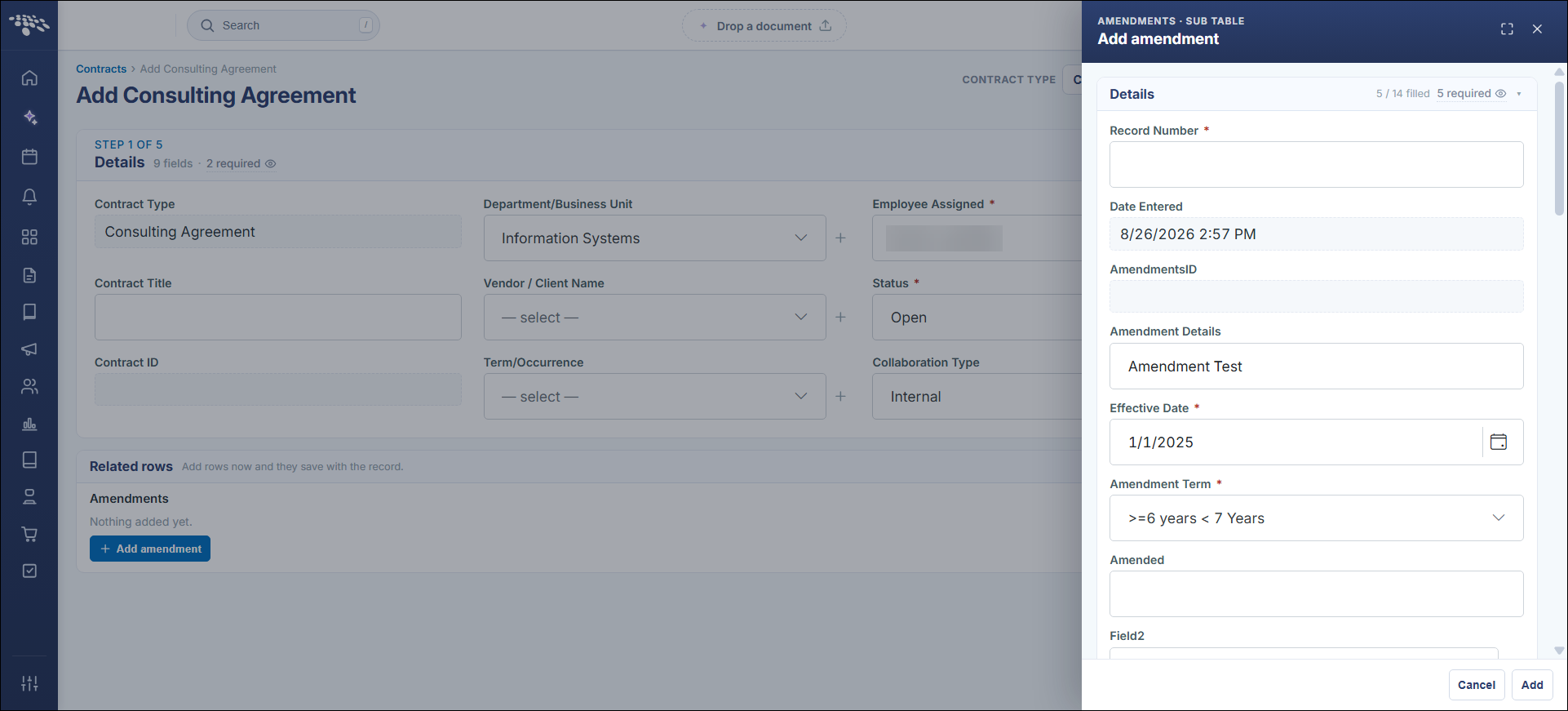
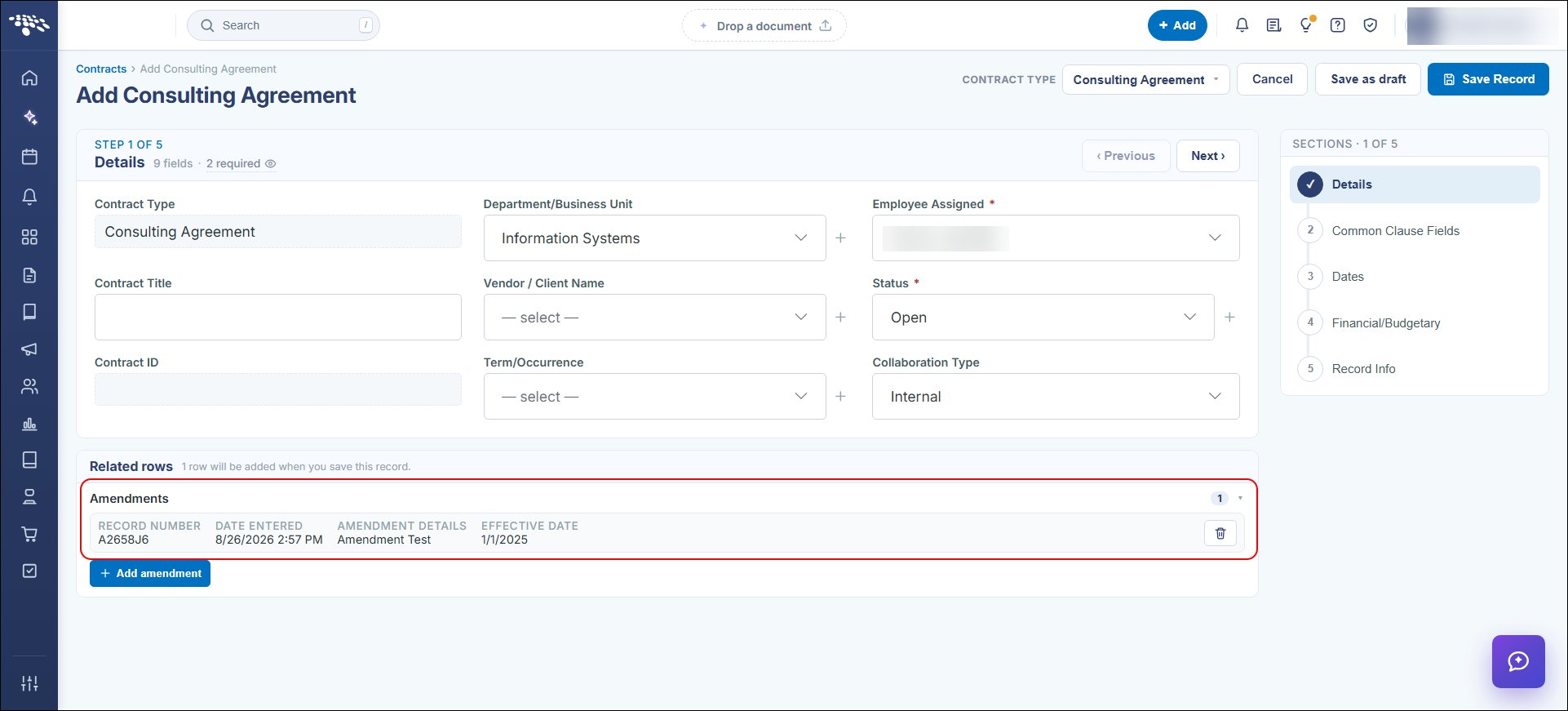
5. When done entering data for the subtable entry, click the Add button and the line entry will be added on the Parent add screen.