COBBLESTONE SOFTWARE
Contract Insight — User Guide
Add a Purchase Order Line Item
Module: Purchase Orders › Purchase Order Line Items › Add a Purchase Order Line Item
Note: Each procedure in this guide begins at the Contract Insight homepage, so any section can be followed on its own. Custom fields are configurable, so the exact field list on a contract category record may vary between environments.
1. Overview
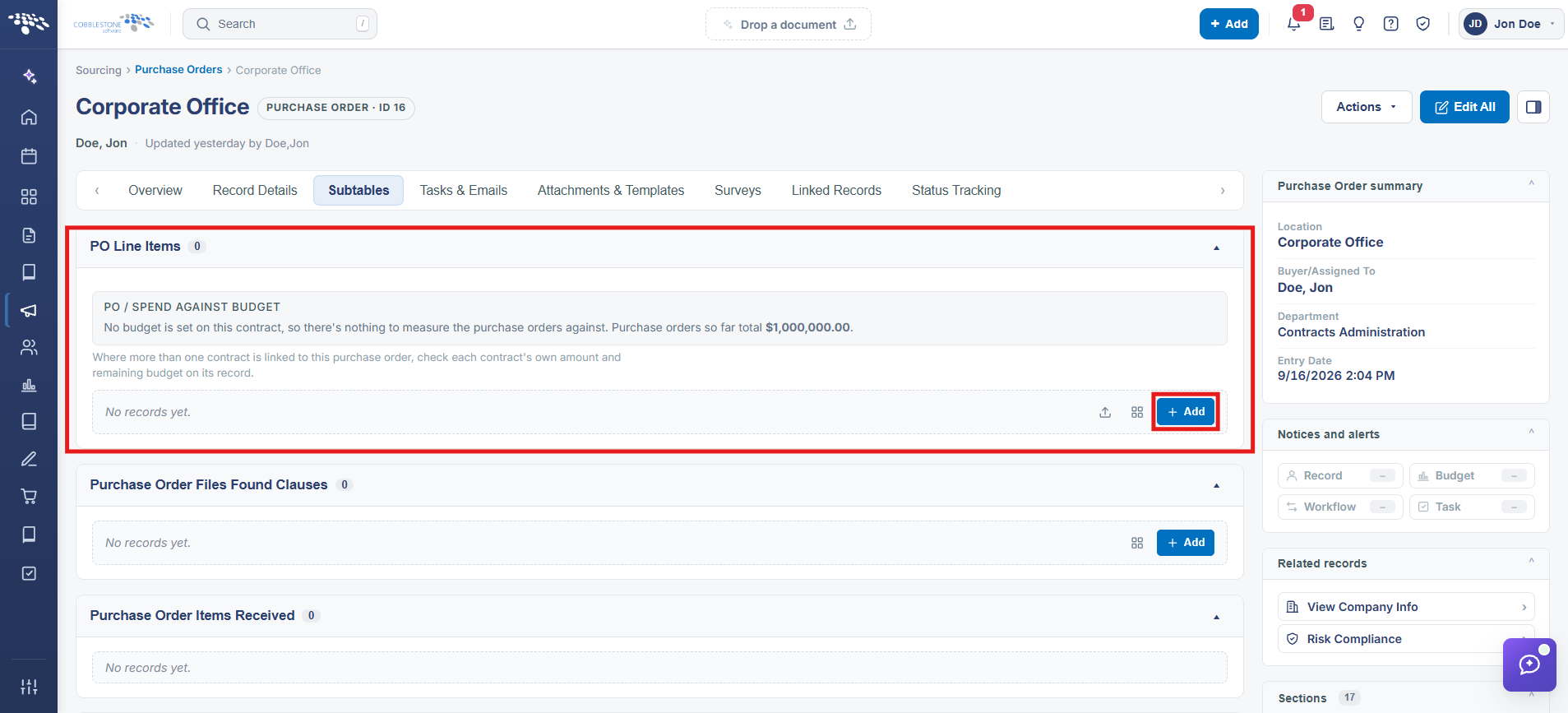
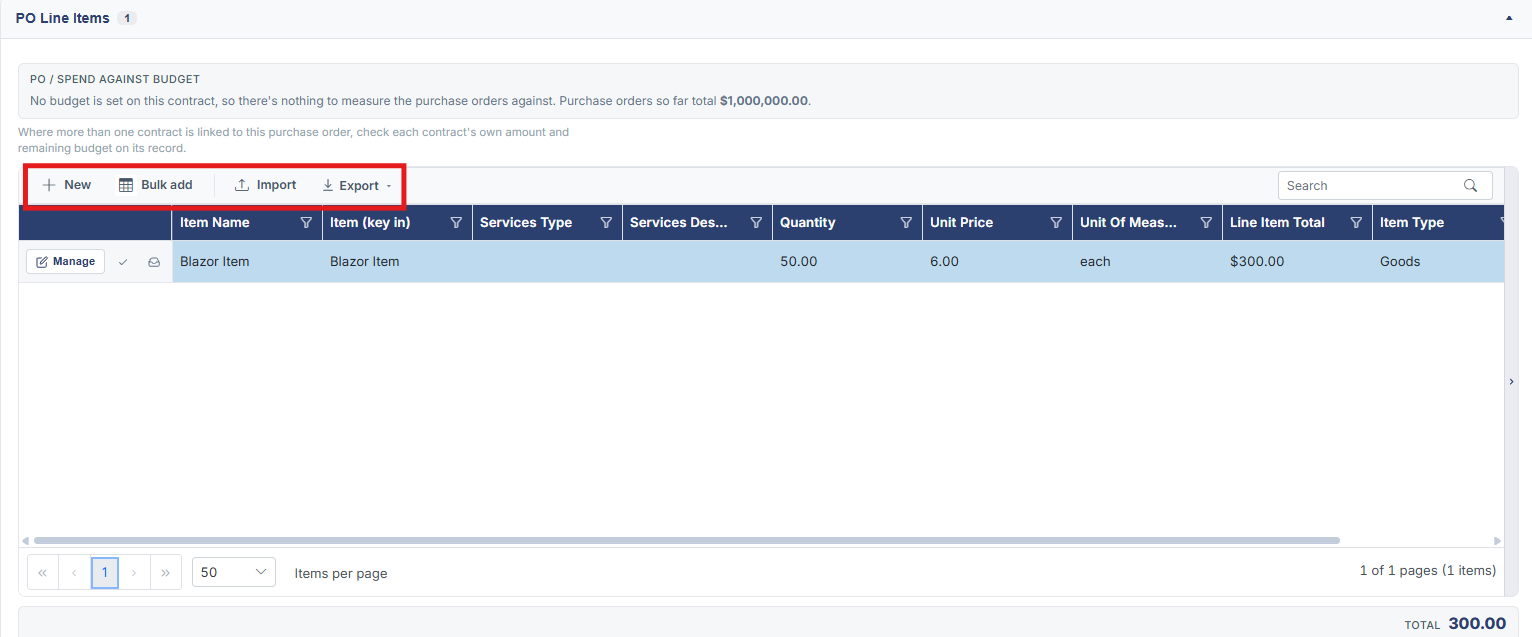
Line items live on a PO's Subtables tab under PO Line Items, a grid with New, Bulk add, Import, and Export controls above it; New opens a blank line item for entry, while Bulk add and Import cover adding many lines at once.
2. Key Elements
- Subtables tab → PO Line Items grid
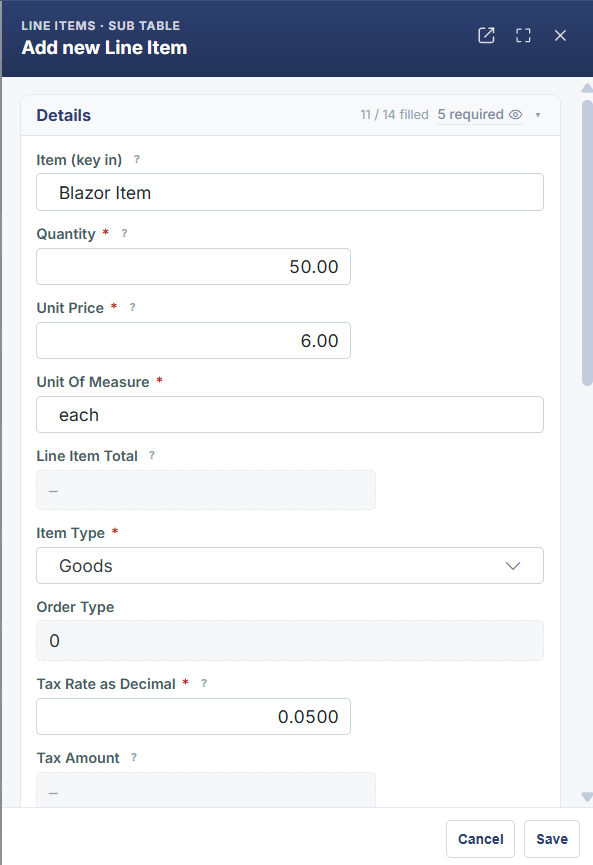
- New adds a single line item
- Bulk add and Import cover adding multiple line items at once
- Columns include Item (key in), Quantity, Unit Price, Order Type, Unit of Measure, and Line Item Total