COBBLESTONE SOFTWARE
Contract Insight — User Guide
5. Solicitation Tasks & Alerts
Module: Solicitations › Solicitations › 5. Solicitation Tasks & Alerts
Note: Each procedure in this guide begins at the Contract Insight homepage, so any section can be followed on its own. Custom fields are configurable, so the exact field list on a contract category record may vary between environments.
1. Overview
A solicitation's Tasks & Emails tab has a Tasks section ("Tasks and Workflows") listing every task on the record — 65 tasks on the example reviewed, with a completion bar ("4% complete, 63 tasks remaining as of today"), a Show auto-complete tasks checkbox, New and Export controls, and columns for Task Name, Status, Employee, and Start Date. Each row has a Task action menu and an inline edit icon, matching the legacy description of adding a task, assigning a responsible employee, and setting dates.
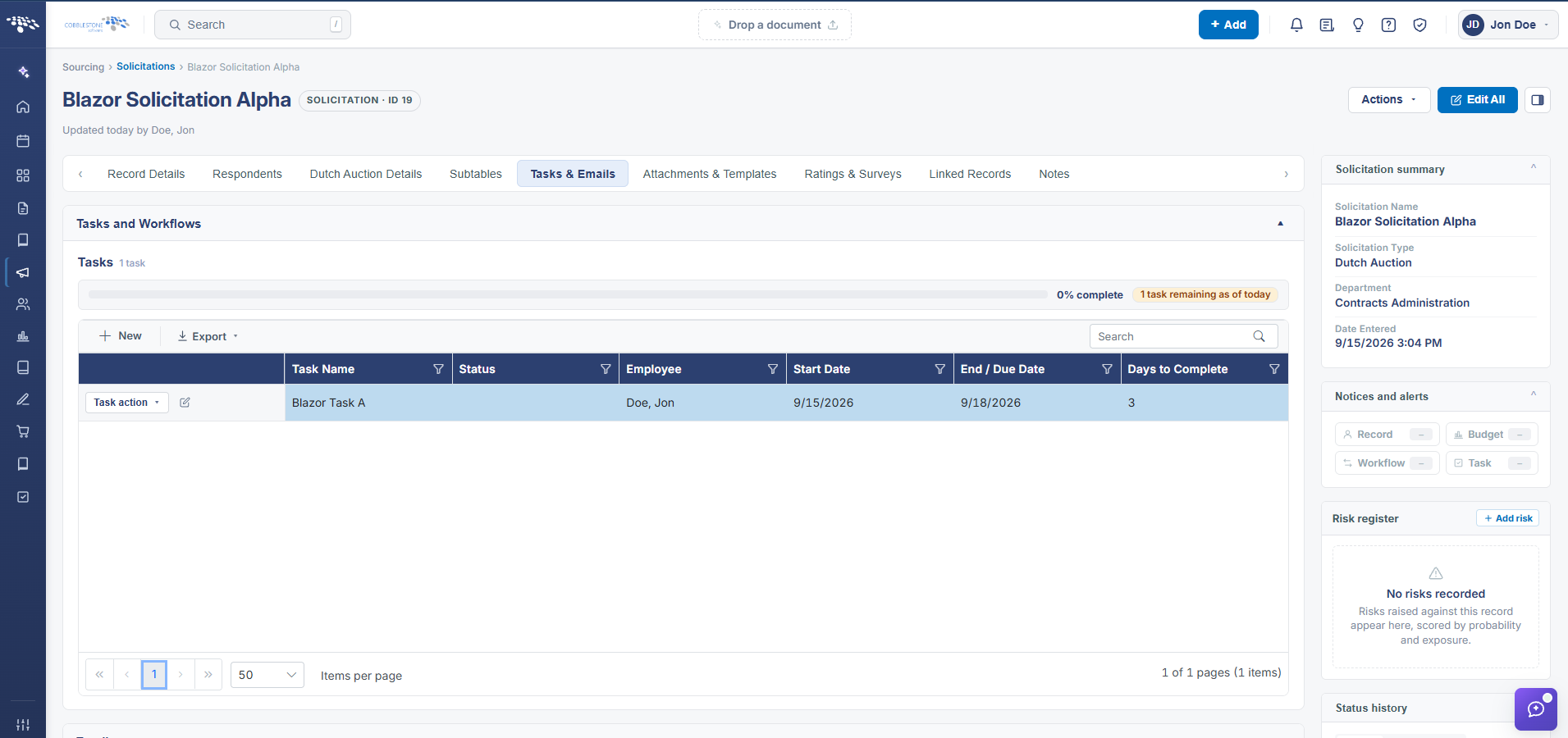 Solicitation Details - Task and Emails
2. Key Elements
- Tasks & Emails tab > Tasks section lists every task with Status, assigned Employee, and Start Date
- A completion bar and "remaining as of today" count summarize open work at a glance
- New creates a task directly on the record; Export downloads the full task list
- Each row's Task action menu and edit icon open that task for status changes or edits
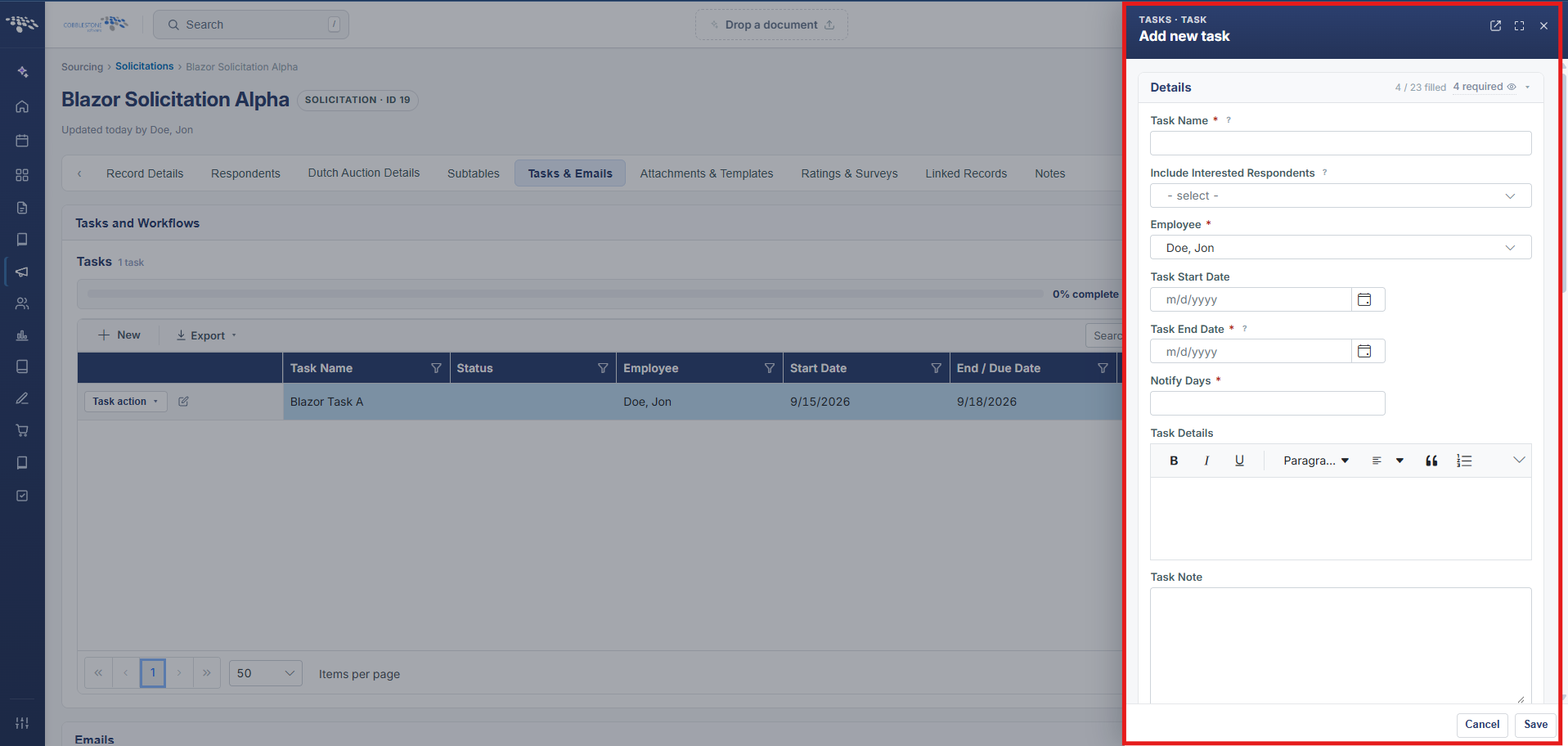 Task & Emails - Create New
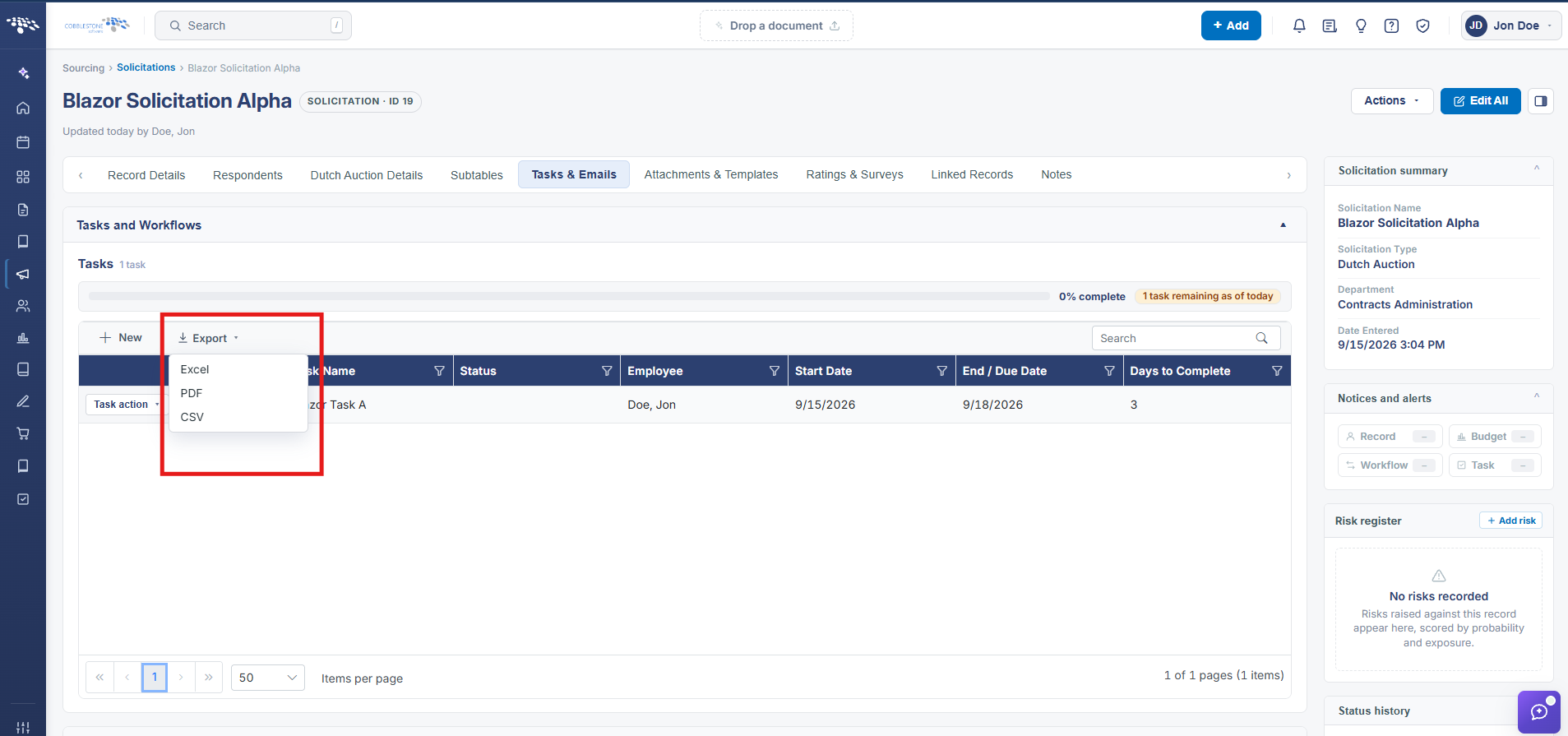 Tasks and Emails - Export
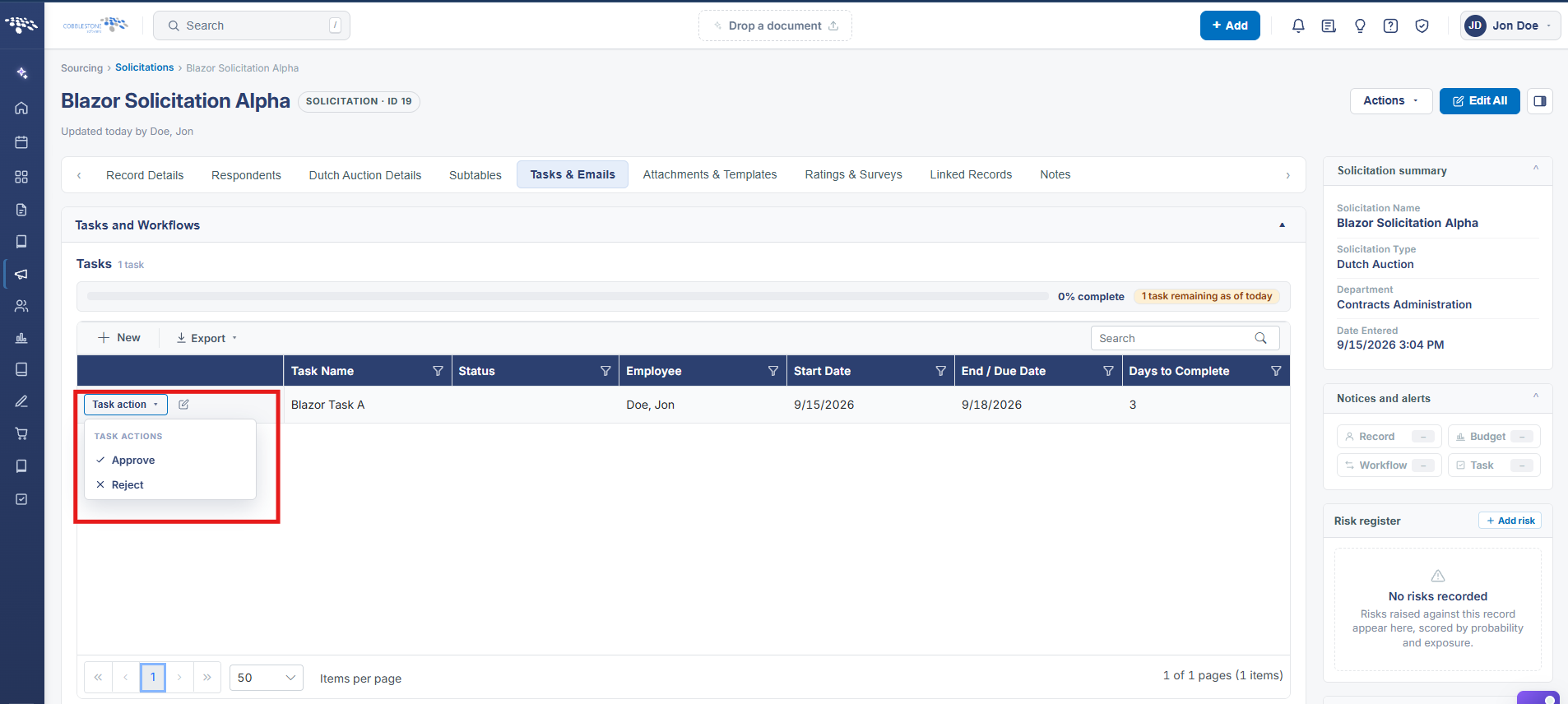 Task and Emails - Task Action