COBBLESTONE SOFTWARE
Contract Insight — User Guide
4. Managing & Editing a Solicitation Record
Module: Solicitations › Solicitations › 4. Managing & Editing a Solicitation Record
Note: Each procedure in this guide begins at the Contract Insight homepage, so any section can be followed on its own. Custom fields are configurable, so the exact field list on a contract category record may vary between environments.
1. Overview
A solicitation's Record Details tab is organized into named sections — Details (20 fields), Dates, Dutch Auction Settings, Projected Contract Data, Record Info, plus any environment-specific custom sections — each independently editable via its own pencil (Edit) icon, or all at once via the page-level Edit All button. The right-hand Solicitation summary panel mirrors the record's key identifying fields (Bid Name, Invitation Type, Bid Type, Department/Business Unit, Date Entered), and a Sections list lets staff jump directly to any of the record's 57 sections (on the example reviewed), including every subtable.
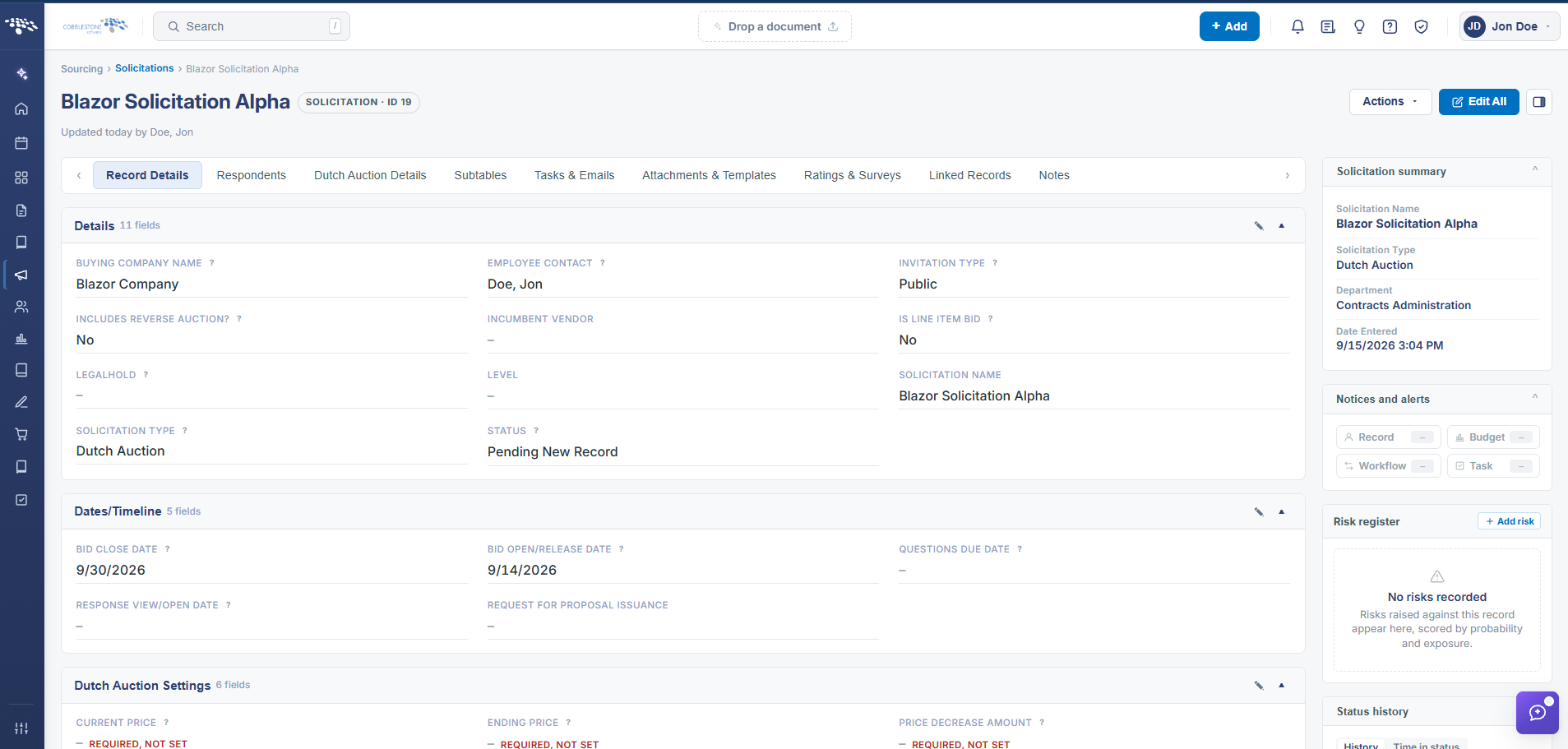 Solicitations Details
2. Key Elements
- Record Details tab groups fields into named, independently-editable sections (Details, Dates, Dutch Auction Settings, Projected Contract Data, Record Info, and more)
- Edit All (top of the page) opens every section for editing at once; each section also has its own inline Edit pencil
- The right-hand Solicitation summary panel always shows the record's core identifying fields regardless of which tab is open
- The Sections panel lists all sections and subtables on the record (57 on the example reviewed) with a filter box to jump directly to one
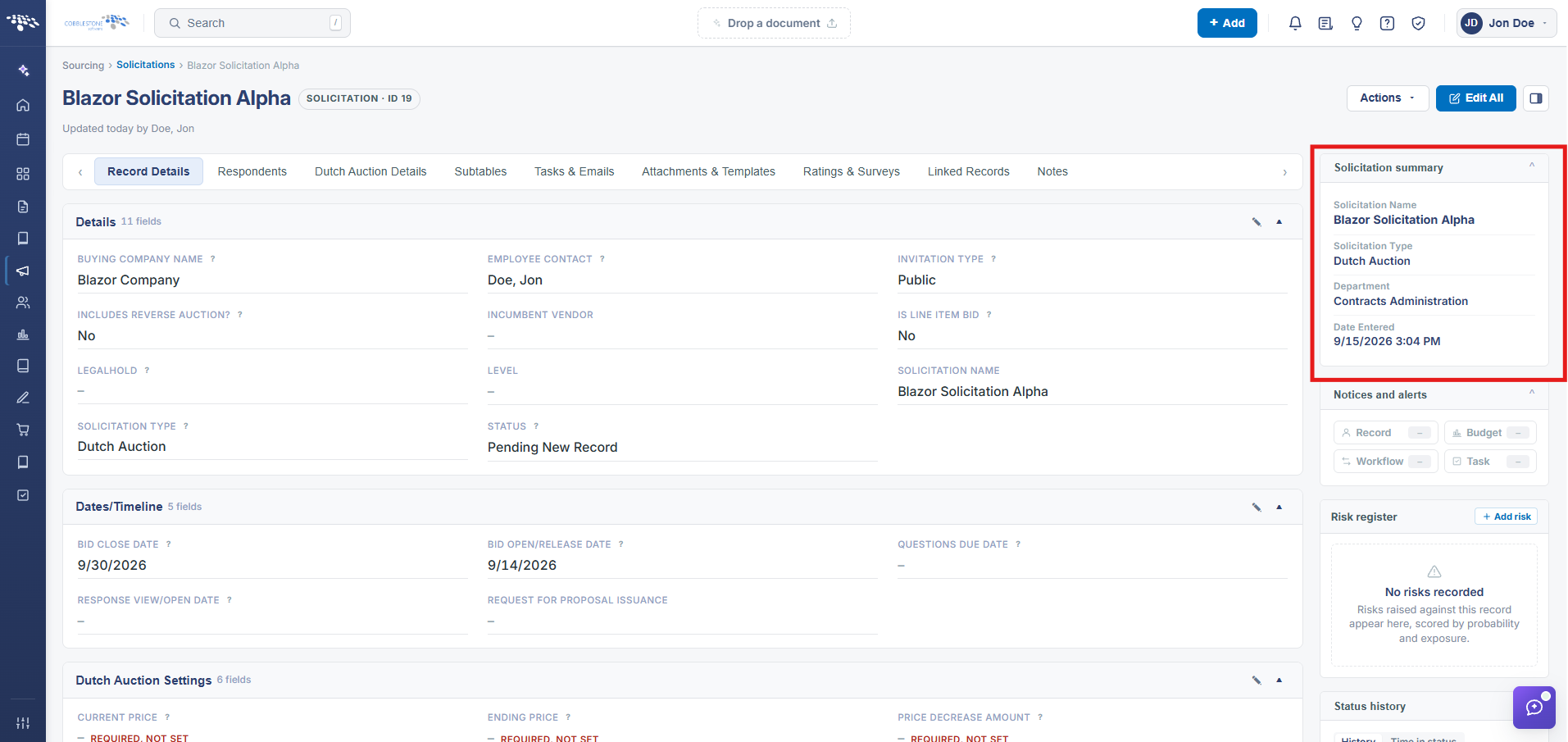 Solicitation Summary
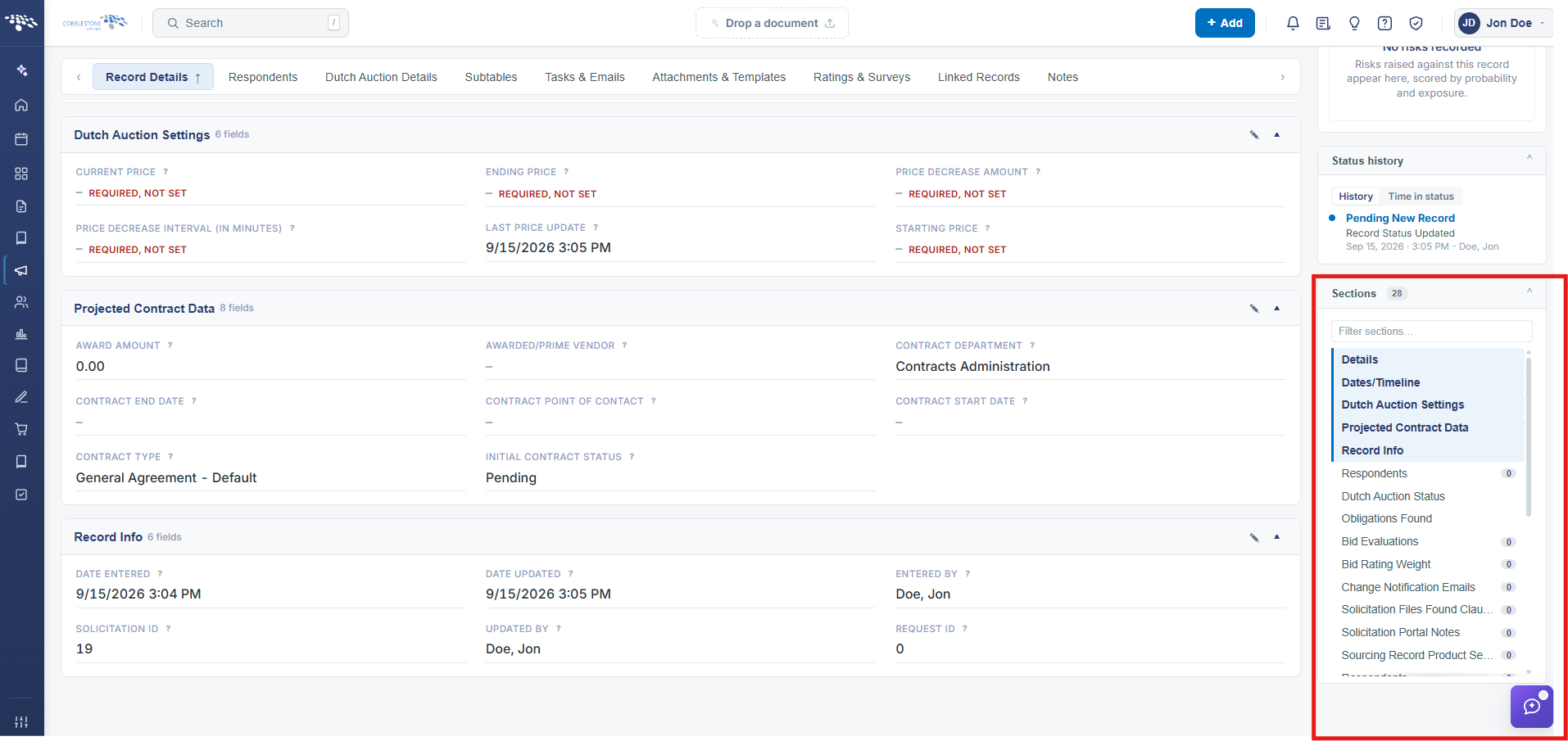 Solicitations Sections