COBBLESTONE SOFTWARE
Contract Insight — User Guide
3. Survey List
12. Surveys & Decision Trees › 2. Surveys/Questionnaires › 3. Survey List
Note: Each procedure in this guide begins at the Contract Insight homepage, so any section can be followed on its own. Custom fields are configurable, so the exact field list on a contract category record may vary between environments.
1. Overview
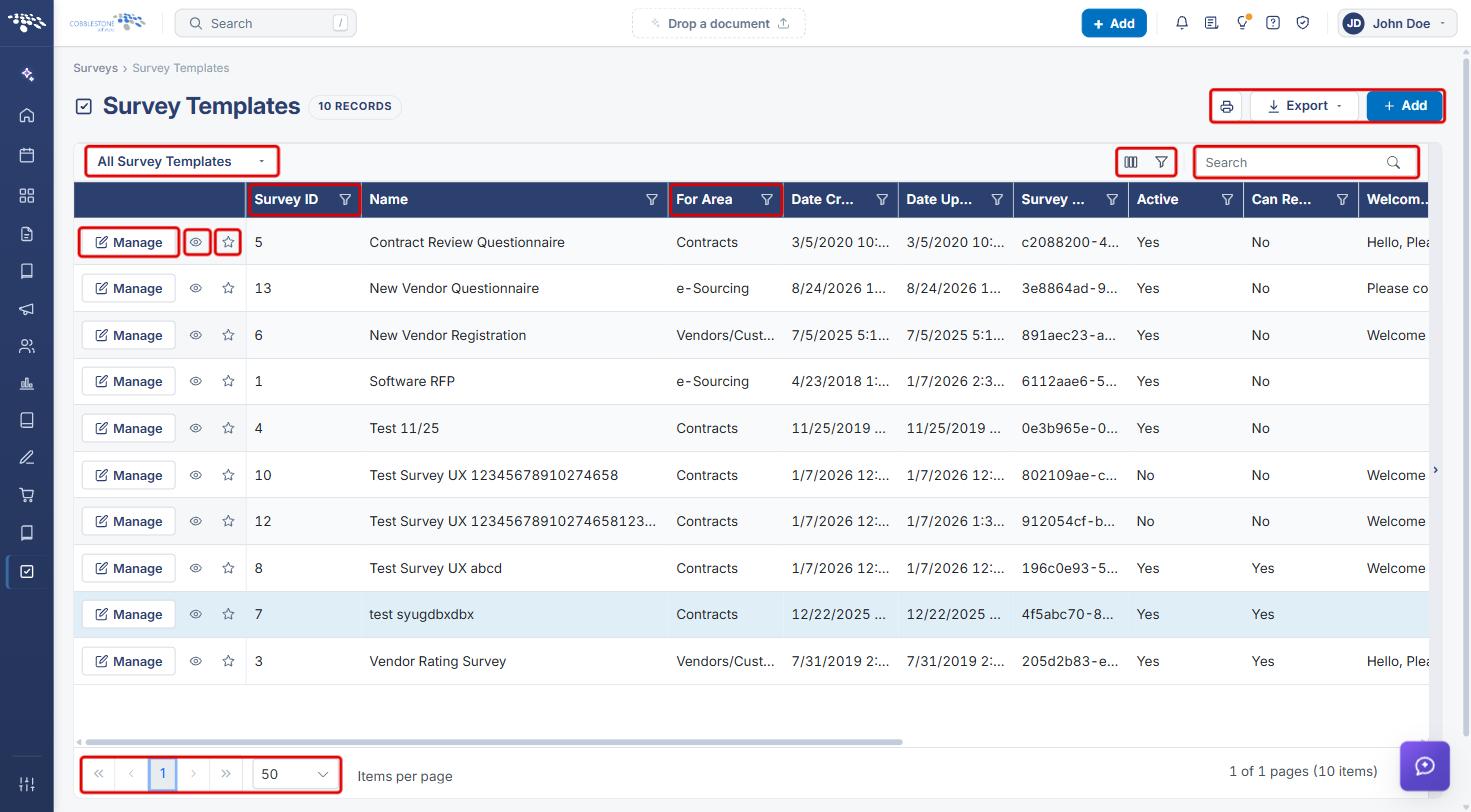
Surveys › Survey Templates is the master list of every survey template configured in Contract Insight. The record count next to the title shows how many templates exist. Each row shows the template's Survey ID, Name, For Area (the record type it is used with, such as Contracts, e-Sourcing or Vendors/Customers), Date Created, Date Updated, Survey GUID and Active status, plus further columns for the template's messages and notification settings.
Like other list screens, the Survey Templates list has a view selector, a column chooser, column and multi-field filters, a keyword Search, Print and Export, and pagination. Each row's Manage button opens the template for editing, the Preview (eye) icon shows its details in a side panel, and the star adds it to your favorites.
2. Key Elements
- View selector: All Survey Templates or My favorites.
- Columns: Survey ID, Name, For Area, Date Created, Date Updated, Survey GUID, Active, Can Respondents See Scores, Welcome Message, Welcome Back Message, Attestation Message, EnteredBy, UpdatedBy, Notification Subject, Notification Body and Notification Skin.
- List tools: Choose which fields this list shows (columns icon), Filter on several fields at once (filter icon), a filter icon on each column header, and Search.
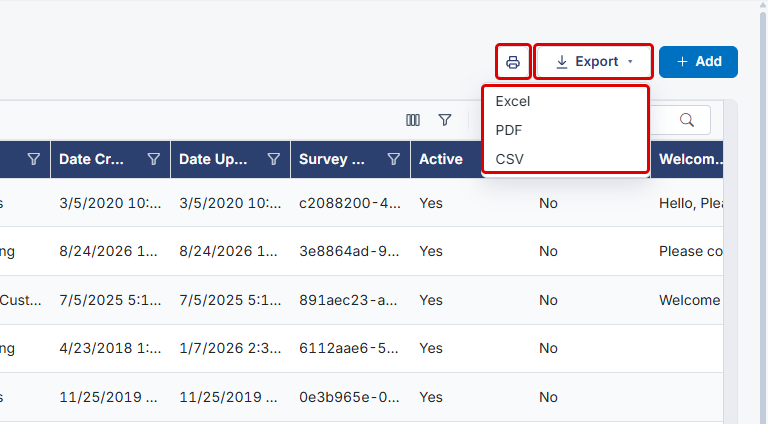
- Print and Export (Excel, PDF or CSV), plus Add to create a new template.
- Row actions: Manage, Preview (eye icon) and Add to your favorites (star icon).
- Pagination: page buttons and an Items per page drop-down at the bottom of the list.
Note: This list holds the reusable templates. Surveys actually attached to records are listed under Surveys › Survey Results.
3. Opening the Survey Templates List
- From the Contract Insight homepage, hover over the Surveys icon in the left navigation bar.
- Select Survey Templates.
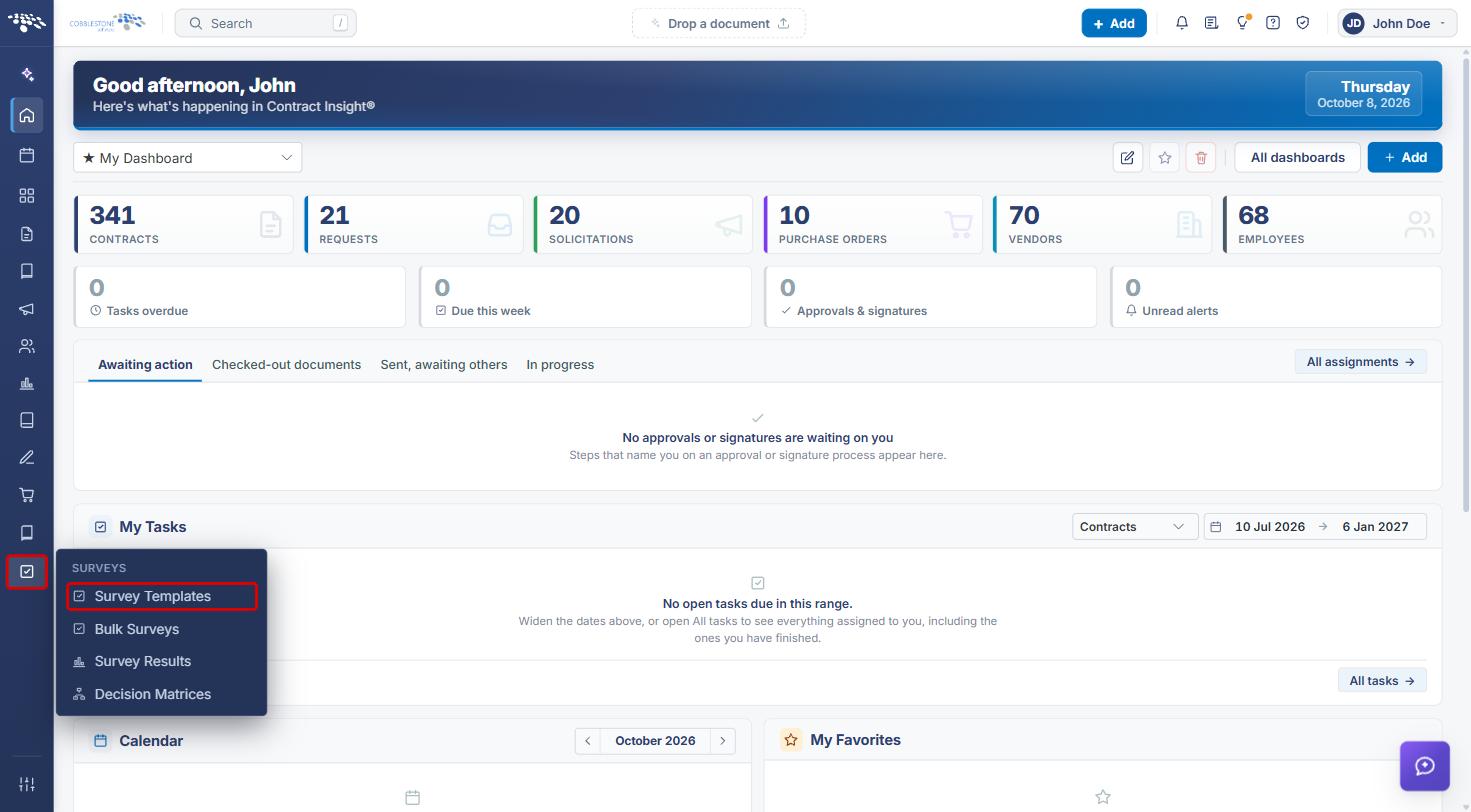
- The Survey Templates list opens. Use the view selector to switch between All Survey Templates and My favorites.
- Type in Search to find a template by keyword, or click the filter icon on a column header (for example, For Area) to filter by that column.
- Use the page buttons and Items per page at the bottom to move through long lists.
4. Choosing the Columns Displayed
- On the Survey Templates list, click the Choose which fields this list shows (columns) icon.
- In the Fields window, clear a field to hide it from your view, or select it to show it. Use Select / unselect all to change every field at once.
- Click Apply, or Cancel to close without changes. Click Reset to default to return to the standard columns.
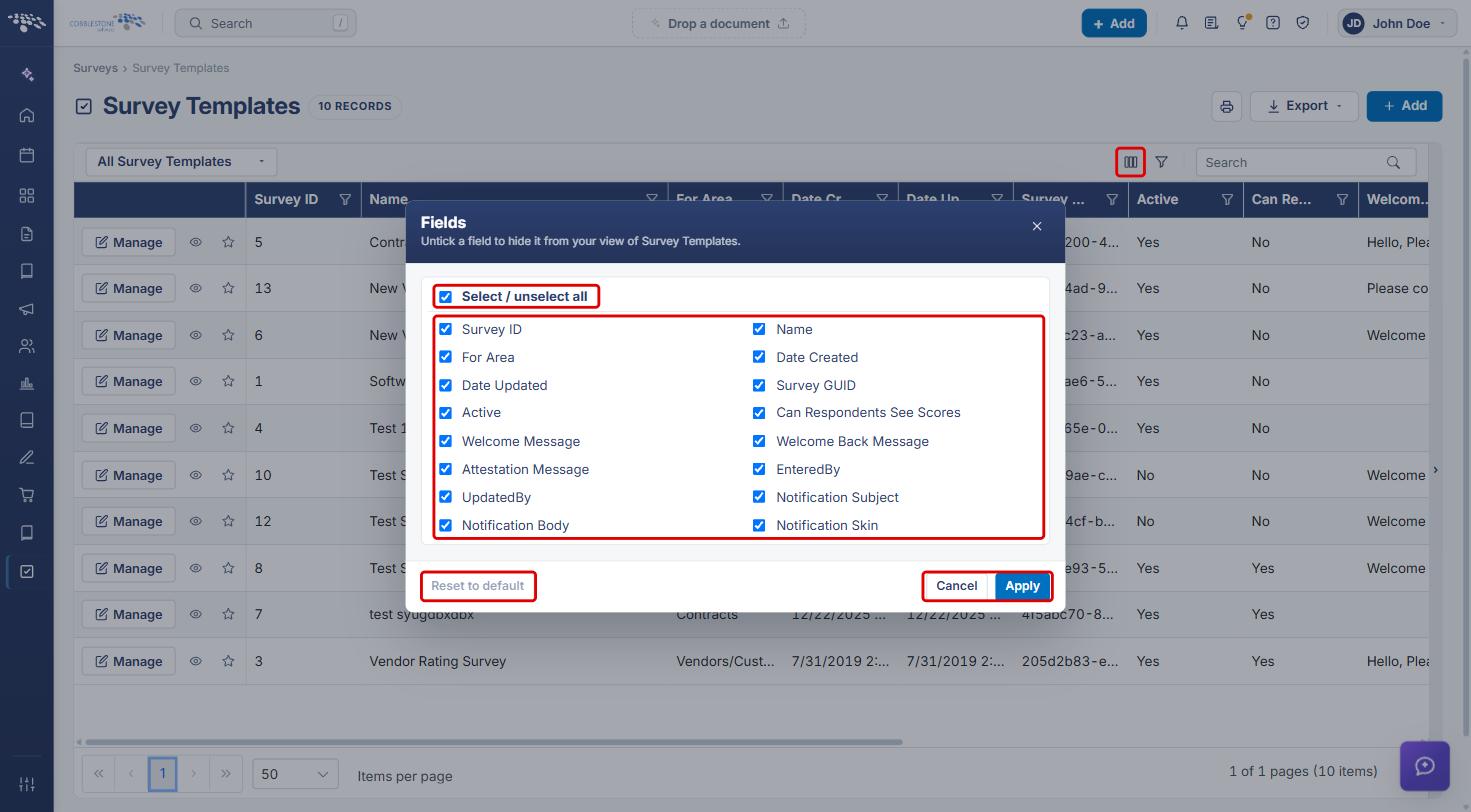
Note: Column choices apply only to your own view of the list.
5. Previewing a Survey Template
- On the Survey Templates list, click the Preview (eye) icon on a row.
- Review the template's details in the side panel, including Name, For Area, Active, the welcome and attestation messages, and whether respondents can see scores.
- Click Edit to change the template, or Done to close the panel. Use the icons at the top right to open the template as a full page, widen the panel, or close it.
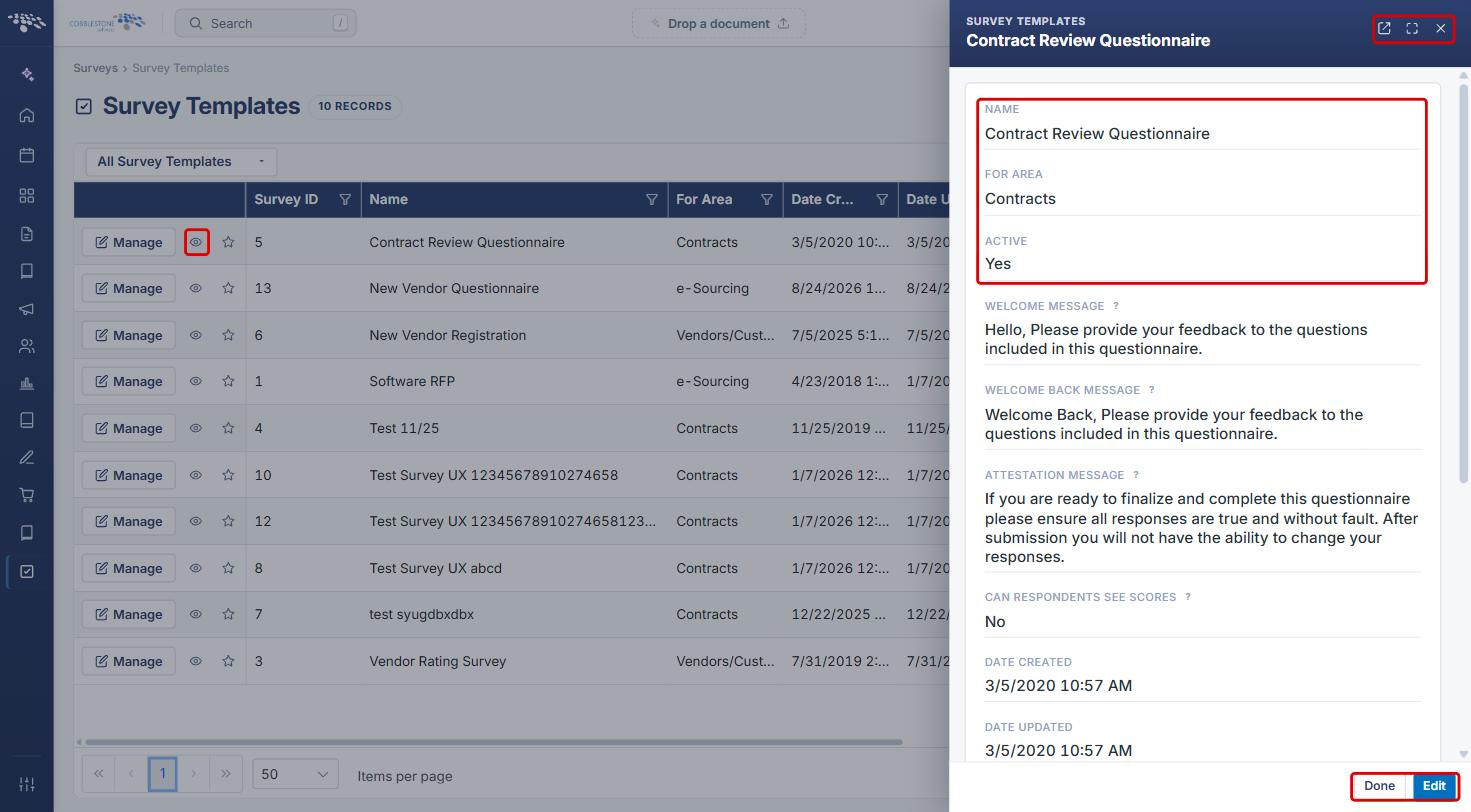
Tip: To open the template's full record directly, click Manage on its row instead.
6. Printing or Exporting the List
- On the Survey Templates list, apply any view, search or filters you need. The output follows what the list is showing.
- Click the Print this list icon to print, or click Export and choose Excel, PDF or CSV.
7. Quick Reference Summary
| Task | Where / How |
|---|---|
| Open the list | Surveys › Survey Templates |
| Show only favorites | View selector › My favorites |
| Find a template | Search box, or the filter icon on a column header |
| Choose columns | Columns icon › tick/untick fields › Apply |
| Preview a template | Preview (eye) icon › Done |
| Edit a template | Manage, or Preview › Edit |
| Create a template | Add |
| Print or export | Print this list icon, or Export › Excel / PDF / CSV |