COBBLESTONE SOFTWARE
Contract Insight — User Guide
2. Solicitations Portal Overview
Module: Solicitations › Solicitation Portal › 2. Solicitations Portal Overview
Note: Each procedure in this guide begins at the Contract Insight homepage, so any section can be followed on its own. Custom fields are configurable, so the exact field list on a contract category record may vary between environments.
1. Overview
This legacy page's own body content was unavailable even in the source wiki, so this entry grounds it against the confirmed live equivalents instead of a lost original. The external-facing Solicitations Portal is part of the Vendor/Client Gateway (VCG), whose overview and navigation are covered in this guide's Vendor/Client Gateway module ("Solicitations Portal Introduction" and "Navigating the Solicitations Portal"). What is specific to this wave's review: every solicitation record carries a GatewayURL field (e.g. pointing to vendorclientgatewaySolicitationSearch.aspx), and Administration > Vendor/Client Gateway (VCG) > Settings has dedicated toggles governing solicitation visibility on the portal, including Allow Solicitations Calendar Buttons (On) and Allow Viewing of Interested Parties (Off in this environment), confirming the portal-side solicitation experience is still actively configurable.
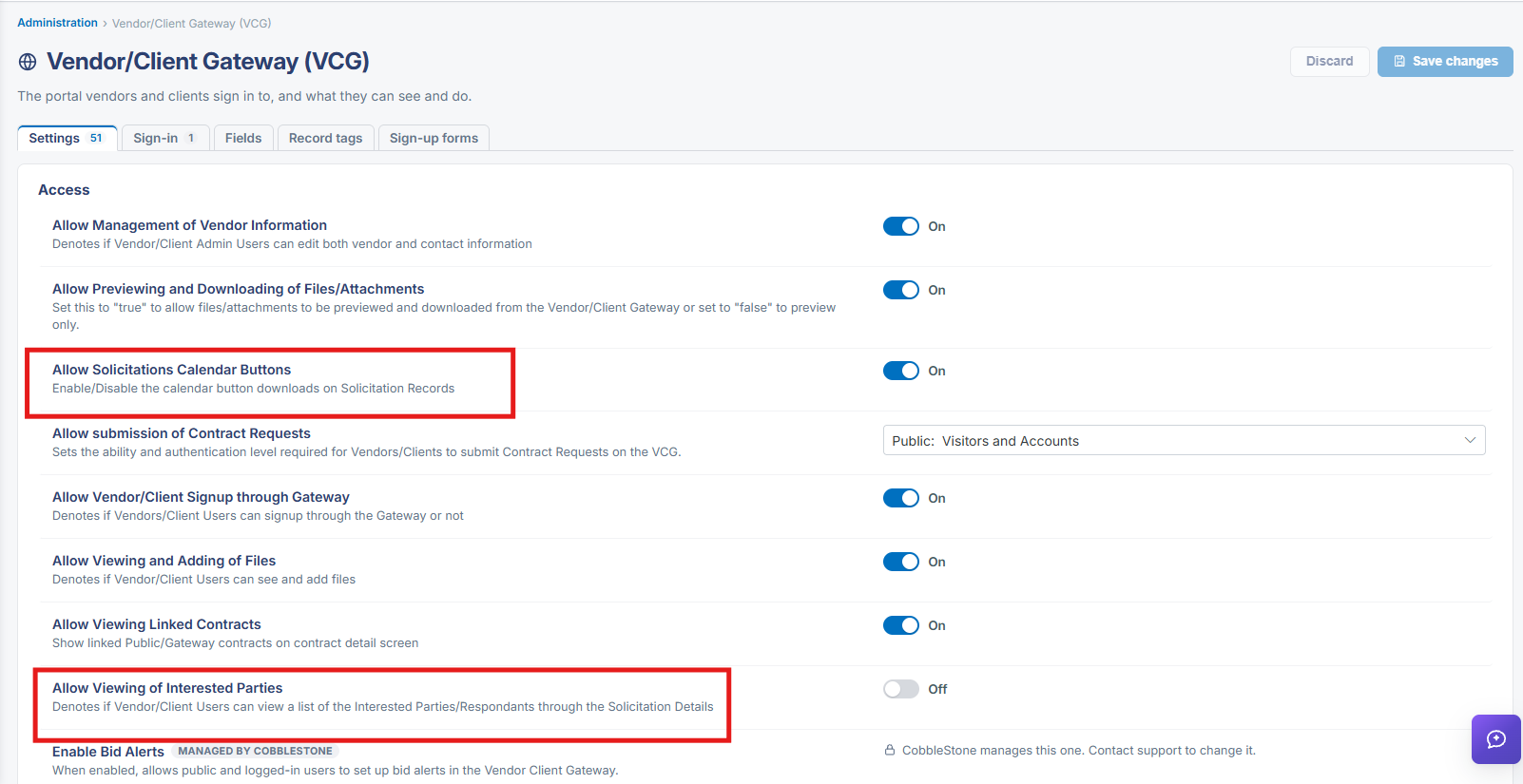 Vendor/Client Gateway Setting
2. Key Elements
- See this guide's Vendor/Client Gateway module for the full portal overview and navigation topics
- Every solicitation's Record Details includes a GatewayURL field pointing to its public/portal search page
- Administration > Vendor/Client Gateway (VCG) > Settings > Allow Solicitations Calendar Buttons controls whether calendar download buttons show on solicitation records viewed via the portal
- Allow Viewing of Interested Parties controls whether a Gateway user can see the list of Respondents on a solicitation (Off by default in this environment)