COBBLESTONE SOFTWARE
Contract Insight — User Guide
1. Solicitations Portal Introduction
Module: Solicitations › Solicitation Portal › 1. Solicitations Portal Introduction
Note: Each procedure in this guide begins at the Contract Insight homepage, so any section can be followed on its own. Custom fields are configurable, so the exact field list on a contract category record may vary between environments.
1. Overview
Solicitations are one of the Gateway's core modules: the gateway-side menu's Solicitations group (tagged Modules_SMM) gives a vendor or client My Solicitations, Search All Solicitations, Search Public Solicitations, Search Upcoming Solicitations, and Search Closed Solicitations, letting a respondent find and track bid opportunities without needing access to the internal Sourcing workspace.
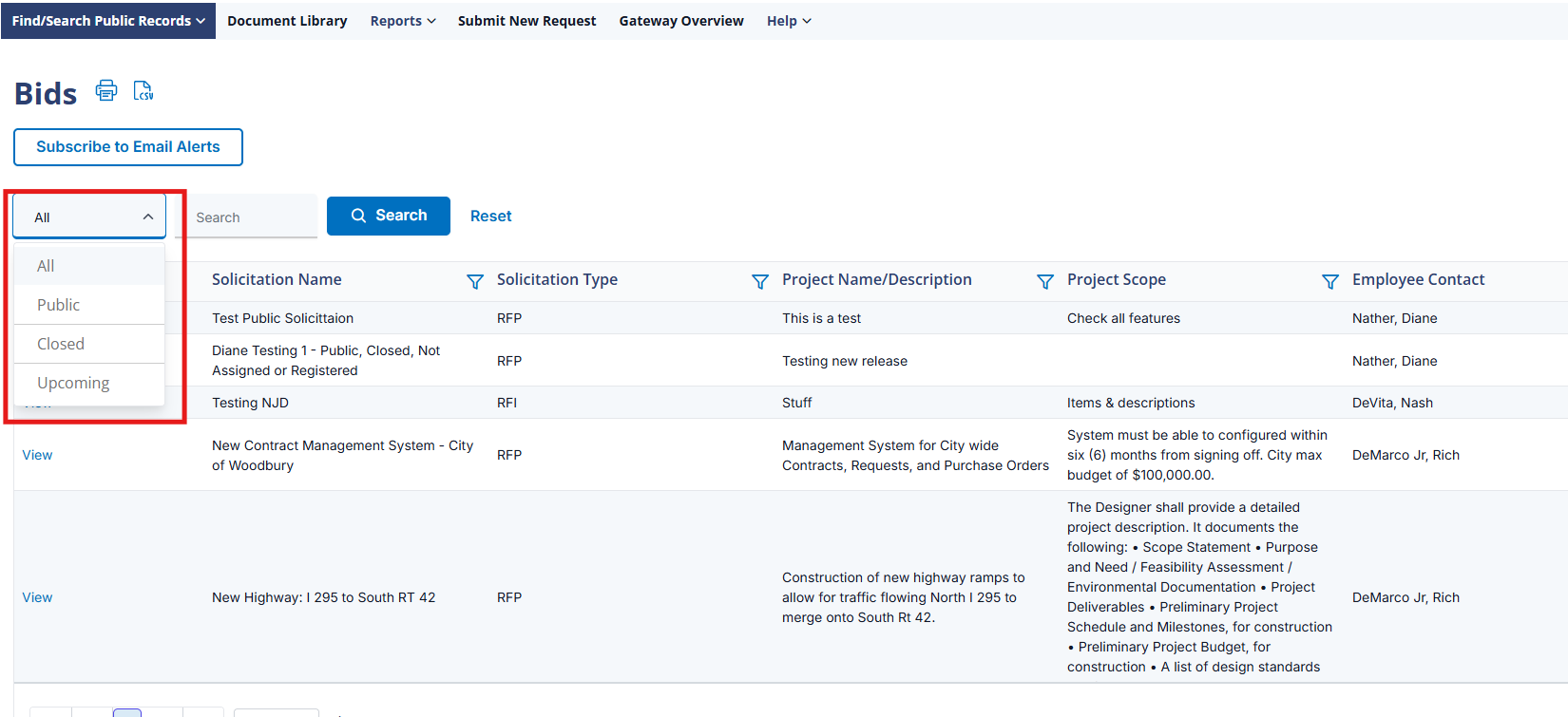 Public Portal
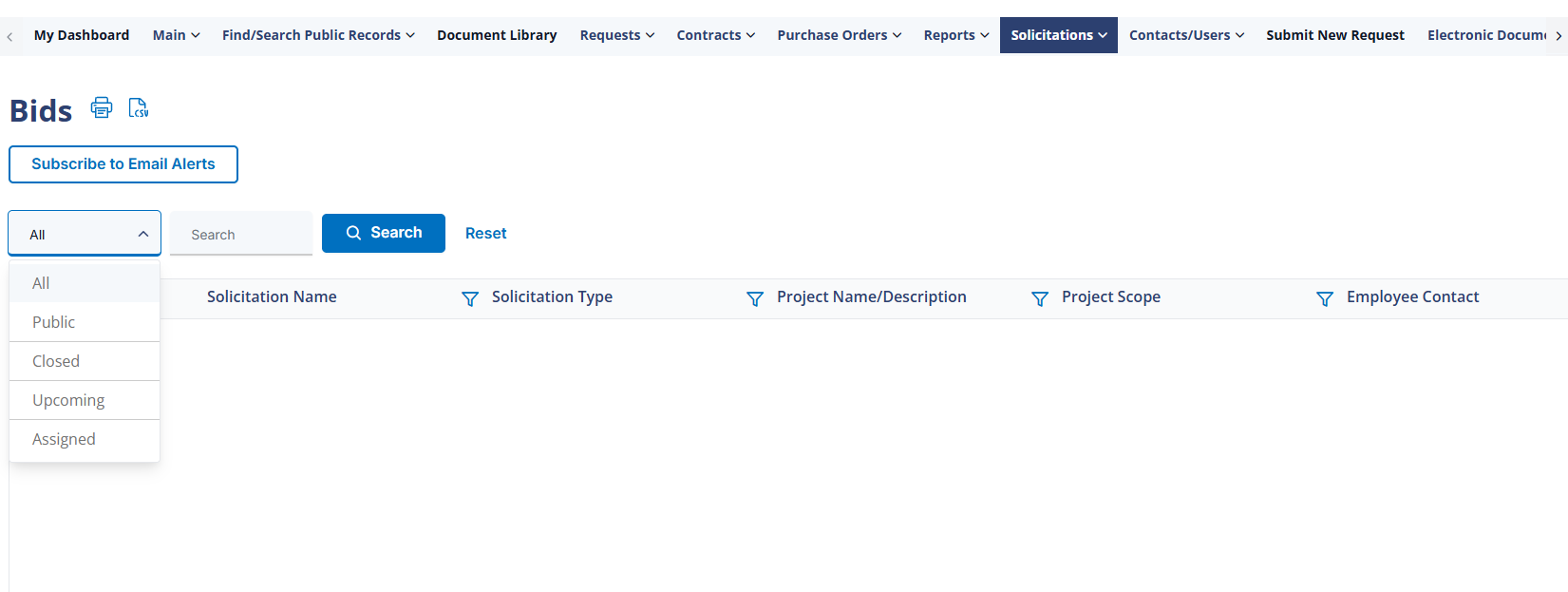 Signed In Portal
 2. Key Elements
- The gateway-side Solicitations menu group is tagged Modules_SMM, distinct from the internal Sourcing module
- My Solicitations lists what a signed-in respondent is already tracking or has responded to
- Search Public, Search Upcoming, and Search Closed Solicitations split opportunities by status for browsing without an account
- Allow Solicitations Calendar Buttons (VCG Settings → Access) controls whether calendar-download buttons appear on solicitation records
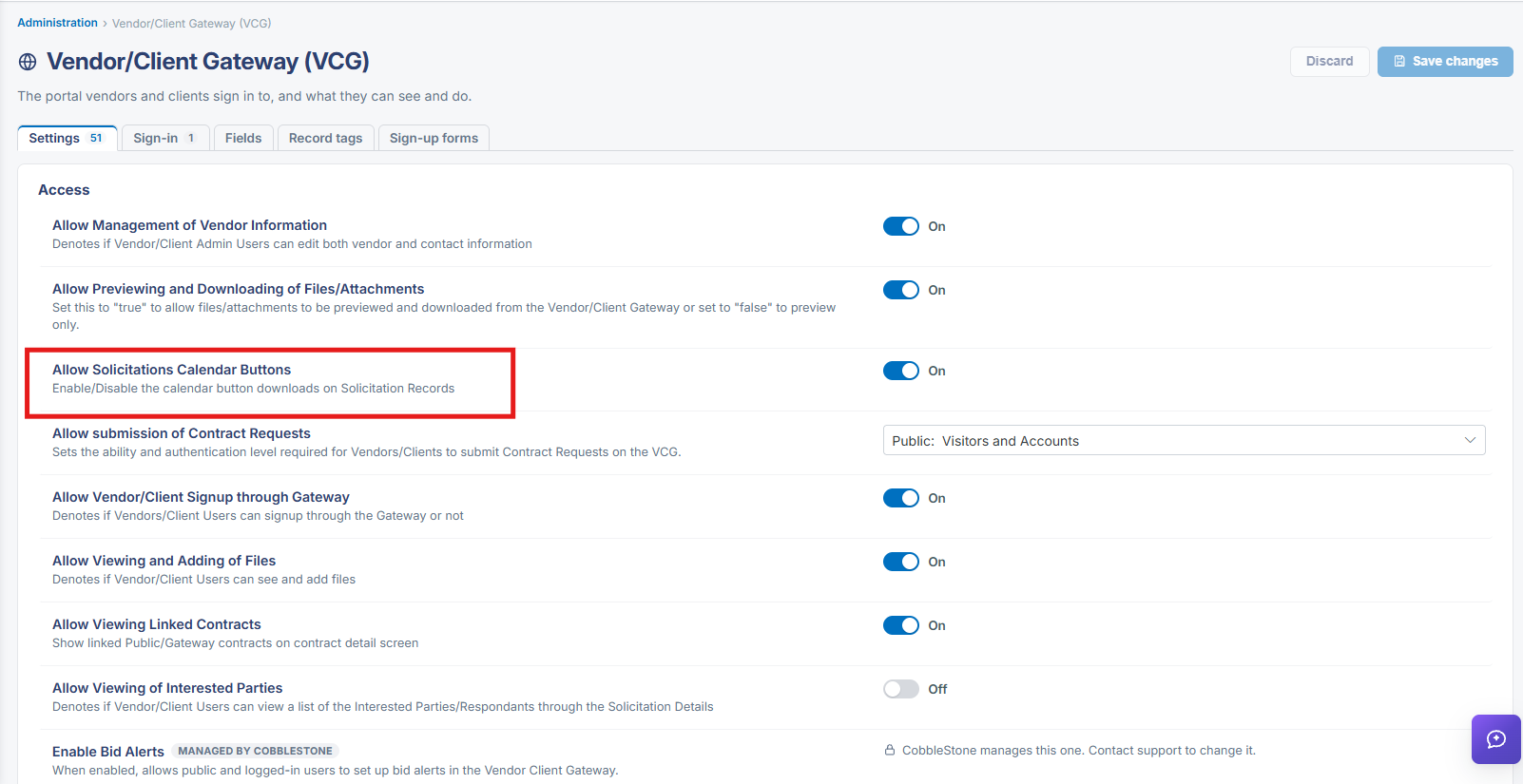 Vendor/Client Gateway Settings
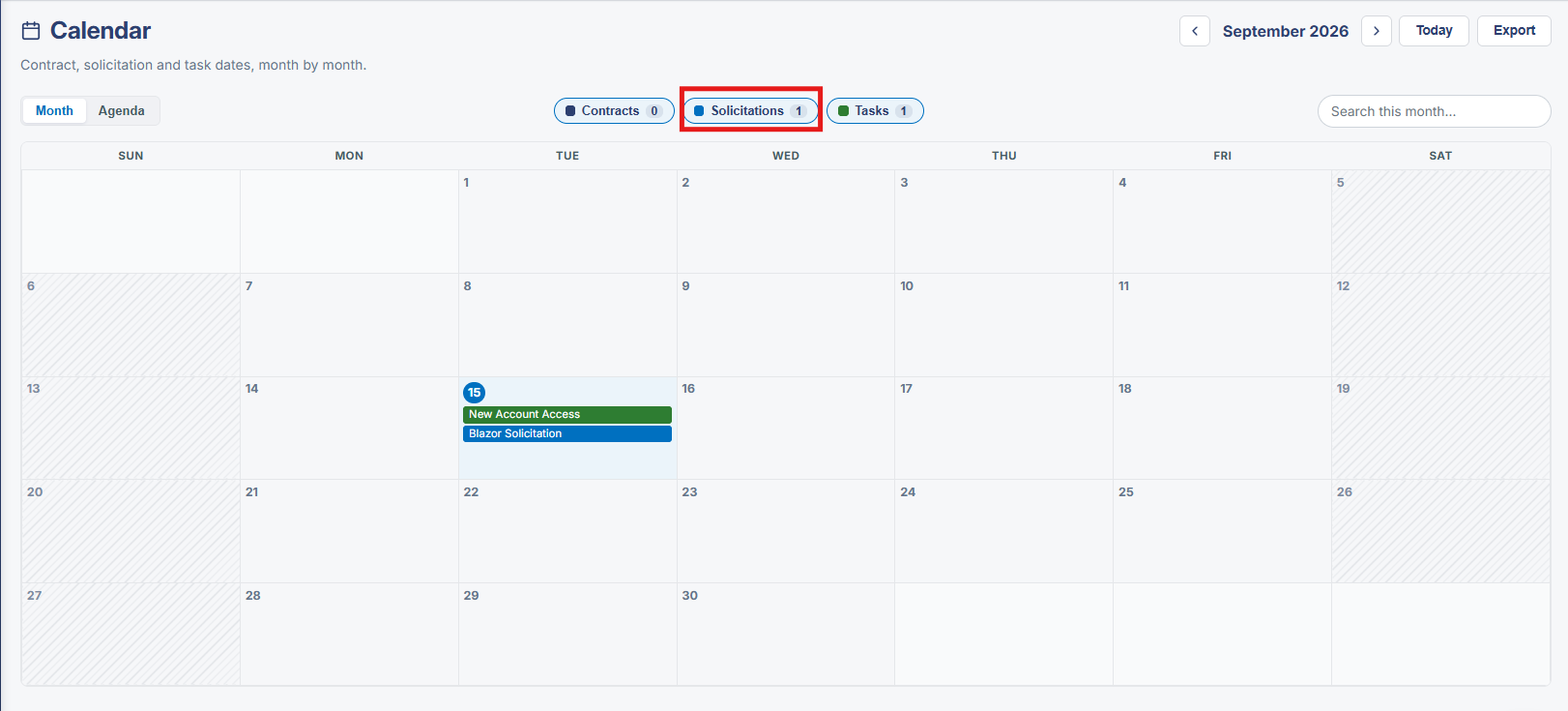 Calendar Display