COBBLESTONE SOFTWARE
Contract Insight — User Guide
0. Solicitations Overview
Module: Solicitations › Solicitations › 0. Solicitations Overview
Note: Each procedure in this guide begins at the Contract Insight homepage, so any section can be followed on its own. Custom fields are configurable, so the exact field list on a contract category record may vary between environments.
1. Overview
Sourcing > Solicitations is the live home of the Solicitation Management module described in the legacy overview: an optional module for posting procurement opportunities (RFPs, RFIs, Dutch Auctions, and more) and collecting vendor responses. The home dashboard shows 6,178 Solicitations as one of its top summary tiles, and the Solicitations list itself carries 6,178 records across 124 pages, with columns for Bid Number, Entered By, Bid Name, Solicitation Amount, Response and Questions due dates. Every solicitation is built from a chosen Bid Type/Invitation Type combination and moves through Record Details, Subtables, Respondents, Tasks & Emails, Attachments & Templates, Ratings & Surveys, Linked Records, and Notes tabs — each covered as its own topic below.
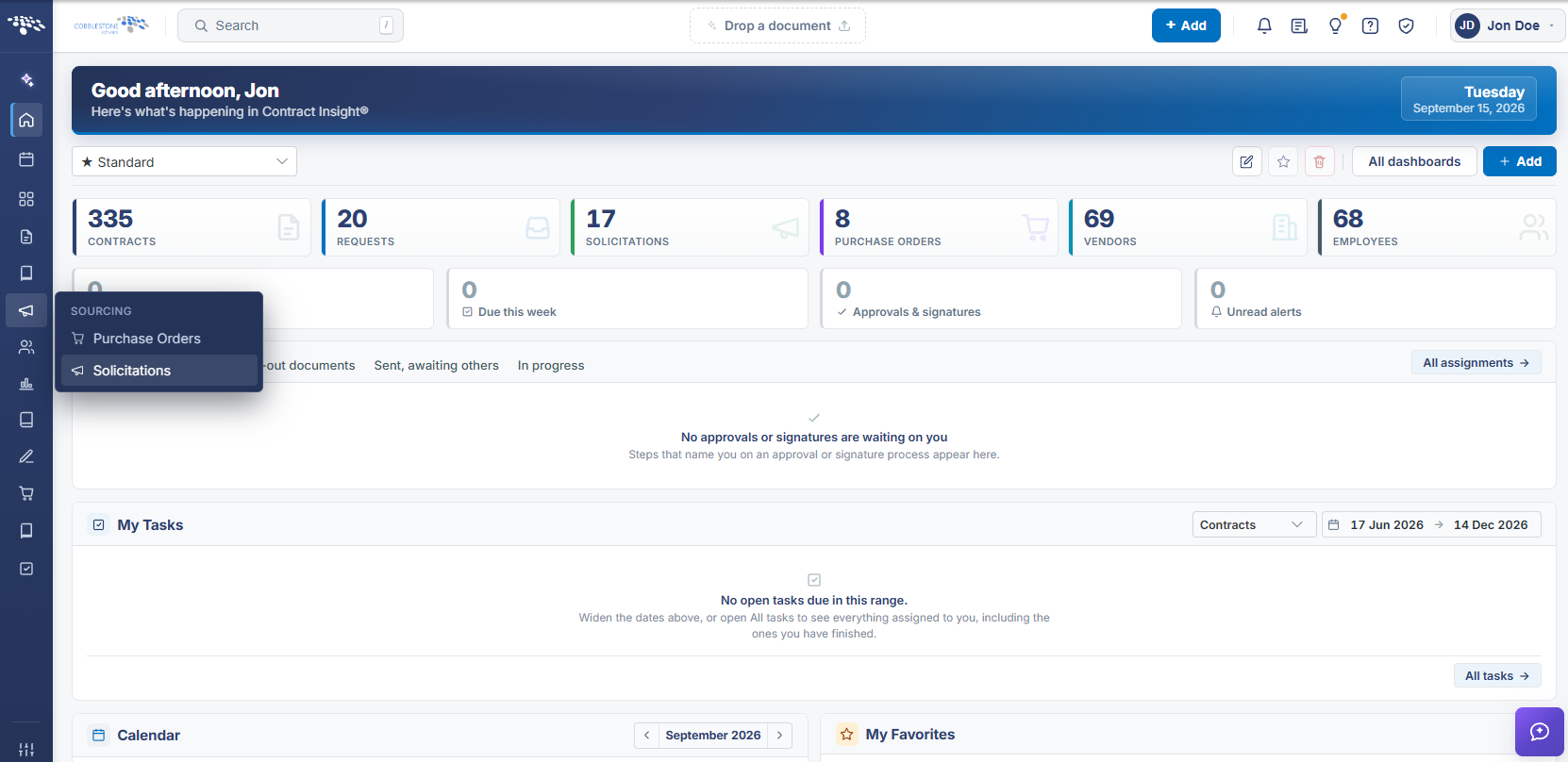 Solicitations Navigation
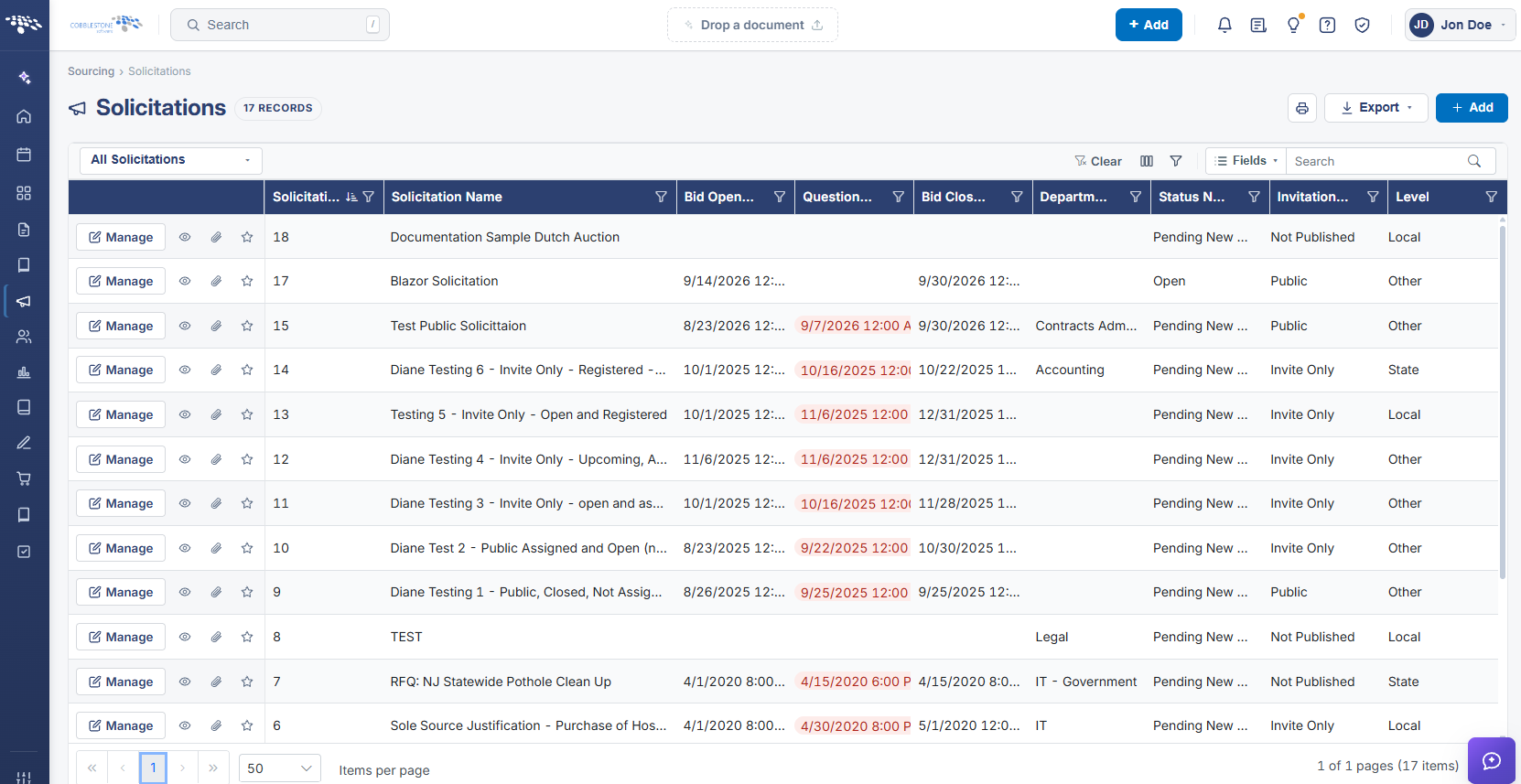 Solicitations List
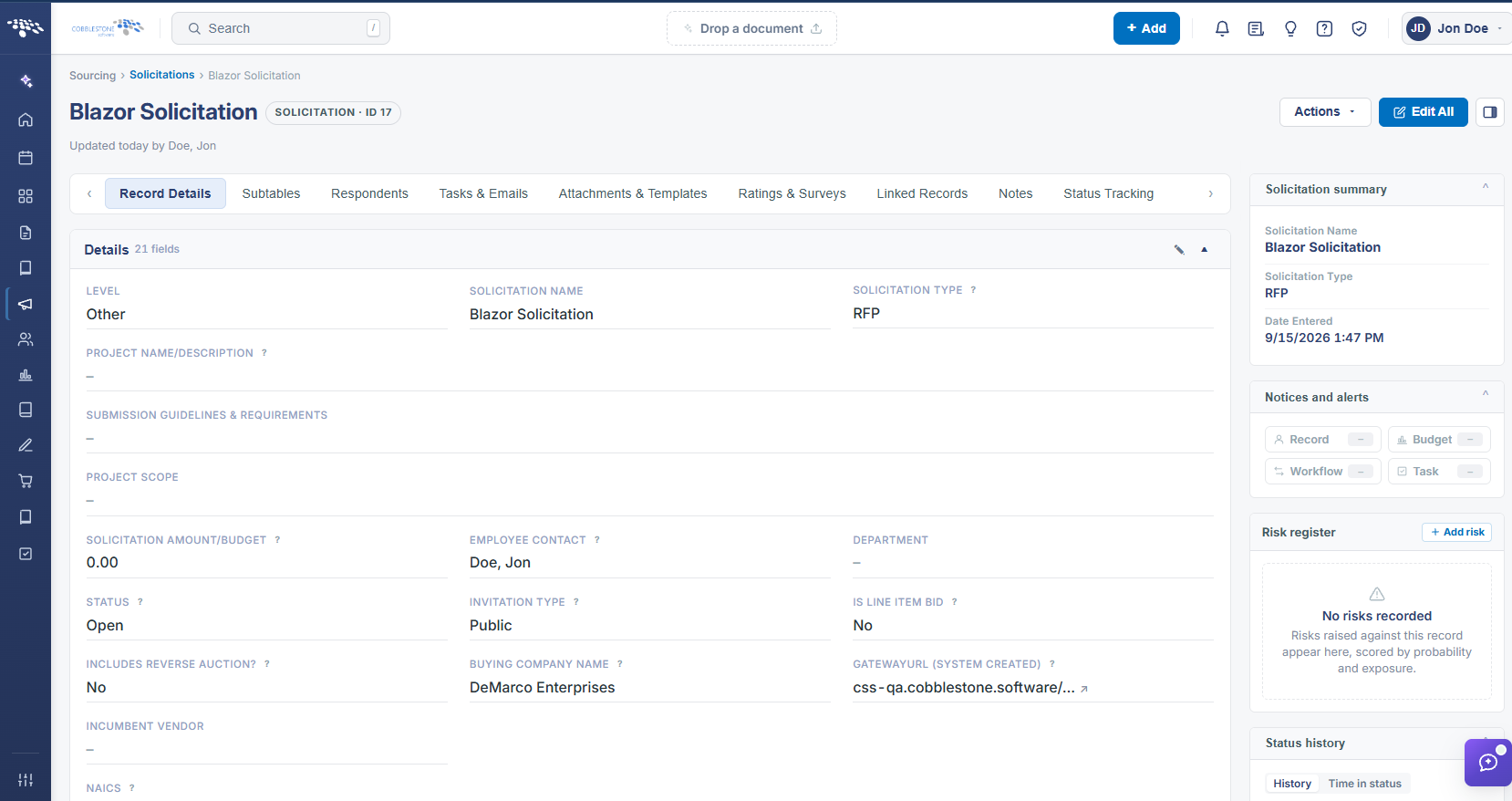 Solicitations Details
2. Key Elements
- Sourcing (left nav) > Solicitations opens the module; the Home dashboard also surfaces a live Solicitations count tile
- 6,178 solicitation records exist in this environment, spanning bid types like RFP, RFI, Sole Source, Quick Bid, and Dutch Auction
- Each solicitation record is organized into tabs: Record Details, Subtables, Respondents, Tasks & Emails, Attachments & Templates, Ratings & Surveys, Linked Records, and Notes
- Solicitations integrate with Contracts (via Linked Records), Vendors (via Respondents), Tasks/Workflow, and the Vendor/Client Gateway for public and respondent-facing visibility
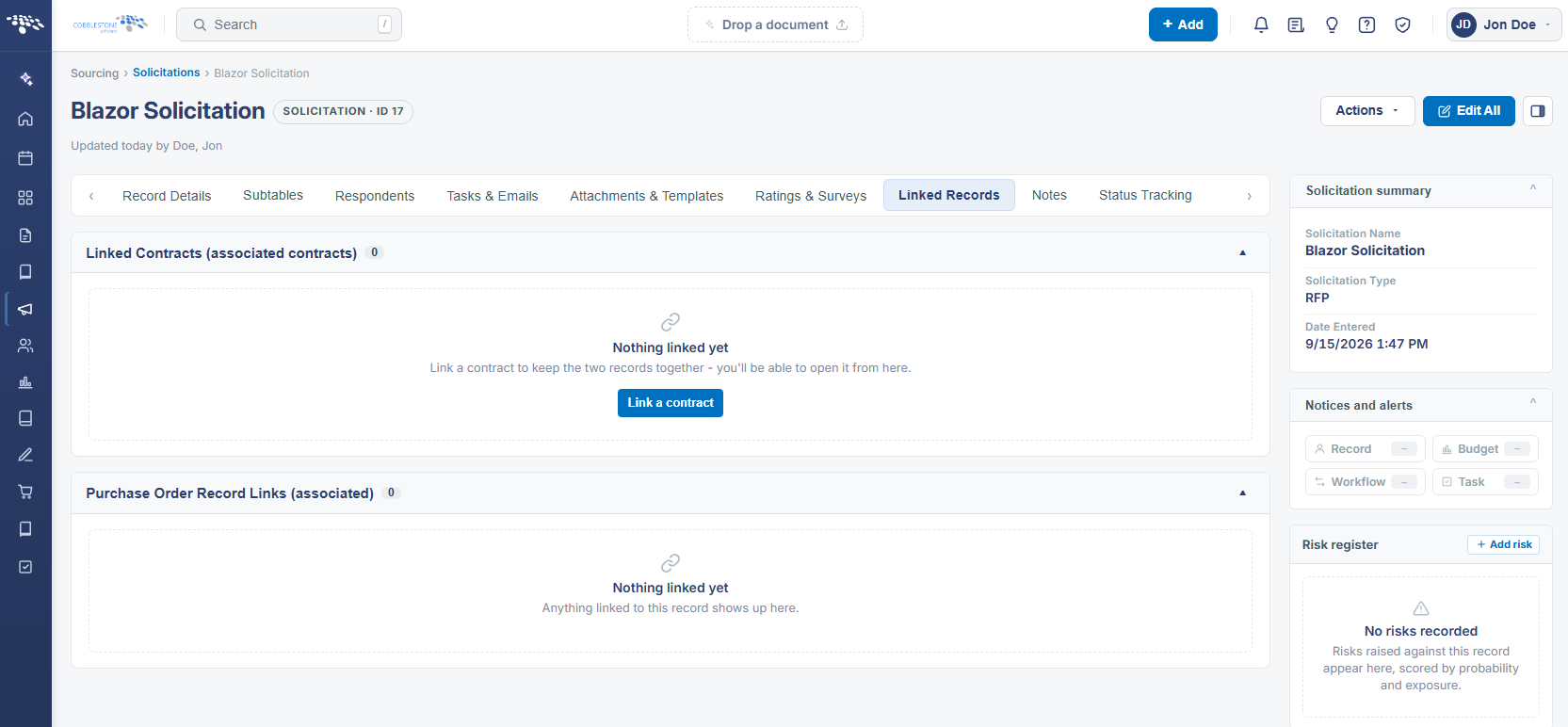 Solicitations Details - Linked Record