COBBLESTONE SOFTWARE
Contract Insight — User Guide
Viewing, Filtering & Sorting Company List
10. End Users: Vendors/Companies › Vendor/Company List › Viewing, Filtering & Sorting Company List
Note: Each procedure in this guide begins at the Contract Insight homepage, so any section can be followed on its own. Custom fields are configurable, so the exact field list on a contract category record may vary between environments.
1. Overview
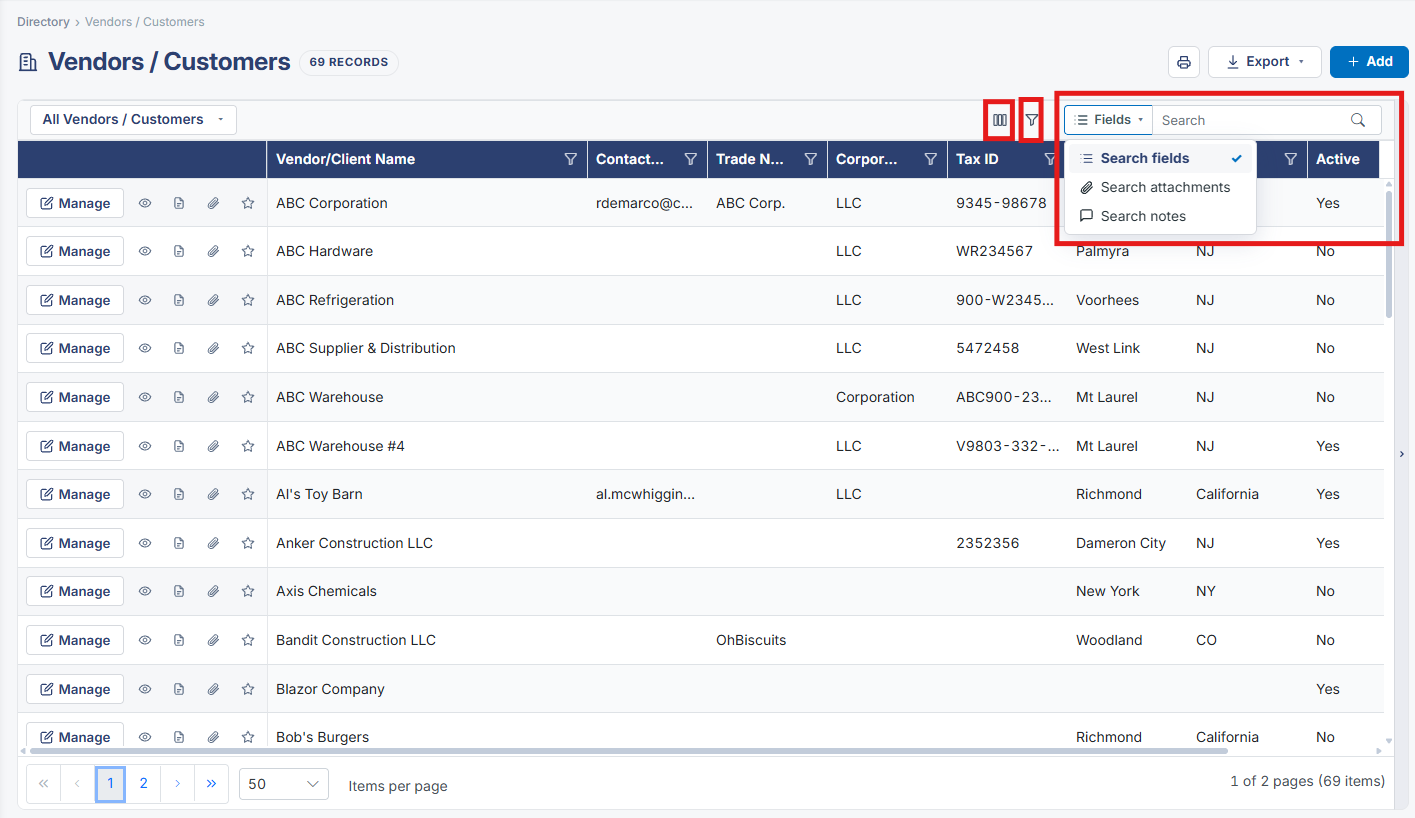
The Vendors / Customers list carries the same layered search model used on the Contracts and Purchase Orders lists: a free-text search box, per-column sort and filter icons in the grid header, and an Advanced filter panel (via the funnel icon) for building multi-condition queries that match ALL or ANY of a set of column conditions.
2. Key Elements
- Search box performs a free-text search across the company/vendor list
- Column headers carry their own sort and filter icons
- The funnel icon opens an Advanced filter panel for structured, multi-condition queries