COBBLESTONE SOFTWARE
Contract Insight — User Guide
VISDOM+ Usage Dashboard
VISDOM+ › VISDOM+ Usage Dashboard
Note: Each procedure in this guide begins at the Contract Insight homepage, so any section can be followed on its own. Custom fields are configurable, so the exact field list on a contract category record may vary between environments.
1. Overview
VISDOM Usage (Administration › VISDOM AI › VISDOM Usage) shows how much of your organization's monthly VISDOM allowance has been used. It reports word consumption across VISDOM AI services for a selected month or day, split into prompt and response words, compares it with the monthly cap, and breaks it down by user and AI model. The page reads the usage logs directly, so opening it makes no VISDOM call and uses no quota. It sits in the VISDOM AI administration category alongside VISDOM Configuration (model and provider routing) and VISDOM Status (connection health).
2. Key Elements
- Monthly / Daily toggle and a period picker choose the time range.
- VISDOM Basic / VISDOM+ toggle chooses which service's usage is shown.
- Summary tiles show Total Words, Prompt Words, and Response Words for the period, plus monthly or daily averages.
- Monthly Cap Usage shows words used as a percentage of the monthly allowance (for example, 5,000,000 words).
- Per-user breakdown lists usage by user and AI model.
- Connection status links to the VISDOM Status page.
- Access is permission-gated; users without permission see "You do not have permission to view this page."
3. Navigating to VISDOM Usage
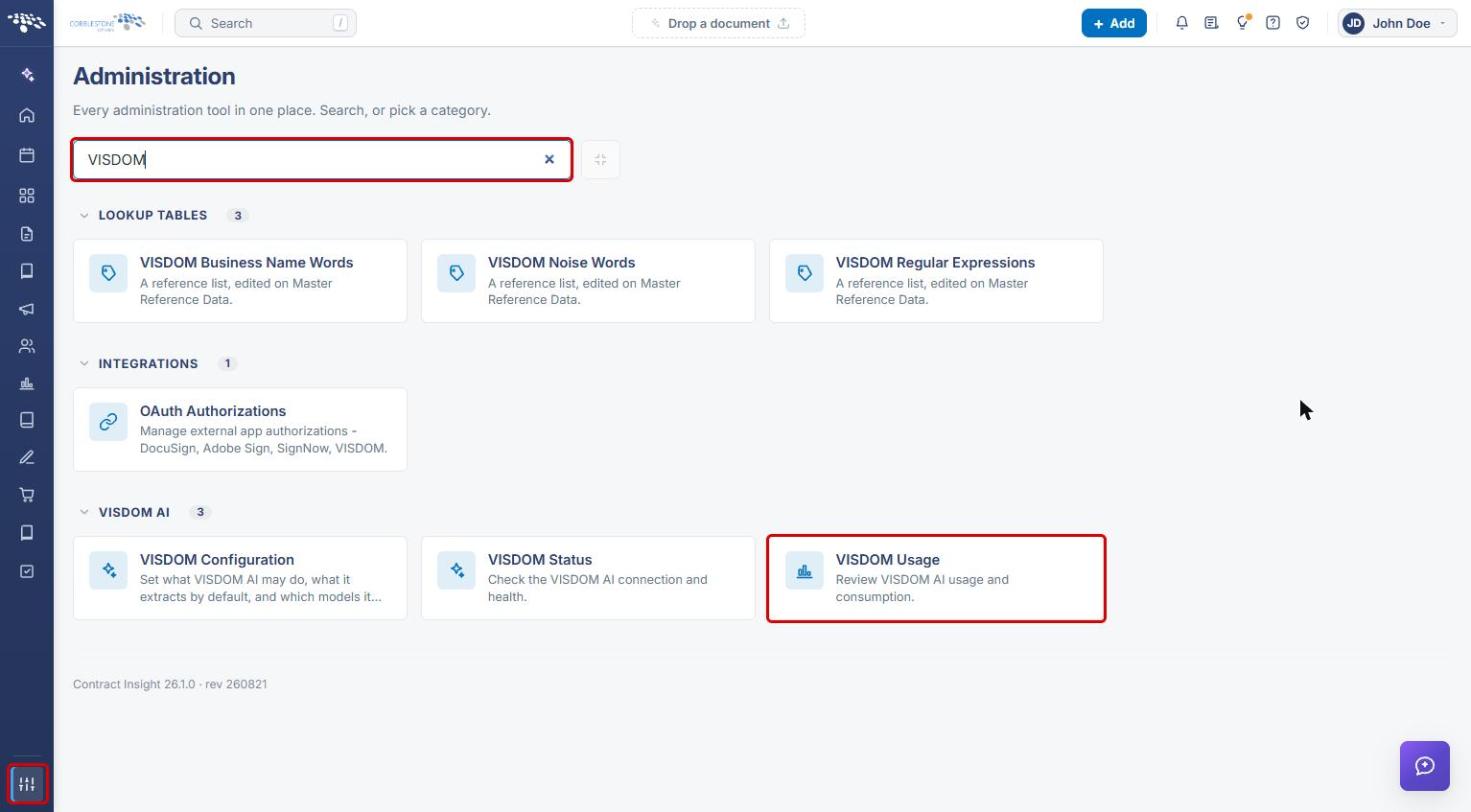
- From the Contract Insight homepage, click the Administration (settings) icon at the bottom of the left navigation bar.
- In the Search administration box, type VISDOM.
- Under VISDOM AI, click VISDOM Usage.
4. Choosing the Period and Service
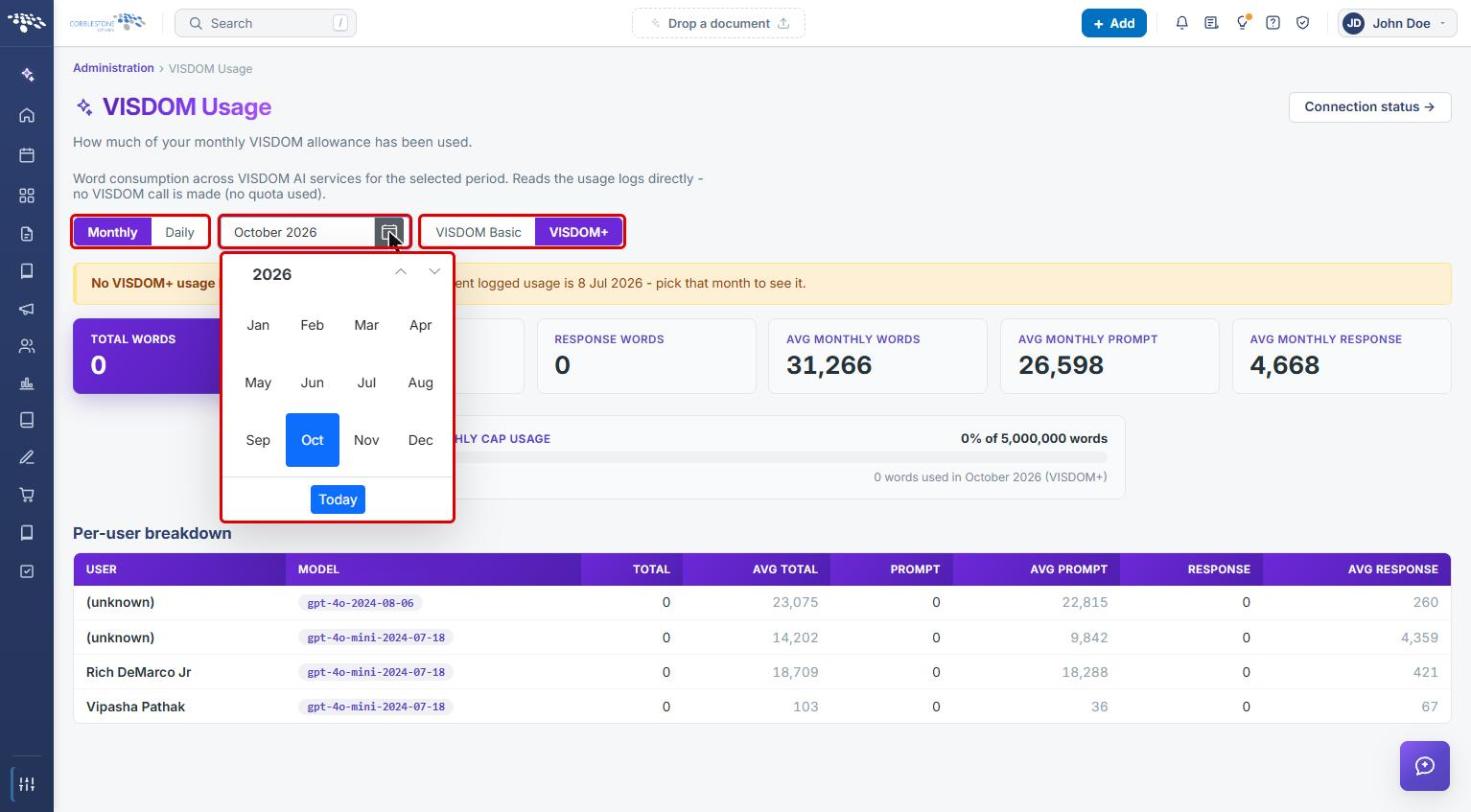
- Select Monthly to view a whole month, or Daily to view a single day.
- Click the calendar icon next to the period field and pick a month (or day). Use the arrows to change the year, or click Today to return to the current period.
- Select VISDOM Basic or VISDOM+ to choose which service's usage to show.
5. Reading the Usage Figures
With a period selected, the page shows:
- Total Words, Prompt Words, and Response Words: words sent to and returned by VISDOM during the selected period.
- Avg Monthly Words, Avg Monthly Prompt, and Avg Monthly Response: averages across logged months, for comparison.
- Monthly Cap Usage: the share of the monthly word allowance used, with the number of words used in that month.
- Per-user breakdown: each user and AI model, with Total, Prompt, and Response words for the period and their averages. Usage that can't be tied to a user appears as (unknown).
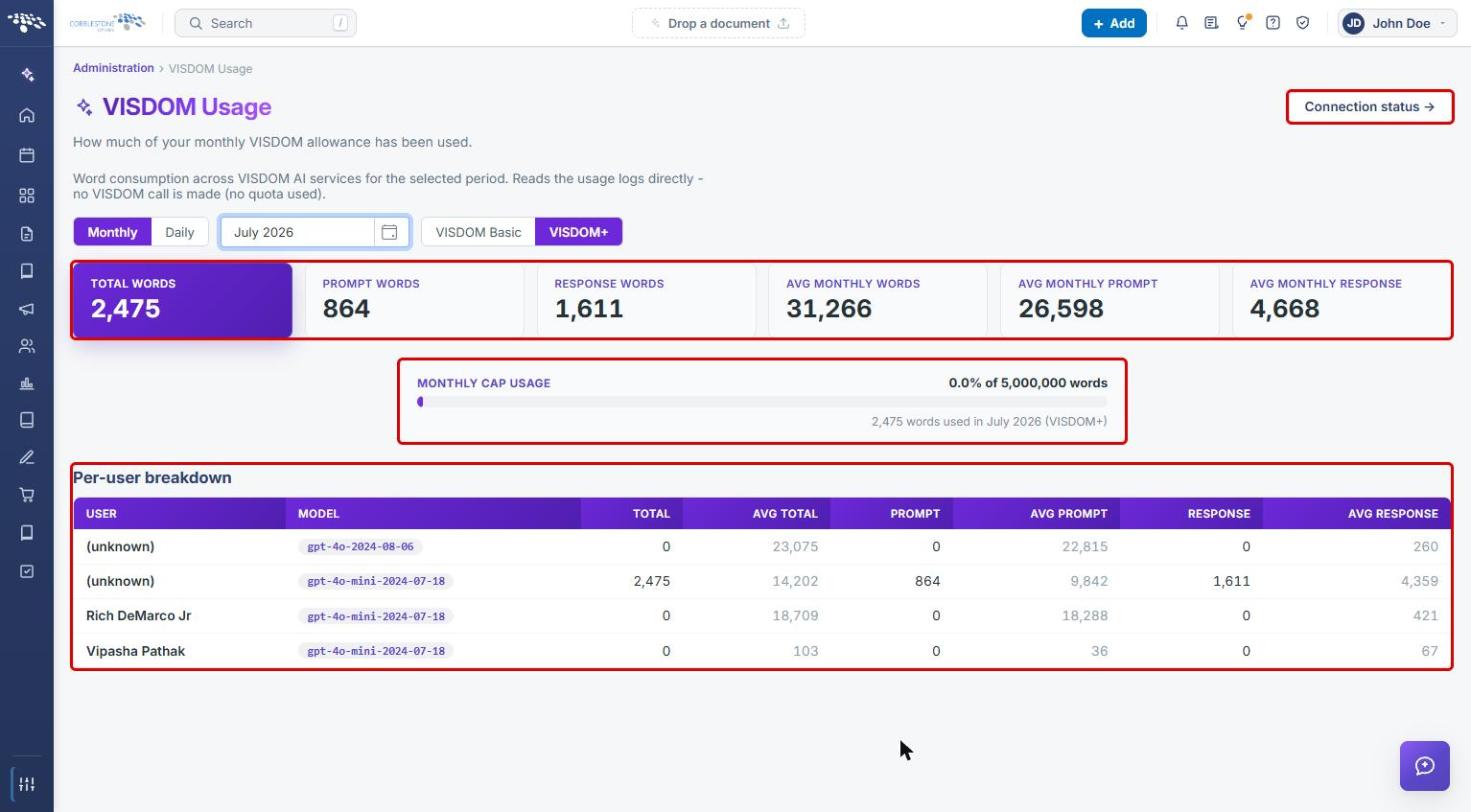
Tip: Click Connection status at the top right to open VISDOM Status and check the VISDOM AI connection.
6. Using the Daily View and Empty Periods
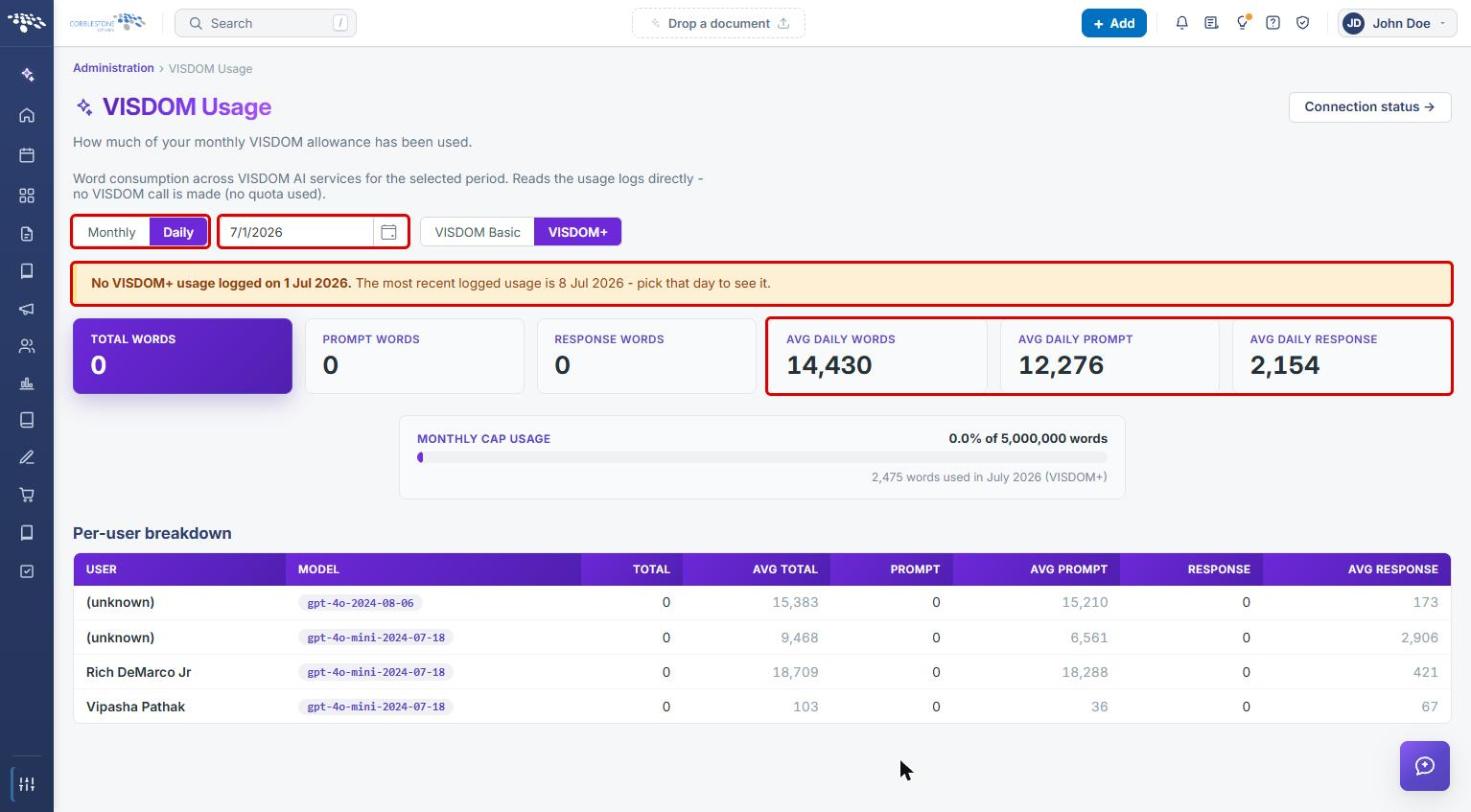
- Select Daily and choose a date. The averages change to Avg Daily Words, Avg Daily Prompt, and Avg Daily Response; Monthly Cap Usage still reflects the whole month.
- If nothing was logged for the selected period, a banner reads "No VISDOM+ usage logged…" and names the most recent date with logged usage. Pick that date or month to see figures.
7. Quick Reference Summary
| Task | How to Complete It |
|---|---|
| Open VISDOM Usage | Administration → search VISDOM → VISDOM Usage. |
| View a month or a day | Monthly or Daily → calendar icon → pick the period. |
| Switch service | Select VISDOM Basic or VISDOM+. |
| Check allowance used | Read Monthly Cap Usage. |
| See who used VISDOM | Review the Per-user breakdown table. |
| Check the VISDOM connection | Click Connection status. |