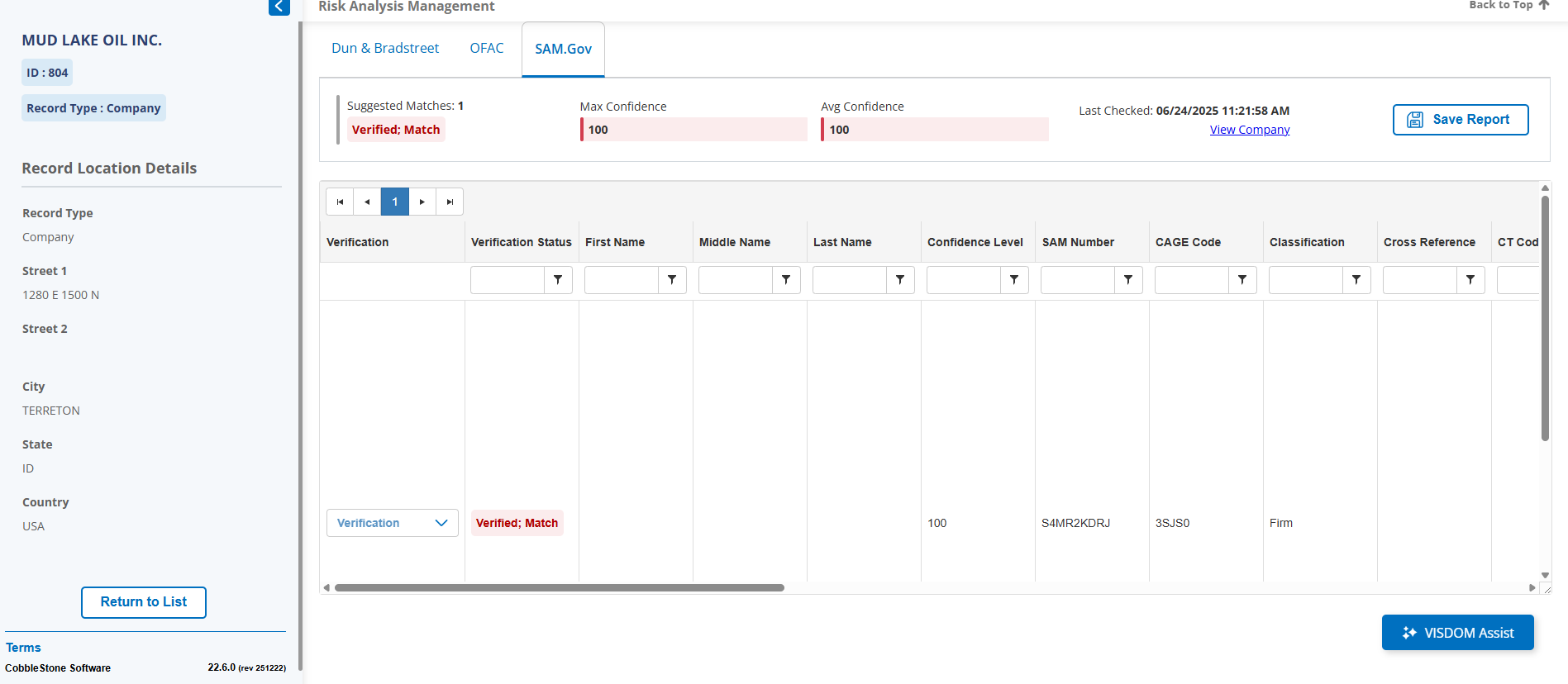
Configuring SAM.Gov
To configure SAM.Gov, access the Data Aggregation Service configuration area. Via the top menu, navigate to Manage/Setup - Application Configuration - Data Aggregator Service.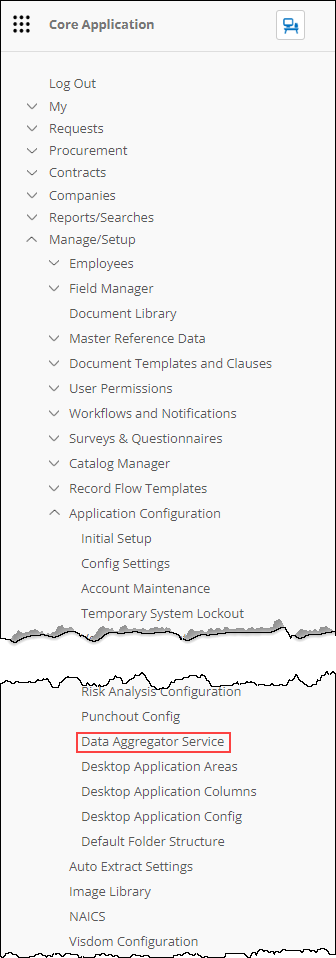
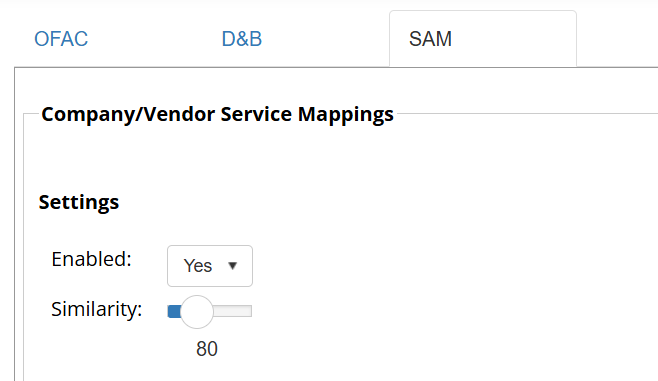
Click on the SAM tab and make sure Enabled is set to Yes. Similarity is suggested to be kept at 80% for the fuzzy name searching.
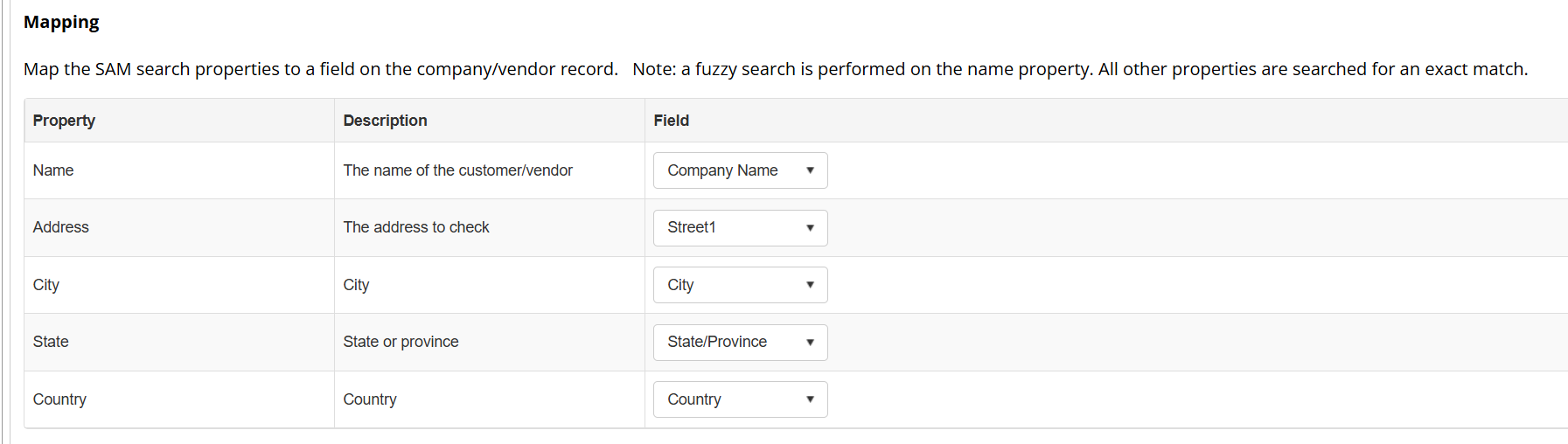
The mapping area allows you to configure which fields in Contract Insight are used to search against the corresponding SAM.Gov fields.
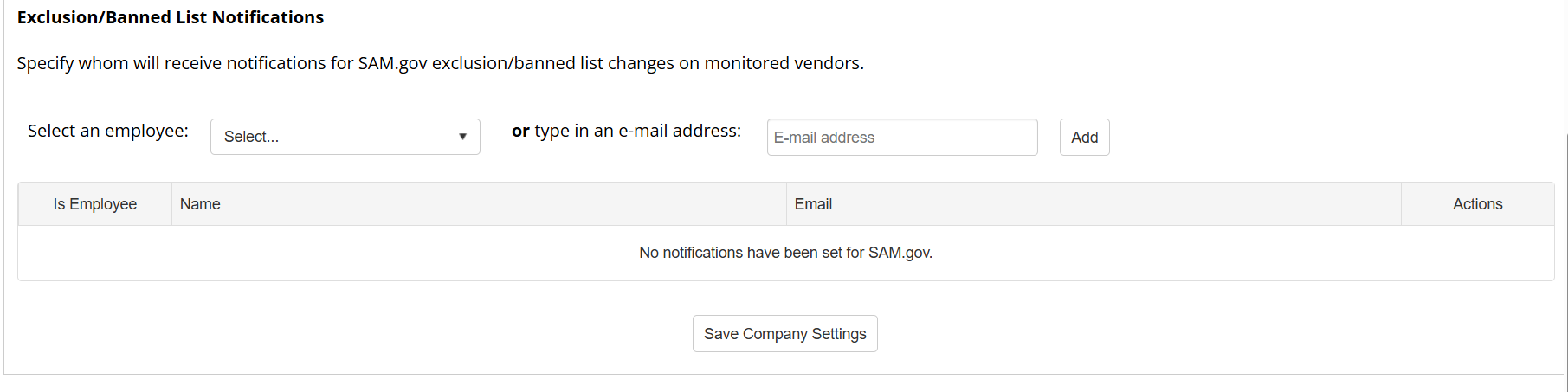
The Alerts area allows certain employees to be alerted when a monitored exclusion changes status. When all changes are made, press Save Company Settings.
Searching SAM.Gov
When adding a Vendor using the SAM.Gov search using a Vendor Name, our tool performs a fuzzy logic search on the name to bring back a list of possible vendors.

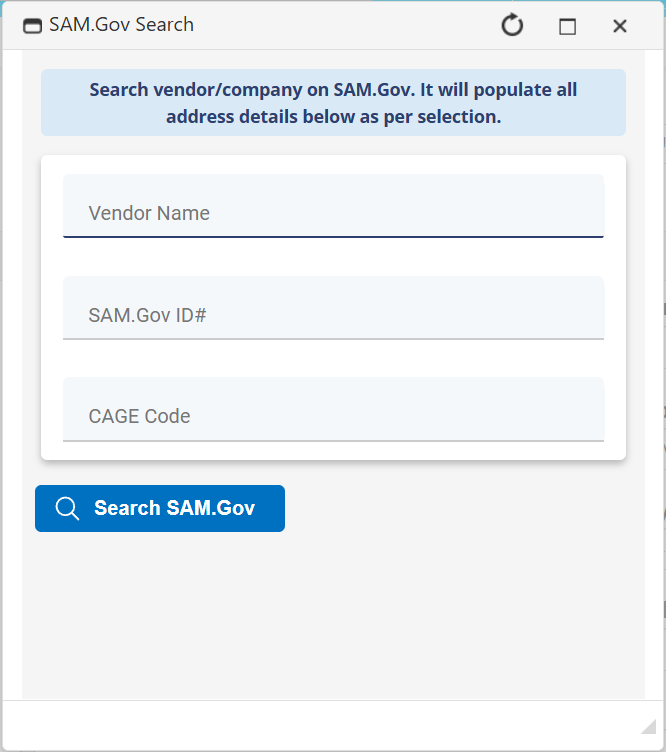
Selecting a match uses this company to quick fill the Address, SAM.Gov Identifier, and CAGE Code fields. Once a match is selected, the SAM Identifier will also be used to check for Exclusions. A search using the CAGE Code or SAM Identifier number will only return exact matches.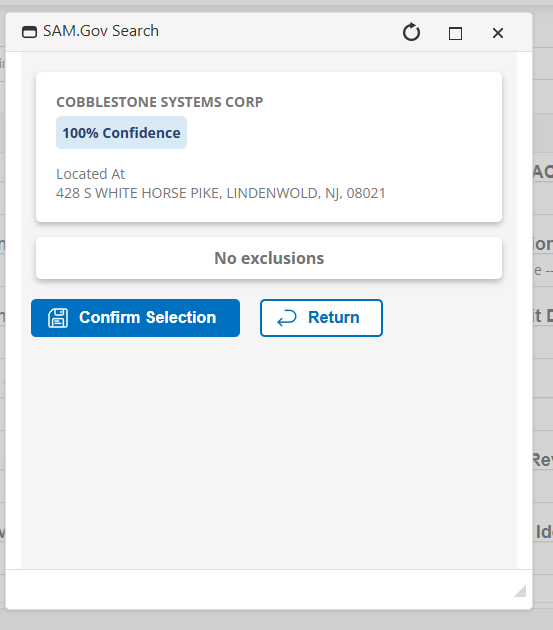
In order to effectively use this functionality, the Allow SAM.gov Check, SAM.gov Identifier, and SAM.gov CAGE Code fields must be present on the Company Add screen.
SAM can also be searched on existing records by finding the Finances and Confidence Dock on the Vendor Details Screen.
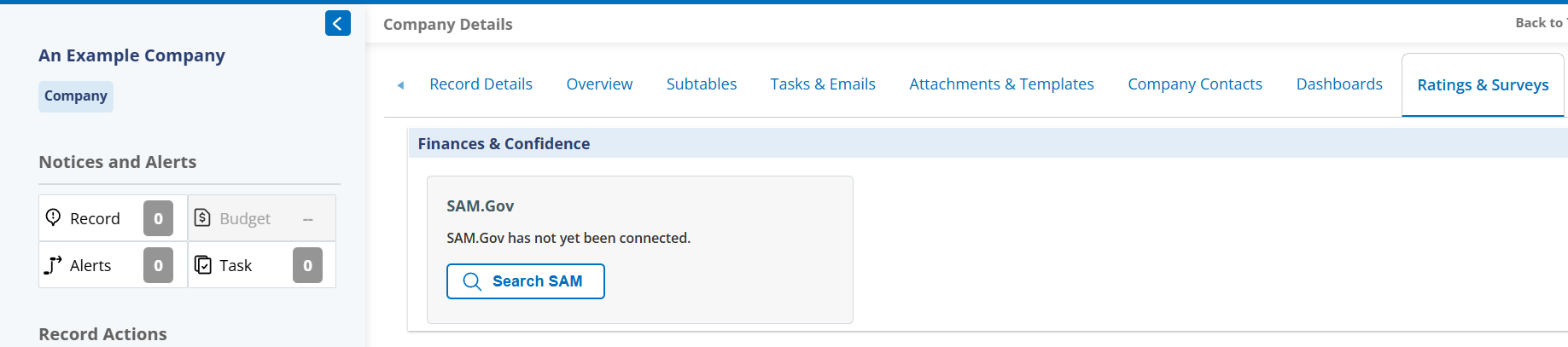
Press the Search SAM button to bring up the same SAM search box from the Add Page and search either by Name, SAM ID or CAGE Code.
Viewing Exclusions
Any Exclusions associated with the SAM Identifier will be tracked in the SAM.Gov card in the Finances & Confidence Dock, and on the Risk Analysis Management Page.
Clicking View Report on the SAM.Gov card in the Finances & Confidence Dock will open the match sidebar.
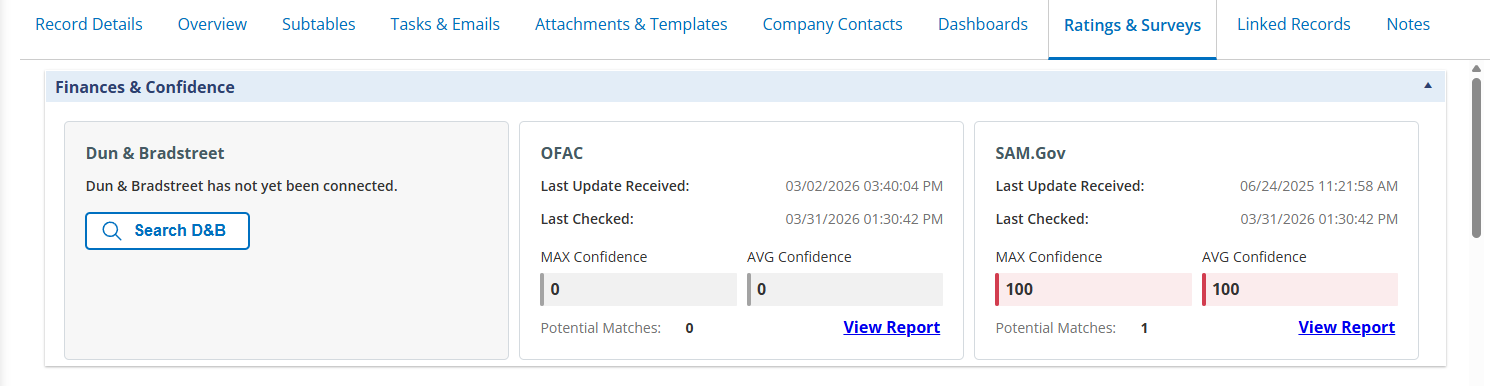 Finances & Confidence Dock
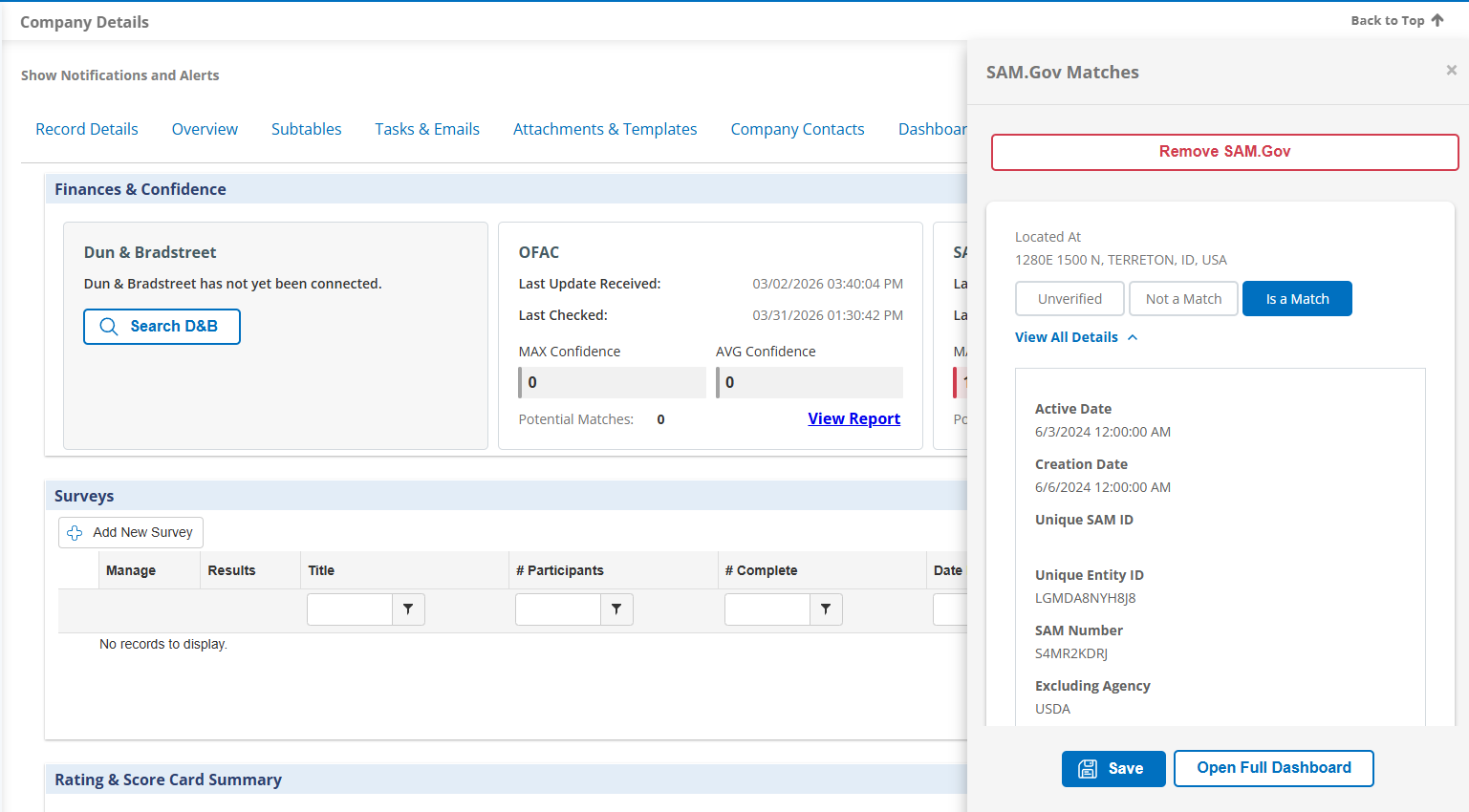 SAM Exclusion Match Sidebar
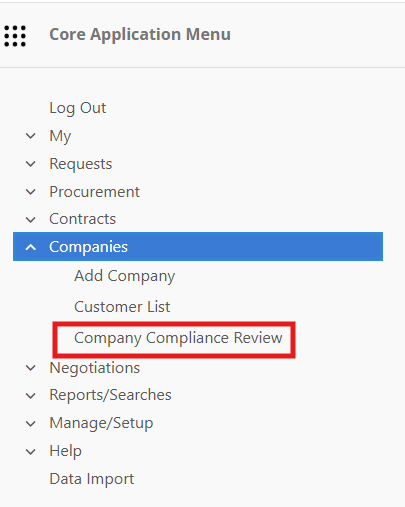
The Risk Analysis Management Page can be accessed by clicking Open Full Dashboard to open directly to that Company's entry or be found by finding the Company Compliance Review option in the main menu under Companies/Counterparties
The Company Compliance Review page can be used to filter through Vendors that use SAM.Gov as well as our OFAC and Dun & Bradstreet connectors if purchased.
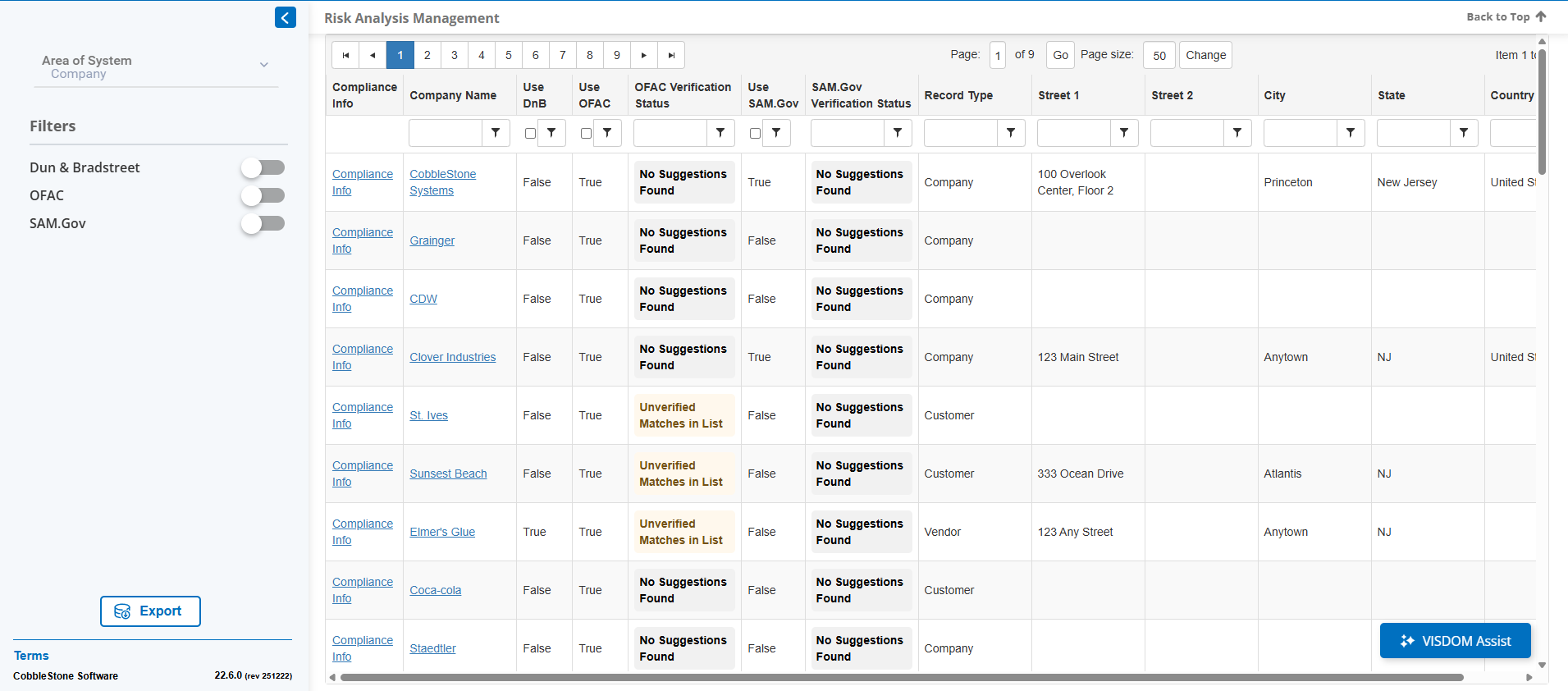
Clicking Compliance Info on a row will take you to more information on that company for whichever of SAM.Gov, OFAC, or Dun & Bradstreet are licensed. Information on the company's SAM Number and any information on their exclusions will be listed.