COBBLESTONE SOFTWARE
Contract Insight — User Guide
Notifications
04. End User General Information › Header Area and Top & Side Menus › Notifications
Note: Each procedure in this guide begins at the Contract Insight homepage, so any section can be followed on its own. Custom fields are configurable, so the exact field list on a contract category record may vary between environments.
1. Overview
"Notifications" spans two related things in this environment: the top-bar Notifications bell (in-app alerts, distinct from email) and the Administration → Notification Templates hub that controls the wording of every email the system actually sends — both fed by the same underlying workflow and task events documented under Email Alerts From Workflow.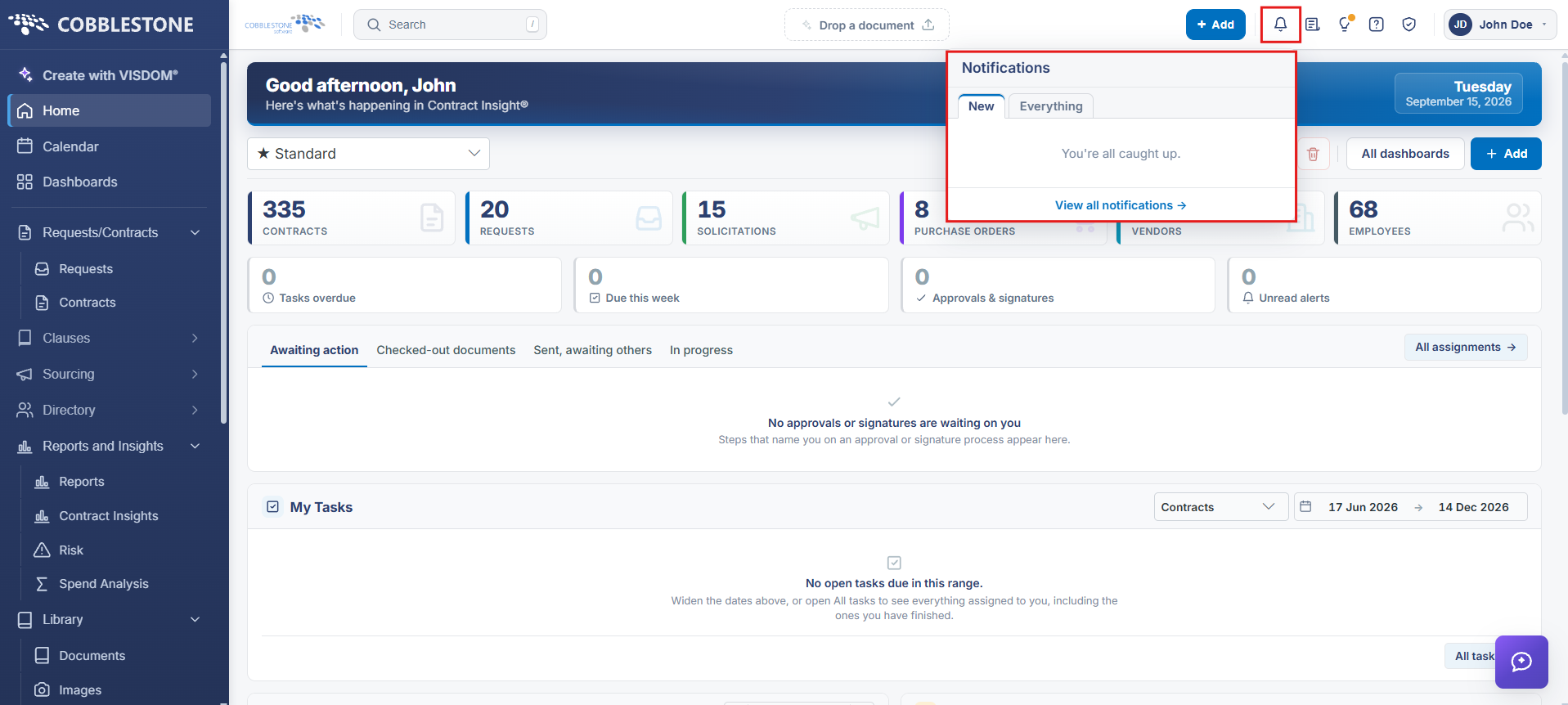
2. Key Elements
- The top navigation bar's Notifications icon shows in-app alerts, separate from email
- Administration → Notification Templates: "Change the subject and wording of the emails this system sends, and turn any of them off"
- Templates are organized by Area (Contracts & Committals, Employees & Users, Purchase Orders, Requests, Solicitations & Procurements, Vendors & Customers)
- A record's own Tasks & Emails tab is where the notifications actually sent for that record can be reviewed and resent