COBBLESTONE SOFTWARE
Contract Insight — User Guide
Notification Template Side Menu
03. Admin User Manual › Alerts & Notifications › Notification Template Side Menu
Note: Each procedure in this guide begins at the Contract Insight homepage, so any section can be followed on its own. Custom fields are configurable, so the exact field list on a contract category record may vary between environments.
1. Overview
Administration → Notification Templates (“Edit the email templates used by notifications”) is where administrators change what the emails the system sends say, which of the record's details they can show, and which records each one applies to. Edits take effect on the next send.
The legacy Template List, Template Overview, Merge Fields, and Template Subject/Body side menu has been redesigned into a single page: a template list on the left and a tabbed editor (Message, Fields, and Rules) on the right.
2. Key Elements
| Legacy Side Menu Section | Where It Is Now |
|---|---|
| Template List | Left panel: Choose an area drop-down, Filter these templates box, and the list of templates in that area. |
| Template Overview | Message tab: Title, Description, Theme, change-notification addresses, and the Active setting. |
| Template Subject/Body | Message tab: Subject and Body (HTML or Rich text), with the Insert a placeholder panel. |
| Merge Fields | Fields tab: the record details (placeholders) the message can use. |
| — | Rules tab (new): conditions that limit which records the template applies to. |
- + New template and Delete buttons sit at the top right of the page.
- Placeholders appear as
{---Field Name---}for record values and[[---Record Detail---]]for links and buttons. They are filled in when the email goes out. - Preview with sample data renders the message against a real record so you can check it before saving.
3. Navigating to Notification Templates
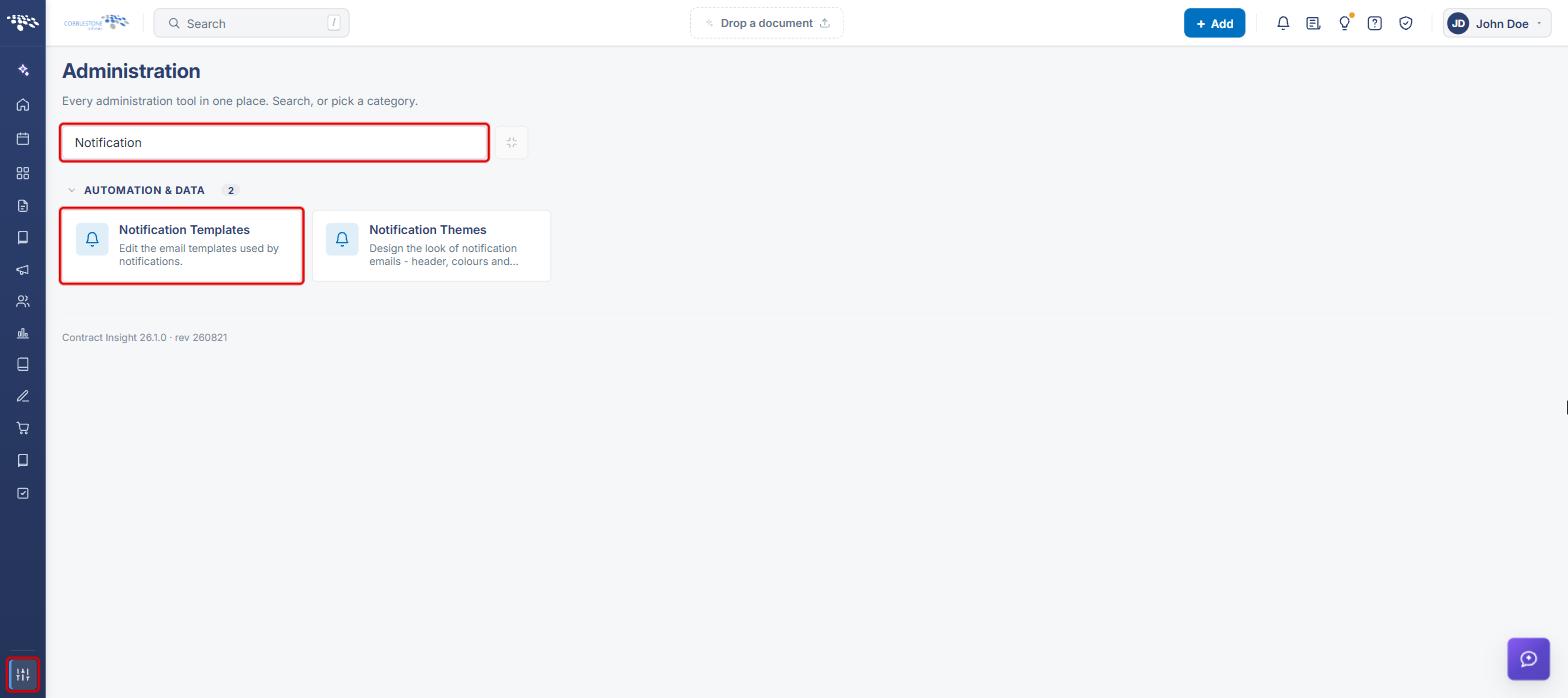
- From the Contract Insight homepage, click the Administration icon at the bottom of the left navigation bar.
- In the Search administration box, type Notification (or scroll to the Automation & Data category).
- Click Notification Templates.
4. Finding a Template (Template List)
- Navigate to Administration → Notification Templates (see Section 3).
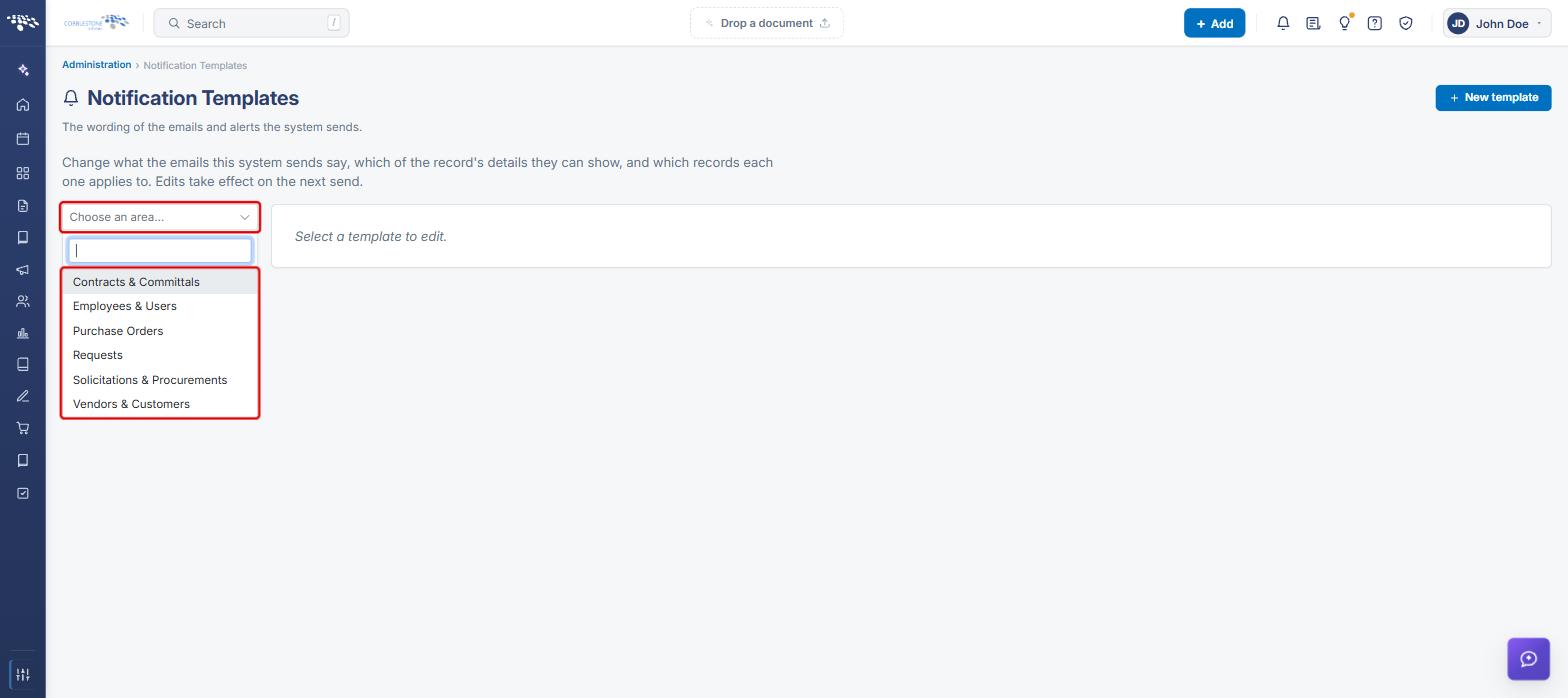
- Click the Choose an area drop-down and select the area the template belongs to: Contracts & Committals, Employees & Users, Purchase Orders, Requests, Solicitations & Procurements, or Vendors & Customers.
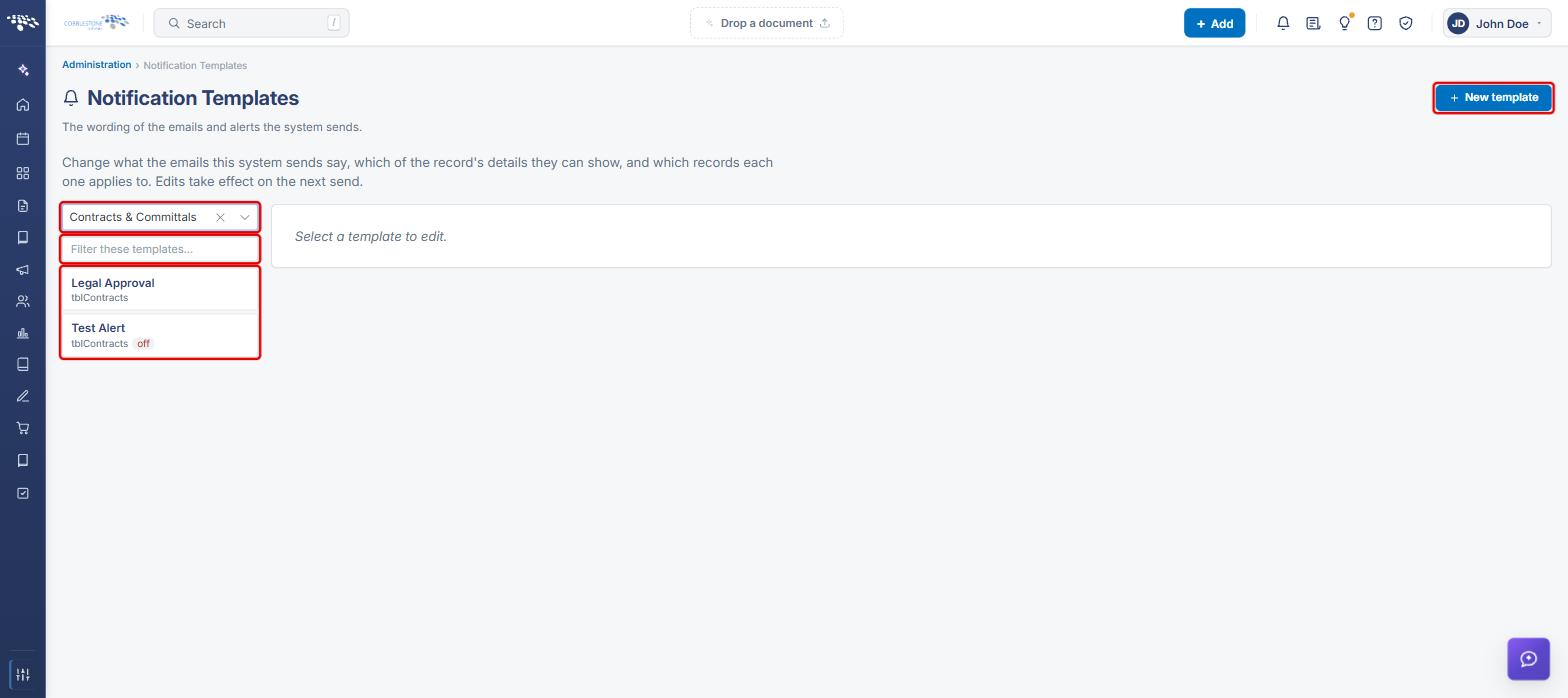
- The templates for that area appear below the drop-down. Each shows its name and record type; inactive templates are marked off. Type in Filter these templates to narrow the list.
- Click a template to open it in the editor on the right.
5. Creating a New Template
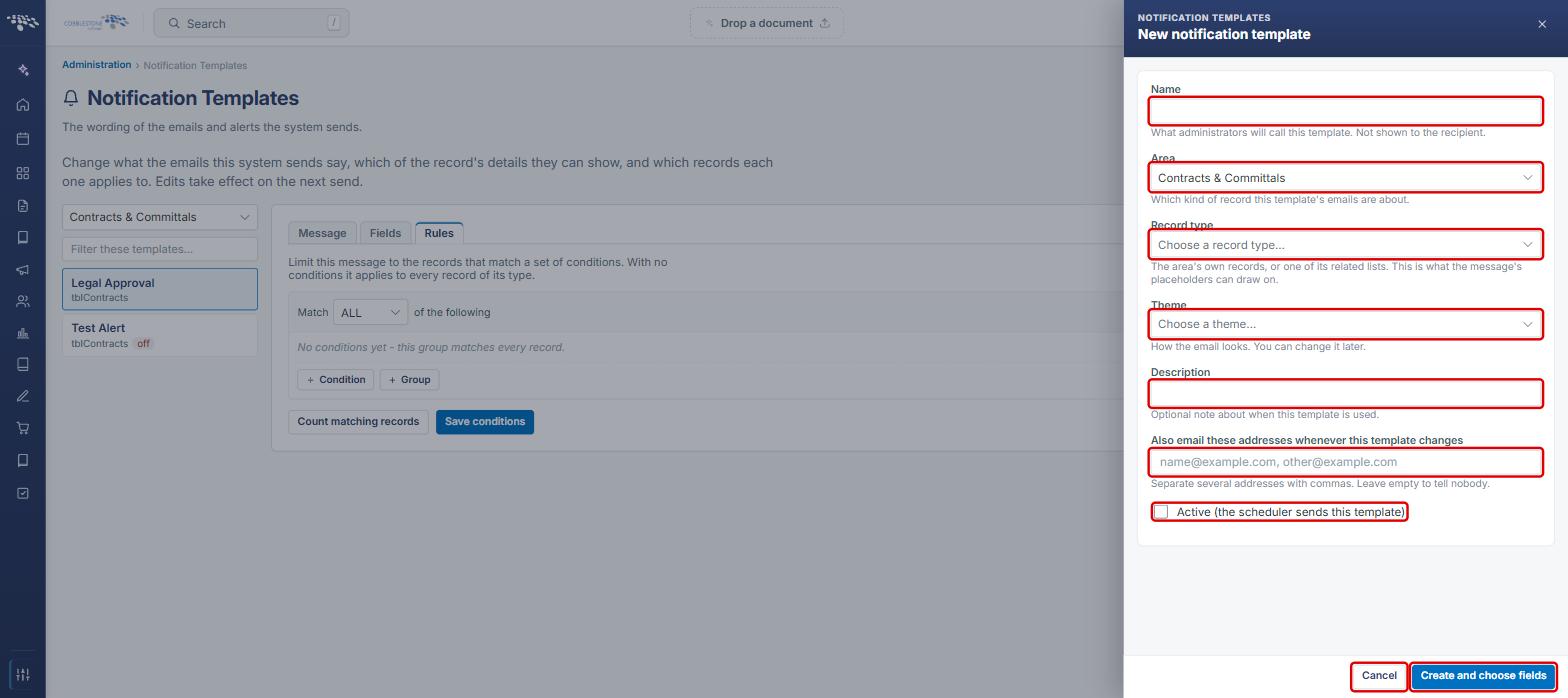
- On the Notification Templates page, click + New template.
- In the New notification template panel, enter a Name (what administrators will call it; not shown to the recipient).
- Confirm the Area, then choose a Record type. The record type is the area's own records or one of its related lists, and determines what the placeholders can draw on.
- Choose a Theme (how the email looks; it can be changed later) and optionally enter a Description and Also email these addresses whenever this template changes.
- Check Active if the scheduler should send this template.
- Click Create and choose fields. The template opens so you can add fields (Section 7) and write the message (Section 6). Click Cancel to close without creating.
6. Editing the Message (Template Overview & Subject/Body)
6a. Title, Subject, and Body
- Open the template (see Section 4). The Message tab is selected by default.
- Update the Title and Description as needed.
- Enter the Subject line. Placeholders such as
{---Vendor/Client Name---}can be used here. - Edit the Body. Use the HTML / Rich text toggle to switch between editing the markup and a formatted view.
- To add a placeholder, type { where you want it, or click one in the Insert a placeholder panel on the right (Record values, Links and buttons, and Lists of related rows). Use the panel's Filter box to find one quickly.
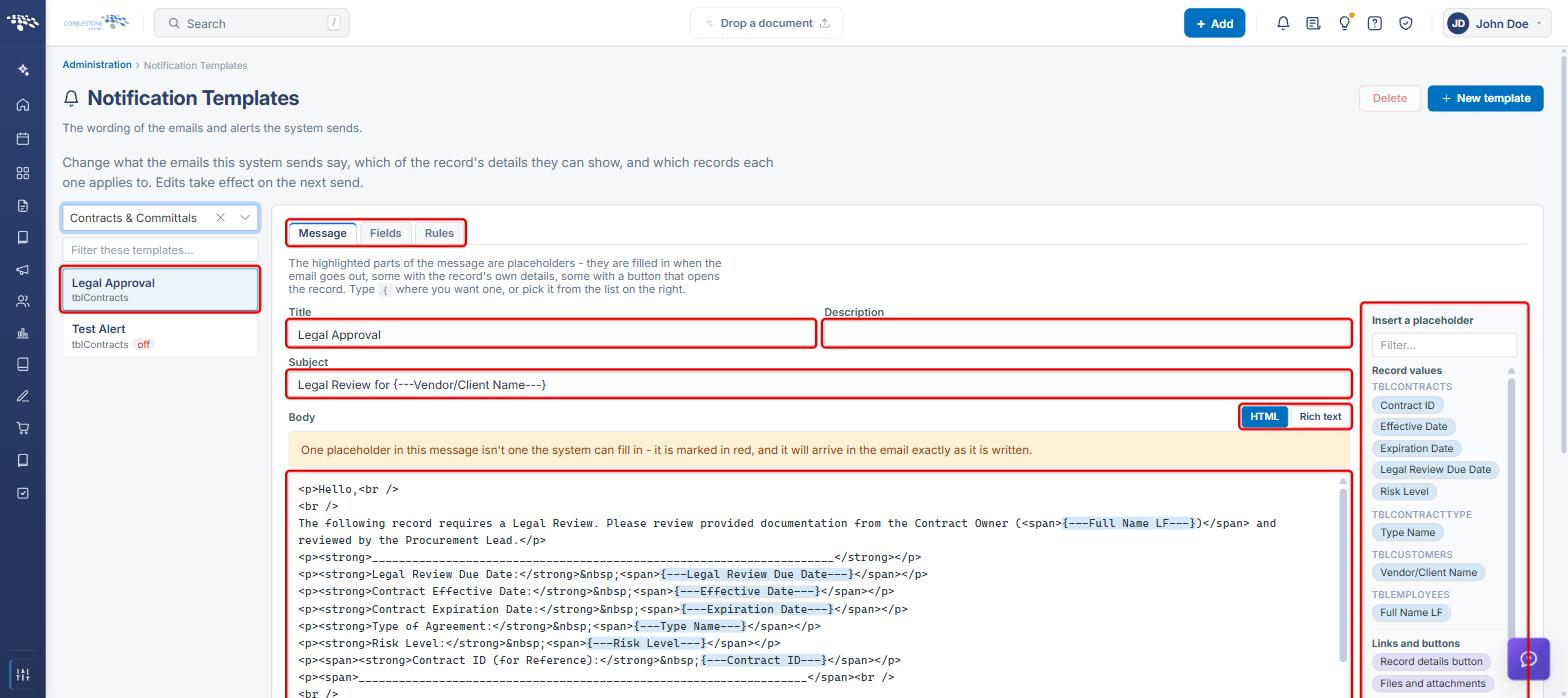
Note: If the message uses a placeholder the system can't fill in, a warning appears above the body and the placeholder is marked in red. It will arrive in the email exactly as written. Add the field on the Fields tab (Section 7) or correct the placeholder.
6b. Theme and Delivery Settings
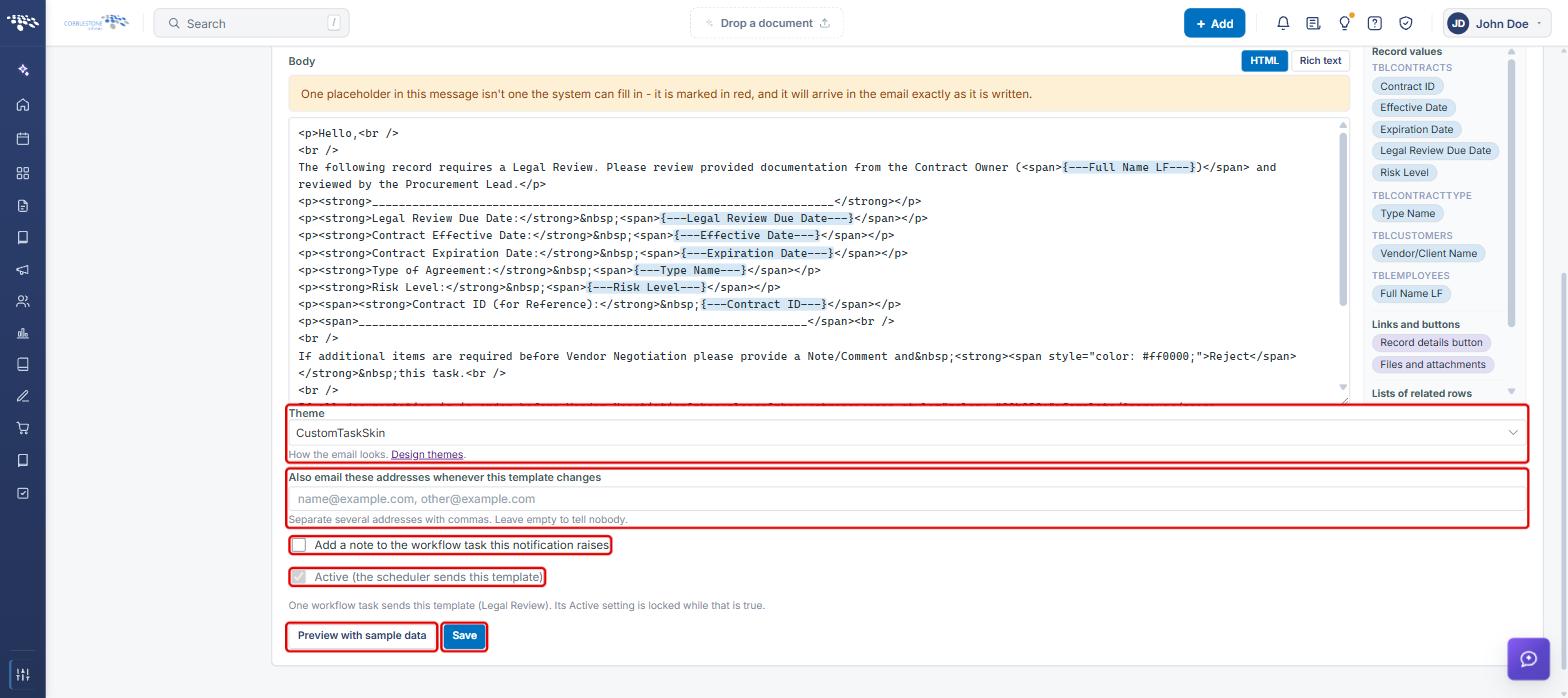
- Scroll below the body and choose a Theme (click Design themes to edit themes).
- In Also email these addresses whenever this template changes, enter addresses separated by commas, or leave it empty.
- Check Add a note to the workflow task this notification raises if needed.
- Check or clear Active (the scheduler sends this template). If a workflow task sends this template, the Active setting is locked.
- Click Save.
6c. Previewing the Message
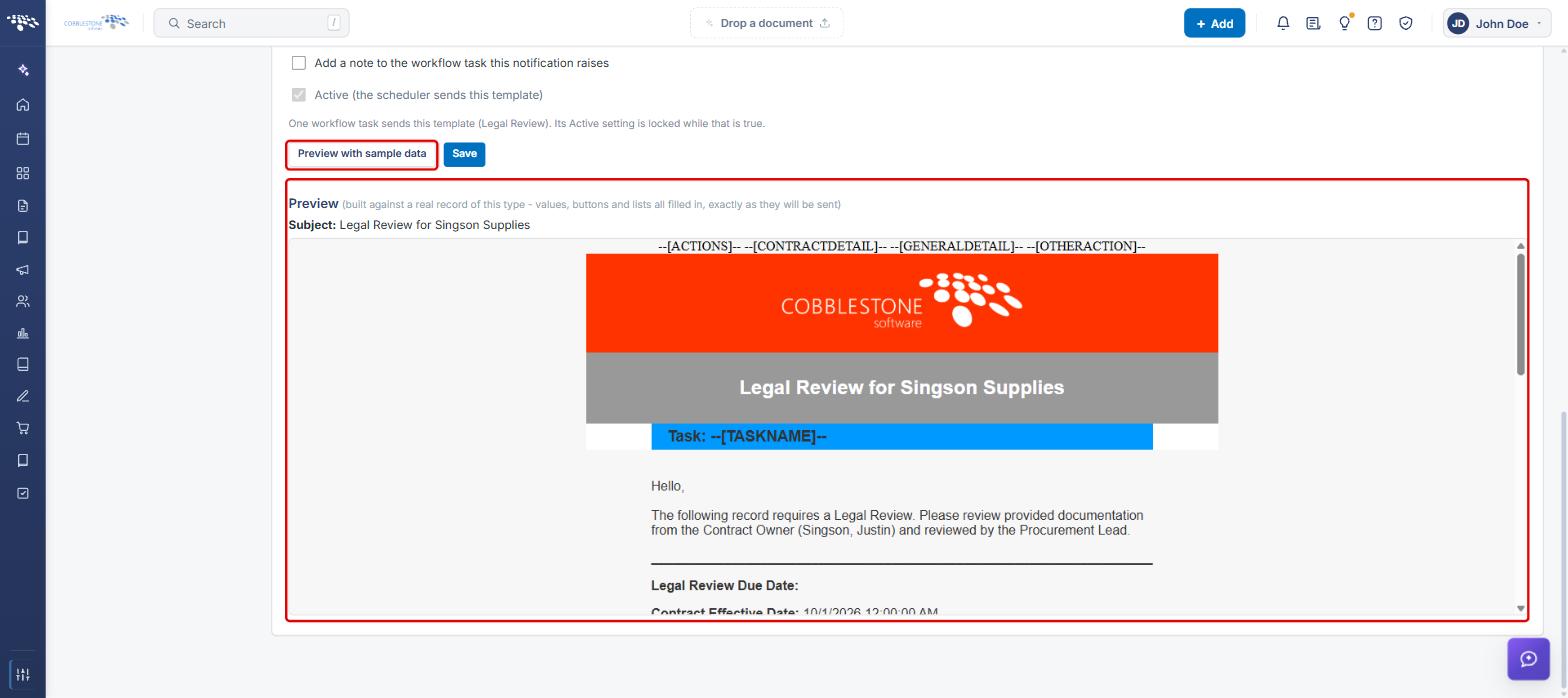
- Click Preview with sample data.
- A Preview appears below, built against a real record of this type with values, buttons, and lists filled in exactly as they will be sent. Review the subject and body before saving.
7. Managing Merge Fields (Fields Tab)
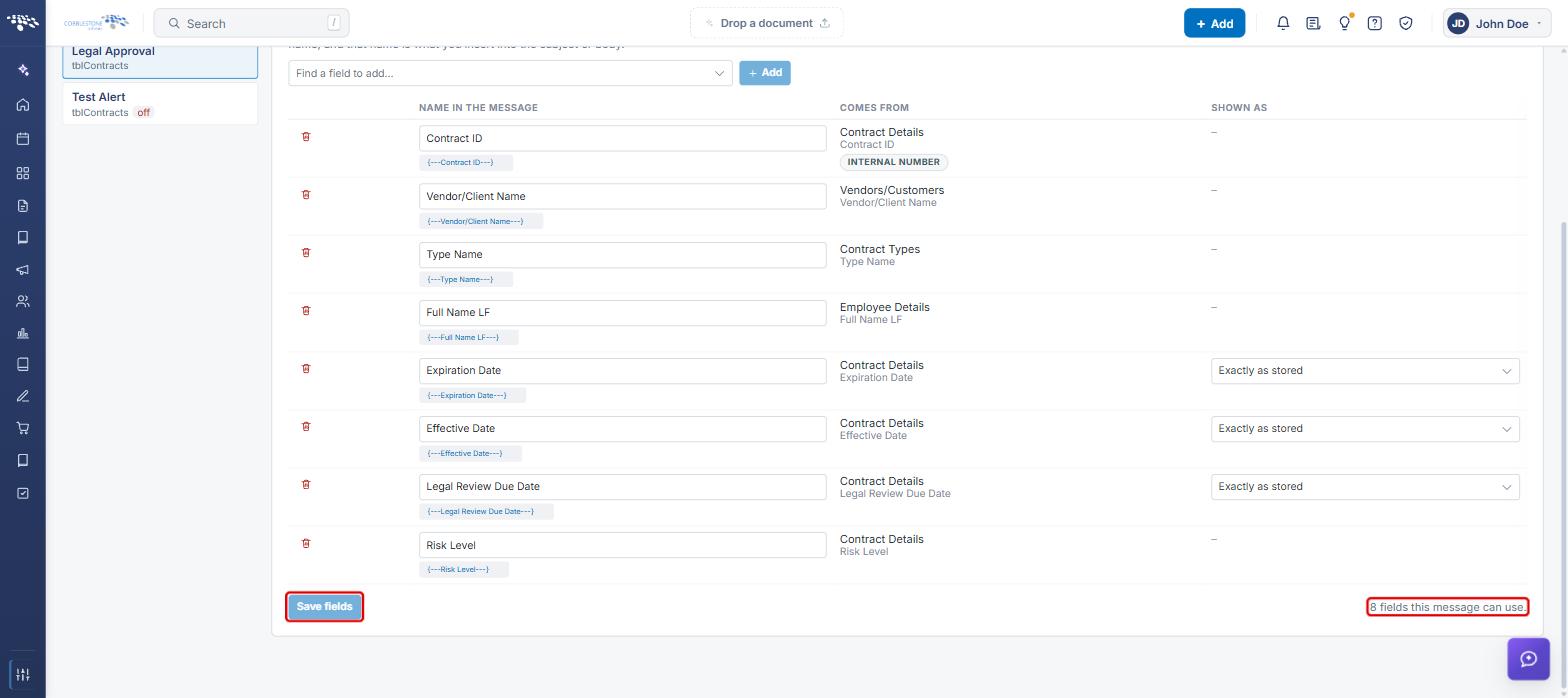
The Fields tab controls which of the record's details the message can show. Each field gets a name, and that name is what you insert into the subject or body.
- Open the template and click the Fields tab.
- To add a field, select it in Find a field to add and click + Add.
- Edit the Name in the message if needed. The placeholder shown beneath it (for example,
{---Contract ID---}) is what you insert into the message. - Review Comes from to confirm the source table and field. For date and similar fields, choose a format under Shown as.
- Click the trash icon to remove a field.
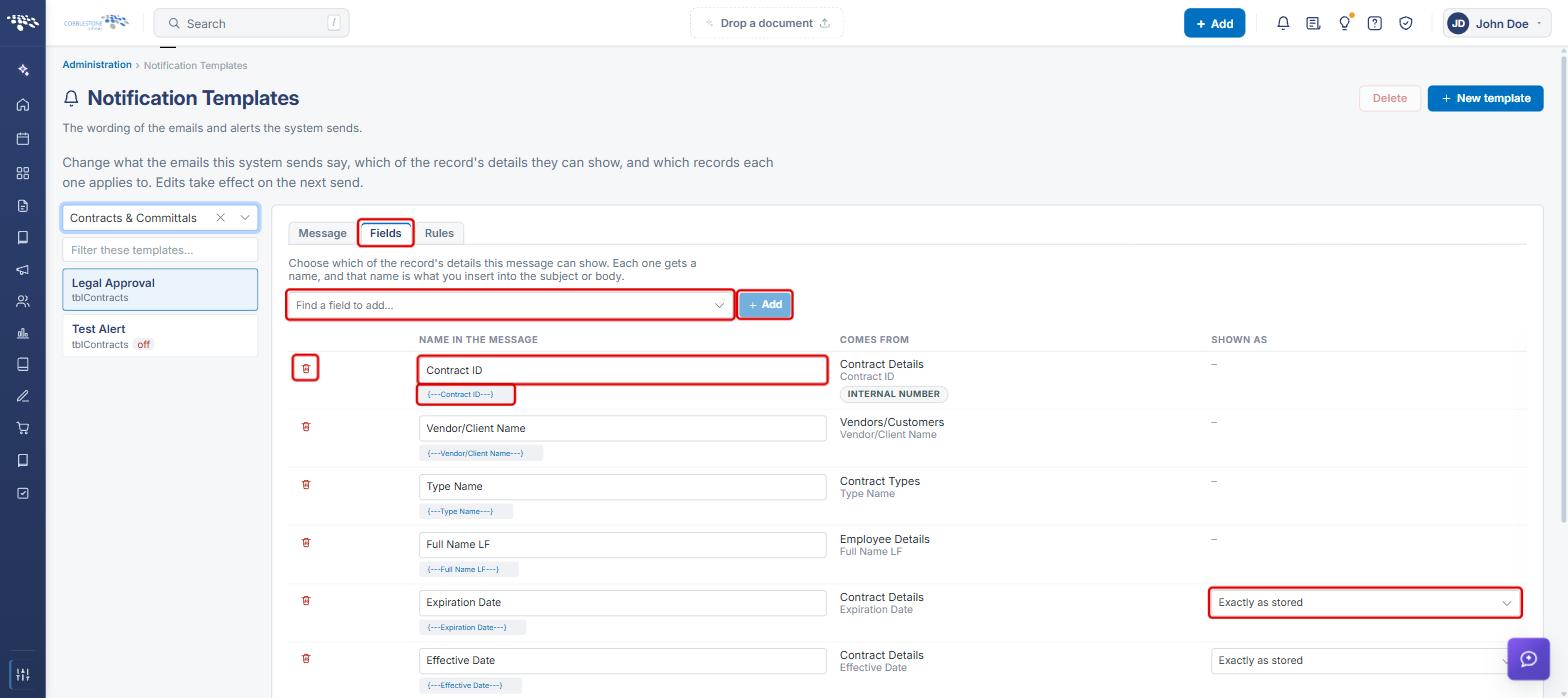
- Scroll to the bottom and click Save fields. The count of fields the message can use is shown at the bottom right.
8. Limiting Which Records Get the Notification (Rules Tab)
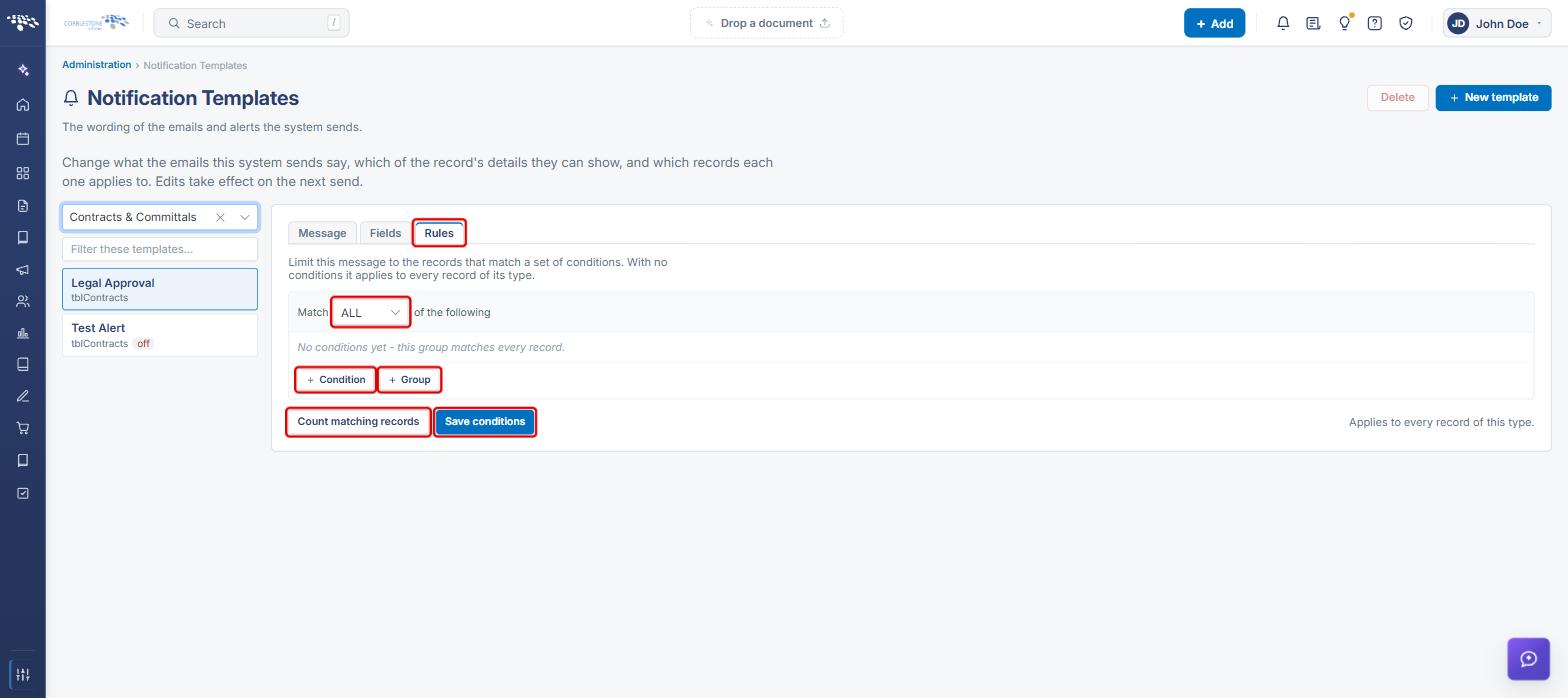
With no conditions, a template applies to every record of its type.
- Open the template and click the Rules tab.
- Set Match to ALL or ANY of the following.
- Click + Condition to choose a field, operator, and value. Click + Group to nest a group of conditions.
- Click Count matching records to see how many records the rules currently match.
- Click Save conditions.
9. Quick Reference Summary
| Task | How to Complete It |
|---|---|
| Open Notification Templates | Administration → search “Notification” → Notification Templates. |
| Find a template | Choose an area → (optional) Filter these templates → click the template. |
| Create a template | + New template → Name, Area, Record type, Theme → Create and choose fields. |
| Edit subject or body | Message tab → Subject / Body → Save. |
| Insert a placeholder | Type { in the subject or body, or click one in Insert a placeholder. |
| Change theme or Active setting | Message tab → Theme / Active → Save. |
| Preview the email | Message tab → Preview with sample data. |
| Add or remove merge fields | Fields tab → Find a field to add → + Add (or trash icon) → Save fields. |
| Limit which records apply | Rules tab → Match ALL/ANY → + Condition / + Group → Save conditions. |
| Delete a template | Select the template → Delete. |