COBBLESTONE SOFTWARE
Contract Insight — User Guide
Link a Contract to a PO
Module: Purchase Orders › Purchase Orders & Contracts › Link a Contract to a PO
Note: Each procedure in this guide begins at the Contract Insight homepage, so any section can be followed on its own. Custom fields are configurable, so the exact field list on a contract category record may vary between environments.
1. Overview
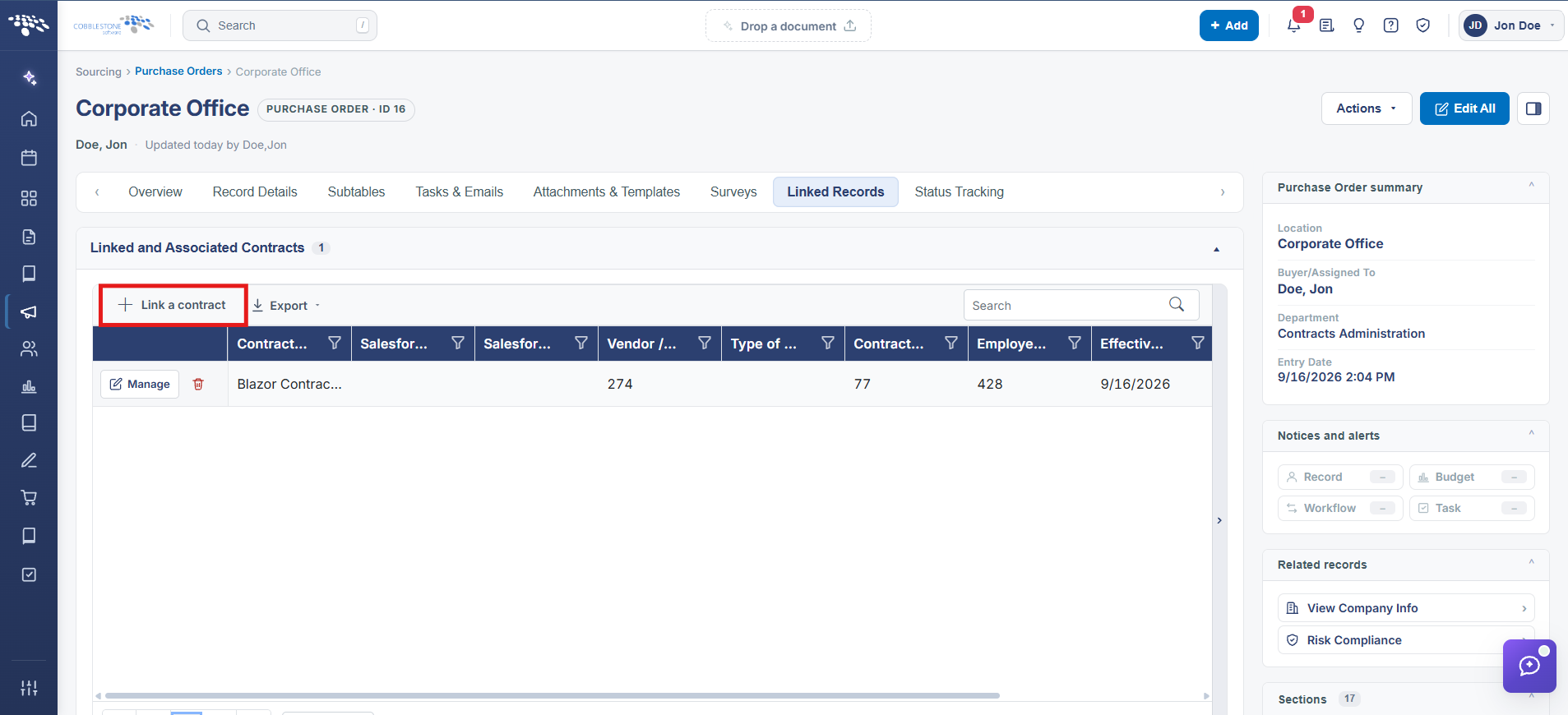
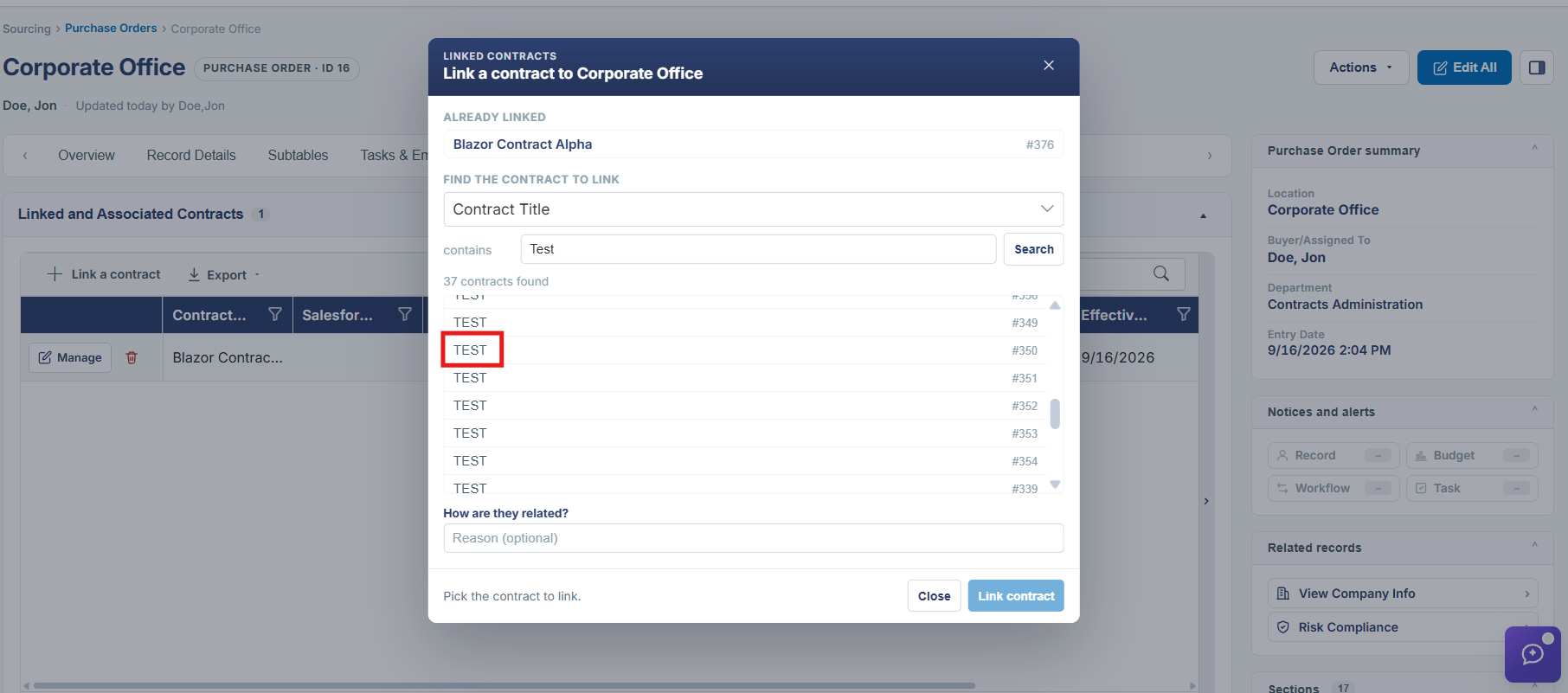
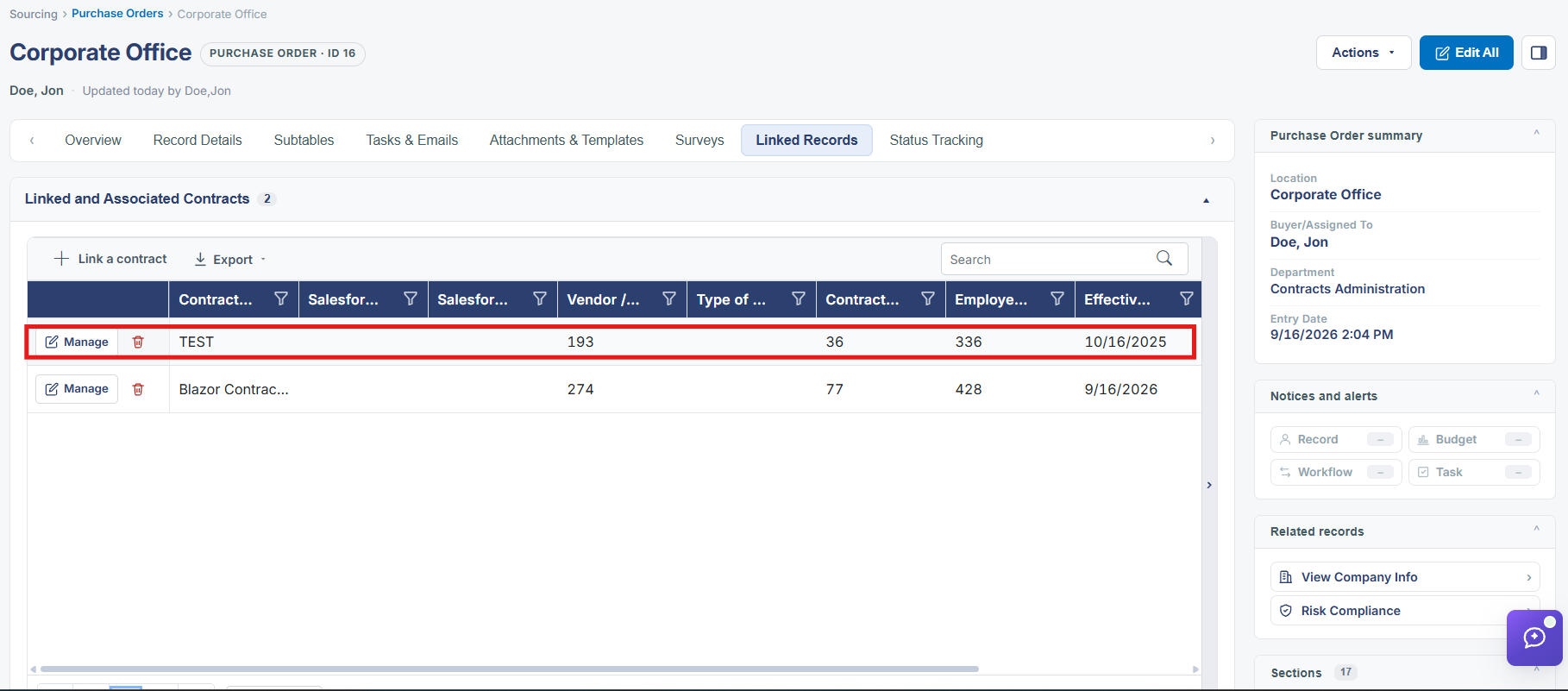
A purchase order can be tied to the contract it was issued under. Actions → Link Contract, in the Manage Record Actions group of a PO's Actions menu, creates that connection; once linked, the relationship is reflected on the PO's Linked Records tab under Linked and Associated Contracts.
2. Key Elements
- Actions → Link Contract (Manage Record Actions group) on a purchase order
- Linked Records tab → Linked and Associated Contracts shows the resulting connection